Commercial relationship for this article: None. This is based on Curtis Pyke’s direct confirmation on October 7, 2026.
The Codex Micro does not make Codex smarter. It does something more modest—and, for the right person, surprisingly useful: it makes agent work visible and tactile.
After using the OpenAI–Work Louder controller with the Codex desktop app, the feature I kept coming back to was not the joystick, the reasoning dial or even push-to-talk. It was the row of six frosted Agent Keys. Their live RGB states let me see which assigned Codex threads are thinking, finished, waiting for input or stuck before I open a window. When I am running research, writing and editing jobs in parallel, that glanceable “traffic light for nerds” is the product.
At $230 USD, however, Codex Micro is a specialist tool—not an essential Codex accessory. Casual ChatGPT users should skip it. So should anyone expecting a general-purpose Stream Deck replacement, an onboard AI computer or a productivity miracle. But if the Codex desktop app is already a serious part of your workday, the Micro can remove enough tab hunting and status checking to earn a permanent place beside the keyboard.
Kingy verdict: Codex Micro is an unusually focused, beautifully made controller for heavy Codex desktop users. Its live agent-status keys are genuinely useful; its price, sold-out status and narrow integration keep it from being a universal recommendation.
| Best for | Skip it if |
|---|---|
| Developers, creators, writers and researchers actively juggling several Codex threads | You use ChatGPT or Codex occasionally, need broad third-party integrations, or want maximum shortcut value per dollar |
What I liked
- Six glanceable Agent Keys turn background Codex activity into a readable physical status board.
- Single- and double-tap navigation reduces the friction of finding the right thread.
- Push-to-talk is faster than reaching for a microphone button when an idea arrives mid-task.
- The dial, joystick and Command Keys are remappable, so the controller can fit a real workflow instead of forcing one.
- The CNC polycarbonate-and-aluminum construction feels more considered than a novelty desk gadget.
What needs work
- $230 is difficult to justify unless Codex is already central to your work.
- Only six threads are visible on the hardware at once, even if your actual agent workload is much larger.
- The deepest live integration is with the Codex desktop experience, not every AI coding tool.
- Work Louder warns that apps such as Karabiner and Logitech Options+ can currently interfere when they have Input Monitoring permission.
- OpenAI and Work Louder list the limited edition as sold out, with no confirmed restock date.
Watch the hands-on Codex Micro review
What is Codex Micro?
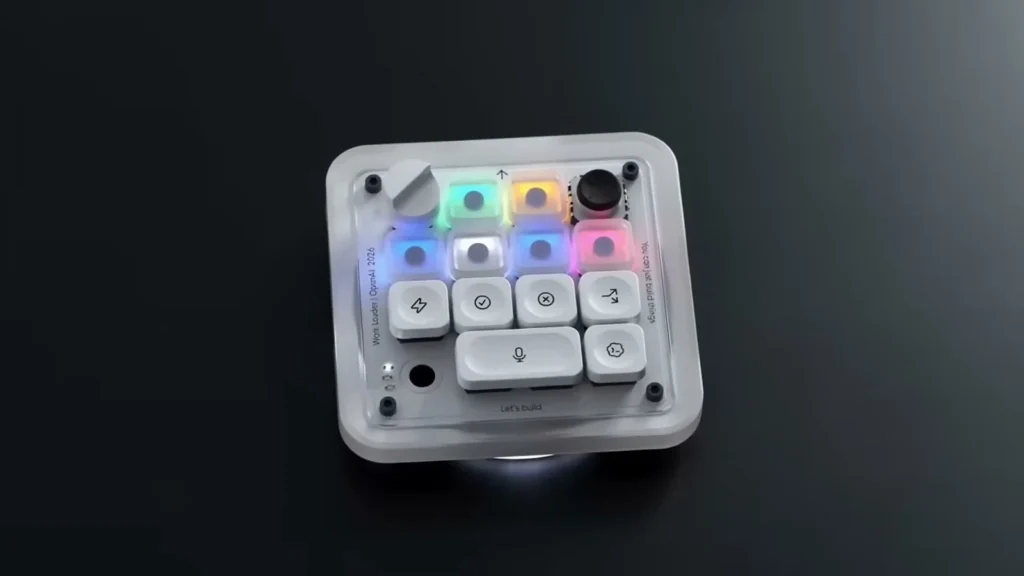
Codex Micro—model kbd-1.0-codex-micro—is a compact mechanical controller created by OpenAI Supply Co. and Work Louder for the Codex experience in the ChatGPT desktop app. It is based on Work Louder’s small-format controller design, but its defining feature is direct Codex integration rather than a generic collection of macro keys.
The hardware combines 13 mechanical switches, a rotary encoder, a planar joystick and a touch sensor. It connects by USB-C or Bluetooth, supports Mac and Windows, and uses live RGB lighting to surface the state of assigned Codex threads. OpenAI sold clicky and silent switch versions for $230 USD. The box includes the controller, a USB-C-to-USB-C cable and a Codex icon keyset.
That last item has an odd documentation discrepancy: OpenAI describes “32 extra keycaps” and “32 custom icons,” while the in-box list says 30 one-unit caps plus one two-unit cap. I would treat it simply as an included Codex icon keyset rather than promise a precise spare-cap count.
The Micro is not an AI device that runs models locally. It is an input and status surface for software running on your computer. It also does not include a ChatGPT subscription; OpenAI says Codex is available across ChatGPT plans, but usage limits vary.
How I tested it—and what this review does not claim
This review is anchored in my hands-on video and the actions visible in that recording: assigning and monitoring Codex threads, switching focus, using push-to-talk, and opening the in-app control mapping. I use Codex for parallel writing, editing and research work, often with far more active agents than the six slots the Micro can display at once.
I checked the hardware specifications, RGB legend, setup steps, compatibility and software behavior against OpenAI and Work Louder documentation on August 3, 2026. Where this article describes how the product felt in my workflow, that is my observation. Where it describes materials, compatibility or supported behavior, that is documented by the manufacturer.
The recording does not expose the exact firmware version, Work Louder Input version, host operating-system version, switch variant or whether the review unit was bought, loaned or supplied. It shows wired use, so I do not present Bluetooth range, latency or battery endurance as tested. No material relationship was stated in the video or brief, and none is inferred here.
Codex Micro specs
| Specification | Confirmed detail |
|---|---|
| Price | $230 USD at launch |
| Availability | Limited run; sold out/out of stock as of August 3, 2026 |
| Connections | Bluetooth and USB-C |
| Compatibility | Mac and Windows |
| Main inputs | 13 mechanical switches, rotary encoder, planar joystick, touch sensor |
| Lighting | RGB, including live Codex agent-status feedback |
| Materials | CNC polycarbonate and aluminum; sandblasted anodized bottom; PBT and PC keycaps; rubber joystick cap |
| Switch choices | Clicky or silent |
| Software | ChatGPT Codex and Work Louder Input |
| In the box | Codex Micro, USB-C-to-USB-C cable, Codex icon keyset |
OpenAI does not publish dimensions, weight, battery capacity or a battery-life estimate on the product page. Claims elsewhere that the device has a screen, haptics, an onboard microphone or only 12 keys are not supported by the official specification.
Design and build: compact, tactile and intentionally strange
The Codex Micro looks like a prop from an optimistic 1970s computer lab: translucent off-white body, softly glowing pastel keys, a low aluminum base, one large dial and a tiny black joystick. That character matters because this is an object designed to remain visible on your desk. A generic black macro pad would have been easier to ignore.
Work Louder says the frame is a unibody sandblasted polycarbonate part and the base is milled aluminum with an anti-slip ring. In the hand, the controller looks and behaves like a finished peripheral rather than a promotional trinket. The physical separation between the six frosted Agent Keys and the command controls also makes the layout understandable without labels everywhere.
There is still a learning curve. The supplied icon caps look good, but an icon only helps after you remember the action you mapped to it. The dial and joystick also invite experimentation rather than explaining themselves. That is acceptable for an enthusiast controller, but the value grows only after you spend time deciding which actions deserve physical space.
The six Agent Keys are the reason to buy it
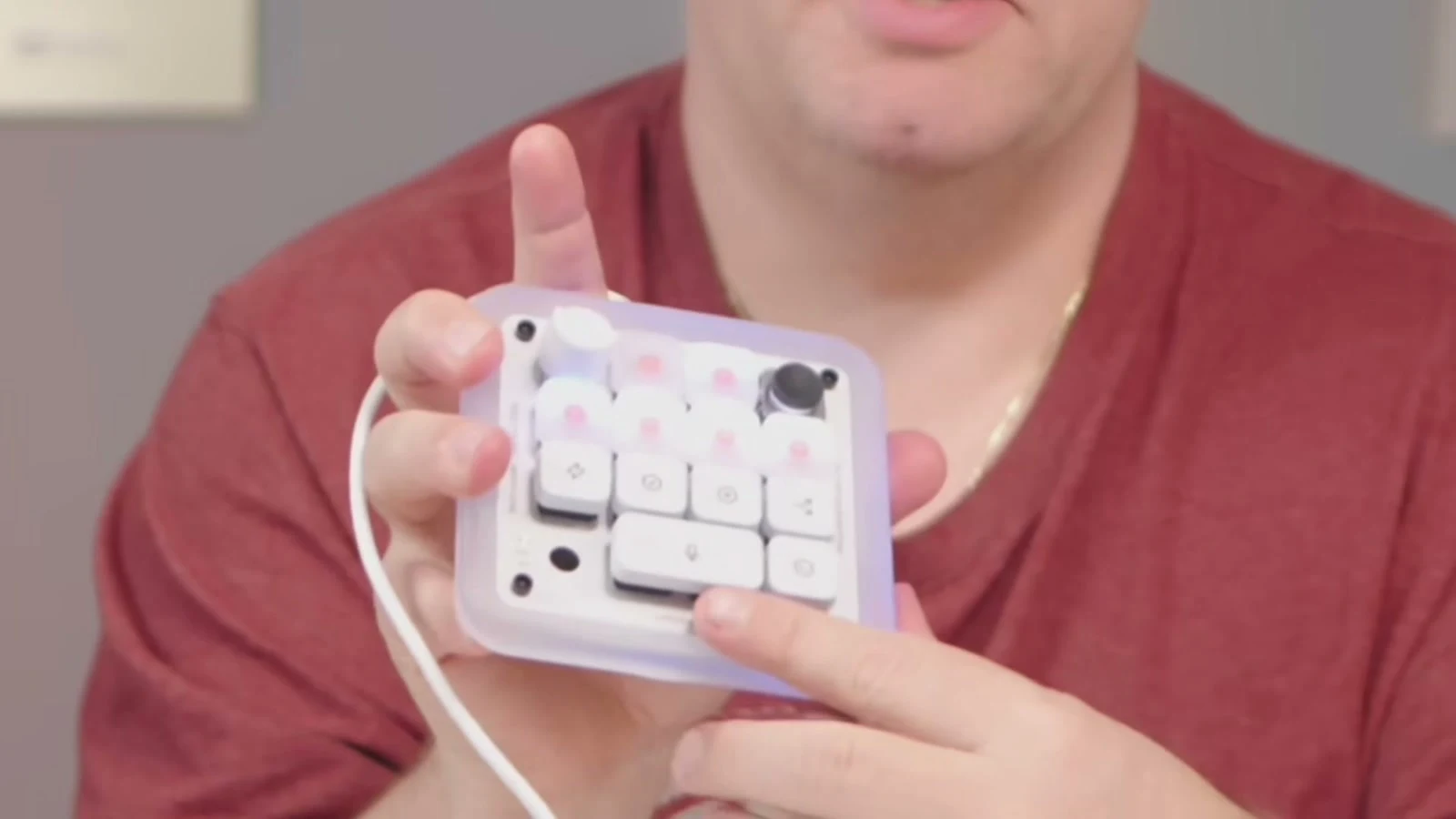
Codex Micro’s best idea is simple: assign a recent, pinned or specific Codex thread to one of the six frosted keys, then let color tell you what needs attention.
| Light state | Meaning |
|---|---|
| White | Idle |
| Blue | Thinking |
| Green | Complete |
| Amber | Requires input |
| Red | Error |
| Off | No agent assigned |
In practice, the colors convert invisible software state into peripheral vision. I can be writing in one window and notice that a research task has turned green or an approval request has turned amber. I no longer need to keep opening Codex just to ask, “Did that finish?”
That sounds small, but status checking is exactly the kind of interruption that fractures a multi-agent workflow. The Micro does not eliminate the work of reviewing output; it reduces the unproductive loop of hunting for the thread that is ready for review.
There is an important limit: the controller shows six assigned threads, not every agent you may have running. I often work with roughly 20 agents across projects. Codex Micro is therefore a priority board, not a complete operations console. Choose the six threads that matter now.
Navigation is faster than the feature list suggests
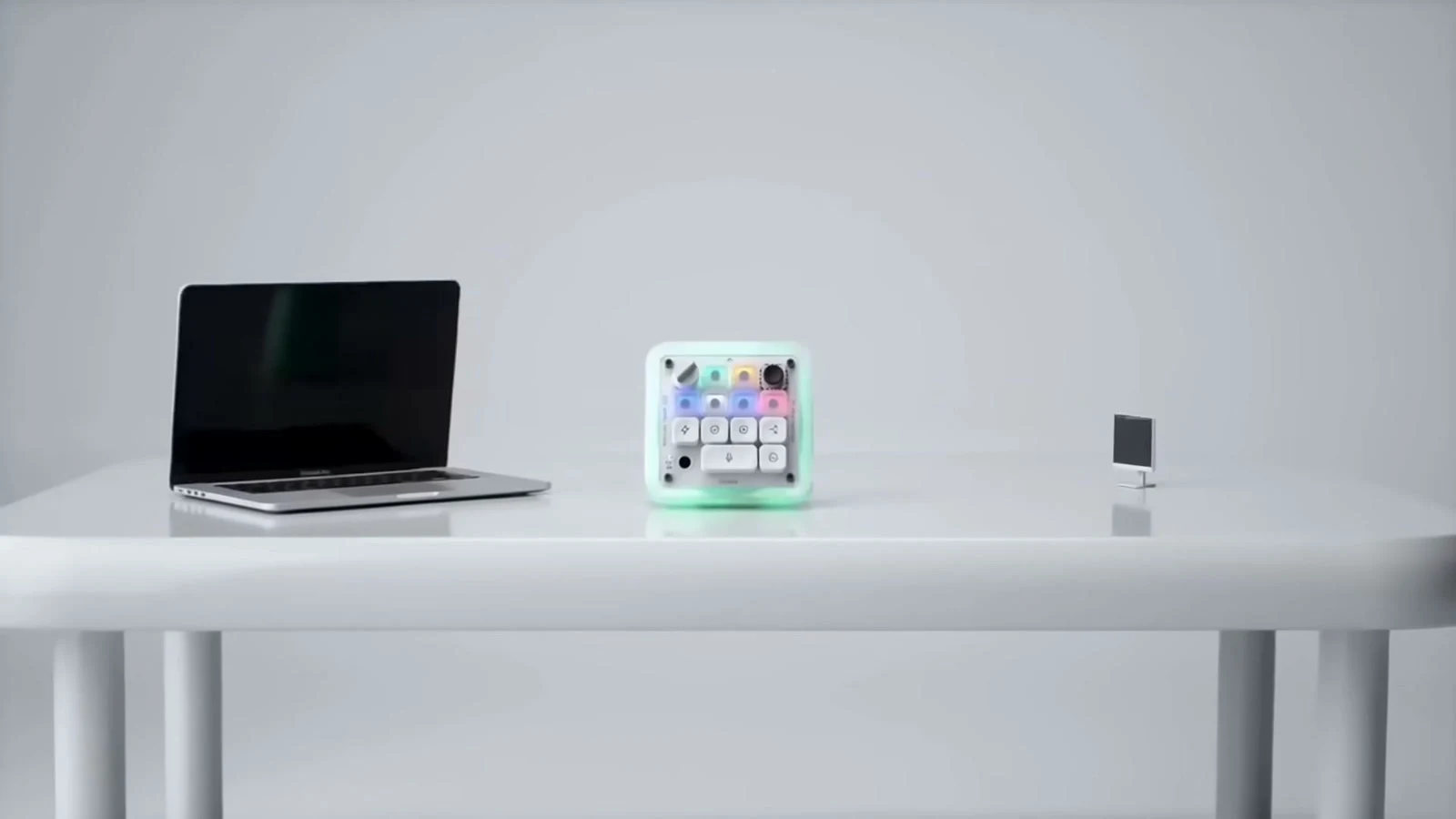
Each Agent Key doubles as navigation. A single tap focuses the assigned thread in the background. A double tap brings the Codex window and that thread to the foreground. This is one of those behaviors that reads like a minor shortcut and feels far more useful once muscle memory develops.
The distinction also helps preserve context. A single tap can select the next thread without dragging the whole application over what I am doing; a double tap is the deliberate “show me this now” action. When a green key tells me a draft is ready, the physical light and navigation command become one continuous gesture.
Command Keys, joystick and reasoning dial
The rest of the controller is a compact shortcut deck. OpenAI highlights actions such as accept, reject, push-to-talk and new chat. The joystick can trigger four preset or custom actions, with Work Louder suggesting workflows such as reviewing a pull request, debugging an error or refactoring code. The rotary dial can change Codex’s reasoning level, and the controls can be remapped.
The reasoning dial needs the right expectation. Turning it does not make a model progressively “smarter” like a volume knob. It changes the configured reasoning level available to Codex, which trades speed and usage for a more considered run when supported. It is useful when you already understand that choice: low effort for a quick task, higher effort for something where deeper analysis is worth the time.
I found the assignable controls most convincing when mapped to repeated decisions rather than flashy demos. Approve. Review changes. Open a terminal. Start a fresh thread. Send a common instruction. A good configuration should remove tiny, frequent frictions from your own workflow; copying someone else’s layout misses the point.
Push-to-talk is more useful than an onboard microphone would be
Codex Micro has no documented microphone. Push-to-talk invokes the computer’s microphone, which is what happened in my test. Hold the assigned control, speak, release and let the app process the prompt. In the supported flow, double-tapping can latch listening for hands-free dictation.
This is especially useful for the half-formed thought that arrives while your hands are on another task. I can speak an instruction before the idea evaporates, without finding a text field or switching into a separate voice interface. It is not a reason to buy the controller on its own, but it fits the product’s larger goal: keep your attention on the work rather than the app chrome.
Setup and customization
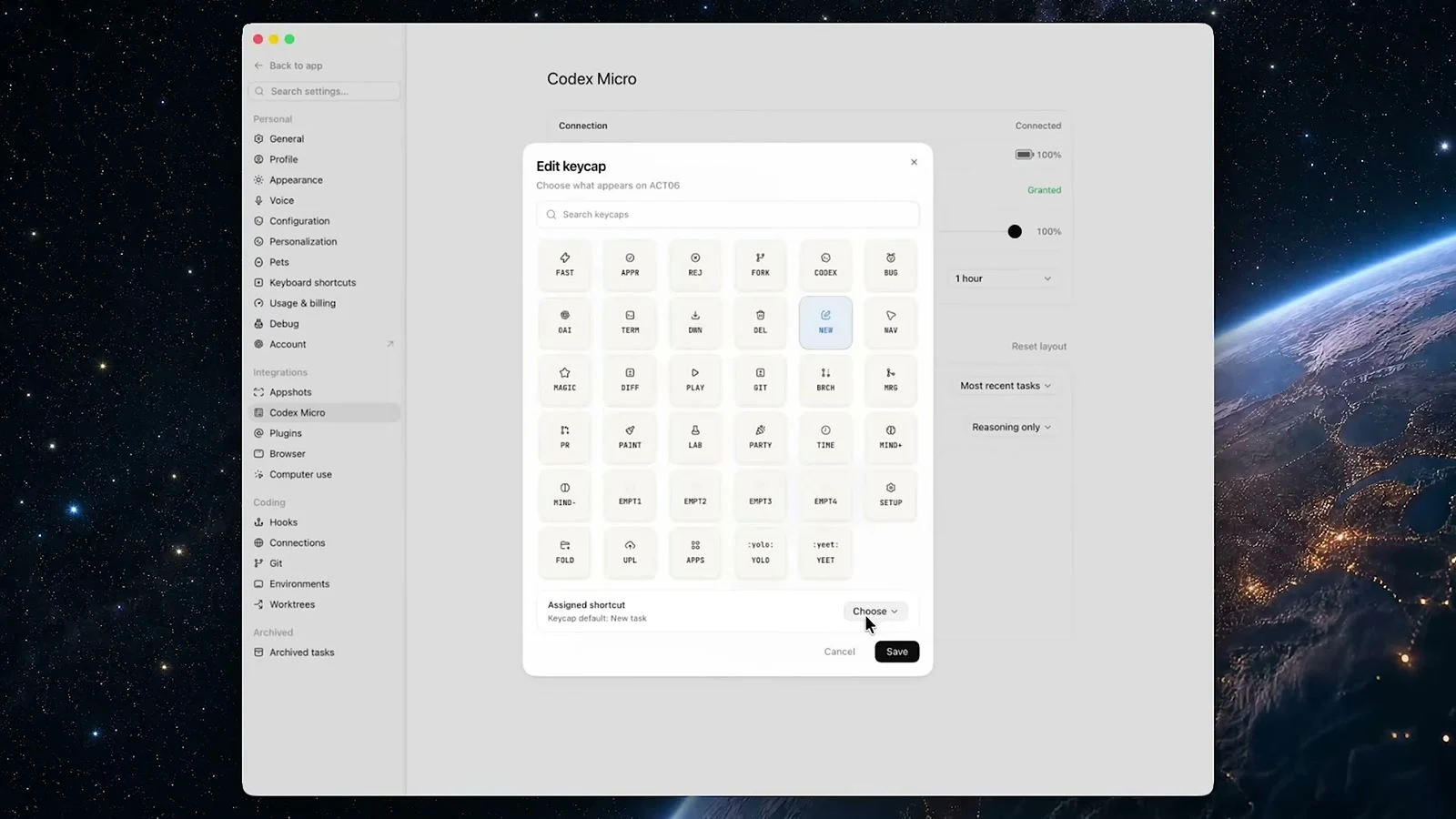
Out of the box, the Codex layer is configured inside the ChatGPT desktop app. Long-pressing the dial while inside Codex opens the configuration page, where the Agent Keys, Command Keys, dial and joystick can be assigned.
Work Louder Input expands the hardware beyond Codex. It can map shortcuts and custom actions for other applications and supports multi-tap behavior. Work Louder’s Codex Micro page documents six programmable layers, while its setup guide documents three Bluetooth channels plus wired mode.
There are two boundaries worth knowing:
- As of October 10, 2026 UTC, Work Louder’s Input download page lists version 1.0.2 for Apple silicon Macs, Intel Macs and Windows, with an unofficial Linux build. The official Codex Micro product specification itself says Mac and Windows. Do not assume native live-agent integration on Linux, iOS, Android, Claude Code, Cursor or every Codex surface.
- Work Louder warns that applications such as Karabiner and Logitech Options+ may interfere with communication between Codex and the Micro when they have Input Monitoring permission. The company says it is working on a fix but gives no date. If the controller is not responding, that permission conflict should be one of the first troubleshooting checks.
What Codex Micro gets right
It solves a real attention problem
Most AI controllers lead with shortcuts, but shortcuts are easy to reproduce on a keyboard. Live thread state is harder. The Agent Keys give background work a physical presence without demanding another always-on dashboard.
The hardware and software reinforce each other
The RGB is not ambient decoration; it carries operational meaning. The same key that shows a thread’s state opens that thread. The voice key captures a new instruction. The controls feel like parts of one workflow rather than a bag of features.
It respects customization
Codex Micro ships with an opinionated first layer, but it does not lock every control. The best users will keep the six agent slots and rebuild much of the command surface around their own recurring decisions.
Where Codex Micro falls short
The price narrows the audience immediately
At $230, the Micro costs more than twice the US list price of an eight-key Elgato Stream Deck Neo. The comparison is not exact—Stream Deck Neo offers LCD keys and a broad software ecosystem, while Codex Micro offers mechanical inputs, a dial, joystick, wireless connectivity and live Codex status—but it clarifies the premium. You are paying for specialized integration and industrial design, not the cheapest way to launch shortcuts.
Six visible agents can feel restrictive
Six is enough to be useful and too few to represent a large parallel workload. There is no tiny display with thread names, either, so effective assignment and keycap choices matter. If your six priorities change constantly, some of the saved navigation time returns as configuration work.
Its biggest advantage is ecosystem-specific
Work Louder Input makes the hardware programmable in other apps, but the signature feature—the live Agent Key state—is tied to Codex. Buyers who alternate between Codex, Claude Code, Cursor and other agents should not assume equal integration.
Availability and after-purchase certainty are weak
Both official Codex Micro product pages say sold out or out of stock. OpenAI calls it a limited quantity collaboration and does not promise a restock. OpenAI lists warranty and support, but the retained product page does not state a general return window. Verify the applicable return terms before buying if stock returns.
Codex Micro vs Creator Micro 2 vs Stream Deck Neo
| Codex Micro | Work Louder Creator Micro 2 | Elgato Stream Deck Neo | |
|---|---|---|---|
| Best reason to choose | Direct Codex thread status and controls | Similar tactile format with broader creator positioning | Lower-cost, mature general app automation |
| Inputs | 13 mechanical switches, dial, planar joystick, touch sensor | 13 mechanical switches, dial, planar joystick, touch sensor | 8 LCD keys, 2 touch points |
| Connectivity | Bluetooth and USB-C | Base: wired; Pro: Bluetooth and USB-C | USB-C |
| Codex live-status integration | Yes | Official page advertises an Agent mode, but configuration and included keycaps differ | No equivalent native Codex status claim |
| Broader app use | Via Work Louder Input layers and shortcuts | Via Work Louder Input | Extensive Stream Deck software/plugin ecosystem |
| Price/availability source boundary | $230 launch price; sold out/out of stock on retained October 8 product pages | Current page showed “Not available”; no price was exposed on October 10, 2026 | $99.99 USD on Elgato’s US store on October 8, 2026 |
If your main need is “put common shortcuts on a desk controller,” Stream Deck Neo is the more rational value. If you want the Work Louder hardware format without the limited Codex edition, monitor Creator Micro 2 availability and compare its Base and Pro configurations carefully. Codex Micro is the one to choose specifically for its direct Codex identity, included icon set and live agent surface.
Who should buy Codex Micro?
Buy it if all three statements are true:
- The Codex desktop app is already part of your daily professional workflow.
- You routinely manage several parallel threads and lose focus checking their state.
- You value a dedicated, tactile control surface enough to pay a substantial premium over generic shortcut pads.
That can describe a developer managing builds and reviews, a creator coordinating scripts and assets, a writer running research and edits in parallel, or a researcher supervising several evidence-gathering tasks. Coding is the obvious use case, but the status problem is broader than code.
Skip it if you mostly run one task at a time, live in the Codex CLI or IDE extension rather than the desktop app, need direct integration with competing agents, or enjoy configuring gadgets more than using them. A keyboard shortcut, voice hotkey or cheaper macro pad can reproduce many command functions—just not the same live Codex status view.
Is Codex Micro worth $230?
For most people, no. For a narrow group of heavy Codex desktop users, yes.
That answer is not a hedge; it is the product’s design. Codex Micro is a luxury workflow instrument. It does not improve model quality, add Codex usage or replace judgment. It takes the background state of agentic work and puts it under your fingers. If constant thread switching is a real daily cost, the six lights and tap navigation can feel disproportionately valuable. If that sentence sounds abstract, save the money.
My initial suspicion was that the controller would become another attractive desk gadget buried under cables. It did not. The live status keys gave it a job I could understand at a glance. I still would not recommend buying one speculatively while the restock timing and applicable return terms remain unconfirmed in the retained product page. But in my workflow—parallel research, writing and editing—the Codex Micro is fantastic because it makes the work visible without making the interface louder.
Codex Micro FAQ
How much does Codex Micro cost?
OpenAI listed Codex Micro at $230 USD. Both OpenAI and Work Louder showed it as out of stock or sold out when checked on August 3, 2026.
Does Codex Micro run AI locally?
No. It is a controller and status surface for Codex on your computer. The official hardware specification does not describe onboard AI processing.
Do I need a ChatGPT plan?
The hardware does not include a plan. OpenAI says Codex is included across ChatGPT plans, including Free and Go, but usage limits vary. Confirm current plan limits before buying hardware around a high-volume workflow.
What do the Codex Micro colors mean?
White is idle, blue is thinking, green is complete, amber requires input, red means error and an unlit Agent Key has no assigned agent.
Does Codex Micro have a built-in microphone?
No onboard microphone appears in the official specification. In my test, push-to-talk used the computer’s microphone.
Does it work over Bluetooth?
Yes. The official setup guide documents three Bluetooth channels plus wired USB-C mode. My video shows wired use, so this review does not score Bluetooth range or latency.
Does Codex Micro work with Mac, Windows or Linux?
OpenAI lists Mac and Windows compatibility. Work Louder offers its Input configurator for Apple silicon and Intel Macs, Windows, and an unofficial Linux build. That unofficial Input build is not proof of full native Codex status integration on Linux.
Can I use Codex Micro with Claude Code or Cursor?
The keys can be programmed as general shortcuts through Work Louder Input, but neither company documents equivalent live agent-status integration for Claude Code, Cursor or other coding agents. Buy it for Codex, not on the assumption that every AI tool will light the keys in the same way.
What comes in the box?
OpenAI lists the Codex Micro, a USB-C-to-USB-C cable and the Codex icon keyset.
Will Codex Micro be restocked?
There is no confirmed restock date. The Codex Micro pages say sold out or out of stock; Work Louder points visitors toward Creator Micro 2, whose own page showed “Not available” on October 10, 2026.
Sources and further reading
Primary product documentation: OpenAI Supply Co. Codex Micro, Work Louder Codex Micro, Work Louder setup guide, Work Louder Input, OpenAI: using Codex with your ChatGPT plan, and Elgato Stream Deck Neo.
Continue with Kingy’s complete guide to OpenAI Codex, Codex desktop app guide, State of AI Coding Tools 2026, Claude Code vs Codex, or the Codex tool record.
Original reporting and availability context checked August 3, 2026; current product pages were rechecked October 8–10, 2026. Product availability, software behavior and plan limits can change. This review distinguishes recorded hands-on observations from manufacturer documentation and leaves unverified specifications unstated.
The Kingy Brief
Get the free AI price sheet.
26 AI plans and models on one page, from official pricing pages, updated every month. Free when you join The Kingy Brief: AI changes, original tests and one practical thing to try, Fridays at 09:00 Vancouver time.
Free · Double opt-in · Unsubscribe anytime
Sign up for The Kingy Brief on Beehiiv.
Signup help and newsletter schedule
Signup form provided by Beehiiv. After submitting, check your inbox for "Confirm your subscription to The Kingy Brief" and open its confirmation link. Your price sheet download is on the page that opens. Check Spam or Promotions if you cannot find it.
Fridays at 09:00 Vancouver time: source-checked AI changes, original tests and one practical thing to try. We skip a week when there is not enough verified material. Free. Unsubscribe anytime.