
Last updated: June 20, 2026. AI coding tools, pricing, access rules, and product names change quickly. Before you choose a tool, check the linked official docs and current product pages.
Image note: AI coding agents make building more accessible, but the safest results still come from a clear goal, small steps, testing, backups, and human review.
If you are a non-developer, the promise of AI coding agents is both exciting and dangerous.
Exciting because tools like OpenAI Codex, Claude Code, Cursor, Windsurf / Devin Desktop Cascade, Replit Agent, Lovable, and similar products can help you build real things: landing pages, calculators, app prototypes, directories, internal tools, dashboards, automations, and website improvements.
Dangerous because “the AI built it” is not the same as “the thing is safe, correct, secure, fast, accessible, and ready for customers.”
This guide is for founders, creators, marketers, WordPress site owners, consultants, YouTubers, small business owners, and AI-curious beginners who want to build with AI but do not know how to code. The goal is not to turn you into a senior engineer overnight. The goal is to give you a practical workflow for using AI coding agents for non-developers without turning your live website or business process into a test lab.
The core idea is simple: AI coding agents reduce the cost of building, but they do not remove the need for structure. You still need clear goals, small tasks, backups, staging, QA, security checks, cost control, and human judgment.
The Short Version
- Use AI coding agents for small, reviewable builds first: landing pages, simple calculators, private test pages, dashboards, directories, and content tools.
- Do not start with high-risk systems: payments, medical advice, legal workflows, customer data migrations, custom authentication, or production-critical business systems.
- Work in loops: define the goal, ask for a plan, build one small piece, test it, fix it, document it, and repeat.
- Keep WordPress safe: back up files and database, use staging or private pages, avoid direct theme-file edits, and test before publishing.
- Use the right tool: Codex, Claude Code, Cursor, and Windsurf are closer to coding agents; Replit and Lovable are closer to AI app builders; website builders, no-code tools, automation builders, and copilots solve different jobs.
- Review everything: AI can create useful code and convincing mistakes in the same session.
If you want a structured beginner path, start with the OpenAI Codex Course for Beginners and the broader Build With AI Academy. This article gives you the operating system behind that kind of work.
What Are AI Coding Agents?
An AI coding agent is an AI system that can help with software work across multiple steps. Instead of only answering a question, it can inspect files, reason about a codebase, make edits, run commands, read errors, fix problems, and sometimes open pull requests or deploy a result depending on the tool and permissions.
A basic chatbot might explain what a contact form is. A coding agent can look at your actual contact form file, find the validation bug, edit the code, run a test, and summarize what changed.
Official docs describe this pattern clearly. OpenAI says Codex is a coding agent for software development that can help write code, fix bugs, understand code, and work across surfaces such as the app, CLI, IDE extension, and cloud. Anthropic describes Claude Code as an agentic coding tool that reads your codebase, edits files, runs commands, and integrates with development tools. GitHub describes Copilot cloud agent workflows that can research a repository, create a plan, make code changes on a branch, and optionally open a pull request. The exact surfaces, limits, models, and pricing change, so treat product pages as current source of truth rather than relying on old screenshots or tutorials.
Continue with Kingy’s AI Coding Agents hub for the wider map of agent workflows, comparisons, product records and live changes.
For non-developers, the most important word is not “AI.” It is “agent.”
An agent can act. That is why it is useful. It is also why you need guardrails.
AI Coding Agents vs Other AI Building Tools
People use terms like AI coding agent, AI app builder, vibe coding tool, no-code tool, and website builder as if they all mean the same thing. They do not. The differences matter because each tool gives you a different mix of control, speed, risk, and technical depth.
| Tool Type | Plain-English Meaning | Good For | Beginner Risk |
|---|---|---|---|
| AI coding agents | Agents that read, edit, run, and test code across files | Existing websites, apps, bug fixes, repo changes, custom tools | Can change real code if permissions are too broad |
| AI app builders | Prompt-based platforms that generate working apps or web apps | Prototypes, MVPs, internal tools, simple SaaS concepts | Can hide complexity until you need security, scale, or migration |
| IDE copilots | AI help inside a code editor, often autocomplete or chat | Developers writing code faster | Less useful if you cannot read or review the code |
| Website builders | Visual tools for building pages and sites | Marketing sites, portfolios, landing pages, content pages | Customization limits and platform lock-in |
| No-code tools | Visual databases, forms, workflows, and app builders | Client portals, CRUD apps, workflows, dashboards | Complex logic can become hard to maintain |
| Vibe coding tools | Conversational building from rough ideas, often with live previews | Fast prototypes, design exploration, simple apps | Easy to ship something you do not understand |
| Automation builders | Tools that connect apps with triggers and actions | Lead routing, notifications, data sync, simple operations | Bad automations can spam, overwrite, or leak data |
| Terminal coding assistants | Agents that work from the command line on your machine | Repo-level edits, debugging, scripts, local workflows | Powerful, but intimidating and permission-sensitive |
For a non-developer, the best tool is usually the one that gives you the clearest review loop. If you can see the page, test the form, compare before and after, and roll back safely, you are in a better place than if an agent quietly rewrites a production system you do not understand.
Your Job Is Product Owner, Not Fake Developer
The biggest mistake non-developers make with AI coding agents is pretending they now need to act like a developer. You do not. You need to act like a careful product owner.
A product owner does not necessarily know how every file works. A product owner knows what the user needs, what the business goal is, what counts as done, what should not change, and what risks are unacceptable.
That is exactly the information an AI coding agent needs from you.
Instead of saying “make this better,” say: “This page should convince a local dentist to book a demo. The current problem is that the offer is unclear, the form is too low on the page, and the mobile version feels cramped. Do not change the checkout, global navigation, theme files, or analytics. Make a private draft first and show me what changed.”
That is not a technical prompt. It is a useful brief.
Your review job is also not to inspect every line of code like a senior engineer. Your review job is to test the user flow:
- Can the visitor understand the offer?
- Can they complete the form?
- Does the calculator return sensible numbers?
- Does the page work on your phone?
- Does anything look broken when logged out?
- Did the agent change something outside the agreed scope?
- Can you explain what changed to a contractor, teammate, or future version of yourself?
When the work matters, ask the agent for a handoff packet:
- What changed?
- Which files, pages, settings, or services changed?
- How was it tested?
- What risks remain?
- How can the change be rolled back?
- What should a human developer review if this becomes business-critical?
This habit is part of becoming AI native. You are not just typing prompts. You are learning to manage a loop of intent, implementation, evidence, and review. For a broader operating philosophy, read Kingy.ai’s Becoming AI Native.
A Practical Map of Current Tools
Here is a beginner-friendly way to think about the tools mentioned in this guide. This is not a ranking. It is a map.
- Codex: best understood as OpenAI’s coding agent across app, CLI, IDE, and cloud-style workflows. It is a strong fit when you want a structured agent to inspect a project, plan work, make edits, run checks, and keep a goal in view. See the official Codex quickstart, Codex prompting guide, and Kingy.ai’s Codex /goal prompts guide.
- Claude Code: Anthropic’s docs describe it as an agentic coding tool available through terminal, IDE, desktop app, and browser. It is strong for codebase exploration, edits, testing loops, and developer workflows.
- Cursor: an AI code editor with Agent, rules, MCP, CLI, and Cloud Agent workflows. It is more developer-oriented, but powerful when someone can review code and repository changes.
- Windsurf / Devin Desktop Cascade: current docs use Devin Desktop and Cascade language for agentic coding inside an editor, with modes, tool calling, checkpoints, and local/cloud-style agent workflows. Because the naming has evolved, verify current product names before buying a course or template.
- Replit Agent: Replit positions Agent as a way to turn plain-language ideas into apps, designs, slides, and more. It is especially approachable for beginners because the environment, preview, hosting, and project setup live together.
- Lovable: Lovable describes itself as a full-stack AI development platform for building, iterating on, and deploying web apps with natural language. It is closer to an AI app builder than a raw code agent, with built-in app lifecycle features.
- GitHub Copilot: Copilot spans IDE assistance, agent mode, cloud agents, code review, CLI, and GitHub-native workflows. It is strongest when your project already lives in GitHub and you want PR-centered review.
For more launch-by-launch tracking of this space, see Kingy.ai’s AI Coding Tool Launches, AI Tools, and AI Launch Tracker.
What Non-Developers Can Actually Build With AI Coding Agents
The best first projects are useful, visible, and low-risk. You want something where you can inspect the result with your own eyes, test it with fake data, and roll back if needed.
Good first projects include:
- Landing pages: a product page, webinar page, waitlist page, service page, or affiliate page.
- WordPress page improvements: better layout, clearer sections, improved calls to action, schema cleanup, internal links, or FAQ blocks.
- Calculators: ROI calculators, pricing estimators, lead score calculators, mortgage-style calculators, savings calculators, or quiz-like tools.
- Directories: AI tool directories, local service directories, resource libraries, YouTube tool stacks, or partner lists.
- Internal tools: content brief generators, lead intake tools, spreadsheet cleaners, customer note summarizers, or quote builders.
- Dashboards: simple views over CSV data, analytics exports, form submissions, or launch lists.
- Private test pages: pages that only you or a small review group can see before publishing.
- Bug fixes: broken links, layout issues, mobile overflow, slow-loading assets, missing alt text, or small form problems.
- Automation helpers: scripts that rename files, format CSVs, generate reports, or create repeatable content templates.
- Learning projects: tiny apps you build only to understand how the workflow works.
A good beginner project has three traits: you can explain it in one paragraph, you can test whether it works, and failure will not damage customers or your business.
For example, “Build a lead capture page for my consulting offer with a headline, three benefit sections, FAQ, and a form that saves submissions to a private Google Sheet” is a reasonable beginner goal. “Rebuild my entire client portal with authentication, subscriptions, invoices, document uploads, and HIPAA-style privacy rules” is not.
What Non-Developers Should Not Build First
AI coding for beginners works best when the blast radius is small. Some projects are possible with AI, but they are bad first projects because the cost of a mistake is too high.
Do not start with:
- Payment systems: subscriptions, refunds, taxes, invoices, and webhook logic need careful engineering and review.
- Authentication systems: login, password reset, roles, permissions, and account recovery are security-sensitive.
- Medical, legal, or financial advice tools: these need professional review, disclaimers, compliance, and liability thinking.
- Production database migrations: one bad query can delete or corrupt business data.
- Complex customer portals: private data, permissions, file uploads, and notifications create many failure points.
- High-volume email automations: bad logic can spam customers or get your domain flagged.
- Theme or plugin rewrites on a live WordPress site: these can break the whole site if handled carelessly.
- Anything involving secrets: API keys, payment keys, private tokens, credentials, and customer records require strict handling.
You can eventually build more ambitious systems with AI. Just do not make your first agent project a production-critical machine where you cannot tell whether the output is safe.
The Kingy Build Loop

The Kingy Build Loop is the beginner workflow I recommend for almost every non-developer using AI coding agents.
- Define the goal. State the business outcome in plain language.
- Describe the user. Explain who will use the page, app, automation, or tool.
- List the required pages/features. Keep the first version small.
- Ask for a plan. Make the agent explain what it will do before it edits.
- Build one small piece. One section, one form, one bug fix, one route, one calculation.
- Test it. Use fake data, screenshots, browser checks, mobile checks, and real user flows.
- Fix issues. Report exactly what failed and ask for the smallest fix.
- Document changes. Ask the agent what changed, where, and how to undo it.
- Repeat. Move to the next small piece only after the previous one works.
This is closely related to Kingy.ai’s broader AI Loop Engineering for Beginners idea. The win is not one magical prompt. The win is a loop that keeps turning fuzzy intent into tested output.
How to Write Better /goal Prompts
Codex Goal mode and similar long-running agent modes are powerful because they give the agent a persistent objective. The risk is that a vague goal gives the agent too much room to guess.
A strong /goal prompt should include seven parts:
- Outcome: what should exist when the work is done.
- Audience: who the thing is for.
- Scope: what pages, files, features, or workflows are included.
- Constraints: what not to touch, what tools to use, what style to follow.
- Safety: backups, staging, private pages, no live destructive edits.
- Testing: how the agent should verify the result.
- Definition of done: the exact condition that means the goal is complete.
Weak goal:
/goal Build me a website.
Better goal:
/goal Create a private draft landing page for my bookkeeping service. The audience is local service businesses with 1-20 employees. Include hero, pain points, services, process, testimonials placeholder, FAQ, and lead form. Do not edit theme files. Use existing site styles. Build one section at a time, test desktop and mobile layout, and stop before publishing live.
That prompt gives the agent a job, a user, boundaries, a safety rule, and a done state. For more examples, read How to Write Better Codex Prompts.
10 Reusable /goal Prompt Templates
Copy these templates and replace the bracketed details. For non-developers, templates are not training wheels. They are safety rails.
1. Landing Page
/goal Create a private draft landing page for [offer]. The audience is [audience]. The page should include hero, problem, benefits, how it works, proof, FAQ, and one call to action. Use the existing site style. Do not publish live until I approve. Build one section at a time, test desktop and mobile layout, and summarize all changes.2. WordPress Page Improvement
/goal Improve the WordPress page at [URL or page name] for clarity, conversion, and mobile readability. Do not edit theme files unless you explain why and get approval. Keep existing brand voice. Back up or copy the current content first. Make small changes, test the page on desktop and mobile, and provide a rollback summary.3. Calculator
/goal Build a simple [calculator type] for [audience]. Inputs are [input list]. Outputs are [output list]. Use plain language labels and show the formula in a short note. Add validation for missing or unrealistic inputs. Test with at least five sample cases and explain any assumptions.4. AI Tool Directory
/goal Create a private AI tool directory page for [category]. Include filters for [filters], cards for each tool, a comparison table, and editorial notes. Use sample data first. Do not claim pricing or features unless sourced. Make it easy to update later and test search/filter behavior.5. Course Page
/goal Create a course sales page for [course name]. Audience: [audience]. Include promise, who it is for, curriculum, outcomes, instructor note, FAQ, and call to action. Keep claims realistic. Do not invent testimonials. Make the page private first and test mobile spacing.6. Lead Capture Page
/goal Build a lead capture page for [lead magnet or offer]. Include a short form with [fields], a privacy note, thank-you state, and clear next step. Use fake/test submissions first. Do not connect to production email automation until I approve the test result.7. Private Test Page
/goal Create a private test page where we can safely try [feature or design]. It should not be indexed, linked in navigation, or visible to regular visitors. Use placeholder data. Build the smallest working version, show me how to access it, and explain how to delete or publish it later.8. Simple Web App
/goal Build a simple web app that lets [user] do [job]. Version 1 should include only [must-have features]. Use local/sample data unless I explicitly provide a database. Include basic error states, mobile layout, and a short README explaining how to run and test it.9. Bug Fix
/goal Fix this bug: [describe bug]. Steps to reproduce: [steps]. Expected behavior: [expected]. Actual behavior: [actual]. Find the smallest safe fix, explain the likely cause before editing, run relevant checks, and summarize exactly what changed.10. Performance Cleanup
/goal Improve page performance for [URL or app route]. First measure the current state. Look for oversized images, unused scripts, render-blocking resources, layout shifts, and obvious mobile issues. Make only low-risk changes first. Do not remove analytics, forms, payments, or tracking without approval. Re-test and report before/after results.WordPress Safety for Non-Developers
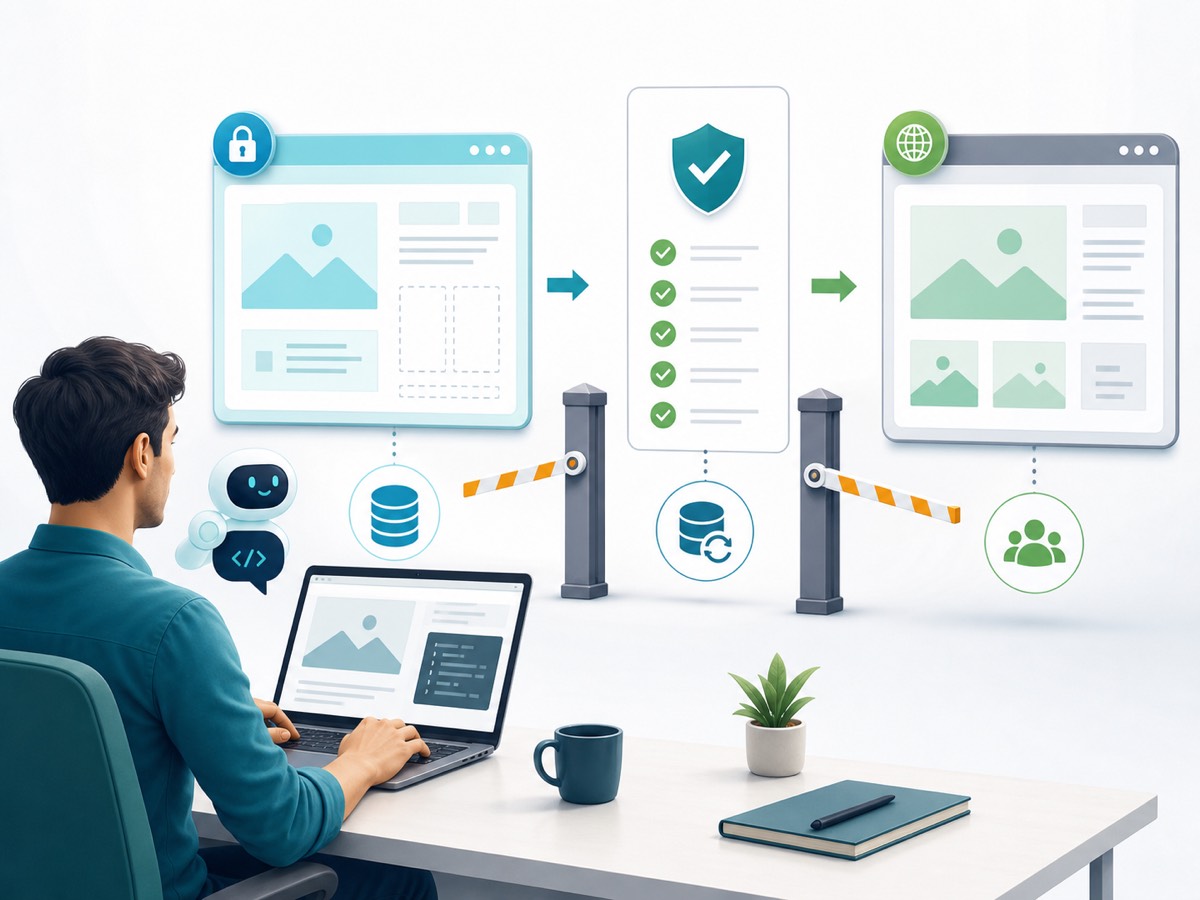
WordPress is a great place for non-developers to use AI coding agents because many useful changes are visible: page layout, copy blocks, calculators, FAQs, internal links, schema, CSS fixes, and content tools. It is also easy to break if you let an agent edit the wrong thing.
Use these rules:
- Back up both files and database. WordPress’s official backup docs explain that a typical site needs both. Files include themes, plugins, uploads, and config. The database includes posts, pages, settings, users, and many plugin records.
- Use staging when possible. A staging copy lets you test changes without touching the live site.
- Use private pages for new content. If you are building a calculator, guide, landing page, or course page, make it private or draft first.
- Do not edit theme files unless necessary. Many improvements can be done in the editor, custom CSS, a child theme, or a small site-specific plugin. Direct theme edits can be overwritten by updates.
- Avoid plugin bloat. Do not install five new plugins because an agent suggested them. Each plugin adds maintenance, performance, and security surface area.
- Test before publishing. Check desktop, mobile, forms, menus, links, images, page speed, and logged-out behavior.
- Do not break live pages to experiment. Create a copy, draft, or staging version.
If you are improving a Kingy-style content site, a safe first task is something like: “Create a private draft version of this page with better structure, internal links, FAQ, and mobile spacing. Do not publish until approved.”
QA for AI-Built Websites
QA means quality assurance. In plain language, it means checking whether the thing works before real users rely on it.
Use this basic QA pass for every AI-built page, app, automation, or tool:
- Visual check: desktop, tablet, and mobile. Look for overflow, clipped text, broken spacing, tiny buttons, and weird image crops.
- Link check: click every important internal and external link.
- Form check: submit with fake data, missing data, bad email, long text, and normal data.
- Content check: remove hallucinated claims, fake testimonials, fake logos, fake pricing, and unsupported product details.
- Accessibility check: alt text, heading order, color contrast, keyboard access, button labels, and readable font sizes.
- Performance check: compress images, avoid unnecessary scripts, and test mobile loading.
- Data check: confirm where submissions go, who can access them, and whether test data can be deleted.
- Rollback check: know how to undo the change before you publish it.
Kingy.ai has a dedicated guide on how to QA an AI-built website. Read it before you let a coding agent touch anything people depend on.
Security and Privacy

AI coding agents are not security engineers by default. They can help find and fix issues, but they can also introduce issues if the task is vague or the permissions are too broad.
Start with these rules:
- Never paste secrets into random prompts. API keys, WordPress passwords, payment keys, database credentials, and private tokens should not be copied into agent chat unless you know the tool, retention rules, and secret-handling model.
- Use fake data first. Test with dummy customers, dummy emails, dummy invoices, and dummy submissions.
- Limit permissions. Give the agent access only to what it needs. A page layout task should not need production database credentials.
- Check user input. Forms, calculators, uploads, and search boxes need validation and sanitation.
- Use platform security guidance. WordPress’s official security handbook emphasizes validating, sanitizing, escaping, nonces, and user roles. OWASP’s Top 10 is a useful baseline for web application risk.
- Do not trust generated code blindly. Ask the agent to review its own changes, then get a human review for anything sensitive.
- Watch dependencies. New packages and plugins can add vulnerabilities, conflicts, or maintenance burden.
- Have a deletion plan. If an app collects data, know how to export, delete, and restrict access to that data.
For non-developers, the safest privacy rule is simple: do not build with real customer data until the workflow works with fake data and a qualified person has reviewed the risk.
Cost Control and Avoiding Runaway Work
AI agents can spend money in obvious and hidden ways. You may pay for subscriptions, credits, model usage, hosting, database storage, image generation, API calls, test runs, background agents, and connected tools.
Runaway work usually happens when the goal is vague and the agent keeps trying to fix its own mistakes. A “simple app” becomes a database migration, then a new auth system, then a deployment error, then a rewrite. Suddenly the experiment costs more than hiring a freelancer for the first version.
Use these cost controls:
- Time-box tasks. Tell the agent to spend one pass planning and one pass implementing the smallest version.
- Limit scope. Use “version 1” language. Say what is out of scope.
- Ask for a plan before edits. Reject plans that are too broad.
- Use cheap environments for prototypes. Do not connect paid APIs until the workflow is proven.
- Stop loops early. If the agent fails twice on the same issue, ask it to diagnose instead of continuing to patch.
- Track installed tools. New plugins, packages, services, and integrations should be intentional.
- Keep a change log. You should know what changed, why, and how to undo it.
A good cost-control prompt is: “Before making changes, list the smallest version of this feature, the likely files or settings involved, the risks, and how you will test it. Do not install new packages or connect paid services without asking me.”
Beginner-Friendly Use Cases vs Risky Projects
| Beginner-Friendly AI Coding Use Case | Why It Is Safer | Risky First Project | Why It Is Risky |
|---|---|---|---|
| Private landing page draft | Easy to inspect visually and publish later | Full website redesign on live site | Can break navigation, SEO, forms, and layout |
| ROI calculator with clear formula | Inputs and outputs can be tested manually | Financial advice app | Accuracy, compliance, and liability risks |
| AI tool directory with sourced claims | Mostly content, filters, and links | Automated product recommendation engine | Can make unsupported or biased recommendations |
| Simple internal CSV cleaner | Can test on copies and sample files | Production CRM data migration | Can overwrite or corrupt customer records |
| Private WordPress test page | Low visibility and easy rollback | Theme PHP edits on live site | One mistake can white-screen the site |
| FAQ/schema cleanup | Content and markup can be validated | Custom checkout flow | Payments, tax, email, and fraud risks |
| Lead form prototype using fake data | Can test validation and routing first | High-volume email automation | Can spam users or damage sender reputation |
| Bug fix with clear reproduction steps | Success is measurable | “Make my app better” | Undefined scope invites random changes |
A 30-Day Beginner AI Builder Plan
This plan assumes you are not a developer. The goal is to build confidence through small, visible wins.
Days 1-3: Learn the Tool Without Risk
- Create a test project or private page.
- Ask the agent to explain the project structure in beginner language.
- Practice asking for plans before edits.
- Learn how to undo changes.
Days 4-7: Build a Tiny Page
- Create a private landing page for a fake or low-risk offer.
- Add hero, benefits, FAQ, and CTA.
- Check desktop and mobile layout.
- Ask the agent to summarize changes.
Days 8-10: Build a Simple Calculator
- Choose a formula you understand.
- Use sample inputs and expected outputs.
- Test edge cases such as blank fields and unrealistic values.
- Add a clear disclaimer if estimates are involved.
Days 11-14: Improve an Existing Page Safely
- Copy an existing page into a private draft.
- Ask for improved structure, internal links, and FAQ.
- Do not publish until you compare old and new versions.
- Run a link check.
Days 15-18: Build a Small Directory or Resource Library
- Use a spreadsheet or sample JSON as the data source.
- Add filters, cards, and a comparison table.
- Do not invent pricing, ratings, or claims.
- Link to official sources for current details.
Days 19-21: Practice QA
- Create a QA checklist.
- Test mobile, forms, links, accessibility basics, and performance.
- Ask the agent to review the page for likely bugs.
- Fix only high-confidence issues.
Days 22-24: Learn Safe Automation
- Build an automation that works on fake data first.
- Send results to yourself, not customers.
- Add a manual approval step before any external action.
- Document how to pause or disable it.
Days 25-27: Add Security and Privacy Review
- List every data input and output.
- Remove secrets from prompts and files.
- Check permissions.
- Ask what could go wrong and how to reduce risk.
Days 28-30: Publish One Low-Risk Win
- Choose the safest finished item.
- Back up before publishing.
- Publish during a low-traffic window.
- Re-test live, then document the final result.
By the end of 30 days, you should understand the basic loop: prompt, plan, build, test, fix, document, and repeat. That is the real beginner superpower.
Which Tool Should a Non-Developer Start With?
There is no universal answer, but here is a practical starting point:
- If you want to improve an existing codebase or WordPress-adjacent project: Codex, Claude Code, Cursor, or Windsurf-style agents can help, but use staging and backups.
- If you want a new app prototype from a plain-language idea: Replit Agent or Lovable may be easier because they package more of the app-building environment.
- If you already use GitHub: GitHub Copilot’s agent and PR workflows may fit your review process.
- If you only need a marketing page: a website builder plus AI copy/design help may be enough.
- If you only need data moved between tools: an automation builder may be safer than custom code.
When in doubt, start with the tool that makes testing and rollback easiest. The best beginner setup is not the flashiest. It is the one that lets you ship one safe, visible improvement.
FAQ
Can non-developers really use AI coding agents?
Yes, but they should use them differently than developers do. Non-developers should start with small, visible, low-risk work and rely on planning, testing, backups, staging, and human review.
Do AI coding agents replace developers?
No. They reduce the cost of building and make more work accessible, but experienced developers are still valuable for architecture, security, databases, performance, complex integrations, and high-stakes review.
What is the safest first AI coding project?
A private landing page, a simple calculator, a content page improvement, a test directory, or a small internal tool using fake data. Avoid live payments, authentication, customer data, and production databases at first.
Is vibe coding bad?
No. Vibe coding can be useful for fast prototypes and creative exploration. It becomes risky when people confuse “it works in the preview” with “it is secure, maintainable, tested, and ready for production.”
Should I use Codex, Claude Code, Cursor, Replit, or Lovable?
Use the tool that matches the job. Codex, Claude Code, Cursor, and Windsurf-style agents are closer to code/repo agents. Replit and Lovable are closer to app builders for people who want a packaged build environment. Check current docs before choosing.
Can I use AI coding agents on WordPress?
Yes, but be careful. Use backups, staging, private pages, and small changes. Do not let an agent casually edit theme files, install plugins, or modify production data without review.
How do I know if the AI-built result is good?
You test it. Check visual layout, links, forms, mobile behavior, accessibility, performance, content accuracy, security basics, and rollback. If you cannot test the result, the project is probably too risky for a beginner.
Where should I learn more?
Start with Kingy.ai’s Build With AI Academy, OpenAI Codex Course for Beginners, Becoming AI Native, and the official docs for whichever tool you choose.
The Non-Developer AI Coding Agent Checklist
- I can explain the goal in one paragraph.
- I know who the user is.
- I listed the required pages or features.
- I asked the agent for a plan before edits.
- I scoped the first version small.
- I used staging, a private page, or a safe test project.
- I backed up the site or project before risky changes.
- I did not paste secrets, passwords, private tokens, or real customer data into an unsafe prompt.
- I avoided unnecessary plugins, packages, and services.
- I tested desktop and mobile layout.
- I tested links, forms, and error states.
- I checked content for hallucinated claims.
- I compressed images and checked loading speed.
- I reviewed security and privacy risks.
- I know how to roll back.
- I documented what changed.
- I got human review for anything sensitive.
- I published only after testing.
AI coding agents are a major shift for non-developers. They let more people build useful software-shaped things without waiting for a full development team. But the people who get the best results will not be the ones who type the biggest prompt and hope. They will be the ones who learn to run a clean loop.
Define the goal. Build small. Test honestly. Protect the live site. Review the output. Repeat.
That is how non-developers become real AI builders.
If you are launching an AI coding tool, app builder, automation product, or developer workflow platform and want Kingy.ai to review it for builders, see Sponsor Kingy AI.
The Kingy Brief
Get the next Kingy Brief.
Source-checked AI changes, original tests and one practical thing to try.
Free · Choose your subjects · Double opt-in · Unsubscribe anytime