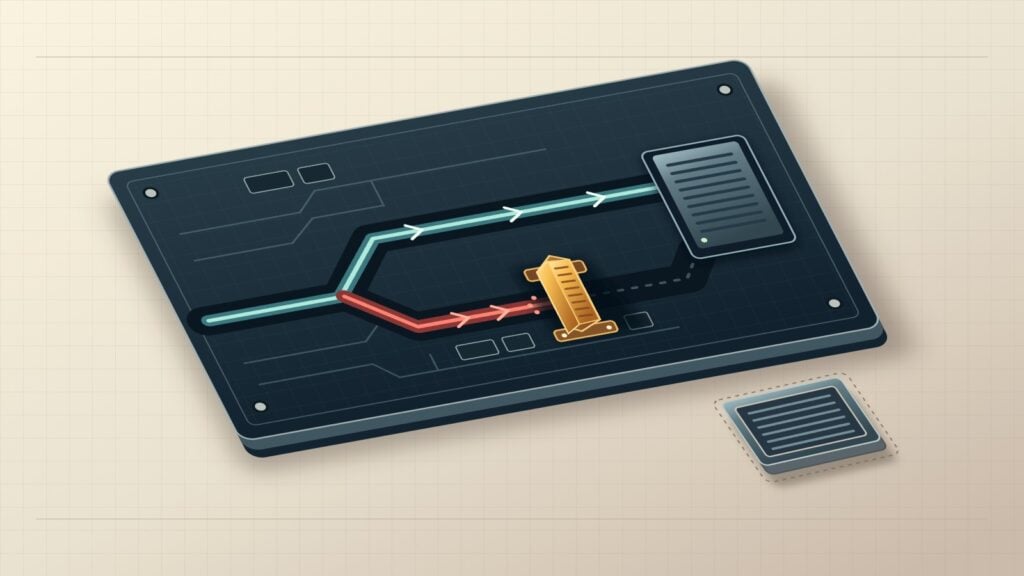
OpenAI and Cisco released Shirudo on November 23, 2026, to address a problem every Linux operations team knows. A vulnerability can go public before you can safely update the servers that run your service. Shirudo gives operators a way to apply a small, targeted protection to a running system while they test and roll out the permanent fix. OpenAI’s announcement
Anyone can inspect the open-source project, and there are two ways to try it in a lab. The project’s maintainers say it is still pre-release and advise against production use at this stage. Applying a shield to an already prepared host can happen live. Preparing that host requires a specially patched Linux kernel and boot-time setup. Shirudo repository · Project FAQ
Why the patch window matters
Security updates have to work across real services, dependencies and operating schedules. Rushing a fix can interrupt users, but waiting can leave a known weakness exposed. A broad rule that blocks an entire operation may stop malicious requests and legitimate ones together.
Shirudo’s proposed answer is a smaller control placed closer to the behavior that needs to be stopped. A team can evaluate a safeguard against its workload, examine its effects and approve enforcement. The permanent software update still needs to be installed, and the temporary protection needs an owner and a retirement plan. OpenAI’s explanation
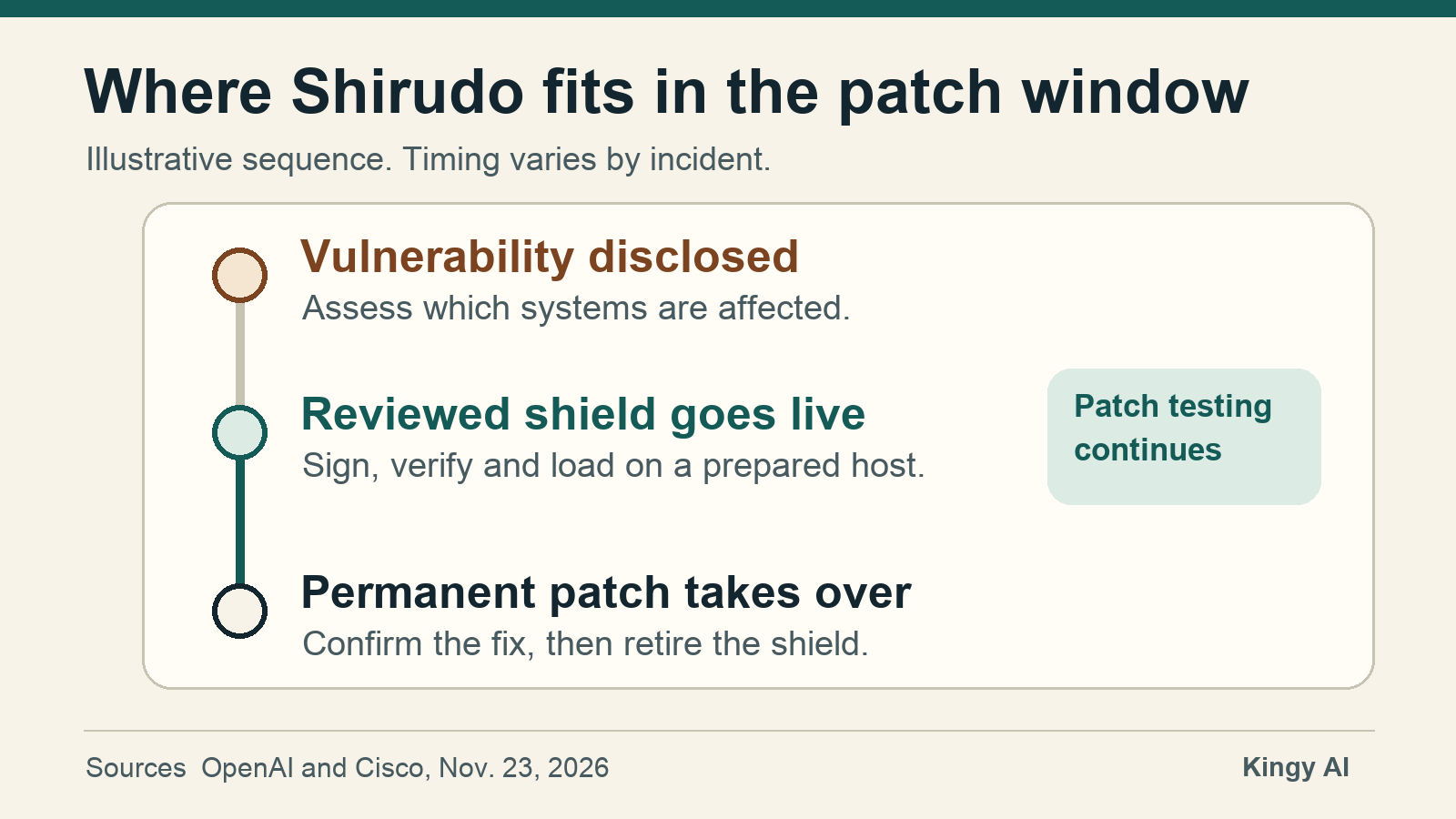
A shield covers the behavior it was written to address. Its value depends on whether it leaves normal traffic alone and covers the relevant path on the systems that actually need protection. The team still needs to track which hosts have received the permanent fix and when each shield can come off.
How Shirudo works
Much of Shirudo is built around eBPF, a Linux technology that permits small verified programs to run at selected points in the operating system. A BPF micropatch, which the project calls an upatch, can observe activity or enforce a specific rule at a kernel hook. Shirudo also documents Java upatches for application code. Shirudo project overview
The BPF workflow spans two machines. The operator builds and signs the upatch on a trusted machine that holds the private signing key. The target can pull it from a container-compatible registry. The target checks the package and its kernel verifies the signed loader against trusted certificates enrolled at boot. OpenAI says teams can monitor the effect of a proposed shield before enforcing it. Shirudo’s technical walkthrough · OpenAI
- Signing tells the target whether it received an intact artifact authorized by a trusted key.
- The kernel’s BPF verifier checks whether the program meets Linux’s safety rules for BPF code.
- Attestation lets an operator compare evidence signed by the target’s Trusted Platform Module, or TPM, with the protection state they expect on that machine.
- Workload testing tells the team whether a shield allows legitimate requests and how it affects the service. That still takes representative traffic and health checks.
The signing key is a sensitive part of the system. Shirudo’s threat model assumes the operator’s signing machine, kernel and TPM are trustworthy. Maintaining a fleet inventory, deciding which hosts receive a shield and coordinating rollout order are responsibilities for the team running it. Shirudo threat model
OpenAI and Cisco want AI agents to help defenders identify affected systems and propose protections for teams to review. OpenAI also wants tested shields to be available alongside vulnerability disclosures. Both are goals. Today’s release gives operators the runtime and a way to evaluate the signing, loading and verification workflow. OpenAI · Cisco
What the Java4Shell demonstration showed
In a controlled test, OpenAI says a Codex-generated shield blocked a Java4Shell exploit attempt against an Elasticsearch service that kept running throughout the demonstration. The shield changed Java bytecode inside the running application. Shirudo’s BPF upatches operate at Linux kernel hooks. The two mechanisms act at different layers of the system. OpenAI’s account
The documented Java package workflow verifies Java upatches in userspace and loads configured agents when a Java virtual machine starts. In that workflow, a running JVM that was started without the agent needs to be restarted to pick it up. The launch demo used a particular live attachment. Its result applies to that test setup and the attempt the vendor reported. Kingy reviewed the documentation and did not run Shirudo. Java-agent documentation
Who can use it?
Developers, security researchers and infrastructure operators can inspect the public source or try the self-hosted quickstart. The public instructions list technical prerequisites and don’t list an OpenAI account, API key or Cisco customer contract for the self-hosted route. The main code uses the BSD 2-Clause license. Its BPF programs are dual-licensed under BSD and GPL. Repository and license · VM quickstart
The documented target configuration requires TPM 2.0 and a development Linux kernel with the signed-loader interface from bpf-next and Shirudo’s kernel patches. The production boot design also calls for systemd 256 or newer, an early boot image built with dracut and a unified kernel image started through systemd-stub. Ordinary eBPF support on a stock distribution kernel falls short of those requirements. The project has yet to ship a stable release or supported release branch. System requirements · Shirudo FAQ
Architecture support is uneven. The project runs every continuous-integration test tier on x86-64. It runs host tests on arm64, where the test VM also boots locally. Target validation for RISC-V 64-bit is pending. Project status and architecture support
| Reader | Practical starting point |
|---|---|
| Curious developer or security practitioner | Read the project overview and try the isolated browser lab to understand the package and verification workflow. |
| Linux operator evaluating the software | Use the local VM quickstart, then compare target requirements and the threat model with your environment. |
| Team scoping a future rollout | Compare kernel and boot requirements, check for conflicts with existing security tools and identify who would hold signing authority. |
How to try Shirudo
Start in a browser. Isovalent’s self-guided lab uses an isolated VM with a software TPM. You build and sign a package containing a BPF counter, publish it to a registry, load it into the target, inspect its measurements and verify the evidence before removing it. The lab supplies the target environment, so you can focus on the operator workflow. Check the lab page for current sign-up requirements. Isovalent lab overview
Use a local virtual machine. The official quickstart walks through the same basic lifecycle on your own equipment. Start with an x86-64 or arm64 Linux host with KVM access and follow the list of build dependencies, which includes LLVM 23 and OpenSSL 3.5 or newer. On an Apple M3 or later with macOS 15 or later, the project documents a Lima VM as the Linux host. The test target uses a software TPM, so you can try this without provisioning a physical target with TPM hardware. VM quickstart · macOS prerequisites
In either exercise, verify that the measured state matches what you expect both after loading and after removing the sample. That last step is worth practicing. A team using a temporary shield needs to know how to take it off before the next incident makes the decision urgent.
The operational tradeoff
Shirudo’s signed-loader rule affects existing tools that load their own BPF programs. The project lists Cilium, Falco’s eBPF drivers and bpftrace as incompatible as shipped with the signed-loader policy. The docs describe porting their BPF logic into signed upatches. For a team that relies on Cilium for networking or Falco for runtime alerts, that is an integration project in its own right. Interoperability guidance
A lab evaluation should tell you how you’d detect a false positive, who can authorize a change and what a rollback looks like. For a production incident today, follow the software vendor’s mitigation and fix guidance. Shirudo’s promise is a way to reduce exposure while that permanent update moves through testing and rollout. Its public pre-release is a chance to evaluate whether the approach fits how you run Linux. Shirudo FAQ
Sources
- OpenAI, introducing Shirudo
- Cisco, self-defending infrastructure and Shirudo
- Shirudo source repository and project overview
- Shirudo system requirements and interoperability guidance
- Shirudo FAQ, VM quickstart and Java-agent documentation
- Shirudo’s loading and attestation workflow and threat model
- Isovalent, getting started with Shirudo lab