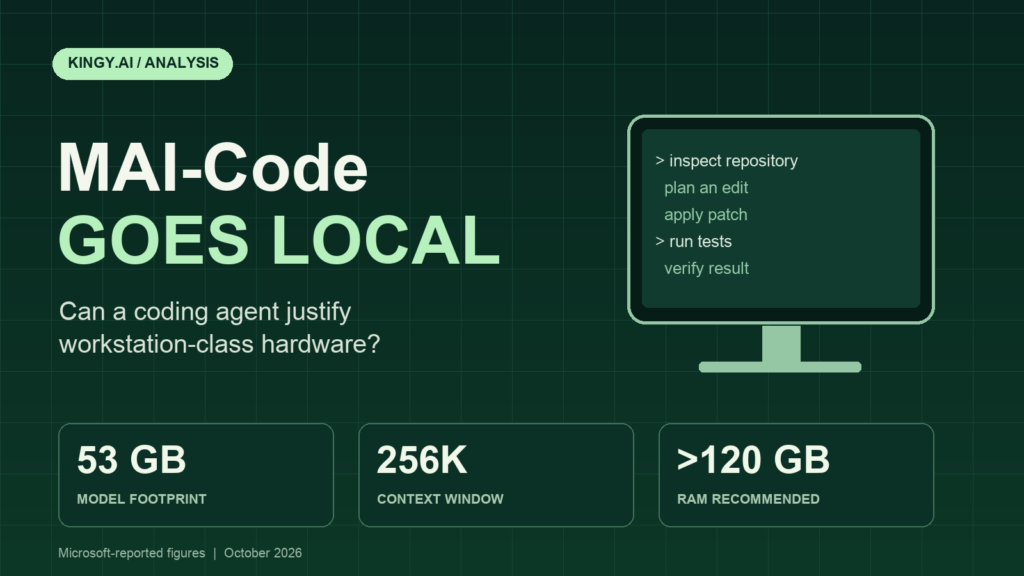
Microsoft is bringing an existing Copilot coding model onto developers’ own machines. Its October 7 update says MAI-Code-1.1-Flash can now be downloaded and run locally, recommends more than 120GB of RAM, and targets experimental integration across the Copilot app, CLI and Visual Studio Code by the end of October. Local model calls will carry zero inference charges. Source: Microsoft’s announcement.
That makes this a hardware decision as much as a model release. A developer who already owns a suitable machine has a reason to investigate. Someone buying a workstation to save money needs evidence that the agent completes enough useful work to cover the upgrade, its running costs and the time spent maintaining it.
Our assessment is that local coding agents can justify workstation-class hardware for some workloads, particularly when code residency, sustained use or an existing hardware requirement matters. Microsoft’s results support a serious trial. They do not establish a universal case for replacing an ordinary development laptop.
Evidence note: This article reviews primary Microsoft and GitHub documentation checked on October 7, 2026, Pacific time. Performance figures are Microsoft’s claims. Kingy.ai has not downloaded, executed or independently benchmarked the local model. Cost examples below are our calculations, with assumptions stated.
What is available now, and what is still coming?
The cloud version predates this local release. GitHub announced MAI-Code-1.1-Flash on August 11, including native image understanding and availability across Copilot clients. That announcement also distinguishes automatic selection for Free and Student users from manual selection on paid plans; Business and Enterprise administrators must enable the model’s policy. Source: GitHub’s August changelog.
| Component | Status |
|---|---|
| Cloud MAI-Code-1.1-Flash | Existing Copilot model; announced in August. |
| Local model | Microsoft says it is downloadable and runnable now. |
| Integrated local MAI experience | Experimental app, CLI and VS Code access planned by October 31. |
| Generic local-model discovery | Separately announced for Copilot CLI version 1.0.94-0. |
| Local tool sandboxing | Generally available in the CLI, app and VS Code Agent Host sessions. |
Sources: Microsoft release update, CLI discovery changelog, sandboxing changelog. October 31 is the calendar interpretation of Microsoft’s month-end target, not a guaranteed launch date.
The download claim needs a practical qualification. The announcement pages and official MAI-Code repository we reviewed did not expose a model-specific weight archive, a reproducible local installation command or a standalone license for the local weights. We verified Microsoft’s statement of availability, rather than a working download-and-install path. Readers should confirm the actual distribution package and supported runtime before ordering hardware.
Downloadable does not establish an open-source release. The model card specifies service terms; the repository displays an MIT license. A separate weights package needs its own applicable terms. Source: model card.
The local specifications, with one documentation discrepancy
| Specification | Published figure |
|---|---|
| Architecture | Mixture of experts |
| Parameters | 137B total; 6.8B active |
| Context | 256K tokens |
| Quantization | Approximately 3.3 bits per weight, mixed precision |
| Model footprint | 53GB |
| Peak memory at full context | 75.5GB |
| Recommended RAM | More than 120GB |
| Measured runtime | Windows ARM64 llama.cpp CUDA; DFlash2 speculative decoding |
Sources: Microsoft’s technical article and RAM recommendation. These describe the published configuration, not a compatibility list for every PC.
The August model card lists 138B total and 5B active parameters. Microsoft’s reviewed documents do not reconcile the discrepancy with October’s local figures. Source: August model card.
In a mixture-of-experts model, active parameters describe the portion used for a token’s computation. Total parameters still matter when provisioning storage and memory. A small active count therefore cannot be used as the memory requirement for the complete model. Technical background: NVIDIA’s MoE explanation.
Quantization stores values at lower precision. The useful outcome is a smaller working model, provided the resulting agent still produces valid edits and tool calls. A malformed command or an incorrect identifier can make a coding task fail even when the surrounding explanation looks convincing.
Speculative decoding adds a drafting stage: proposed tokens are checked by the target model. It can reduce waiting when enough proposals are accepted, but the draft process also consumes resources. A speed result belongs to the measured combination of model, runtime, hardware and workload. Technical background: NVIDIA’s speculative-decoding documentation.
Why the RAM recommendation matters
RAM capacity answers only part of the purchasing question. The inference engine must access its weights efficiently while the operating system, editor, browser, language servers and build tools continue to function. An agent can put extra pressure on the same machine by compiling code, running a test suite and reading a growing conversation.
The key-value cache adds another demand. It holds attention state for previously processed tokens, so longer sessions have a different memory profile from a short prompt. A repository agent repeatedly receives file contents, command output and test failures. Evaluating a fresh chat window leaves much of that workload untested. Technical background: Hugging Face’s cache documentation.
A unified-memory machine and a desktop with separate system RAM and GPU VRAM should therefore be evaluated separately. Adding the two capacities together does not demonstrate that the GPU can use the combined pool at the required speed. Offloading may let a configuration run while changing its responsiveness substantially.
For a buyer, the actionable requirement is to demonstrate the entire development session: editor open, normal background applications running, representative repository loaded, and the agent completing build-and-test cycles. Memory headroom after that exercise is more informative than a screenshot showing that the weights loaded successfully.
Storage also needs a separate check. The package, runtime, working repository, dependencies and any alternate model versions all require space. The quoted model footprint is insufficient to specify a workstation’s disk requirement, and the reviewed release does not establish an official minimum free-disk figure.
The reference hardware and its advertised price
Microsoft measured the local configuration on Surface Laptop Ultra. Its U.S. product page advertises an NVIDIA RTX Spark Superchip, up to a 20-core Grace CPU, up to 128GB unified memory, up to 2TB SSD storage and a 15-inch 120Hz display. The page displays $2,599.99 with a pre-order button. Source: Microsoft’s Surface product page.
That displayed price is not a verified quote for the 128GB configuration. Microsoft’s memory footnote also says GPU-addressable memory is less than total system memory and depends on configuration and workload. Buyers need the exact memory option, delivery date and regional price, rather than combining the lowest displayed price with the highest advertised specification.
The local evaluations look promising, with clear limits
| Benchmark | Tasks | Cloud MAI | Local quantized MAI | GPT-OSS-120B comparison |
|---|---|---|---|---|
| SWE-bench Verified | 500 | 72.6% | 70.80% | 32.0% |
| Terminal-Bench 2.1 | 89 | 62.9% | 66.29% | 23.6% |
Source: Microsoft’s local comparison. The GPT-OSS comparator was Unsloth’s GPT-OSS-120B GGUF build.
The local SWE-bench result is 1.8 percentage points below the cloud result. Across a 500-task dataset, that corresponds to nine tasks’ worth of pass-rate difference. The Terminal-Bench result is 3.39 points higher locally. Neither direction should be converted into a general ranking of the two deployments.
A stronger score after quantization can occur without quantization improving the underlying model. Sampling, runtime behavior, evaluation budgets, tool handling and variance can influence an agent’s outcome. The published comparison does not provide enough detail to isolate a causal explanation for the Terminal-Bench increase.
Likewise, the GPT-OSS column describes the comparator Microsoft selected. It cannot stand in for every quantization, agent configuration or deployment of GPT-OSS-120B. Reproducing a fair comparison would require matching the agent setup, prompts, budgets, tool access and task environment.
These results answer a narrower and useful question: Microsoft reports that its local configuration retained substantial coding-task capability. They do not establish how it performs on your private repository, how much review its patches need, or how often a developer must intervene.
Prompt processing and output speed are different measurements
Microsoft reports prompt-processing speeds of 923.5 tokens/second at 64K context and 769.8 at 128K. Its decode chart shows approximately 63 tokens/second at 2K and 39 at 256K; those last figures are visual estimates. The speed workload was synthetic. Source: technical results and chart.
Prompt processing measures how quickly the system consumes input. Decode throughput measures generated output. Neither number is the time needed to investigate a bug, make an edit, build the project and pass its tests.
A cached, warm session can behave differently from the first request after loading the model. Long sessions can also expose contention that a short speed test misses. A useful performance report would publish cold-start time, time to first useful action, full-task duration and successful completions per hour alongside tokens per second.
What the existing model adds beyond local inference
Native image understanding is part of the existing 1.1 model’s feature set. A potential development workflow is to supply a screenshot of a broken layout or a proposed interface, then ask for code changes. Whether that input path is supported must still be checked on the specific local client. Source: cloud release announcement.
| Evaluation | MAI 1.1 | MAI 1.0 | Haiku 4.5 | GPT-5.4 mini |
|---|---|---|---|---|
| SWE-bench Verified | 72.6% / 8.6K | 71.6% / 10.8K | 69.8% / 20.9K | 69.2% / 9.4K |
| Terminal-Bench 2.1 | 62.9% / 17.0K | 51.7% / 14.2K | 49.4% / 25.5K | 60.7% / 21.9K |
Source: Microsoft model card, page 5. Microsoft used the same Copilot agent setup and settings. These historical vendor comparisons are separate from the local evaluation.
The card also reports 74.1% on internal Text2WebApp, 42.1% on ScreenShot2WebApp and 11.5% on Vision2Web Level 3 for 1.1. It describes adaptive solution-length control, with more reasoning allocated to harder requests. Source: model card.
The range across visual tasks is a reason to distinguish screenshot assistance from reliable interface reproduction. A model can understand an image and still produce a page with incorrect spacing, missing states or poor accessibility. The visual rows above are cloud-model evidence; the local release does not provide an equivalent local vision-evaluation table.
Microsoft’s repository also claims a 22% improvement on Terminal-Bench, a 15% improvement on .NET tasks, 4% more code surviving through commit, 25% faster token streaming and 25% fewer tokens to finish tasks versus the June predecessor. Source: official repository.
Those measures have different meanings. A relative benchmark increase differs from a percentage-point increase. Faster streaming differs from shorter task duration. Code retained at commit is useful production feedback, but it does not prove a patch is correct or maintainable. The headline claims should remain attached to their stated baselines rather than becoming promises for the local deployment.
Pricing makes the hardware argument harder
Microsoft promises zero inference charges for local calls. That removes a model-call meter; it does not remove hardware, electricity, administration, a relevant subscription or cloud calls made elsewhere in a hybrid session. Source: local pricing announcement.
| Token category | Published rate |
|---|---|
| Input | $0.20 |
| Cached input | $0.02 |
| Output | $1.20 |
Source: GitHub’s current model rate card. Plan allowances and billing rules affect the bill; these are Copilot rates, not a verified standalone public MAI API offer.
As an illustration, 100 million uncached input tokens plus 20 million output tokens cost $44 at those rates. If all input qualified for the cached rate, the same token volumes would cost $26. Both calculations exclude subscriptions and other services. Actual cache eligibility matters.
GitHub lists Pro at $10/month, Pro+ at $39, Max at $100, and Business at $19 per user/month. Free and Student options also exist. A subscription price is separate from its included usage and extra consumption. Source: GitHub’s license pricing.
The original cloud launch describes a 73% lower list price and a 0.25× request multiplier for annual subscribers. The multiplier belongs to that billing arrangement; it is not a token rate or a local-hardware discount. Source: August changelog.
For hardware savings, count spending that disappears from the bill. If your current usage sits inside an allowance that you continue paying for, moving that work locally may create more room for other tasks while producing little immediate cash saving.
Copilot’s routing and sandboxing change the workflow
The planned integration offers automatic local/cloud routing and explicit local selection, including a Windows ML provider and compatible local endpoints. Auto can account for context and cache state. Source: Microsoft’s integration plan.
Routing has practical appeal when routine work runs acceptably on the device and difficult work benefits from a cloud model. It also makes the economics conditional: the more work sent to the cloud, the less cloud spending the workstation avoids. Teams need observable routing decisions to evaluate that tradeoff.
Separately, CLI 1.0.94-0 adds discovery through /model for an already-running Ollama instance. It requires models with streaming and tool calling, and does not install a runtime or download weights. The update explicitly says local selection does not enable offline mode or disable telemetry; COPILOT_OFFLINE=true is a separate choice, and a remote provider can still receive context. Source: CLI changelog.
That distinction matters for code residency. A local model, a locally executed shell command and a session with no outbound data are three separately configured properties. A workflow involving remote issue trackers, package downloads or a cloud fallback needs its own network review.
Local sandboxing is already generally available across the CLI, app and VS Code Agent Host sessions, with controls over files, network access, credentials and supported local services. It uses Microsoft Execution Containers and carries no additional Copilot charge. Source: sandbox release.
Microsoft’s MXC documentation describes cross-platform containment and policies outside the agent’s control. Its Enforcement and Learning modes block ungranted access; Permissive mode records it while allowing the operation. A policy-observation run therefore needs to be distinguished from a run with restrictions enforced. Source: Windows Developer Blog.
A sensible repository workflow grants the tools enough access to edit and test the project while protecting unrelated files and credentials. Running inference on the device does not itself establish that boundary. The agent’s success rate and its execution permissions need to be assessed separately.
Training disclosures give useful context
Microsoft’s data summary describes more than 10 trillion text tokens and fewer than one million images, including interface screenshots and layouts. It names public repositories, web sources and commercially acquired material, alongside synthetic software-engineering data. It also says some training datasets were collected as late as July 2026. Source: data summary.
The summary discloses use of filtered conversation contexts from eligible Copilot Free, Pro and Pro+ users who had not opted out, for reinforcement-learning rollouts and an internal reward model. It says production responses were not supervised fine-tuning targets. These are disclosures about training the existing model, rather than proof of how a future local session handles telemetry. Source: data summary, section 2.4.
This information helps explain the model’s development focus, but corpus size does not predict correctness on a particular codebase. Proprietary conventions, internal APIs, new dependency versions and sparse tests can make a task materially different from the scenarios represented in training or evaluation.
When can a workstation pay for itself?
Start with the incremental purchase cost. If a workstation upgrade costs an extra $2,500 over the machine you would otherwise buy, that $2,500 is the amount to justify. Charging the entire workstation to inference would overstate the investment when it also serves normal development, rendering or other planned work.
The following simple payback examples are hypothetical. They use recurring savings after ongoing costs and assume those savings persist. They omit financing, tax and resale value.
| Net monthly saving | Simple payback |
|---|---|
| $25 | 100 months |
| $50 | 50 months |
| $100 | 25 months |
| $250 | 10 months |
Those are arithmetic scenarios, not Surface or workstation price quotes. Obtain a current quote for the exact supported configuration and use your own incremental cost. A three-year planning horizon for the hypothetical upgrade requires roughly $69.44 per month to recover the purchase premium before running costs.
The strongest financial case is sustained work that replaces separately billed cloud consumption while maintaining comparable completion quality. Frequent retries, slower tests or continued cloud fallback can absorb the saving. A team should measure the work completed and reviewed, rather than celebrate a large volume of locally generated tokens.
Developer time can change the result more than electricity. If a local setup saves waiting and lets a developer complete more accepted work, that benefit has value. If maintaining the runtime, managing memory pressure and repairing patches takes extra time, it has a cost. Put observed minutes into the calculation; a throughput chart cannot supply them.
Some benefits resist a token-price comparison. A verified policy requiring source code to remain within a controlled environment may make local inference worth funding even without direct savings. An already-planned high-memory workstation may also make the additional purchase cost small. In both cases, the decision follows an actual requirement rather than the appeal of “free” calls.
For an occasional coding user with a functioning laptop and low cloud expenditure, the evidence for a large upgrade is weaker. A model that can run locally creates an option. Its existence does not establish the buyer’s workload or the value of that option.
What to test before committing to hardware
A useful pilot can be modest: choose 15 to 20 representative tasks from your own work and compare the local agent with your current setup. Include small fixes, multi-file changes, repository questions, test failures and at least a few tasks that normally require human intervention.
Record the model package, runtime version, hardware, context settings and agent configuration. Use separate working copies with the same starting commits and equivalent permissions. Decide how correctness will be judged before seeing the generated patches.
- Accepted completion: Does the patch pass meaningful tests and a human review? Record interventions and retries.
- Whole-task duration: Measure investigation, edits and verification, including cold starts and long sessions.
- Machine usability: Keep normal development applications open and watch memory pressure, swap, responsiveness and sustained performance.
- Actual network behavior: Check where prompts, tool requests and code context go, including fallback and telemetry.
- Avoidable expenditure: Count cloud charges that disappear, subtract ongoing costs, and account for measured developer time.
A successful pilot should produce a reviewed set of patches, timings, resource measurements and a cost calculation tied to the work you do. Those results provide the evidence needed to choose a supported workstation configuration or keep the current cloud workflow.
The Kingy Brief
Get The Kingy Brief.
AI changes, original tests and one practical thing to try. Fridays at 09:00 Vancouver time.
Free · Double opt-in · Unsubscribe anytime
Signup help and newsletter schedule
Signup form provided by Beehiiv. After submitting, check your inbox for "Confirm your subscription to The Kingy Brief" and open its confirmation link. Check Spam or Promotions if you cannot find it.
Fridays at 09:00 Vancouver time: source-checked AI changes, original tests and one practical thing to try. The weekly restart begins October 9, 2026. We skip a week when there is not enough verified material. Free. Unsubscribe anytime.