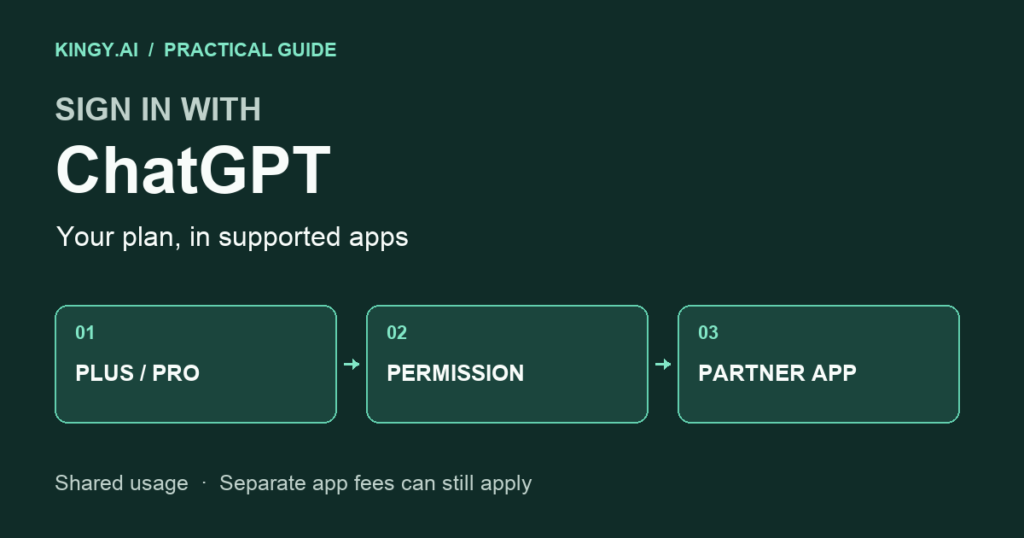
Your ChatGPT subscription can now power eligible AI requests in participating apps outside ChatGPT. With Sign in with ChatGPT, supported tools can draw on the Work and Codex usage included in a Plus or Pro plan, after you give permission. Commercial access is launching through selected partners; availability still depends on the app and account. OpenAI’s integration overview
For someone already paying for ChatGPT, this makes the supported-app list worth checking before configuring another way to pay for AI requests. The useful question is whether the tool you want supports plan usage, what work it can perform through that connection, and how much allowance you want it to consume.
Last checked September 29, 2026. This guide expands the outside-app section of our ChatGPT Pro 500 versus Pro 200 comparison. It covers the documented connection process and current partner list; it does not report independent integration tests.
Which apps support Sign in with ChatGPT?
OpenAI’s directory separates apps that can use your plan from apps offering ChatGPT login only. Lovable is listed as coming soon. The table below preserves those distinctions. Official partner directory
On a small screen, scroll this table sideways.
| Directory group | Apps and tools listed | What to check |
|---|---|---|
| ChatGPT plan usage | Amp Code, Conductor, Dactyl, Devin, Hermes Agent, Hyperagent, Kilo Code, Notion, Vercel, Vorflux, Warp | Confirm that your account and the app’s plan support the option. |
| Coming soon | Lovable | Wait for a live connection option; its listing is not confirmation of current access. |
| Sign-in only | Airtable, Canva, GitLab, HubSpot, Supabase | ChatGPT login does not provide subscription usage in these integrations. |
| Open-source integrations | OpenClaw, OpenCode, Pi, T3 | Follow the tool’s own connection instructions. |
Start with a tool you already use. Adding several unfamiliar apps at once makes it harder to tell which workflow is useful and which one is consuming your allowance. A single small task gives you a clearer first comparison.
How to connect an app
In the participating app, choose Continue with ChatGPT, select your account, and review the requested permissions. If you already have an app account, follow its account-linking prompts. The ChatGPT connection may also be available in the app’s account or billing settings. Connection instructions
Signing in establishes your identity. Using your subscription requires a separate permission. Identity sign-in can share basic profile information, but it does not grant access to your ChatGPT conversations or OpenAI API resources. Official identity documentation
When the app offers plan usage, review that permission before continuing. OpenAI’s interface guidelines call for an indication that your ChatGPT plan is in use and a nearby usage-management link. They also require apps to explain which of their own plans qualify. Plan-usage interface guidance
A useful first trial is a short request with an obvious result: explain a small function, draft a paragraph from supplied notes, or make a bounded edit. These are suggested trial tasks, not claims about every partner’s supported features. Record whether the request completed and whether the app showed ChatGPT as the usage source.
How the shared allowance works
Partner requests draw from the existing allowance; connecting another app does not create another pool. In ChatGPT’s usage settings, an app’s weekly cap is a percentage of overall weekly usage. A cap limits consumption rather than reserving capacity. Usage controls
For example, a hypothetical 10% cap gives an app permission to consume up to that share. It does not set 10% aside for later. If other work exhausts the shared allowance first, that app cannot treat its unused cap as additional capacity.
Choose an initial cap that leaves room for the work you already do in ChatGPT. After a small trial, compare the result with the usage recorded. Keep the task brief and time of the request so you can investigate an unexpected jump.
What you may still pay for
The partner’s subscription or service charges remain distinct from ChatGPT plan usage. A tool may support the connection only on a particular app plan. If it offers its own credits after a limit is reached, that is another purchasing choice. OpenAI’s partner billing and limit guidance
Compare the whole workflow before cancelling an existing subscription: the features you need, the partner’s charges, the shared capacity consumed, and the quality of the finished work. Subscription sharing may change the calculation, but the connection alone does not demonstrate a saving.
Our Pro 500 guide covers the wider ChatGPT plan comparison, including speed options and credit controls. This connection is documented for eligible Plus and Pro users, so a $500 subscription is not the general entry requirement. Integration eligibility
If login succeeds but the AI request fails
Successful login and a completed AI request are separate things. OpenAI’s open-source walkthrough checks inference after authentication; an account badge by itself cannot establish that a request ran against the plan. Official integration walkthrough
On a small screen, scroll this table sideways.
| What you encounter | Useful next step |
|---|---|
| Plan usage was not enabled | Revisit the app’s connection settings and permission choice. |
| Account or policy is ineligible | Check the selected account and the app’s published requirements. Repeated login attempts do not resolve an eligibility restriction. |
| Usage limit reached | Review both overall usage and the app-specific cap. |
| Usage temporarily unavailable | Preserve the error and try later; a temporary check failure does not establish that the allowance is exhausted. |
| Unsupported capability | Ask the app provider which feature failed and whether its integration supports it. |
These actions follow OpenAI’s errors and recovery documentation. That documentation also states that failed plan-usage requests do not silently move to another billing path.
Developers should check the integration route before promising feature parity with ChatGPT. The current open-source Responses route has restrictions, including unsupported hosted image generation, native computer use and several other hosted tools. Preview limitations
Disconnect a tool you no longer use
Open ChatGPT’s security and login settings, select the Sign in with ChatGPT connection, choose the app, and disconnect it. Connection management
Keep a short record of the tools you connected and their purpose. After your first trial, retain the ones producing useful work and remove connections you no longer need. For each remaining app, check its usage alongside your normal Work and Codex activity before increasing its cap.