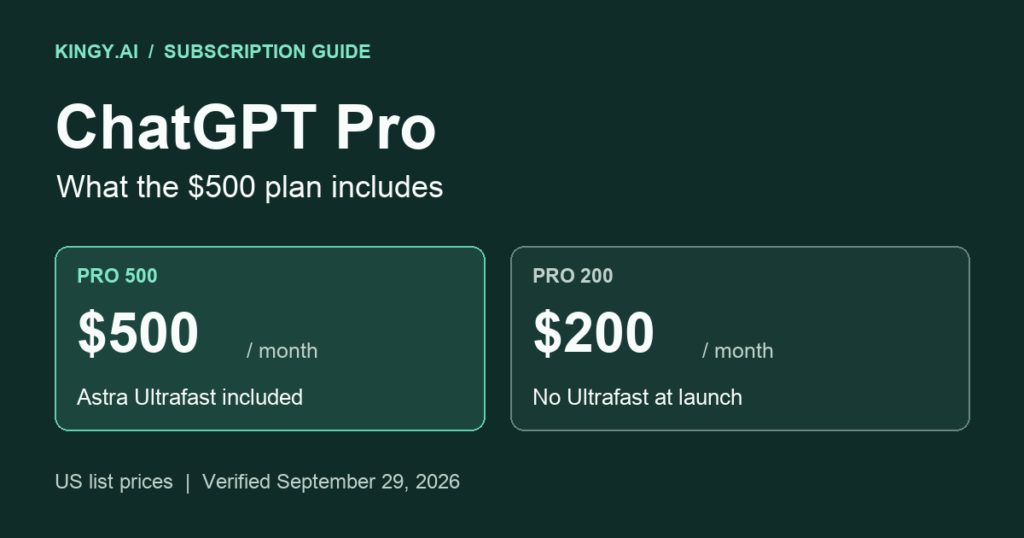
OpenAI now offers ChatGPT Pro 500, a personal subscription priced at US$500 per month. It has the highest included usage allowance in the Pro lineup and adds GPT-6 Astra Ultrafast, which is unavailable on Pro 200 at launch. Much of the remaining feature bundle is shared with the cheaper Pro tiers. OpenAI’s Pro tier guide
That distinction matters for anyone considering the extra $300 a month. Pro 500 buys additional capacity and a particular speed option. Features such as research, file analysis and agents belong to the wider subscription bundle; seeing them in a $500 account does not establish that they are exclusive to it.
This guide covers the published entitlements and limitations as of September 29, 2026. It is a source-based explanation, not a performance review. We have not measured an independent speed improvement or a fixed number of tasks that the subscription can complete.
Updated September 29, 2026 at 2:42 p.m. PDT (America/Vancouver). This update clarifies Dot usage, Sites beta limits and Computer History privacy, and corrects Record & Replay regional availability.
Pro 500 versus Pro 200 at a glance
Scroll the table sideways to compare both plans.
| What you get | Pro 200 | Pro 500 |
|---|---|---|
| Monthly US list price | $200 | $500 |
| Included usage | Below Pro 500; eligible older subscriptions temporarily retain their previous allowance | Highest allowance in the Pro lineup; a universal numerical ratio to Pro 200 is not specified in the sources checked |
| GPT-6 Astra Ultrafast | Unavailable at launch; buying credits does not unlock it | Included for eligible Work and Codex use |
| Standard and supported Fast modes | Available | Available, plus Astra Ultrafast |
| Work/Codex five-hour limit | Currently none | Currently none |
| Weekly and model-specific limits | Can apply | Can apply |
| ChatGPT Work and Codex | Included | Included, with more overall capacity |
| Dot, the continuing agent | Rolling out to users over 18 outside EEA, UK and Switzerland | Same eligibility and rollout |
| Dot usage | Conversations do not count toward Chat limits; delegated Work/Codex tasks count normally | Same accounting |
| Sites beta hosting | Included within account-wide plan limits | Included within account-wide plan limits; a separate numerical $500 quota is not published |
| Deep research, images, memory and projects | Pro features | Shared Pro features |
| Custom GPTs | Existing GPT use/editing; new creation restricted | Same personal-plan restriction |
| Library storage | 100 GB | 100 GB |
| Active ChatGPT scheduled tasks | Up to 15 | Up to 15 |
| Optional purchased credits | Eligible features | Eligible features, including continued Ultrafast usage |
| API usage and third-party subscriptions | Billed separately | Billed separately |
| Personal-plan training controls | Opt-out available | Opt-out available |
Sources for the comparison: Pro tiers, Work/Codex pricing, speed modes, ChatGPT plan features, Library storage, scheduled tasks, billing, data controls, Dot access and usage and Sites beta limits.
The price increase is 150%; Pro 500 costs 2.5 times Pro 200. That is price arithmetic, not a promise of 2.5 times as many messages, research reports or finished projects. At the monthly list prices, twelve payments total $6,000 versus $2,400, a $3,600 difference before applicable taxes.
What Astra Ultrafast adds
OpenAI advertises Astra Ultrafast at up to eight times Astra Standard’s token-generation speed in Codex. Token generation excludes such work as opening pages, running tests or waiting for an external service. The claim therefore does not promise an eightfold reduction in a project’s total duration.
Ultrafast uses included usage at 8× Standard and purchased credits at 6×. Fast uses 2.5× included usage or 2× purchased credits. Ultrafast is supported in Work and Codex on Pro 500; other self-serve tiers cannot unlock it with credits at launch. OpenAI’s speed documentation
The same documentation says Ultrafast is unavailable to workspaces requiring inference residency outside the United States.
For a task that involves frequent reading and feedback, quicker output may reduce waiting. For a task dominated by a remote build or a slow website, its effect may be smaller. Those are practical implications of where the acceleration applies, not results from our own benchmark.
The included models, and where to use them
The model names and the interface matter. OpenAI documents GPT-6 Astra as its frontier reasoning choice, Sol as a workhorse and Luna as an efficient option for lighter work. GPT-6.1 Sol is rolling out across eligible paid accounts, including Pro, with Standard and Fast at launch; its Ultrafast option is described as coming later. Do not assume the $500 subscription makes every model available at every speed.
OpenAI also distinguishes ordinary Chat from Work and Codex. GPT-6.1 Sol, GPT-6 Sol and GPT-6 Luna are Work/Codex models rather than options in ordinary Chat. GPT-5.5 is scheduled to retire from ChatGPT, Work and Codex on October 14, 2026; its API availability is a separate matter. Model menus can consequently change during the life of a subscription. OpenAI’s current model guide
In ordinary Chat, GPT-6 Pro is powered by Astra. Its limits are separate from the shared Work/Codex allowance and vary by plan. The absence of a five-hour Work/Codex limit should not be applied to every Chat model. Managing Astra usage
Reasoning effort is another independent control. An effort label such as Ultra concerns how an agent reasons and may delegate work. Ultrafast concerns serving speed. A $500 account’s access to Astra Ultrafast should not be read as a claim that every Ultra reasoning setting is exclusive to that tier. Subagents and reasoning effort
ChatGPT Work: Carrying out a task across files and apps
Work extends the subscription beyond a conversational answer. It can use files, a browser and connected applications to carry out a requested task, produce an artifact and let the user review the result. OpenAI offers Work on desktop, web and mobile to eligible paid plans. The environment and connected tools determine which actions it can perform. Get started with ChatGPT Work
For example, a useful assignment could combine a spreadsheet of customer requests, product documents and a slide deck: identify recurring requests, trace the supporting evidence and prepare an updated presentation. That is an illustrative workflow, not a guarantee that any account can access those files without setup.
The detailed Work documentation makes permissions central to the process. A connection supplies access through an authorized account; an installed integration alone does not grant credentials or unrestricted access. Files, connected-service permissions and execution environments still constrain what the agent can do. Work overview and connected applications
Pro 500 gives users more room to run this work. It does not make inaccurate source material reliable or remove the need to review calculations, edits and consequential actions.
Work can produce documents, spreadsheets, slide decks and PDFs, then support revisions. The desktop app previews supported files beside the chat, where annotations can identify specific changes. On web, users can download results and request revisions by naming the passage, page, sheet or slide. Working with files
Codex: Coding, reviews and multiple working environments
Codex provides an agent for software tasks, with interfaces for local and cloud work. It can inspect a repository, change code, run available checks and prepare work for review. A local environment gives it access to the configured checkout and tools; cloud tasks use a separately configured environment. Codex cloud documentation
GitHub integration supports code review and delegating repository work, subject to the connected repositories and permissions. This can help with a concrete request such as diagnosing a failing test or reviewing a proposed change. Connecting GitHub does not make every private repository available, and a generated patch still needs appropriate validation. Codex and GitHub
Subagents can split suitable work among multiple agents, consuming additional tokens. Their availability depends on the model and supported client. Codex subagents
Dot: An agent with continuing responsibilities
Dot is OpenAI’s continuing agent powered by GPT-6 Astra. It starts with available ChatGPT memory, uses connected tools and runs on its own cloud computer. Users can give it an ongoing responsibility, review its work, change direction or pause it. OpenAI says dots are rolling out to Pro, Business Premium and Enterprise in eligible markets. This is therefore a shared Pro capability, subject to availability.
The proposed use is broader than a single prompt: keeping a presentation current, tracking a project or preparing follow-up work between conversations. Users control connected apps and set rules for what the agent may do, what requires approval and what is blocked. OpenAI describes automatic checks for actions affecting accounts or sharing information; some steps still require human action. Texting a dot is listed as forthcoming. OpenAI’s Dot feature page
OpenAI’s detailed guide confirms that Pro 100, Pro 200 and Pro 500 are eligible for dots for users over 18 outside the EEA, UK and Switzerland, subject to gradual rollout. Conversations with a dot do not count toward ChatGPT usage limits; Work or Codex tasks it starts or manages count normally. OpenAI also describes an included allowance for deeper work, with extended limits for the first month after launch. The guide does not give a numerical Pro 500 allowance. Dot eligibility and usage
A continuing agent is useful only if the responsibility is concrete. “Track the launch documents and flag inconsistent dates” is easier to evaluate than “handle my business.” Define a deliverable and a review point before giving an agent access to more tools.
Deep research and source-based reports
Deep research can work from approved URLs, uploaded material and authenticated sources. Users can inspect and change its research plan, refine the sources and redirect the work while it runs. Completed reports can be shared or downloaded as PDF or DOCX files. Deep research features
The Pro feature list describes maximum deep research access, but the current help documentation ties remaining usage to the plan and the in-product counter. We found no distinct, verified Pro 500 report count to place beside a Pro 200 count. For plans with fixed monthly allowances, the counter resets every 30 days from first use. Deep research usage and controls
A cited report gives readers a route to the evidence. It can still misread a source, omit a relevant qualification or compare figures measured differently. When asking for a product comparison, require the publication dates, comparable definitions and unresolved disagreements in the report itself.
Images, editing and creative work
Pro’s plan page advertises faster, unlimited image creation subject to abuse guardrails. That marketing description should not be extended to every agentic image-generation workflow. ChatGPT plan features
ChatGPT Images 2.5 supports generating new images and editing existing ones. Users can describe an edit, select an area, specify an aspect ratio or request a transparent background. Images with thinking are available on Plus, Pro and Business. Templates provide starting formats such as posters; the help page says templates are not yet available in Work mode. Mobile users can also supply a sketch. These capabilities do not establish a separate $500-exclusive image model. Images in ChatGPT
In Codex, image generation uses the general agentic allowance. OpenAI says it consumes included limits roughly three to five times faster on average than similar turns without image generation, depending on quality and size. Image generation usage
For publishing, inspect the actual output. Small type, charts and branded material need checking even when the image looks convincing at first glance.
Files, Library and document analysis
Pro includes 100 GB of Library storage. Library holds uploaded and generated files so users can find and reuse documents, spreadsheets, presentations, PDFs and images across conversations. The full experience is on web; supported mobile surfaces offer recent files and file search. Connected files remain associated with their source service, and availability depends on account permissions.
Storage capacity is separate from attachment and chat limits. OpenAI lists a 512 MB maximum per uploaded file, two million tokens for a text/document file, approximately 50 MB for spreadsheets depending on row size, and 20 MB for an image. A stored document larger than a model’s working context should not be assumed to fit into a single prompt. Library and file-size documentation
The upload FAQ also lists rate limits, including up to 80 files per three hours, which may be reduced at peak times. It distinguishes text extraction from visual retrieval: its documented PDF visual retrieval entitlement is for Enterprise. For a chart or scanned figure, do not assume a personal Pro upload automatically reads every embedded image. File uploads FAQ
These distinctions matter when reviewing a long technical PDF. Ask which sections and visuals were inspected, and supply key figures separately when needed.
Memory, context, projects and custom GPTs
Pro’s published Chat comparison lists a 128K total context window for its Instant category and 400K for its Reasoning category. Those are category-level figures, not a promise that every Work or Codex model has the same window. The plan also includes expanded projects and memory. ChatGPT’s plan comparison
Memory provides personalization across relevant interactions. Users can review and manage what is remembered. Memory and the model’s current context serve different purposes: a remembered preference can guide a response, while the immediate context contains the material needed for the current answer. Neither should be treated as a complete, exact archive of every prior file. Memory in ChatGPT
Projects group conversations, instructions and supporting files. OpenAI permits unlimited projects, with Pro allowing up to 40 files per project and ten uploaded together. Project-only memory restricts references to that project; the current documentation says ChatGPT Work is unavailable in project-only-memory projects. Choose that setting with the intended workflow in mind. Projects in ChatGPT
Custom GPTs need a qualification despite their appearance in the general pricing feature list. OpenAI’s current GPT help page says new GPT creation and publishing are unavailable on personal accounts, including Pro. Existing GPTs remain usable and editable subject to permissions. The page also discusses a planned retirement timeline, with December 11, 2026 specified for affected Enterprise accounts and other plans expected to follow the same timeline. Account notices matter. Pro 500 should therefore not be purchased on the assumption that it enables creating new custom GPTs. Creating and editing GPTs
Scheduled and event-triggered work
The current ChatGPT task documentation gives Pro users up to 15 active tasks. Eligible paid recurring tasks can run at a chosen time and as frequently as hourly. Supported Work tasks can also respond to events such as a new Gmail message, a Slack channel message or GitHub pull-request activity. OpenAI lists aggregate event limits of 30 runs per hour and 720 per day.
Tasks have their own restrictions. Ordinary scheduled tasks do not support Voice or GPTs, and a scheduled task created in a project cannot use its uploaded or stored project files. A step needing approval can pause the work. Codex automations are documented separately. These limits apply to the relevant feature, so “always-on” should not be read as unlimited execution of any workflow. Scheduled tasks in ChatGPT
For a monitoring assignment, specify what change deserves a notification and what the agent should do when nothing changes. Otherwise, a useful check can become a repeated message with little information.
Word, Excel, Google Sheets and PowerPoint
The office extensions share agentic usage with Work and Codex when available; they do not each receive an independent allowance. Their models, supported actions and limits differ. Credits and office extensions
Word offers a sidebar for drafting, editing and formatting a document. It is available across plans. Its limitations include unsupported plugins, no independent access to other local files, and no carryover of the main ChatGPT conversation history, memory or skills. OpenAI’s help page announces default enablement on October 1, 2026. ChatGPT for Word
Excel and Google Sheets can build, explain and modify workbooks, including formulas and charts. Their chats are separate from main ChatGPT history and do not inherit its memory. Advanced macros and VBA may be limited. A separate desktop Codex workflow can directly control an open Excel workbook through the add-in; that live-control capability is specific to Excel. ChatGPT for Excel and Google Sheets
PowerPoint can produce and revise editable slides from source material, with awareness of a presentation’s structure. Editable output is useful for a deck that will need human revisions. Template adherence and some advanced chart, shape and formatting operations remain limited, so inspect the resulting slides before delivery. ChatGPT for PowerPoint
Plugins and connected tools
Plugins can add reusable skills, connected tools and services. A plugin may provide instructions for a task, an authenticated connection or other components; its installation and available capabilities depend on the surface. OpenAI’s documentation lists examples such as Gmail, Google Drive and Slack. Plugins are not available in the IDE extension, so the interface can matter even for the same subscriber. Plugins
The subscription does not pay every provider’s separate fees. A tool that requires a paid service, a specialist data license or a separate account keeps those requirements. Budget for the actual workflow, including the third-party tools it needs.
Record mode and optional Computer History
Record mode transcribes and summarizes meetings or voice notes, with support for distinguishing speakers. It is available to Pro on the macOS desktop app, with a current limit of four hours per session. OpenAI deletes the recording audio after transcription and does not use that audio for training. The transcript and resulting canvas follow the applicable personal-account data controls. Record is a shared Pro capability, and the macOS restriction matters. ChatGPT Record
Computer History is a separate, optional desktop feature. It is off by default and documented for eligible Pro accounts on macOS, including in the EEA, UK and Switzerland. Users choose contributing apps and sites; it creates summaries and local memory files from interaction events and accessibility context. It does not store screenshots as history or record audio. It requires Memories, uses tokens for summarization, and lets users pause or clear it.
Temporary interaction-event files remain on the Mac for up to 48 hours and are processed on OpenAI’s servers to create memories. OpenAI says those event files are not used for training; later chat context follows your data controls. Memory files stay locally until deleted and are not encrypted by Computer History. This is another feature available to Pro beyond the $500 tier. Computer History
Record & Replay is a different macOS workflow: demonstrate a repeatable task and turn it into a reusable skill. It requires Computer Use to be available and enabled. OpenAI announced its expansion to the EU, UK and Switzerland on July 31, 2026. Regional expansion announcement A demonstration gives the agent steps to reuse, while permissions still govern what it can execute. Record & Replay
Sites, browser work, remote access and voice
Sites lets eligible users build and publish websites, and is included with eligible ChatGPT plans during public beta. It is available beyond Pro 500, with availability affected by region and workspace settings. The beta entitlement should not be presented as a permanent hosting-price guarantee. Sites documentation
Sites beta limits apply across all Sites in the account. Reaching one can prevent creating a Site, adding storage or keeping a high-usage Site public until usage is reduced; existing Sites remain editable and manageable. OpenAI directs users to the in-product limits and says they may change. Its help page does not specify a numerical Pro 500 hosting quota. Sites limits and account controls
Remote capabilities let users continue work involving a connected computer from another supported surface. A remote workflow still depends on that computer’s availability and setup. Browser and computer-use features likewise require supported surfaces and permissions. Pro 500 does not supply blanket access to the applications on every device. Remote connections, computer use
Work’s browser on web and mobile uses a separate cloud computer, so it does not inherit a laptop’s cookies, saved passwords or browsing history. The desktop browser extension can instead work with an existing signed-in browser session. These are different ways to reach websites; sign-in and the supported browser determine which one fits the task. Built-in browser, browser extension
Voice supports spoken conversation and directing tasks, with differences between Chat and desktop agentic use. OpenAI’s current Chat voice help table explicitly lists unlimited GPT-Live-1 for Pro 200 but omits a Pro 500 row. We cannot supply a separately verified $500 voice quota from that table. Live and Advanced voice also have different capabilities; Live does not support video or screen sharing. ChatGPT Voice
Desktop voice uses the existing Codex budget at $0.05 per minute, or 1.25 purchased credits per minute, with the task model metered separately. This is usage accounting within the allowance, not an automatic extra per-minute bill. Desktop voice pricing
Using the subscription in participating outside apps
OpenAI now documents using a Plus or Pro plan in participating apps and sites through Sign in with ChatGPT. Users separately choose whether to share plan usage. Eligible requests then count against the existing Work/Codex allowance, with weekly limits that can be set per app. Those limits cap usage rather than create another pool.
This does not give a partner app access to ChatGPT conversations or memories by itself, and it does not share an API key. Partner subscription and service charges remain separate. Allowing partners to use purchased credits requires its own opt-in, which is off by default. Eligibility depends on the participating app and account. This is a broader Plus/Pro capability, rather than a Pro 500-only benefit. Using your ChatGPT plan in other apps and sites
OpenAI’s current directory lists plan-usage partners including Devin, Notion, Vercel and Warp. It separately lists sign-in-only integrations, including Airtable, Canva, GitLab, HubSpot and Supabase. A ChatGPT login button therefore does not establish that an app can spend your subscription allowance. Check the directory’s classification and the app’s offered options. Sign in with ChatGPT partner directory
How the allowance works in practice
OpenAI’s current pricing documentation says Pro plans have no five-hour Work/Codex limit, but weekly limits may apply. Work/Codex pricing
Work and Codex share usage. Consumption varies with the model, context, reasoning, tools and task complexity. A short request that launches a long investigation can consume more than a longer request that needs a simple answer. Check the account’s usage dashboard for its actual remaining allowance and reset times. Using Codex with your ChatGPT plan
The practical consequence is that adding an office extension or partner app can compete with existing coding work for capacity. Plan a heavy week around the combined workload, rather than estimating separate allowances for each interface.
Additional credits can continue eligible work after included usage is exhausted. They are a paid add-on, not a promised $500 balance delivered with Pro 500. Purchased credits last 12 months; optional automatic reload can make additional purchases when enabled. They are distinct from API credits and from a ChatGPT wallet’s cash balance. Personal-plan credits
OpenAI has not supplied a universal Pro 500 task count or a precise $500-to-$200 allowance ratio in the sources checked. A reliable comparison needs the same tasks, models, effort and speed settings, as well as each account’s current allowance.
What changes for existing Pro 200 subscribers
New Pro 200 subscribers receive a lower allowance. Eligible subscriptions active at the cutoff or during the preceding seven days retain the previous allowance through October 29, 2026, then move to the lower one at $200. Grandfathering does not add Ultrafast. The help page does not name the exact cutoff; check your subscriber notice and account status. OpenAI’s revised Pro tier terms
Privacy, separate bills and subscription management
Pro 500 is an individual subscription. OpenAI may use eligible individual ChatGPT and Codex content to improve models when the relevant setting is enabled. Users can opt out through Data controls; feedback submitted afterward may still make the associated conversation available for training. Codex has a separate setting for including full environments. Business, Enterprise, Edu and API data have different default training treatment. Paying $500 does not turn a personal account into an enterprise workspace. How OpenAI uses data
API usage remains separately billed, including model and applicable tool or storage charges. A Pro subscription is therefore not an API spending credit for a public application. Keep API budgets and subscription budgets separate when calculating the cost of a project. ChatGPT and API billing
Use the purchasing platform’s billing controls to manage renewals. Web, Apple and Google Play subscriptions can create separate charges if more than one is started. Review the active platform before changing tiers or buying again elsewhere. Managing ChatGPT billing
Deciding whether the extra $300 earns its cost
The strongest reason to choose Pro 500 is a workload that needs its additional capacity or specifically benefits from Astra Ultrafast. If Pro 200 already completes your work within its allowance, shared features such as Library, projects and research do not independently justify the upgrade.
A simple cost test helps. If usable time saved is worth $50 an hour to you, the $300 monthly premium needs to recover six hours. At $100 an hour, it needs three. These are illustrative break-even calculations, not measured productivity gains; faster output only counts when it saves time you can use.
Track one representative week: the work completed, allowance consumed, delays caused by limits and time spent checking or correcting results. Compare the same assignments at the same model and effort before attributing a difference to the tier. Use Astra Ultrafast where the reduced wait matters enough to justify its higher consumption.
Update history
September 29, 2026 at 2:42 p.m. PDT (America/Vancouver): Clarified Dot eligibility and usage accounting and Sites account-wide beta limits; added Computer History regional access and data handling. Corrected the Record & Replay exclusion using OpenAI’s July 31 expansion announcement. These are verified clarifications and a correction, rather than new launches since this article’s publication.