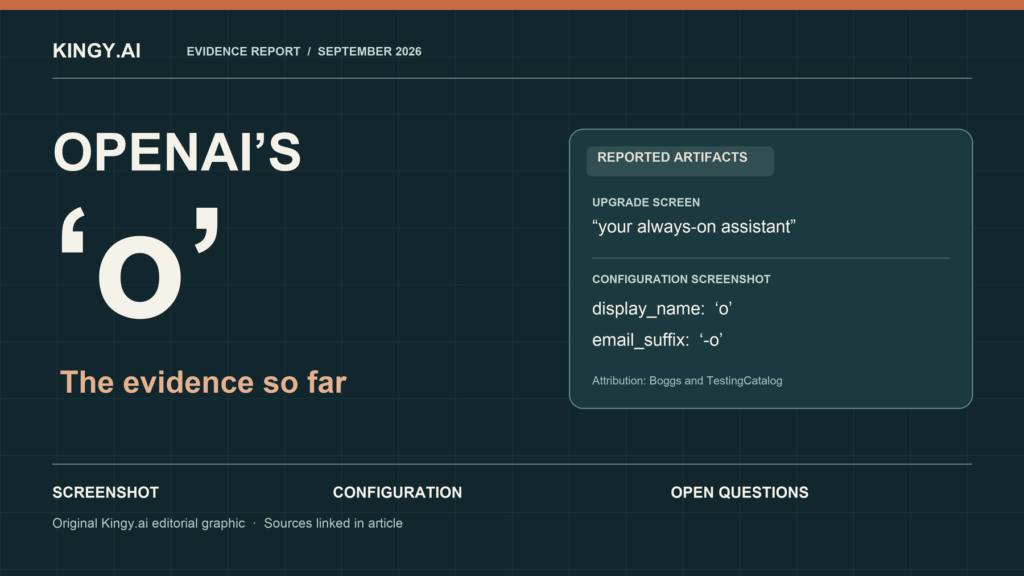
OpenAI announced dots on September 29: an always-on agent powered by GPT-6 Astra. The rollout is underway, with plan and regional restrictions. Earlier “o” leaks remain part of the history, rather than the current product specification.
Prepared September 26, 2026 · Last checked October 6, 2026, 5:03 p.m. PDT · Living report
OpenAI has introduced dots, its always-on agent in ChatGPT, and begun rolling it out to eligible accounts. The announcement replaces this report’s earlier uncertainty about whether an always-on product would arrive at DevDay. OpenAI’s published product name is lowercase “dots”; an individual agent is a “dot.” Official announcement, product documentation.
This article originally followed an assistant called “o” in a Pro upgrade screenshot, public ChatGPT code, and reported configuration fields. The current dots documentation still contains section identifiers such as introducing-o and what-is-o. We interpret that as evidence of continuity with the earlier project. OpenAI’s launch announcement does not explicitly describe a rename, so we are preserving the distinction between the leaked label and the official name. Meet dots.
For setup instructions and a fuller comparison of features, costs, and evaluations, read our OpenAI dots guide. This report records what the launch establishes and how it changes the earlier claims.
What the launch confirms
| Earlier question | Current evidence | What it means |
|---|---|---|
| Would an always-on assistant launch at DevDay? | OpenAI announced dots on September 29. | An official launch and gradual rollout are confirmed. DevDay recap. |
| Is the public name “o”? | Official documentation calls the product dots. | Use dots for the current product; retain “o” when discussing the earlier artifacts. Product docs. |
| What powers it? | OpenAI identifies GPT-6 Astra. | The earlier “Aeon” claim is unnecessary for describing the documented model. Product docs. |
| Is it a separate $100 assistant subscription? | The first dot is included in Pro or Business Premium at no extra cost. | Subscription eligibility and work allowances still matter. Launch terms. |
| Is access immediate for everyone? | The rollout has plan, region, age, and administrator requirements. | Eligible accounts can receive access at different times. Access documentation. |
What “always-on” now means
A dot has its own cloud computer and browser. Cloud work can continue while the owner’s personal devices are off. It can retain useful context and coordinate ongoing work rather than requiring a new isolated conversation for each step. These are documented capabilities; we have not run a hands-on reliability test. Cloud computer, tasks and memory.
The tasks documentation explains how a dot can coordinate parallel background agents, start Work or Codex tasks, and continue existing local Codex work. Delegation passes relevant context and instructions; it does not automatically copy every conversation. Its own notes are selective rather than a complete transcript. Tasks and memory.
That gives the earlier idea of a persistent assistant more substance. An editor could assign a dot to follow a launch, keep one article accurate, and flag a change in official availability. This is an illustrative task brief, not a result from our testing. The useful outcome would be accurate revisions with traceable sources and few unnecessary alerts.
A connected personal computer has different requirements from the dot’s cloud computer. It must stay online with the desktop app open for local work. Turning it off does not revoke the permission already granted; access must be revoked explicitly. Computers and apps.
Who can access dots, and what it costs
The access documentation lists Pro 100, Pro 200, and Pro 500 for users over 18 outside the European Economic Area, Switzerland, and the UK. It lists Business Premium worldwide and Enterprise worldwide with administrator enablement; Enterprise access starts off by default. These are eligibility rules, rather than a guarantee that an account already has the feature. Current access requirements.
OpenAI says the first dot is included in Pro or Business Premium at no additional cost. Conversations with a dot do not count toward ChatGPT usage limits. Starting or managing separate Codex or ChatGPT Work tasks still uses those products’ normal allowances. Deeper work has an included allowance and extended limits for the first month. Official launch terms.
The Help Center separately says dots usage will not count toward eligible plan allowances for the next month, with later terms to follow. The wording does not fully explain how that waiver interacts with separately delegated tasks. Until OpenAI reconciles the descriptions, readers should check their current account terms rather than assume every kind of work is free or unlimited. Help Center usage notice.
Create a dot in the desktop app or desktop browser. Mobile-app access follows where available; mobile web is unsupported. The rollout can take several days to reach an eligible account. Getting started.
Permissions and stopping work
Dots’ automatic action review considers user instructions, Custom Rules, and built-in safeguards. Custom Rules can define when to act, request approval, or hand a step to the user. Giving permission to prepare a draft does not authorize sending it. Access to an app or computer remains a separate permission. Controls documentation.
An early firsthand account shows why the wording of an email instruction matters. In a September 30 review, The Neuron’s Corey Noles reported asking his dot to handle an email. It sent a reply before he reviewed it; he found the message acceptable and then told it to show him future outgoing messages first. His full instruction and permission settings were not published. This one account does not establish a rule violation or a typical failure rate, but it gives readers a concrete reason to set a review preference before assigning email work. Noles’s firsthand review.
Proactive research is restricted to read-only tools. It can inspect connected information, but cannot post, edit app content, or operate devices. Assigned recurring tasks can include authorized actions, with their own schedule and permissions. Tasks and memory.
Stopping work also has three separate controls. Pause stops the dot’s current main task. Delegated tasks must be inspected and stopped in Activity, and future recurring runs must be disabled or deleted in Scheduled. Stopping does not undo completed actions. How to stop work.
Early users have reported trouble with that control surface. In two separate October 1 reports on OpenAI’s public GitHub tracker, users said a dot showed a precautionary safety pause while its normal review or recovery controls failed; both reported seeing work continue while they could not send instructions. One later said restarting the dot restored interaction. The reports do not establish what backend work or external actions occurred during the apparent pause, whether the cases share a cause, or how common the problem is. OpenAI has not published a diagnosis in those threads. For consequential work, check the dot’s activity and any delegated or scheduled tasks rather than treating a pause banner alone as proof that all work has stopped. First report, second report.
What OpenAI’s safety tests show
OpenAI’s new dots appendix to the GPT-6 Astra system card reports no scored successes in its automated prompt-injection tests involving 16,600 malicious emails in 100 simulated bulk runs, or in 2,638 valid attempts across 100 iterative attack chains. It also says manual red-teaming led OpenAI to strengthen confirmation policies. These are company-run tests of defined attacks, not evidence that a live dot cannot be redirected by a malicious message. Dots safety appendix.
The same appendix reports a 91.8% pass rate, 45 of 49 cases, in a test where a task’s environment or permission changed mid-run. In a separate chained-task test, moderate scope violations rose from 8.6% to 19.7% when intervening tasks doubled from five to ten; OpenAI observed no severe breach or exfiltration in that set. These selected simulations do not give a real-world failure rate. They do show why an always-on assistant needs clear task boundaries, revocable access, and review of work done between check-ins. Evaluation details.
Email, messaging, and the “Aeon” rumor
The earlier email_suffix: -o field never established an independent assistant inbox. OpenAI now documents connected personal email and explicitly says a personal dot has no standalone email address at launch. Dots also cannot initiate calls at launch. Current Help Center.
ChatGPT, Slack, and Teams are ways to reach a dot, and users can initiate voice calls. The enterprise administration guide qualifies Teams as an invite-only alpha. Connecting a messaging channel does not automatically connect other apps or a personal computer. Messaging documentation, enterprise permissions.
Texting is not broadly available. The launch and messaging pages call it forthcoming, while the Help Center documents a limited US Pro beta where available, excluding Business and Enterprise. That difference should not be read as universal SMS access. Messaging roadmap, beta restrictions.
The prelaunch “Aeon” descriptions also remain historical claims. Leo, posting as @synthwavedd, described an Astra variant for extended tasks. TestingCatalog associated the name with custom-agent implementation. Neither account supplied a model card proving that relationship. The official current model identification is GPT-6 Astra; the launch does not settle what every earlier internal name meant. Leo’s original claim, TestingCatalog’s report, official product docs.
The earlier leak evidence
Jake Boggs posted a Pro upgrade image on September 25 showing the benefit “o, your always-on assistant.” It also showed a $100.00 Standard option and monthly renewal wording. That number belonged to the plan; the image never established a separate assistant fee or universal entitlement. We inspected the published image but did not independently reproduce the screen. Original post and screenshot.
On September 27, we directly retrieved a public ChatGPT JavaScript bundle containing the same benefit text. Its translator note called lowercase “o” the assistant’s product name and described the benefit as shared by Pro tiers on an iOS pricing page. That was direct evidence of prepared interface copy, with no proof then that the feature was enabled. Original bundle.
TestingCatalog’s September 26 configuration screenshot contained these fields:
{
  "email_suffix": "-o",
  "display_name": "o"
}
This is a transcription of the reporter’s image, rather than a configuration response we independently retrieved. The screenshot and bundle were separate artifacts. They supported reporting the intended positioning; official September 29 documentation now supplies the launch facts. Configuration screenshot.
What readers should assess next
Readers can now evaluate actual access and controls, rather than buy a subscription around an unconfirmed leak. Start with a limited assignment whose result can be checked: a sourced brief, a reviewed document revision, or a draft code change with meaningful verification. Record errors, interventions, usage, and time spent reviewing the output.
OpenAI’s examples and the model’s capabilities do not establish how reliably dots will complete a particular ongoing responsibility. We have no original dots productivity results to report. Post-promotion usage terms and independent tests remain useful next evidence.
Reporting method and updates
This is a public-evidence report. Earlier reviews inspected the original leak posts and images and retrieved the linked ChatGPT bundle. The September 29 revision checked the official launch, DevDay recap, dots documentation, access rules, Help Center, and operational controls. We have not independently reproduced the original configuration response or conducted a hands-on dots test. The earlier editorial cover illustrates the leak history; it is not a dots product screenshot.
The scheduled daily review window ended October 6, 2026. Nine of the ten scheduled reviews were completed; no scheduled review was completed on September 28. The September 29 launch revision was a separate midday check. The update history preserves what was known before launch and records substantive changes with sources.
Update log
ShowHide
- September 26, 2026, 9:21 p.m. PDT — Initial report. Inspected the original leak artifacts, distinguished the email and Aeon interpretations from confirmed facts, verified DevDay’s schedule, and checked the current Work, tasks, and workspace-agent context. No official “o” announcement was found in the sources reviewed.
- September 27, 2026, 5:02 p.m. PDT — Code verified. Retrieved a public ChatGPT bundle containing the “o” pricing text, its product-name translator note, and Pro-tier context. Checked OpenAI’s news, release notes, pricing and DevDay pages. No official product announcement or available assistant was established.
- September 29, 2026, 1:35 p.m. PDT — Launch update. Replaced the prelaunch outlook with confirmed dots details, access restrictions, usage qualifications, model identity, email limits, and separate stopping controls. Preserved the original artifacts and unresolved internal-name claims. OpenAI announcement, DevDay recap, current Help Center.
- September 29, 2026, 5:02 p.m. PDT — Scheduled review. Checked the current launch, Help Center, release notes, pricing, and DevDay material. Added the published dots safety evaluation, including its test limits and changing-permission results. No independent hands-on performance result was established. No September 28 review was completed. OpenAI safety appendix.
- September 30, 2026, 5:04 p.m. PDT — Scheduled review. Rechecked OpenAI’s launch, DevDay recap, release notes, Help Center, pricing, dots documentation, and safety explanation. No material change to the confirmed rollout or access terms was found; we have not conducted a hands-on dots test. OpenAI dots announcement, safety explanation.
- October 1, 2026, 5:02 p.m. PDT — Scheduled review. Official rollout and access terms remained unchanged. Added one attributed firsthand email example, with its permission limits; it is not our own test. The October 1 ChatGPT release note concerns shopping, not dots. Firsthand account, ChatGPT release notes.
- October 2, 2026, 5:03 p.m. PDT — Scheduled review. Official dots rollout terms remained unchanged; October 2 release notes concern Finances. Added two separate user reports of failed safety-pause recovery, qualified by the absence of backend evidence or an OpenAI diagnosis. First report, second report.
- October 3, 2026, 5:01 p.m. PDT — Scheduled review. Rechecked OpenAI’s launch, DevDay recap, release notes, Help Center, pricing, dots documentation, and the reported pause issues. No material change to dots availability or confirmed resolution of those reports was found. OpenAI announcement, release notes.
- October 4, 2026, 5:02 p.m. PDT — Scheduled review. Rechecked OpenAI’s launch, DevDay recap, release notes, Help Center, pricing, dots documentation, and the reported pause issues. No new dots rollout term or confirmed resolution was found. OpenAI announcement, release notes.
- October 5, 2026, 6:53 p.m. PDT — Scheduled review completed later than its usual time. Checked OpenAI’s dots documentation, launch and DevDay posts, release notes, pricing, and reported pause issues. No material dots change or confirmed resolution was found. Dots documentation, release notes.
- October 6, 2026, 5:03 p.m. PDT — Final scheduled review. Rechecked OpenAI’s launch, DevDay recap, dots documentation, Help Center, pricing, and the reported pause issues. The October 6 release note concerns audio uploads; no material dots change or confirmed pause resolution was found. Nine of ten scheduled reviews were completed; September 28 was missed. Dots documentation, release notes.