Beginner guide · Verified July 30, 2026
Build one small app with Replit Agent, test it like a real user, and publish it without losing track of what the AI changed.
Is Replit the right first builder?
Replit combines an AI builder, project files, a running preview, logs, storage tools, and publishing controls. That makes it useful for beginners who want to learn what an app is doing while they build it. It asks more of you than a drag-and-drop site builder, but the extra visibility helps when something breaks.
Choose it for a small web app, dashboard, learning project, prototype, script, or API you want to inspect and improve. Choose a simpler no-code tool if your only goal is arranging screens and you do not want to see files, errors, or deployment settings.
Step 1
Define “done” before Agent writes code
This tutorial uses StudySprint, a quiz app with three sample topics. The user chooses a topic, answers five questions, submits the quiz, sees a score, and can try again.
Version one is deliberately local and predictable. Agent is the AI building the app; the finished quiz does not call a language model. That removes API keys, usage charges, unpredictable output, and a large class of debugging problems from the first session.
StudySprint is done when
- The page offers three sample topics.
- Selecting a topic shows five multiple-choice questions.
- The user cannot submit without answering every question.
- Submitting shows the score and correct answers.
- “Try again” resets the quiz.
- The complete flow works at phone width.
- Refreshing the page returns to a clean starting state.
Step 2
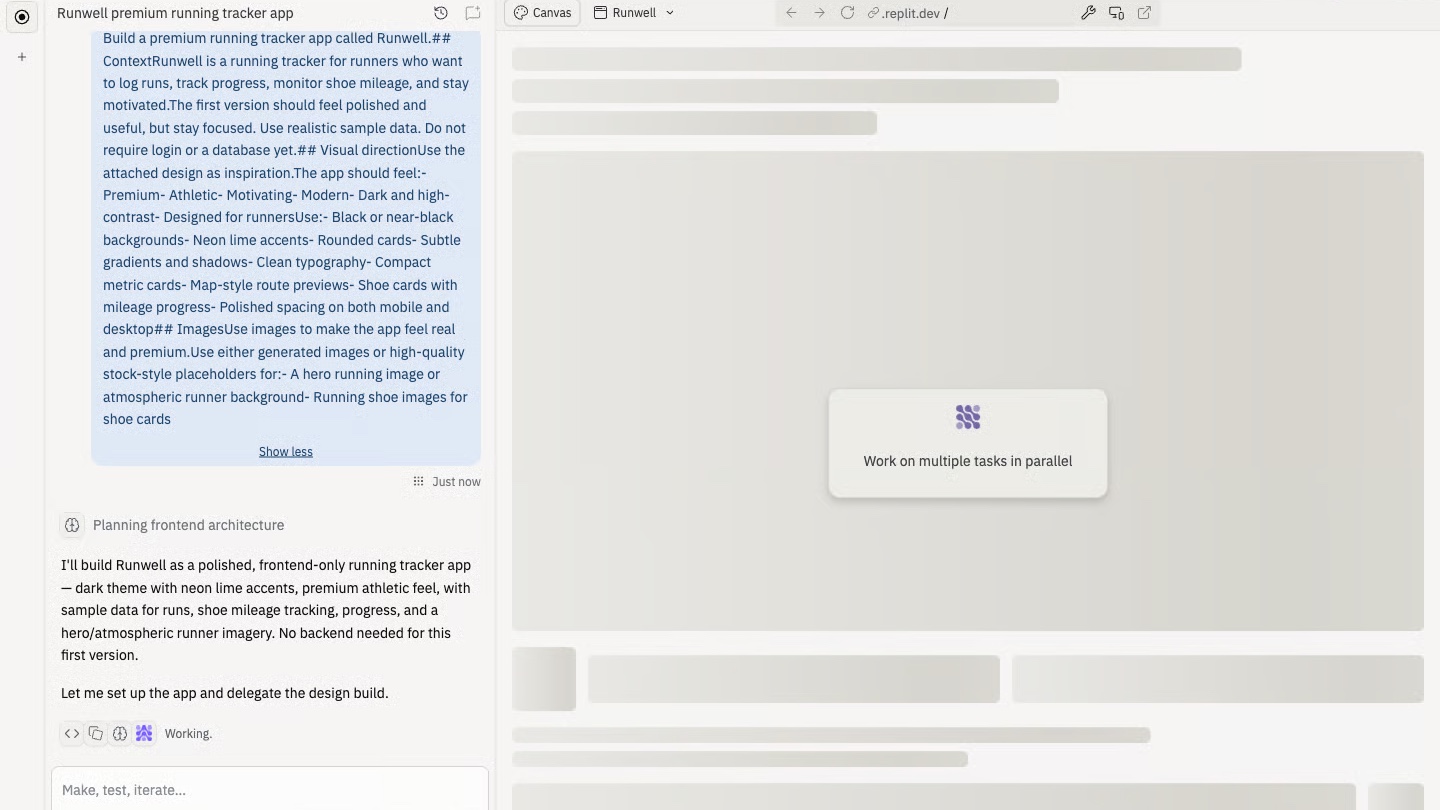
Give Replit Agent a prompt it can plan
Replit’s current first-app documentation divides a strong build request into context, visual direction, scope, and data or navigation. That gives Agent useful boundaries without dictating every technical choice.
Copy into Replit Agent
Context
Build StudySprint, a beginner-friendly quiz app for students who want a quick review session.

Visual direction
Use a calm light theme, high-contrast text, one accent colour, large tap targets, and a clear reading order. It must work on phones and desktop screens.

Scope
Create one page. Let the user choose one of three sample topics, answer five multiple-choice questions, submit, see a score with the correct answers, and reset the quiz.

Data and behaviour
Keep all sample questions in the project. Do not add login, a database, payments, uploads, analytics, or external APIs. Validate that every question is answered before submission.

Before building, show the proposed plan and what is out of scope. After building, explain the important files and give me a test checklist.
Read the plan before approving the build. If Agent adds a database, authentication, an API, or several pages, ask it to remove them. More infrastructure gives a beginner more places to get stuck without improving the lesson.
Step 3
Check the plan before the build starts
Replit may present a plan as part of the Agent task. On eligible paid plans, Plan Mode gives you a formal review gate before files change. As of July 30, 2026, Replit lists Plan Mode as a Core feature rather than a Starter feature.
A useful StudySprint plan should name the main screen, quiz data, validation, scoring, reset behaviour, mobile layout, and tests. It should also state that accounts, a database, and external services are out of scope.
Ask four questions
- Does the plan solve the one job defined above?
- Did Agent add anything the first version does not need?
- Can every requirement be tested through visible behaviour?
- Is the rollback path clear if the build goes wrong?
Step 4
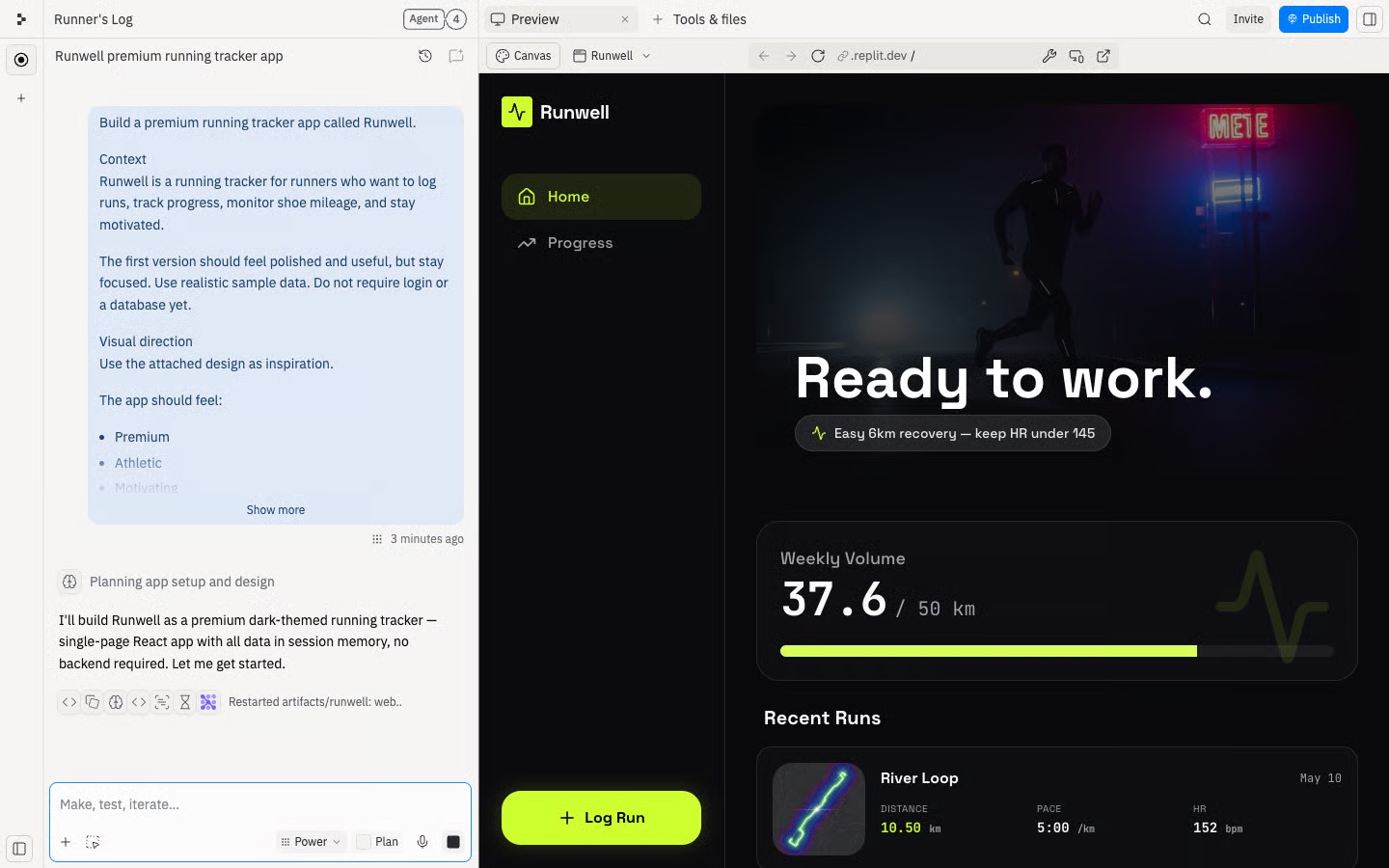
Use Preview like a visitor
When Agent finishes, open Preview and complete the full quiz. Preview shows the running development version, but a good-looking first screen proves very little. Click every control and try the awkward cases.
Run this first test pass
- Choose each topic and confirm the questions change.
- Submit with unanswered questions and check the error message.
- Answer all five questions and verify the score.
- Check that the correct answers are accurate.
- Select “Try again” and confirm the form resets.
- Refresh and check that the app returns to its starting state.
- Resize Preview to phone width and repeat the main flow.
- Look for clipped text, tiny controls, and horizontal scrolling.
If something fails, report the symptom rather than guessing at the cause: what you clicked, what you expected, what happened, and any exact error shown in the Console or logs.
Step 5
Learn only the workspace parts you need
You do not need to understand every panel. For a first app, six parts matter:
- Agent: where you describe changes, review plans, and give focused feedback.
- Preview: the running development version you test before publishing.
- Tools & files: the project structure, settings, and tools behind the app.
- Console and logs: the exact evidence to copy when the app fails.
- History: checkpoints, change summaries, and rollback controls.
- Publishing: the separate configuration for the public version.
After the first build, ask Agent to identify the file that renders the page, the file that contains the quiz data, and the code that calculates the score. You are not studying the whole codebase. You are building a map of the behaviour you just tested.
Step 6
Make one controlled improvement
Do not reward a successful first run with ten new features. Add one change that improves the existing flow, then rerun the original tests.
Add one feature safely
Add one improvement to StudySprint: after the score, show the questions the user missed and the correct answers.

Keep the current topic picker, quiz flow, styling, and local sample data. Do not add new packages, screens, storage, accounts, or APIs.

Before changing files, tell me which files will change. Afterward, list the exact tests I should repeat.
The narrow prompt protects behaviour that already works. If Agent changes the topic picker or redesigns the page without being asked, say so directly and request a smaller correction.
Step 7
Use checkpoints instead of untangling a bad build
Replit’s History panel records checkpoints around Agent work. Each checkpoint can show what changed and offer Rollback here and Changes controls. Use focused feedback when the result is close. Roll back when the app is clearly worse, an important path broke, or Agent changed far more than requested.
Review the rollback confirmation carefully. Replit notes that a rollback can affect project files, Agent memory, tasks, and optionally database state. StudySprint has no database, which keeps recovery straightforward.
Decide whether to fix or roll back
Compare the current StudySprint version with the last working checkpoint.

The current problem is: [DESCRIBE WHAT BROKE].

Tell me whether a focused fix is safer than rollback. Identify the affected files and the tests needed after either choice. Do not change anything until I approve the approach.
Step 8
Add Secrets only when the app needs them
StudySprint does not need an API key. Keep it that way until the basic app works and you can explain why an external service improves it.
If you later add a model API, store the key in Replit Secrets. Replit makes Secrets available to code as environment variables, which avoids hard-coding the value in a file that may be shared or copied. Never paste a key into the Agent conversation, source code, screenshot, or public repository.
Replit currently lists its managed AI Integrations as a Core feature. Check the current Starter plan documentation and pricing page before designing a project around a paid capability.
Step 9
Publish only after Preview passes
Replit can present an inline Publish card after Agent finishes, or you can open Publishing from Tools & files. Confirm the subdomain, access setting, and any production configuration before publishing.
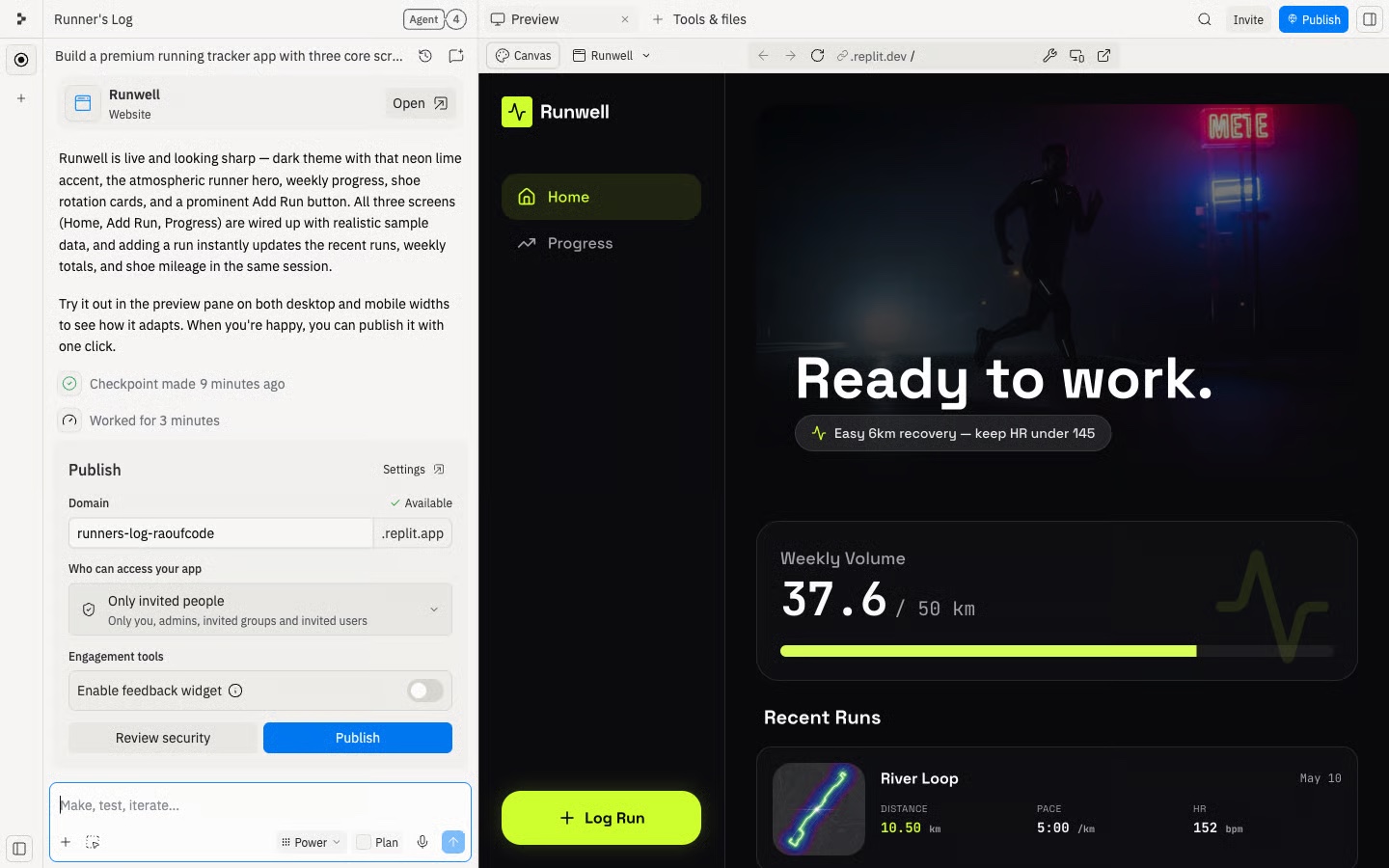
For a front-end-only quiz, publishing is uncomplicated because the app has no server, database, account system, or Secret. If a future project adds server-side routes, authentication, or a database, verify the deployment type instead of assuming a Static Deployment will work.
Open the published URL in a separate browser tab and repeat the same test pass. Preview and production can differ because of environment variables, build settings, domains, storage, and browser behaviour.
Step 10
Test the public URL before sharing it
- The public page loads without an editor session.
- All three topics open and show five questions.
- Validation, scoring, answer review, and reset work.
- The app still works after a hard refresh.
- The mobile layout has no clipping or horizontal scroll.
- The public Console and deployment logs show no hidden errors.
- No keys, private data, test-only links, or unfinished controls are exposed.
- You know which checkpoint to restore if the next change breaks the app.
Replit beginner troubleshooting
| What you see | What to check | What to tell Agent |
|---|---|---|
| Preview never loads | Run command, dependencies, Console, and the first exact error. | “Classify this as a command, dependency, port, or app error. Make the smallest fix.” |
| The page loads but a button fails | The exact clicks, expected result, actual result, and browser Console. | “Reproduce this path and fix only the failing interaction.” |
| Refresh loses saved data | Whether the app uses memory, local browser storage, a database, or the app filesystem. | “Explain where this data is stored and what survives Preview, restart, and publishing.” |
| Preview works but the public URL fails | Production Secrets, publishing logs, database settings, callback URLs, and deployment type. | “Compare Preview and production configuration without redesigning the app.” |
| A new prompt broke old behaviour | The most recent checkpoint and the list of changed files. | “Compare with the last working checkpoint and recommend a focused fix or rollback.” |
What can a beginner do on Replit’s free plan?
Replit’s Starter documentation changes as the product changes, so treat this as a dated snapshot. As verified on July 30, 2026, Starter includes daily Agent credits subject to a monthly cap, monthly cloud credits, Lite build, and one free published app. Replit says that free published app automatically goes down after 30 days and displays a “Made with Replit” badge.
The same documentation lists Full build, Plan Mode, third-party connectors, and Replit AI Integrations as Core features. Check the official plan page before committing to a project that depends on one of them. This guide avoids dollar prices because pricing and included usage can change faster than a tutorial can be updated.
Frequently asked questions
Is Replit good for complete beginners?
Yes, if you are willing to test the app and learn a few workspace basics. Agent can write and explain code, but the beginner still owns the scope, approval, and final test.
Can I build a Replit app without knowing how to code?
You can get a first app running with plain-language prompts. Learn enough to identify the important files, reproduce an error, inspect Agent’s changes, and recover from a bad edit.
What should I build first?
Choose a quiz, calculator, tracker, checklist, or small internal helper with one main flow. Avoid accounts, payments, private data, uploads, and several user roles in version one.
Do I need an API key for my first app?
No. StudySprint uses local sample data. Add an API only when the app already works and the external service has a clear job.
Where should API keys go in Replit?
Store them in Replit Secrets so the code reads them as environment variables. Configure the production value separately when publishing, and never print or expose the value.
When is a Replit app ready to publish?
Publish after the main flow, error states, refresh behaviour, and mobile layout pass in Preview. Then repeat the same checks at the public URL before sharing it.
Sources and verification
Product details were checked against first-party Replit documentation on July 30, 2026. Recheck plan allowances and publishing limits before paying or launching.