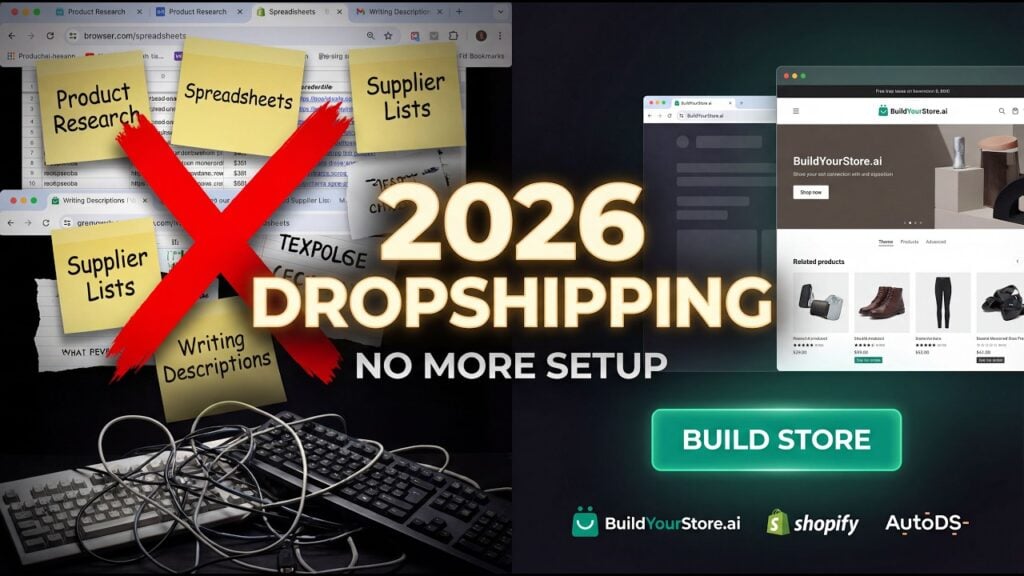
If you’ve spent any time in the e-commerce or dropshipping space recently, you’ve probably seen the ads. A confident voice, a laptop on a desk, and a promise that feels almost too good to be true: “We’ll build you a complete Shopify store — with products, pages, and a domain — in minutes. For free.”
That’s the pitch from BuildYourStore.ai, one of the fastest-growing AI-powered store builders on the market in 2026. It targets the enormous pool of aspiring entrepreneurs who want to start an online business but are intimidated by the technical lift of building a store from scratch. And it has gathered some serious traction — backed by AutoDS, promoted by major YouTube influencers, and featured across e-commerce forums everywhere.
But does it actually live up to the hype? Is “free” really free? And perhaps most importantly — can a store built entirely by AI in a few minutes actually generate real sales?
Kingy AI published a sponsored BuildYourStore setup walkthrough on February 23, 2026. For this review, we also checked BuildYourStore’s current help documentation, Shopify’s pricing page, Trustpilot discussions, Reddit reports, and third-party analyses. The walkthrough documents the signup and store-creation flow; it does not establish long-term sales performance, fulfillment reliability, support quality, or profitability.
What Is BuildYourStore.ai?
BuildYourStore.ai is a free AI-powered Shopify store builder built specifically for beginners and dropshippers. At its core, it’s a done-for-you store creation tool: you sign up, choose a niche, and within minutes the platform generates a complete, launch-ready Shopify store with pre-loaded products, a conversion-optimized theme, auto-generated product pages, and even a free .store domain for the first year.
BuildYourStore describes itself as a standalone platform. It integrates with Shopify for hosting and uses AutoDS for product sourcing and fulfillment, but its current help documentation says the three services operate separately.
The free plan does not remove the cost of operating the store. BuildYourStore’s current help documentation lists a Shopify subscription, an AutoDS subscription, and domain-renewal fees as separate costs, and it also offers a one-time $97 Pro plan. We did not find a primary source confirming the widely repeated $275 referral-commission figure.
How Does It Work? A Step-by-Step Walkthrough
The onboarding process is genuinely fast and clean. Here’s exactly what happens when you sign up:
Step 1 — Account Creation. You land on the BuildYourStore.ai homepage and click “Build my FREE store.” You’re prompted to enter your name, email, and a password, or sign in with Google. No credit card is required at this stage. The site lists the included benefits prominently: an AI-built Shopify store, 10 winning products, a high-converting theme, ready-to-sell pages, 100% of your profits, 24/7 customer support, premium apps and sales badges, and a free .store domain.
Step 2 — Choose Your Niche. Once signed in, you’re walked through a short setup process. The first step is selecting your store niche from a preset list of categories: Fashion & Apparel, Pets, Electronics & Gadgets, Home & Garden, Sport & Fitness, and others. There’s even an “I’m not sure” option, which is a thoughtful touch for complete beginners. In the walkthrough video, the Electronics & Gadgets niche was selected.
Step 3 — Homepage Banners. The second step asks you to choose two homepage banners from six options tailored to your selected niche. It’s a small but meaningful personalization step — the AI uses your selection to set the visual tone of your storefront.
Step 4 — Create or Connect a Shopify Account. You’re prompted to create a Shopify account or connect an existing one. Shopify’s US pricing page currently lists a three-day free trial followed by $1/month for three months. Basic is $39 month-to-month or $29/month billed yearly; offers and regional pricing can change. The sponsored video walkthrough advises skipping Shopify’s internal setup questions and returning directly to BuildYourStore.
Step 5 — Link Your Store. You copy and paste your Shopify admin URL back into the BuildYourStore interface and click “Done.” The two platforms connect.
Step 6 — Install the App and Customize. After installing the BuildYourStore Shopify app, you click “Customize my store” — and this is where the AI takes over. In real-time, it builds and populates your homepage, product pages, pricing structure, images, descriptions, reviews, and trust badges. The process takes anywhere from a few minutes to around 15 in some cases.
Step 7 — AutoDS Integration. The next recommended step is connecting AutoDS to your store for automated product fulfillment. AutoDS offers a 30-day trial for $1. This adds “proven, trending products” based on your niche, pulling from vetted suppliers automatically.
Step 8 — Go Live. You remove the password protection from your Shopify store settings, and your store is publicly accessible. From zero to live store: typically under an hour, and often much faster.
The simplicity of this process is the platform’s greatest achievement. It has genuinely reduced what used to be a multi-day, technically demanding process into something almost anyone can accomplish in an afternoon.
Core Features: What You Actually Get
10 Winning Products
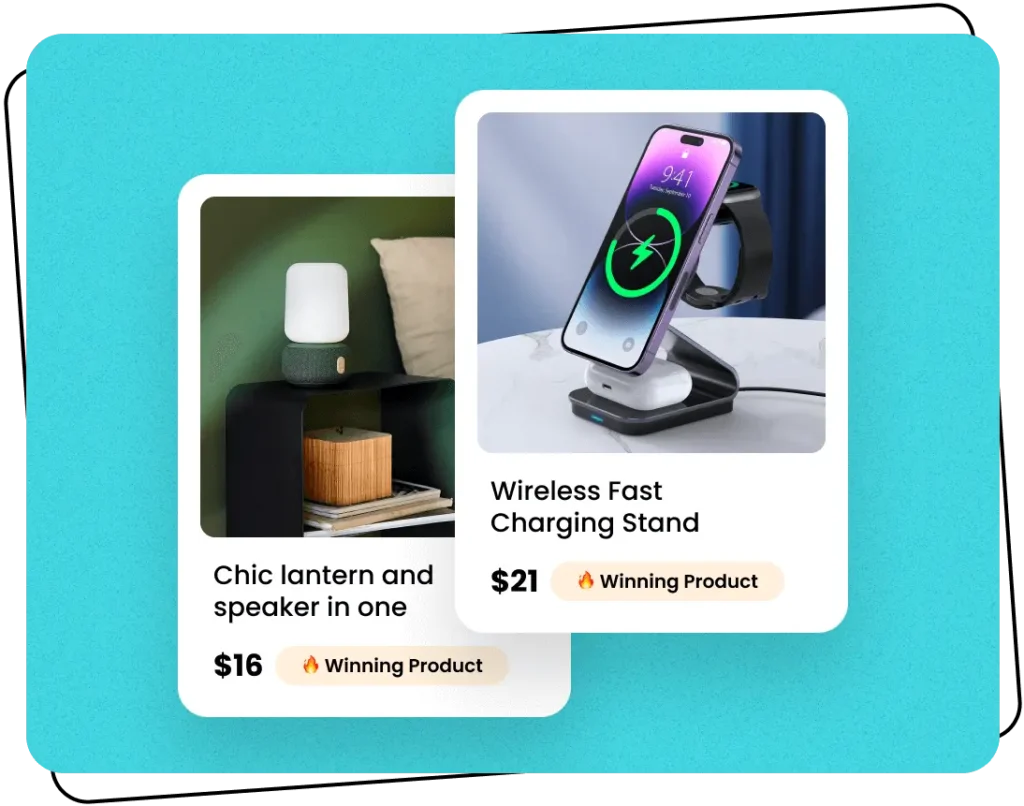
The centerpiece of BuildYourStore’s value proposition is its pre-loaded product selection. The AI selects 10 “proven winning” dropshipping products for your chosen niche and adds them directly to your store — complete with product images, pricing, descriptions, and a “Winning Product” badge on each listing.
For the Electronics & Gadgets niche, the walkthrough showed items like a retro Bluetooth speaker, moon lamp, drone, power strip, phone stand, mini projector, and action camera. These are the kinds of trending, visually appealing products that perform well in paid social media advertising.
The caveat here — and it’s an important one — is that these products are the same for every user in a given niche. Everyone who signs up for the Electronics niche gets roughly the same 10 products. This means your store isn’t unique from day one; it’s functionally a near-clone of thousands of other BuildYourStore-generated electronics stores. Dropmagic, a competing store builder, argues that stores in the same niche are substantially similar at launch.
High-Converting Theme
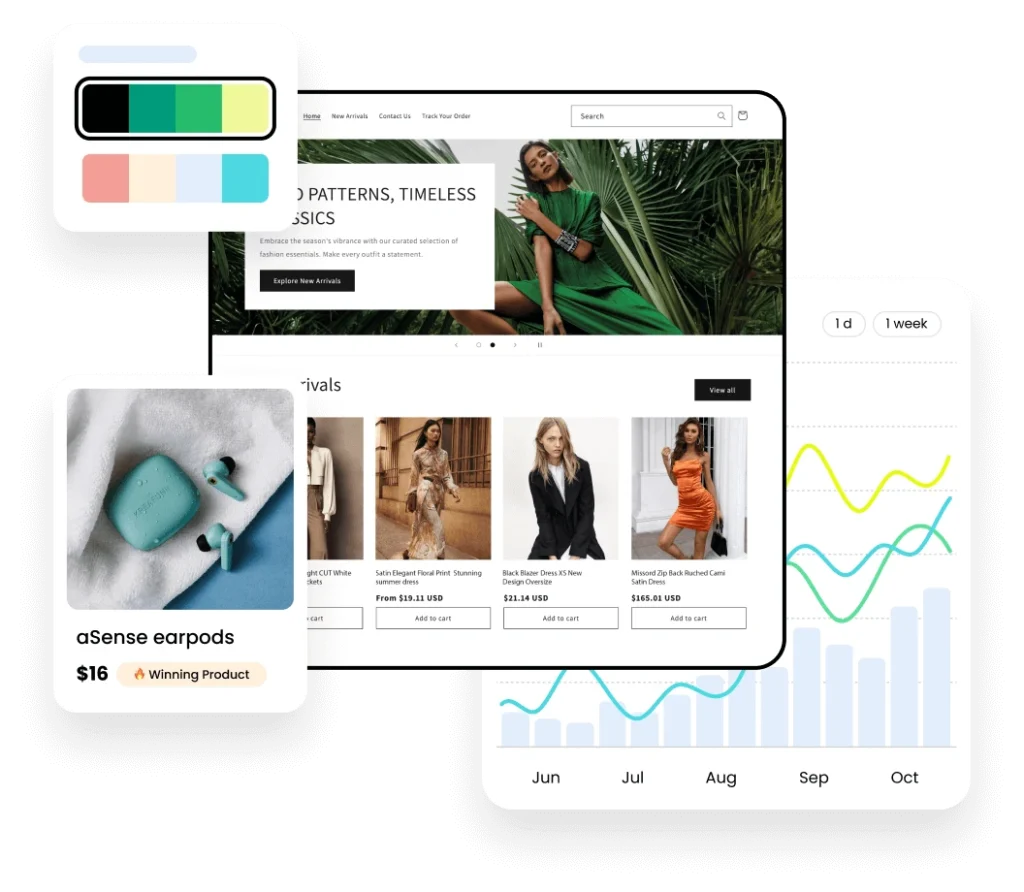
BuildYourStore applies Shopify’s free Dawn theme, customized with niche-appropriate color schemes, fonts, and layout settings. The result is a clean, modern, mobile-responsive storefront that loads quickly and feels professional. The theme is described by the platform as designed to make “clicking ‘buy’ feel effortless.”
It’s worth noting that Dawn is a solid, well-regarded Shopify theme — but it’s not proprietary or exclusive. It’s free for anyone to use. The customization applied by BuildYourStore is meaningful but limited, and as several reviewers have pointed out, the design innovation doesn’t go far beyond what’s available natively in Shopify.
Ready-to-Sell Pages
Every product page comes pre-built with images, a product description, pricing, shipping information, an “Add to Cart” button, and trust badges like payment icons and guarantee seals. The copy is generally AliExpress-style — functional, but generic. There’s no persona-based copywriting or audience-specific messaging, and all users in a niche receive essentially the same text.
The pages are structurally sound and conversion-focused, but they won’t win any awards for originality. For a brand-new store being used to test product viability, they’re more than adequate. For a brand trying to establish a distinct voice or premium positioning, they’ll need significant rewriting.
Free .store Domain
One of the most genuinely impressive inclusions is the free premium .store domain, provided for the first year at no cost. BuildYourStore notes that .store domains are used by high-profile names and brands, lending legitimacy to new stores. Domain claim and DNS setup are automated — you don’t need to touch anything technical.
The fine print worth knowing: after the first year, the domain renews at approximately $5/month through Shopify’s billing. Some users have reported this cost catching them off-guard, as it isn’t prominently flagged during signup.
Pre-Installed Apps & Sales Badges
The generated store comes with a suite of pre-installed Shopify apps designed to boost conversions — things like popup tools, review widgets, upsell triggers, and visual trust badges on product pages. The company describes these as “premium apps & sales badges,” though the exact apps included can vary.
24/7 Customer Support
Support is a genuine bright spot. Trustpilot reviews consistently highlight the responsiveness and quality of the support team. One reviewer specifically praised “Renato and the team” for quick and helpful replies. Another user reported receiving a personalized walkthrough video from the support team to help them navigate an issue — a level of white-glove service that’s rare for a free tool. Most reviews on Trustpilot rate the support experience highly, even among users who had mixed feelings about the platform overall.
The AI: What’s Actually Powering This?
BuildYourStore.ai does not publicly disclose which AI models or infrastructure it uses. Based on its functionality, it likely leverages large language models — possibly GPT variants — for product description generation and copywriting decisions. The platform is built by AutoDS, which has its own AI and automation infrastructure developed over years of dropshipping tooling.
The integration layer is entirely Shopify-centric. When the store is generated, the AI uses Shopify’s API to build the store under your account. Payment processing, analytics, shipping, and all commerce functionality are handled natively by Shopify. BuildYourStore itself doesn’t touch your transactions; it simply sets the table.
One important limitation: there is no AI image generation. Product photos are pulled directly from suppliers — typically AliExpress-style stock images. This means stores don’t benefit from custom visuals or branded imagery. Competitors like Atlas and Dropmagic are beginning to incorporate AI-generated imagery; BuildYourStore currently does not.
Customization, SEO, and Analytics
This is where BuildYourStore’s limitations become most apparent, especially for anyone who’s used a more sophisticated builder.
Once the AI finishes generating your store, there is no in-app editor. BuildYourStore doesn’t have a drag-and-drop interface, a design dashboard, or any proprietary customization UI. When the AI hands you the store, you’re immediately operating inside Shopify’s native admin panel. Want to change a font? Move a section? Add a new product category? You’ll need to learn Shopify’s theme editor — which, while well-documented and fairly intuitive, is not a zero-learning-curve experience for complete beginners.
Competitors like Dropmagic offer a real-time drag-and-drop editor with multi-lingual copy generation, branding tools, and persona-based content. Atlas provides deep customization, AI-generated assets, and saveable store templates. BuildYourStore offers none of these post-generation tools. As one Shopify forum commenter noted, “If you don’t know Shopify’s backend, you’ll struggle to change anything meaningful once the AI hands you the store.”
On the SEO front, the generated pages include basic SEO-friendly structure — product names in titles, meta descriptions matching copy, clean URL structures. The platform describes its pages as “SEO-friendly,” and structurally, they are. But there are no advanced SEO tools built in: no keyword research integration, no schema markup customization, no SEO audits. You’re relying on Shopify’s native SEO capabilities, which are decent but unguided without additional apps.
Analytics must be added manually through Shopify’s analytics dashboard or by connecting Google Analytics. There is no analytics layer within BuildYourStore itself.
User Experience: The Full Picture
Onboarding is excellent. The signup flow is smooth, fast, and genuinely low-friction. The urgency indicators on the site — banners like “Only 9 stores left!” — are classic conversion optimization tactics that you’ll either find motivating or eye-roll-inducing, depending on your experience level. A small number of users on Trustpilot have reported glitches during the signup process on certain browsers or mobile devices, but these appear to be edge cases rather than systemic issues.
Post-generation experience is more complicated. The clean, pre-populated Shopify store feels impressive on first view — you’re not staring at blank templates or empty product grids. But as you dig deeper, the generic nature of the content becomes harder to ignore. Every collection page, every product description, every trust badge is templated. The store looks like a store, but it doesn’t yet look like your store.
For complete beginners who’ve never touched e-commerce before, this is still a meaningful win. Having a functional, live store in under an hour — with no coding, no design skills, and no money spent — is a real achievement. The psychological barrier of “I have no idea where to start” is entirely eliminated.
For anyone with even a modest amount of e-commerce experience, the limitations will become clear quickly. The lack of an in-app editor, the generic product descriptions, and the clone-store dynamic mean that real differentiation requires significant work beyond what the AI provides.
Support quality remains a consistent high point across almost every review. The team is responsive, knowledgeable, and genuinely helpful — a credit to the platform in an industry where support is often an afterthought.
Pricing and the Business Model: Understanding “Free”
Let’s talk money, because this is where things get nuanced.
BuildYourStore’s FAQ states clearly: “You make 0 payments to BuildYourStore.ai. You retain 100% of your profits.” And technically, that’s true — BuildYourStore itself charges you nothing for the store creation, the products, the theme, the domain, or access to its course content.
But “free” in this context is a carefully scoped claim. Here are the real costs:
- Shopify Plan: After the introductory period ($1/month for 3 months), you’ll pay $49/month for the Shopify Basic plan to keep your store live. This is a non-negotiable cost if you continue selling.
- AutoDS Subscription: The AutoDS integration (needed for automated product fulfillment and order management) is $1 for the first 30 days, then moves to a paid subscription tier.
- Domain Renewal: The free
.storedomain lasts one year. After that, renewal costs approximately $5/month through Shopify billing — a cost that some users have described as a hidden charge. - Pro Plan: BuildYourStore offers an optional Pro upgrade at approximately $97, which promises more products, ad creatives, and additional templates. Several Trustpilot reviews describe this upsell as aggressively advertised, and some users report feeling misled about what was included. A few negative reviews mention paying the $97 and not receiving the promised features, with one reviewer calling it “promises of more templates, ads, products etc. after you have paid.”
The business model at its core is an affiliate funnel. As Dropmagic’s comparison analysis details directly, BuildYourStore earns approximately $275 per user from Shopify when that user activates a paid plan. This commission is paid to BuildYourStore the moment you subscribe — regardless of whether your store ever makes a sale.
This isn’t inherently malicious; affiliate-driven freemium models are common and legitimate. But it does mean BuildYourStore’s primary financial incentive is to get you onto a Shopify plan, not to optimize your store’s performance over time. Once you’ve subscribed, the platform has been compensated. Understanding this helps frame everything from the upsell strategy to the post-launch support structure.
Who Should Use BuildYourStore.ai?
This platform is excellent for:
- Complete beginners who have never built a website, never used Shopify, and don’t know where to start. The speed and simplicity are genuinely unmatched at this price point.
- Side hustlers on tight budgets who want to test a dropshipping niche before committing to significant monthly expenses.
- Aspiring dropshippers who want a working proof-of-concept store quickly, with the plan to refine and differentiate it over time.
- Anyone who values speed over customization — if the goal is to launch today and iterate tomorrow, BuildYourStore is a legitimate shortcut.
This platform is not the right fit for:
- Established brands or serious sellers who need unique positioning and distinct visual identities. With every store in a given niche built from the same template, differentiation is minimal from the start.
- Sellers outside the dropshipping model. The platform is built around dropshipping niches and pre-selected supplier products. If your business model is private label, handmade goods, or digital products, this isn’t designed for you.
- Users who dislike affiliate-driven platforms or unexpected upsells. If you’re particularly sensitive to being funneled toward paid subscriptions or frustrated by aggressive upgrade prompts, the experience may feel uncomfortable.
- Advanced e-commerce entrepreneurs who want full control over design, copy, and marketing angles from day one.
How Does It Stack Up Against Competitors?
The AI store builder space has grown significantly, and BuildYourStore isn’t operating in a vacuum. Here’s how it compares to the most relevant alternatives:
Shopify’s Native AI Builder is the closest structural comparison — it’s now built into Shopify’s own onboarding flow. The difference is that Shopify’s native builder still requires you to manually add products and make many more decisions yourself. It’s faster than the old blank-slate setup, but it doesn’t hand you a pre-populated store. BuildYourStore wins decisively on plug-and-play simplicity; Shopify’s builder wins on integration depth and reliability.
Dropmagic is a more feature-rich AI page builder with a proprietary drag-and-drop editor, persona-based copywriting, multi-lingual support, and a branding generator. It costs up to $79/month for the Pro plan and requires more manual input. Dropmagic beats BuildYourStore on creative control and content quality; BuildYourStore beats Dropmagic on simplicity and cost. If you want a truly custom-looking store, Dropmagic is worth the investment. If you want the fastest possible start for free, BuildYourStore wins.
Atlas takes a different approach, building stores around a single product link with AI-designed pages, bundle offers, and deep upsell customization. It’s more advanced and more expensive than BuildYourStore, making it better suited for sellers who’ve already identified a flagship product and want to build a premium experience around it. Atlas is not the right starting point for a total beginner; BuildYourStore is.
The overarching pattern is clear: BuildYourStore occupies the “easiest and cheapest” quadrant of the AI store builder market. It sacrifices customization depth and uniqueness in exchange for speed and accessibility. Whether that trade-off is worthwhile depends entirely on what you’re trying to accomplish.
Strengths and Weaknesses
What BuildYourStore.ai Does Well:
Zero upfront cost with a genuinely functional output is rare and meaningful. The store you receive isn’t just a template — it has real products, real pages, real trust signals, and a real domain. For a beginner who might otherwise spend weeks building something from scratch, this is transformative. The 24/7 support, the free dropshipping course, and the clean onboarding experience add real value to what is technically a free product. The AutoDS integration and the Shopify foundation mean the store’s underlying infrastructure is solid, reliable, and scalable.
Where BuildYourStore.ai Falls Short:
The clone-store problem is the most significant structural weakness. Thousands of users picking the same five or six niches, all receiving the same 10 products with the same copy and the same Dawn theme, creates a market saturated with near-identical stores. Differentiation — the thing that actually drives long-term e-commerce success — requires considerable work that BuildYourStore doesn’t facilitate or support.
The lack of an in-app editor is a genuine gap. Handing a beginner a Shopify store and then pointing them to Shopify’s backend for all further customization is a jarring transition. Competitors have understood that the editing experience is as important as the generation experience; BuildYourStore has not yet addressed this.
The upsell and pricing communication deserves improvement. The “free” framing sets expectations that the total cost picture doesn’t fully support — between Shopify, AutoDS, domain renewal, and the Pro plan push, real ongoing costs can exceed $70-100/month. None of these costs belong to BuildYourStore directly, but the platform could do much more to surface them transparently during onboarding.
Final Verdict
BuildYourStore.ai is a compelling tool for a specific, well-defined audience: complete beginners who want to start dropshipping as fast as possible, with as little technical friction as possible, and with the smallest possible upfront investment.
For that audience, it genuinely delivers. The speed is real. The support is real. The free domain and pre-loaded products are real. And the psychological win of having a live, functional Shopify store within an hour of deciding you want to start a business is not nothing — for a lot of aspiring entrepreneurs, getting past that initial inertia is the hardest part.
Continue Reading
- Genstore AI Review: The First Full-Stack AI Agent Team That Builds and Runs Your Online Store
- How Kingy AI Explained AI Dropshipping Store
Recent Launches
Compare
The Kingy Brief
Get the next Kingy Brief.
Source-checked AI changes, original tests and one practical thing to try.
Free · Choose your subjects · Double opt-in · Unsubscribe anytime