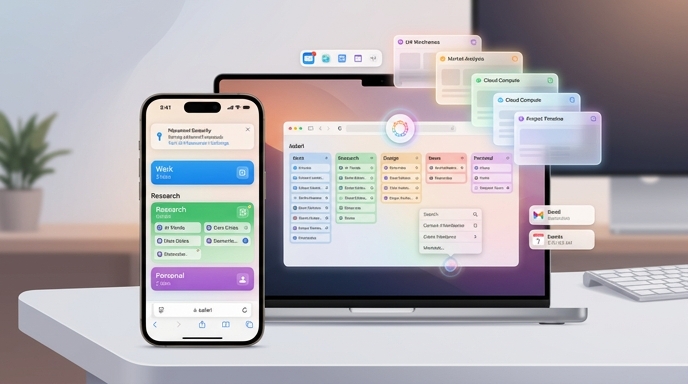
Safari Gets a Brain, Finally
Apple has spent years treating Safari like the tidy, quiet kid in the browser classroom. Reliable? Sure. Fast? Often. Exciting? Let’s not get carried away.
But at WWDC 2026, Apple gave Safari something it badly needed: a more active role in your digital life. The new version coming with iOS 27 and macOS 27 “Golden Gate” is not just getting a polish pass. It is getting Apple Intelligence features that can sort your browser chaos, watch webpages for changes, build custom extensions from plain English, and help update compromised passwords.
That is a lot for an app many people mostly use to open restaurant menus, panic-search symptoms, and keep 47 tabs alive “just in case.”
The big theme is simple. Apple wants Safari to do more than show you the web. It wants Safari to manage the web for you.
The Tab Monster Meets Its Match
Everyone knows the tab problem. You start with one search. Then another, Then a comparison page, Then three reviews, Then a Reddit thread. Then a product page you swear you will return to. By noon, Safari looks like a junk drawer with Wi-Fi.
Apple’s answer is automatic tab grouping powered by Apple Intelligence. Safari can analyze open pages, spot shared topics, and organize them into groups. A sneaker-shopping spiral might become “running shoes.” A vacation rabbit hole might become “Vacation planning.” A research binge could become “School project research.”
The feature is optional, which matters. Apple is not grabbing your tabs and rearranging your house while you sleep. Users can turn it on, let Safari sort things, and then save the results as a Tab Group or close the whole batch when the task is done.
That last part is quietly beautiful. It turns browser cleanup from a guilt ritual into a clean exit. Finished shopping? Close the group. Done researching? Save it or dump it. No more archaeology.
“Notify Me” Turns Safari Into a Watchdog
Safari’s new “Notify Me” feature may become the sleeper hit of the update. It lets users ask Safari to monitor a webpage and send an alert when something meaningful changes.
That word — meaningful — does the heavy lifting.
Plenty of tools already track webpage changes. The annoying part is that webpages change constantly. A footer updates. An ad swaps. A cookie banner twitches. Suddenly your inbox acts like the website sneezed.
Apple’s version lets users describe what they care about. A price drop. A product restock. Ticket availability. Registration opening. A specific update on a specific page. According to 9to5Mac, users can also set checks to run daily, monthly, on certain weekdays, or at a chosen time.
That makes Safari less like a browser and more like a tiny clerk with a clipboard. It watches the shelf. It taps you when the thing arrives. No drama. No “refresh-refresh-refresh” madness. Your F5 key may finally retire to a beach somewhere.
Prompt-Built Extensions Are the Wild Card
The flashiest Safari feature is also the strangest: users will be able to describe a custom extension, and Safari will attempt to build it.
Apple reportedly showed a “Recipe Keeper” example. The user asked for an extension that could save and track cooking recipes from around the web, show saved recipes from a toolbar button, and allow notes. Safari used Apple Intelligence to create the extension.
This is not a small idea. Browser extensions have always been Safari’s weak spot. Chrome and Firefox built huge extension ecosystems. Safari’s library stayed smaller, partly because Apple’s development rules made extension work more demanding.
Now Apple is trying to cheat the shortage from the other direction. Instead of convincing every developer to build every niche tool, it wants users to describe personal mini-tools themselves.
Will it work perfectly? Probably not at first. Prompt-built software can be magical one minute and deeply weird the next. But the direction is obvious. Apple wants browser customization to feel less like coding and more like ordering a sandwich.
“Make me a tool that saves recipes.”
“Add notes.”
“Only run it on recipe sites.”
Done. Ideally.
This Is Apple’s Version of Vibe-Coding
The Verge called the new extension feature a way for users to “vibe-code” their own Safari extensions, and that phrase fits. Vibe-coding is messy, trendy, overused, and still useful. It describes a real shift: people can increasingly make software by describing what they want instead of writing every line themselves.
Apple’s approach is interesting because it hides the machinery. This is not a developer tool wearing a hoodie. It is a consumer feature inside Safari.
That matters. Apple does not usually win by being first. It wins by filing off the weird edges until normal people can use something without feeling like they enrolled in night school. Prompt-built extensions could do that for browser tools.
The best use cases will probably be small, personal, and repetitive. Save recipes. Clean up a page. Track listings. Collect links. Add notes. Compare products. Build a reading queue.
Not grand software. Useful software. Tiny software. The kind that solves one itch.
That is where this feature could shine.
Passwords Get a Cleaner Escape Hatch
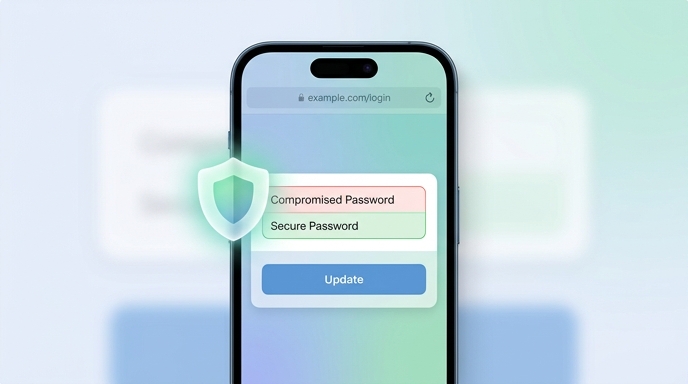
Apple is also aiming Apple Intelligence at compromised passwords. When a password is flagged as unsafe, Safari and the Passwords app can help update it on supported websites.
That may sound boring. It is not.
Password hygiene is one of the most important chores almost nobody wants to do. People reuse passwords, People ignore alerts. People see “your password appeared in a data leak” and think, “Cool, another anxiety invoice.”
Apple’s new flow tries to compress the process. Instead of making users manually visit a site, sign in, find account settings, locate the password page, invent a new password, save it, and hope nothing breaks, Apple wants Safari to handle more of the trip.
The catch is support. The feature only works on supported websites. That limitation is not a footnote; it is the fence around the whole playground. Still, when it works, it could turn a neglected security chore into something closer to a one-tap repair.
Less lecture. More fix. Good.
Apple’s AI Strategy Is Small, Practical, and Sneaky
Some companies sell AI like fireworks. Apple is selling it like plumbing.
That sounds less glamorous, but it may be more important. These Safari updates are not about chatting with a digital oracle. They are about removing little bits of friction from daily life.
Tabs sort themselves. Pages watch themselves. Passwords fix faster. Extensions appear from plain-language instructions. None of this feels like science fiction. It feels like your device finally noticed the chores you hate.
WeRSM framed Apple’s broader update as a shift from suggestion to completion. That is the right lens. Old assistants suggested. New assistants act.
The iPhone is not just saying, “Here is a webpage.” It is saying, “I grouped the pages.”
Not just, “Here is a warning.” It says, “Let me help fix it.”
Not just, “Here is your app.” It says, “Tell me what you want the app to do.”
That is a bigger change than it looks.
Beyond Safari: The iPhone Starts Connecting Dots
The Safari news sits inside a wider Apple Intelligence push across the iPhone.
Messages is getting smarter reply suggestions and the ability to surface photos based on text descriptions. Calendar is getting natural-language event creation. Shortcuts can build workflows from plain language. The Phone app can pull useful context from Mail and Messages during calls, such as flight details while speaking with an airline.
That last example is especially telling. Apple is not only improving apps one by one. It is trying to make the system understand context across apps.
This is where Apple has a structural advantage. The iPhone already holds your calendar, photos, messages, calls, passwords, email, and browser activity. If Apple Intelligence can connect those pieces at the right time, the interface starts to feel less like a grid of apps and more like a coordinated staff.
That is powerful. It is also very Apple. The company does not want the assistant to be a separate destination. It wants the assistant to appear inside the task.
Why Marketers Should Be Paying Attention
These Safari changes will not only matter to users. They will matter to businesses, publishers, retailers, and marketers.
If Safari can watch pages for restocks, price drops, and registration openings, then websites need to make those changes legible. If Apple Intelligence can pull details from emails during calls, then confirmation emails need clean subject lines, readable dates, consistent product names, and structured information.
Messy information will become more expensive.
Today, a confusing email annoys a human. Tomorrow, it may also confuse the AI layer that helps the human act. That is a different kind of customer experience problem.
Brands love shiny campaigns. Fine. But the boring stuff may matter more now. Receipts. Order updates. Product pages. Support emails. Event pages. Inventory signals. Date formats. Plain language.
If AI assistants increasingly mediate what users notice, track, remember, and act on, then clarity becomes a competitive advantage. The web does not need more clever fog. It needs cleaner signals.
Safari Is Playing Catch-Up, But Carefully
Let’s be blunt. Apple is not inventing every idea here.
Chrome, Edge, and Firefox have all pushed into AI browser features. Automatic tab grouping is not a brand-new concept. Page monitoring tools already exist. AI-assisted password changing has appeared elsewhere. Browser extensions, of course, are ancient by internet standards.
So no, Apple is not kicking down the door with alien technology.
But Apple often plays a different game. It waits. It watches the messy early versions. Then it builds a narrower version that fits its ecosystem and ships it to a huge user base.
That strategy can look slow. Sometimes it is slow. Safari has lagged behind rival browsers in AI features and extension depth. The Verge makes that point clearly. But Apple’s more selective approach may also help it avoid stuffing Safari with gimmicks that users try once and forget.
The question is not whether Apple was first. It was not. The question is whether Apple can make these features feel normal.
That is where it gets dangerous for competitors.
The Privacy Angle Will Matter
Apple says features like Notify Me are designed with privacy in mind and built into Safari. That claim fits Apple’s usual positioning. The company wants AI features to feel personal without making users feel watched by a distant server goblin.
Still, the trust bargain is getting bigger.
A browser that organizes your tabs has to understand page content. A tool that watches websites has to know what you are tracking. A password feature that updates credentials needs permission to act on sensitive accounts. A phone feature that surfaces context during calls has to understand what information may help.
That does not mean these features are bad. It means Apple is asking users to let the device do more on their behalf.
Apple’s pitch is straightforward: trust the device, not some random third-party tool. Keep the intelligence close. Make the help useful. Make the interface quiet.
If users buy that pitch, Apple Intelligence becomes less of a feature bundle and more of a daily habit.
The Fun Part: Safari Could Become Personal Again
The web used to feel more personal. Messy, yes. Weird, absolutely. But personal. Over time, browsers became standardized windows into the same giant platforms.
Prompt-built Safari extensions could push back a little. Not in a grand revolutionary way. More like a toolbox under the sink.
You need a recipe saver? Make one.
You want to monitor ticket sales? Tell Safari.
You need tabs grouped by project? Click organize.
You hate updating compromised passwords? Let Safari help.
The charm is in the smallness. These are not features designed to impress a keynote crowd for thirty seconds. They are features designed to save tiny amounts of sanity over and over.
That is how software becomes sticky. Not with thunder. With relief.
What Comes Next
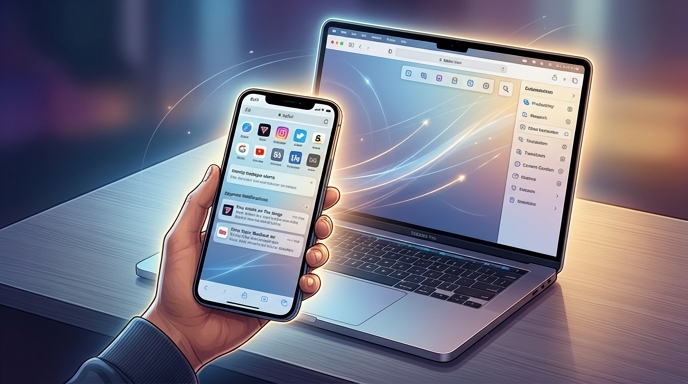
The success of these features depends on execution. Tab grouping has to read pages accurately, or users will ignore it. Notify Me needs to catch important updates to earn trust. Prompt-built extensions must behave predictably so they feel like real tools, not toys. And password updates need to work across enough sites for people to see them as useful rather than shrug-worthy.
Apple has to make the magic boring. That is the job.
But the direction is clear. Safari is becoming less passive. The browser is moving from display to action. It will not just open the web. It will sort it, watch it, customize it, and help clean up risks hiding inside it.
That is a meaningful shift. For years, Safari felt like Apple’s quiet browser. With iOS 27 and macOS 27, it may become something more useful: a web assistant with manners.
And honestly, if it can tame the tab monster, track the sale, fix the bad password, and build a recipe tool without making us read a developer guide, Safari deserves a little applause.
Not too much. It still has to prove it.
Sources
- The Verge: “Apple is using AI to fix Safari’s extension problem”
- 9to5Mac: “Here’s everything new coming to Safari on macOS 27 Golden Gate”
- WeRSM: “Your iPhone Is Learning To Finish The Task For You”
- The Apple Post: “Safari can notify you when a webpage changes in iOS 27 and macOS 27”
- Lifehacker: “Safari Automatically Organize Your Tabs Using AI”
- The Daily Tech Feed: “Apple Unveils AI Enhancements for iPhone: Smarter Safari, Messenger, and Photo Tools Debut at WWDC 2026”
The Kingy Brief
Get The Kingy Brief.
AI changes, original tests and one practical thing to try. Fridays at 09:00 Vancouver time.
Free · Double opt-in · Unsubscribe anytime
Sign up for The Kingy Brief on Beehiiv.
Signup help and newsletter schedule
Signup form provided by Beehiiv. After submitting, check your inbox for "Confirm your subscription to The Kingy Brief" and open its confirmation link. Check Spam or Promotions if you cannot find it.
Fridays at 09:00 Vancouver time: source-checked AI changes, original tests and one practical thing to try. We skip a week when there is not enough verified material. Free. Unsubscribe anytime.