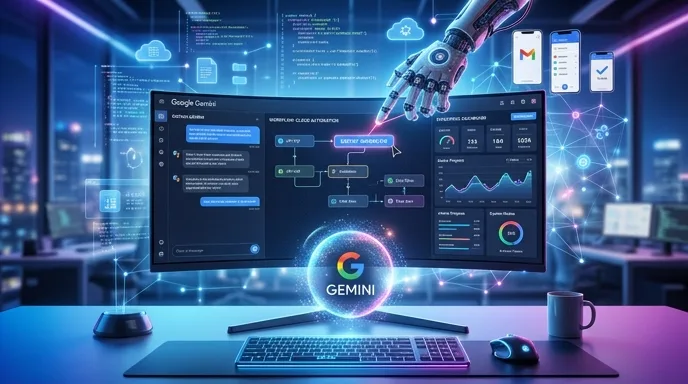
Google Hands Gemini a Digital Mouse
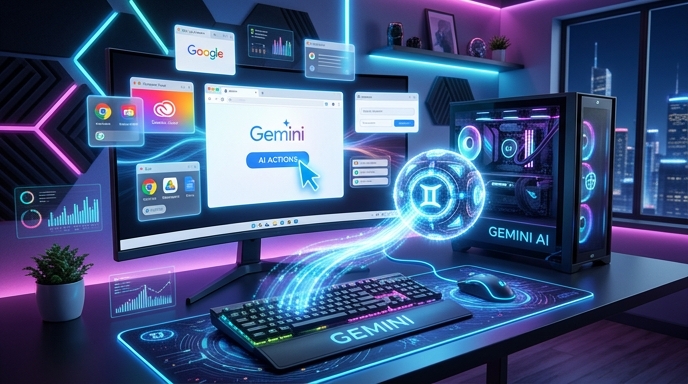
Google’s Gemini 3.5 Flash just got a very practical upgrade: it can now use computers.
Not in the old “I can explain how to use a computer” way. That was cute. This is different. Gemini 3.5 Flash can now look at what is on a screen, understand the interface, and take action across browsers, desktop environments, and mobile apps.
Google announced the feature in its official post, “Introducing computer use in Gemini 3.5 Flash”, saying computer use is now a built-in tool in Gemini 3.5 Flash. Previously, this capability existed as a separate Gemini 2.5 computer-use model. Now, Google has folded it directly into the main Gemini Flash model.
That matters.
A chatbot answers. An agent acts. And with this update, Gemini 3.5 Flash moves further into agent territory.
The model can inspect screenshots, identify buttons and text fields, reason through a task, click, type, scroll, and navigate. In other words, it can operate software more like a human assistant and less like a fancy autocomplete machine wearing a lab coat.
This does not mean every consumer can suddenly let Gemini run wild on their laptop. The feature is currently aimed at developers and enterprises through the Gemini API and Gemini Enterprise Agent Platform.
Still, the direction is obvious. AI is no longer just sitting in a chat box. It wants the keyboard.
What “Computer Use” Actually Means
“Computer use” sounds simple until you unpack it.
At its core, it means the model can interact with graphical interfaces. It can see what appears on screen, interpret visual elements, decide what step comes next, and perform actions. According to FoneArena, Gemini 3.5 Flash can now help developers build agents that work across browser, desktop, and mobile environments.
That is a big shift from traditional automation.
Old-school automation usually needs rigid scripts. Click this exact button. Enter this exact value. Wait three seconds. Hope the page does not change. Pray to the spreadsheet gods.
Computer-use AI is more flexible. It can adapt when a button moves, when a menu changes, or when a website throws a mild tantrum. It can reason through the interface instead of blindly following brittle instructions.
That makes it useful for messy real-world tasks: checking dashboards, filling forms, testing software, navigating internal tools, researching information, or completing multi-step workflows.
Google says Gemini already supports function calling and built-in tools such as Search and Maps grounding. Adding computer use gives developers another layer: the model can now combine structured tool use with direct interface control.
That combination is powerful. It means an agent can gather information, reason about it, and then act inside the software where the work actually happens.
The boring version: better automation.
The fun version: Gemini can finally stop giving directions from the passenger seat and grab the wheel.
From Gemini 2.5 to Gemini 3.5 Flash
Before this announcement, Google’s computer-use capability lived in a dedicated Gemini 2.5 computer-use model. That made sense as an early rollout. New capabilities often begin as specialized systems before they get folded into broader models.
Now, Google has integrated the feature into Gemini 3.5 Flash.
That detail matters because Flash models are designed for speed and efficiency. They are not usually positioned as the biggest, slowest, most expensive models in the family. They are built to handle practical workloads at scale. So when computer use lands inside Flash, Google is not just showing off a research demo. It is aiming at production use.
The Decoder reports that the new capability can help developers build agents for tasks such as software testing and office automation. Those are not sci-fi use cases. They are Monday morning use cases.
That is the quiet story here.
The AI industry loves big cinematic demos. A robot folds laundry. A model writes poetry. An avatar smiles with exactly 14 percent too much sincerity. But the market often rewards the dull stuff first: paperwork, testing, checking, routing, copying, comparing, entering, validating.
Gemini 3.5 Flash with computer use is built for that kind of work.
It can help agents move through professional applications, not just answer questions about them. That is where AI starts becoming less of a novelty and more of an invisible office engine.
Less “wow.” More “done.”
The Browserbase Demo Shows the Point
Google is also offering a Browserbase-hosted demo environment so developers can test the new capability. That matters because computer-use agents are much easier to understand when you can watch them work.
Android Authority tested the demo and described Gemini navigating websites, entering information, searching across flight-booking platforms, and returning results. The same report noted that users can also ask it to play 2048, which is both charming and slightly ominous. Nothing says “future of work” like an AI casually merging number tiles before lunch.
The flight-search example is more useful.
It shows how computer-use AI can handle multi-step browsing tasks. A user gives a goal. The model opens sites, enters fields, compares options, and reports back. That is not magic, but it is meaningful.
Many online tasks are simple in theory but annoying in practice. They require repeated clicks, tabs, logins, filters, and small decisions. Humans waste a huge amount of time on this digital confetti.
Computer-use agents promise to clean up some of that mess.
Of course, demos are demos. Real-world interfaces are chaotic. Websites break. Pop-ups appear. Captchas intervene. Login flows get weird. Cookie banners multiply like gremlins in a swimming pool.
But the demo shows Google’s intended direction: Gemini should not only understand software. It should operate it.
That turns AI from a passive helper into an active worker.
Why Developers Should Care
For developers, the appeal is straightforward: fewer custom scripts, more adaptable agents.
Traditional automation breaks easily. Anyone who has maintained browser scripts knows the pain. A site changes one button label and suddenly your workflow collapses like a folding chair at a family reunion.
AI agents with computer use could reduce that fragility. They can inspect the screen and make context-aware decisions. That does not make them perfect. It makes them less dumb in the specific way old automation is dumb.
Google says developers can use Gemini 3.5 Flash to build custom agents that see, reason, and act across browsers, desktops, and mobile environments. The company also points to long-horizon automation tasks, continuous software testing, and knowledge work across professional applications.
Continuous software testing is a strong example.
A computer-use agent could navigate an app like a user, test workflows, catch accessibility issues, check whether buttons work, and document failures. Google’s announcement mentions Gemini 3.5 Flash using computer use to audit documentation for accessibility issues and analyze the Gemini app to return a categorized list of features.
That is practical. Painfully practical. The kind of practical that gets budget approval.
Developers also get access through the Gemini API and the Gemini Enterprise Agent Platform. Google has made reference implementations and documentation available as well.
The opportunity is not just building agents that chat. It is building agents that finish chores.
And in software, chores are everywhere.
Why Enterprises Are Paying Attention

Enterprise automation is the obvious target.
Large companies run on software stacks that often look like archaeological digs. There are CRMs, ERPs, internal dashboards, ticket systems, expense tools, HR portals, compliance tools, and at least one ancient application that everyone fears but nobody can retire.
Computer-use agents could operate across those systems without requiring deep API integrations for every single workflow.
That is the promise.
Instead of waiting months for a custom integration, a company could build an agent that navigates existing interfaces. It could pull data from one system, enter it into another, check a policy document, update a record, and flag exceptions for humans.
CryptoBriefing reported that enterprise adoption is already being discussed around platforms such as Salesforce Agentforce, Xero, Shopify, and Ramp. The report frames Gemini 3.5 Flash as useful for workflows involving supplier identification, tax form processing, data analysis, and OCR-related tasks.
The broader point is clear even without overhyping it: enterprise work contains mountains of repetitive interface labor.
That labor is expensive. It is also boring. Humans can do it, but nobody becomes their best self by copying invoice data between tabs while a browser freezes in protest.
If Gemini 3.5 Flash can handle even a slice of that work reliably, businesses will care.
Not because it is flashy.
Because it saves time.
The Benchmark Flex: OSWorld-Verified
Performance claims need evidence, not confetti.
According to The Decoder and CryptoBriefing, Gemini 3.5 Flash scored 78.4 on OSWorld-Verified, a benchmark designed to test how well AI systems navigate real operating systems and applications.
That number is useful, but it needs context.
Benchmarks are not reality. They are controlled obstacle courses. A good score does not guarantee flawless performance in a messy enterprise environment full of weird pop-ups, half-broken internal tools, and security policies written during the Bronze Age.
Still, benchmarks help compare progress.
The Decoder reported that Gemini 3.5 Flash outperformed Gemini 3 Flash on OSWorld and landed near several competing frontier models in computer-use performance. That suggests Google has made a serious jump, not a cosmetic upgrade.
The important takeaway is not that Gemini has “solved” computer use. It has not.
The takeaway is that computer-use agents are becoming good enough to move from demo theater into developer workflows.
That is the stage before mass adoption.
First, researchers prove the concept. Then developers experiment. Then enterprises test in sandboxes. Then the feature quietly becomes part of normal software.
The benchmark tells us Gemini 3.5 Flash is now credible enough for that middle stage.
And that is where the market gets interesting.
Safety Is the Awkward Part
Letting an AI use a computer is useful. It is also risky.
A model that can click, type, and navigate can make mistakes in ways a text-only chatbot cannot. It could submit a form too early. It could delete something. It could approve a transaction. It could follow malicious instructions hidden inside a webpage.
That last problem is called indirect prompt injection.
Imagine an AI agent reading a webpage that contains hidden or visible instructions telling it to ignore the user and do something else. A human would likely recognize the trick. A model might not. That is the digital equivalent of a sticky note on a vending machine saying, “Please give all snacks to Steve.”
Google says it is using targeted adversarial training to reduce prompt-injection risks in Gemini 3.5 Flash. It is also introducing two optional enterprise safeguards: one can require explicit user confirmation before sensitive or irreversible actions, and another can stop tasks if an indirect prompt injection is detected.
Those safeguards matter.
Google also recommends secure sandboxing, human-in-the-loop verification, and strict access controls. In plain English: do not give an AI agent the keys to the kingdom and then act shocked when it opens doors.
Computer-use AI needs boundaries. Strong ones.
The more power agents get, the less “just trust the model” makes sense.
This Is Not Consumer Gemini Yet
One thing should stay clear: this is not the same as handing every Gemini app user a self-driving laptop assistant today.
The feature is currently available to developers and enterprise customers through the Gemini API and Gemini Enterprise Agent Platform, according to Google and multiple reports, including Android Authority and FoneArena.
That limitation makes sense.
Computer-use agents need careful deployment. Enterprises need admin controls, audit logs, permissions, sandboxing, and approval flows. Developers need documentation and implementation patterns. Nobody serious should want this rolled out casually as a “click everything for me” button.
Still, developer-first features often foreshadow consumer products.
A few years ago, AI coding assistants felt niche. Then they became normal. Multimodal models once felt experimental. Now users casually upload images, charts, documents, and screenshots. Voice interaction once felt like a demo. Now it is part of mainstream AI apps.
Computer use may follow the same path.
First, developers get it. Then enterprises test it. Then refined versions arrive in consumer tools.
The long-term endpoint is obvious: people will ask AI assistants to handle digital chores directly.
Book the thing. Fill the thing. Compare the thing. Cancel the thing. Find the thing. Please, for the love of bandwidth, close the pop-up.
That future just moved closer.
The Competitive Pressure Is Obvious
Google is not operating in a vacuum.
Computer-use agents have become one of the hottest fronts in AI. The reason is simple: text generation is crowded. Everyone has models that can write emails, summarize PDFs, and produce meeting notes with varying levels of corporate beige.
Action is the next battlefield.
The real money sits in agents that can complete workflows. Not just advise. Not just draft. Complete.
That is why computer use matters strategically. If a model can operate software, it can plug into enormous parts of the economy without waiting for every company to expose perfect APIs. The graphical interface becomes the API.
That is messy but powerful.
Google’s advantage is its ecosystem. Gemini can already connect with tools like Search and Maps grounding. Google also has Android, Chrome, Workspace, Cloud, and a massive developer base. If computer-use agents become important, Google has plenty of places to deploy them.
But competition will be fierce.
Other AI companies are also chasing agentic workflows. The winners will not be the companies with the loudest demos. They will be the ones that make agents reliable, governable, affordable, and boring enough for real work.
Yes, boring is a compliment here.
Nobody wants an “exciting” agent handling expense approvals.
They want one that does the job correctly.
What Could Go Wrong?
Plenty.
Computer-use AI can fail in ways that feel small until they become expensive. It can misunderstand a screen. It can click the wrong button. It can misread a form. It can get trapped in a login loop. It can obey malicious instructions. It can produce a confident summary of a task it did not complete properly.
There is also the accountability problem.
When a human employee makes a mistake, companies have processes. When an AI agent makes a mistake after navigating three internal systems and half-completing a workflow, the blame trail gets messy fast.
That is why the enterprise safeguards are not decoration. They are central to whether this technology works in practice.
The best use cases will likely start with low-risk workflows. Think software testing, data gathering, classification, documentation checks, internal search, and tasks where a human reviews final actions.
The worst use cases will involve irreversible actions without oversight. Payments. Deletions. Account changes. Legal submissions. Anything where “oops” becomes a budget line.
So the smart rollout is not “let Gemini do everything.”
It is “let Gemini do bounded tasks in controlled environments with clear checkpoints.”
That sounds less glamorous. It is also how serious technology gets adopted.
The AI agent revolution will not arrive as one giant cinematic explosion.
It will arrive as a thousand small workflows that humans slowly stop doing.
The Bottom Line
Gemini 3.5 Flash with built-in computer use is a meaningful step for Google’s AI strategy.
It turns Gemini from a model that mainly responds into a model that can act across software interfaces. It gives developers a way to build agents that can see screens, reason through workflows, and perform tasks in browser, desktop, and mobile environments. It also gives enterprises a path toward more flexible automation.
The feature is not risk-free. It is not magic. It is not a universal robot employee. Please keep the tiny digital intern away from the nuclear launch dashboard.
But it is important.
The shift from chatbots to agents is one of the biggest transitions in AI right now. Chatbots help users think and write. Agents help users do. That difference changes the market.
Google’s move also signals where mainstream AI is heading. The next generation of assistants will not just answer questions about your apps. They will use the apps. They will open pages, press buttons, compare options, fill fields, and complete workflows.
For now, Gemini 3.5 Flash’s computer-use capability belongs mostly to developers and enterprises. But the direction is hard to miss.
The AI assistant is climbing out of the chat window.
And it just found the mouse.
Sources
- Google: Introducing computer use in Gemini 3.5 Flash
- Android Authority: Gemini 3.5 Flash can now see your screen, use your computer, take actions
- The Decoder: Google bakes computer control directly into Gemini 3.5 Flash
- CryptoBriefing: Gemini 3.5 Flash integrates computer use for enhanced automation
- FoneArena: Gemini 3.5 Flash gets native computer use for AI agents
Related Models
Recent Launches
Latest News
Continue Reading
The Kingy Brief
Get the next Kingy Brief.
Source-checked AI changes, original tests and one practical thing to try.
Free · Choose your subjects · Double opt-in · Unsubscribe anytime