Last updated: June 20, 2026.
Image note: A strong AI demo turns a complicated product into a clear path from input to useful output.
Most AI products do not have a product problem. They have a demo clarity problem.
If people cannot understand what the product does in the first 30 seconds, they will not try it, share it, cover it, or buy it. They may be impressed by the technology. They may believe the market is large. They may even like the founder. But if the demo does not make the product useful in their head, the launch stalls.
This AI product demo guide is for founders, CMOs, product marketers, growth teams, creators, YouTubers, developer advocates, startup employees, and AI product teams who need to turn complicated AI tools into clear, clickable demos.
It is also an AI product marketing guide for a very specific moment: the moment when a capable product is ready for the market, but the market still cannot explain it back.
The core idea is simple: a strong AI demo is not a tour of your model, dashboard, prompt box, or feature list. It is a guided proof that a specific user can get from a painful before state to a useful after state with less confusion than before.
If you are launching a product, submit the launch to Submit an AI Launch, watch comparable products in the AI Launch Tracker, and use this playbook to make the demo easier for buyers, creators, and journalists to understand.
Quick Answer
The best AI product demo explains four things fast: who the product is for, what job it performs, what input it needs, and what output the user gets. A viewer should be able to watch the first few seconds and say, “I understand what this does and why someone would use it.”
For most AI products, the strongest demo format is a use case demo or workflow demo. Feature demos are useful after the viewer already understands the product. Founder demos are useful when trust and context matter. Technical demos are essential when the buyer is a developer, architect, platform team, security reviewer, or infrastructure buyer.
A clear AI product launch demo usually includes a short screen recording, a sample prompt or input, a before-and-after example, a sample output, a pricing note, a docs link, and a public way to try the product. If the product is developer-facing, include GitHub or SDK links when relevant.
Creators and journalists need assets, not mystery. A product with a clean demo kit is easier to cover in AI Launch Radar, YouTube videos, newsletters, and launch roundups. That kit should include screen recordings, screenshots, prompts, docs, pricing, limitations, and a contact path.
The practical rule: do not ask the audience to infer the value. Show the value. Then give them one clear next click.
Why Many AI Demos Fail
AI products are unusually hard to demo because they often combine a new interface, a new workflow, a new category, and a new mental model. The product may be powerful, but the viewer has no existing shelf to put it on. That means the demo has to do more than prove the tool works. It has to teach the category without turning into a lecture.
The first failure mode is starting too abstract. Many demos begin with the model, the architecture, the vision, or the market. Those things may matter, but the viewer is still asking a smaller question: what can I do with this right now? Until that is clear, every big claim floats.
The second failure mode is showing the interface before showing the job. A dashboard is not a demo. A prompt box is not a demo. A timeline, canvas, chat window, command palette, agent console, or API playground becomes meaningful only when the viewer understands the task being performed.
The third failure mode is feature stacking. The founder tries to prove the product is robust by showing every feature. The result is usually the opposite. The viewer remembers that the product has many panels, settings, modes, and tabs, but not the reason to use it.
The fourth failure mode is hiding the input. In AI, the input often matters as much as the output. If you do not show the prompt, file, dataset, ticket, repo, brief, image, video, API request, or source query, the viewer cannot judge whether the result is reproducible.
The fifth failure mode is using a magic trick example. The product produces something impressive, but the example is too clean, too vague, or too disconnected from a real workflow. The viewer thinks, “Nice demo,” then fails to imagine their own use case.
The sixth failure mode is skipping limits. AI buyers are used to hype. They want to know what the tool does well, what it does not do, how much review is needed, what data it can touch, how pricing works, and whether the output can be trusted. You do not build confidence by pretending there are no boundaries.
The seventh failure mode is leaving creators and journalists to reverse-engineer the story. If a YouTuber, newsletter writer, analyst, or launch editor has to hunt for pricing, screenshots, docs, examples, and a working public link, the product becomes harder to cover.
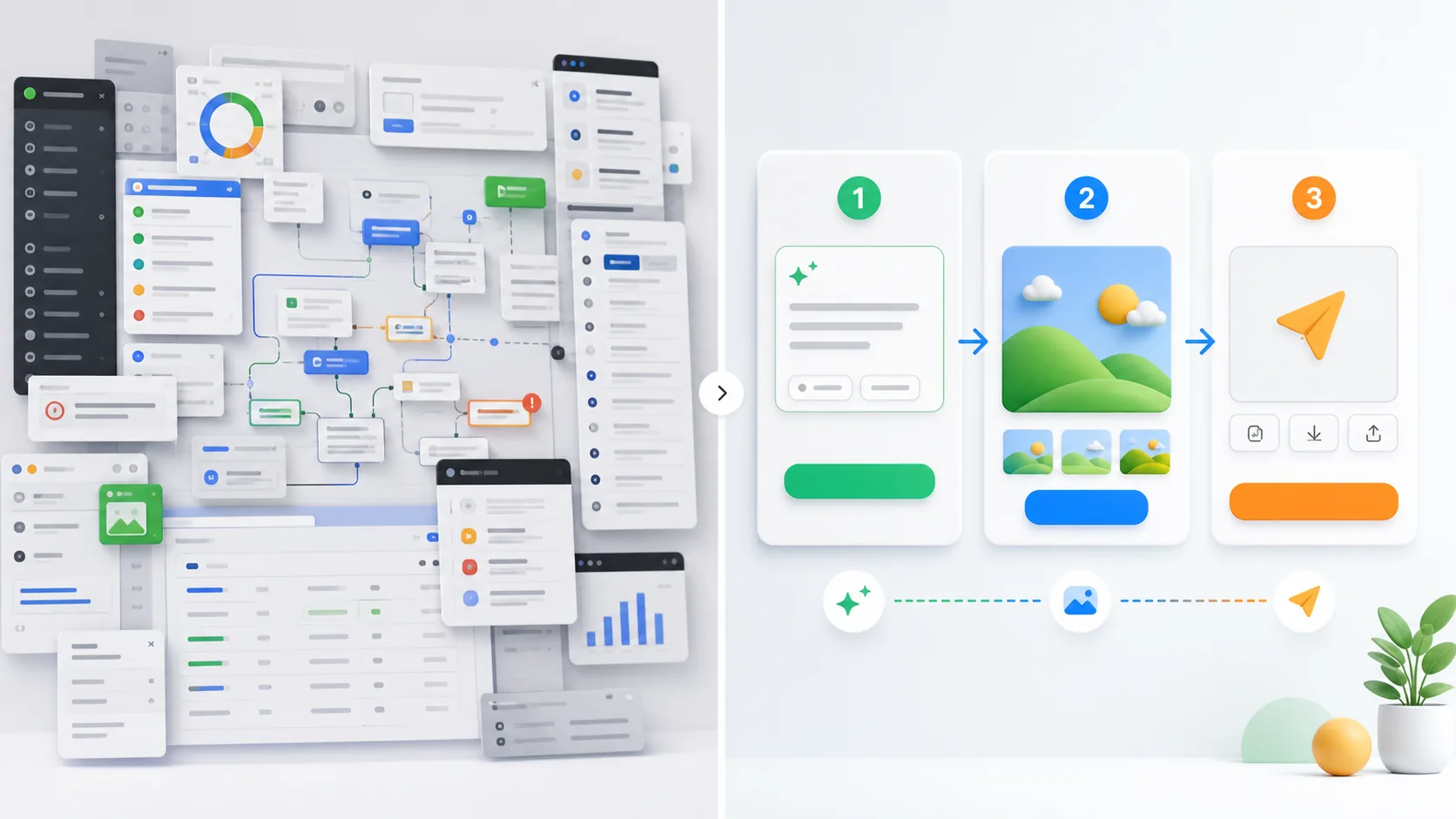
The fix is not a more cinematic video. The fix is demo clarity. Show a real user, a real job, a real input, a real product action, a real output, and a real next step.
Weak Demos vs Strong Demos
A weak demo makes the viewer assemble the story. A strong demo does the assembly for them. Use this table as a fast audit before launch.
| Weak AI demo | Strong AI demo |
|---|---|
| Starts with the company story. | Starts with the user problem and the specific job the viewer wants done. |
| Shows every menu, tab, and setting. | Shows one clean path from input to output. |
| Uses abstract claims such as smarter, faster, or autonomous. | Shows a before state, product action, and after state. |
| Records a long dashboard tour. | Records a focused task that a buyer, creator, or user recognizes. |
| Hides the prompt, data, or setup. | Shows the sample prompt, sample file, or sample workflow clearly. |
| Uses perfect toy examples with no context. | Uses a realistic example with enough constraints to feel credible. |
| Talks over the product for several minutes. | Lets the viewer see the product working within the first 30 seconds. |
| Leaves the viewer asking what to click next. | Ends with one next click: try demo, read docs, submit launch, watch video, or book call. |
| Skips limits and edge cases. | Names the boundary conditions that serious users need to trust. |
| Provides no assets for coverage. | Provides screen recordings, prompts, screenshots, docs, pricing, and public links. |
The Main AI Demo Types
Not every product needs the same demo. An AI coding tool, an AI video generator, an AI agent platform, and an AI infrastructure product should not be explained with the same format. The right format depends on what the audience needs to trust.
| Demo type | What it shows | Best audience | When to use it | Watch out for |
|---|---|---|---|---|
| Feature demo | A single capability. | Existing users, technical evaluators, product teams. | When a feature is new or misunderstood. | The feature matters only if the viewer already knows the problem. |
| Use case demo | One user goal. | Buyers, creators, marketers, founders. | When the product can serve many jobs and you need one clear entry point. | Keep the user role specific. Do not say this is for everyone. |
| Workflow demo | A sequence of steps across a real process. | Teams, operators, enterprise buyers, power users. | When the product saves time across a messy workflow. | Show handoffs, review points, and outputs. |
| Founder demo | The founder explaining why the product exists while showing it working. | Early users, investors, creators, journalists. | When trust, context, and vision matter. | Do not let founder commentary replace product proof. |
| Creator demo | A video built for a YouTube, newsletter, TikTok, LinkedIn, or X audience. | Creators and their viewers. | When reach and shareability matter. | Give creators a clean story, not a vague feature list. |
| Investor demo | Market pain, product wedge, traction, and defensibility. | Angels, seed funds, venture funds, strategic investors. | When the demo supports a fundraise. | Investors need proof of adoption, insight, and differentiation. |
| Launch demo | The clearest public proof for launch day. | Prospects, press, creators, launch communities, early adopters. | When announcing a new product, model, tool, or major release. | The page, video, docs, pricing, and CTA must agree. |
| Technical demo | How the system works, integrates, scales, or can be built with. | Developers, architects, security teams, technical buyers. | When adoption depends on implementation confidence. | Use docs, sample code, logs, GitHub, API references, and failure modes. |
Most launches need more than one version. The launch page may need a 90-second launch demo. YouTube may need a creator demo. Developers may need a technical demo. Investors may need a founder demo that includes traction and market context. The product is the same, but the evidence changes.
The 10-Second AI Demo Test
The 10-second AI demo test is brutal on purpose. Play the first 10 seconds of the demo with the sound off. Then ask someone who is not on the team to answer five questions.
- Who is this product for?
- What problem or job is being shown?
- What input is the product using?
- What output or change is likely to happen?
- What would I click or watch next if I cared?
If they cannot answer at least three of those questions, the demo is probably too vague. This does not mean every detail must appear in 10 seconds. It means the viewer should have a working frame. They should know whether the product is for developers, marketers, creators, operations teams, sales teams, researchers, founders, or AI infrastructure buyers.
The 10-second test also catches a common product marketing mistake: opening with a slogan. Slogans can help after the product is understood. They do not replace the first proof moment. “Your AI operating layer for modern work” is less useful than “Watch this agent turn a support ticket into a drafted answer, CRM update, and escalation note.”
Use the test on your homepage hero video, launch post, YouTube intro, X clip, LinkedIn video, Product Hunt gallery, investor deck demo, and founder-submitted demo. The test is not about making everything short. It is about making the first frame useful.
The Kingy AI Demo Framework
The Kingy AI Demo Framework is a seven-part structure for turning complex AI tools into clear demos. It works for AI agents, coding tools, video tools, image tools, search tools, productivity tools, model launches, developer APIs, and infrastructure products.
Framework Audience -> Problem -> Input -> Product action -> Output -> Proof -> Next click
1. Audience
Name the viewer. Do not demo for everyone. Demo for a founder preparing investor updates, a product marketer launching a feature, a developer fixing a bug, a creator making a video, a sales leader cleaning CRM notes, or a platform engineer routing models.
2. Problem
Show the before state. The before state can be a messy inbox, a blank video timeline, a broken test, a long research question, a support backlog, a slow manual workflow, a confusing model choice, or a product launch page that nobody understands.
3. Input
Show what the product needs. This may be a prompt, brief, URL, transcript, screenshot, repo, dataset, API request, document, image, video, meeting, or task. The input turns the demo from a claim into a reproducible example.
4. Product action
Show the product doing the important thing. Do not linger on every setting. Highlight the step that creates the value: retrieval, generation, edit, tool call, plan, review, routing, analysis, test run, export, or deployment.
5. Output
Show the result in the format the user actually wants. If the product creates a draft, show the draft. If it updates code, show the diff and tests. If it generates video, show the video. If it routes models, show the cost, latency, and result.
6. Proof
Add credibility. Proof can be a before-and-after comparison, logs, citations, tests, screenshots, evals, human approval, customer quote, public repo, model card, pricing page, or docs. Proof is especially important for AI because many viewers have seen impressive demos that did not survive real use.
7. Next click
End with one action. Try the demo. Read the docs. Watch the full walkthrough. Join the waitlist. Submit a launch. Compare tools in AI Tools. Calculate sponsorship economics with the AI Product Sponsorship Calculator. Whatever the step is, make it obvious.
Copy-ready demo sentence:

For [specific user] who needs to [specific job], [product] takes [input] and turns it into [useful output] by [key product action], with [proof point] so the user can [next step].

Example:
For product marketers launching AI tools, this workflow takes a messy product brief and turns it into a launch demo script, before/after example, asset checklist, and creator-ready coverage kit.
Demo Frameworks by AI Product Category
The framework stays the same, but the proof changes by category. Use the sections below as practical demo templates.
AI agents
The demo must show the agent doing work, not simply describing what an agent could do. Start with a concrete goal: research this account, update this CRM field, fix this bug, book this workflow, or analyze this support queue.
Show the agent planning, using tools, checking intermediate results, asking for approval where needed, and producing a final artifact. If the agent can change systems, show the permission boundary. If it can fail, show how it recovers or stops.
The proof asset is a run trace: task, steps, tool calls, approvals, logs, final output, and a short note on what the human reviewed. The weak version is an agent animation. The strong version is a traceable completed job.
AI coding tools
Use a real repo or a realistic sample repo. Start with a bug, feature request, or failing test. Show the tool reading context, proposing a change, editing files, running tests, and producing a diff the developer can inspect.
Do not demo a coding tool with only a blank file and a toy function unless the product is truly for beginners. Serious users want to see context handling, test behavior, rollback, branch discipline, and code review ergonomics.
If the launch belongs in Kingy's AI Coding Tool Launches, include the release notes, supported IDEs, language coverage, pricing, docs, and a public example.
AI video tools
Video tools need visual proof. Show the prompt, reference input, storyboard, generation or editing step, and final export. If the product improves an existing clip, show the before and after on screen long enough for viewers to judge.
Creators care about output quality, generation time, aspect ratios, watermark rules, commercial usage, exports, and credit cost. A beautiful final clip is useful, but the demo must also explain how a creator gets from idea to publishable asset.
For distribution, connect the demo to creator behavior. Kingy's AI Video Tool Launches audience will understand the category faster when the product includes prompt examples and final video outputs.
AI image tools
Image tools should be demoed with a clean before-and-after path: input image or prompt, constraints, edits or variants, final asset, and export. Do not rely on a gallery of best outputs without explaining how the viewer can reproduce the result.
If the tool is for product marketers, show ad concepts, thumbnails, landing page assets, or product mockups. If it is for designers, show control, iteration, masking, style consistency, and file formats.
The strongest proof is a set of source inputs, prompts, intermediate versions, final outputs, and usage notes. The product should not ask creators to guess what is safe or allowed.
AI search tools
Search demos fail when they only show an answer box. A strong AI search demo shows the question, source discovery, ranking, citations, synthesis, and export. The viewer should understand whether the tool is finding sources, summarizing sources, or reasoning across sources.
Use a query where source quality matters. Show what the tool includes, what it excludes, and how a user can inspect citations. If the product is for research teams, show saved collections, collaboration, alerts, and repeatable workflows.
The output should include links, citations, confidence cues, and a clear path back to the original material. A search product without source transparency is hard to trust.
AI productivity tools
Productivity demos work best as workflow demos. Start with the messy human process: meeting notes, inbox triage, document cleanup, spreadsheet work, CRM updates, calendar scheduling, or project planning.
Then show the tool reducing steps. The viewer should see what is automated, what is suggested, what still needs approval, and where the final output lands. Do not just say it saves time. Show the old path and the new path.
The strongest CTA is a template or public demo workspace. If the product needs integrations, show the integration setup without pretending it is instant when it is not.
AI model launches
A model launch demo needs more than cherry-picked outputs. Show what the model is for, where it is stronger, where it is not meant to be used, how to access it, what it costs, and what developers can build first.
For open-weight launches, include license, model card, eval context, hardware requirements, weights or repository links, and deployment notes. Kingy's AI Open-Weight Model Launches audience needs practical adoption details, not only a capability claim.
The demo should include a small set of representative prompts and outputs. If the model supports coding, vision, audio, long context, tool use, or agents, show those capabilities separately instead of mixing them into one overloaded video.
Developer APIs
API demos should get to the first successful call quickly. Show where to get a key, how to install the SDK, the minimum request, the response, the error shape, and the next useful endpoint.
Developers trust official docs and working examples. Link to docs, SDKs, GitHub repositories, quickstarts, pricing, limits, and changelogs. Examples such as Anthropic docs, Gemini API docs, and the OpenAI Cookbook show the kind of material developers expect to inspect.
A good developer API demo ends with a copyable snippet and a realistic next step. A great one also shows auth, retries, streaming, rate limits, logging, and how to debug the most common failure.
AI infrastructure products
Infrastructure demos need architecture, observability, and operational proof. Show where the product sits in the stack, what it routes, monitors, evaluates, secures, caches, or deploys, and what changes for the engineering team.
Use a realistic workload. Show latency, cost, logs, fallback behavior, security boundaries, deployment steps, and what happens when a provider fails or an input is malformed. Infrastructure buyers care about boring reliability.
If the product integrates with agent frameworks or model tooling, include real docs and examples. References such as Vercel AI SDK and Model Context Protocol docs are useful because they help technical readers map the product into existing developer habits.
Which Demo Format Fits Which Product Category
Use this table when deciding the primary demo format for a launch page, sales page, YouTube video, or creator outreach package.
| Product category | Best demo format | What to prove | Recommended assets |
|---|---|---|---|
| AI agents | Workflow demo plus technical demo. | Goal, tool use, state changes, approvals, logs, handoff, final output. | A recorded run, task trace, public sandbox, safety notes, and setup docs. |
| AI coding tools | Workflow demo plus founder or developer demo. | Real repo, issue, edit, tests, diff, review, merge-ready result. | AI Coding Tool Launches, sample repo, terminal recording, changelog, docs. |
| AI video tools | Before/after demo plus creator demo. | Prompt, storyboard, generation/editing path, final clip, export options. | AI Video Tool Launches, input prompt, output video, credit/pricing details. |
| AI image tools | Before/after demo plus use case demo. | Input, prompt, edit path, variants, final asset, rights/usage notes. | Prompt pack, source image, outputs, resolution/export notes, commercial-use clarity. |
| AI search tools | Use case demo plus technical/source demo. | Question, source retrieval, citations, synthesis, answer quality. | Query examples, source screenshots, citation policy, export notes. |
| AI productivity tools | Workflow demo. | Before workflow, automated steps, human review, after workflow. | AI Tools, team use cases, integrations, pricing, security notes. |
| AI model launches | Technical demo plus benchmark-context demo. | Capabilities, constraints, input/output examples, model card, pricing, evals. | AI Open-Weight Model Launches, docs, model card, GitHub or weights if relevant. |
| Developer APIs | Technical demo plus quickstart. | API call, auth, request, response, SDKs, errors, limits. | Anthropic docs, Gemini API docs, OpenAI Cookbook-style examples. |
| AI infrastructure products | Technical workflow demo plus architecture explainer. | Latency, routing, observability, security, failure handling, cost controls. | Vercel AI SDK, MCP docs, diagrams, logs, integration guides. |
YouTube Demo Script Template
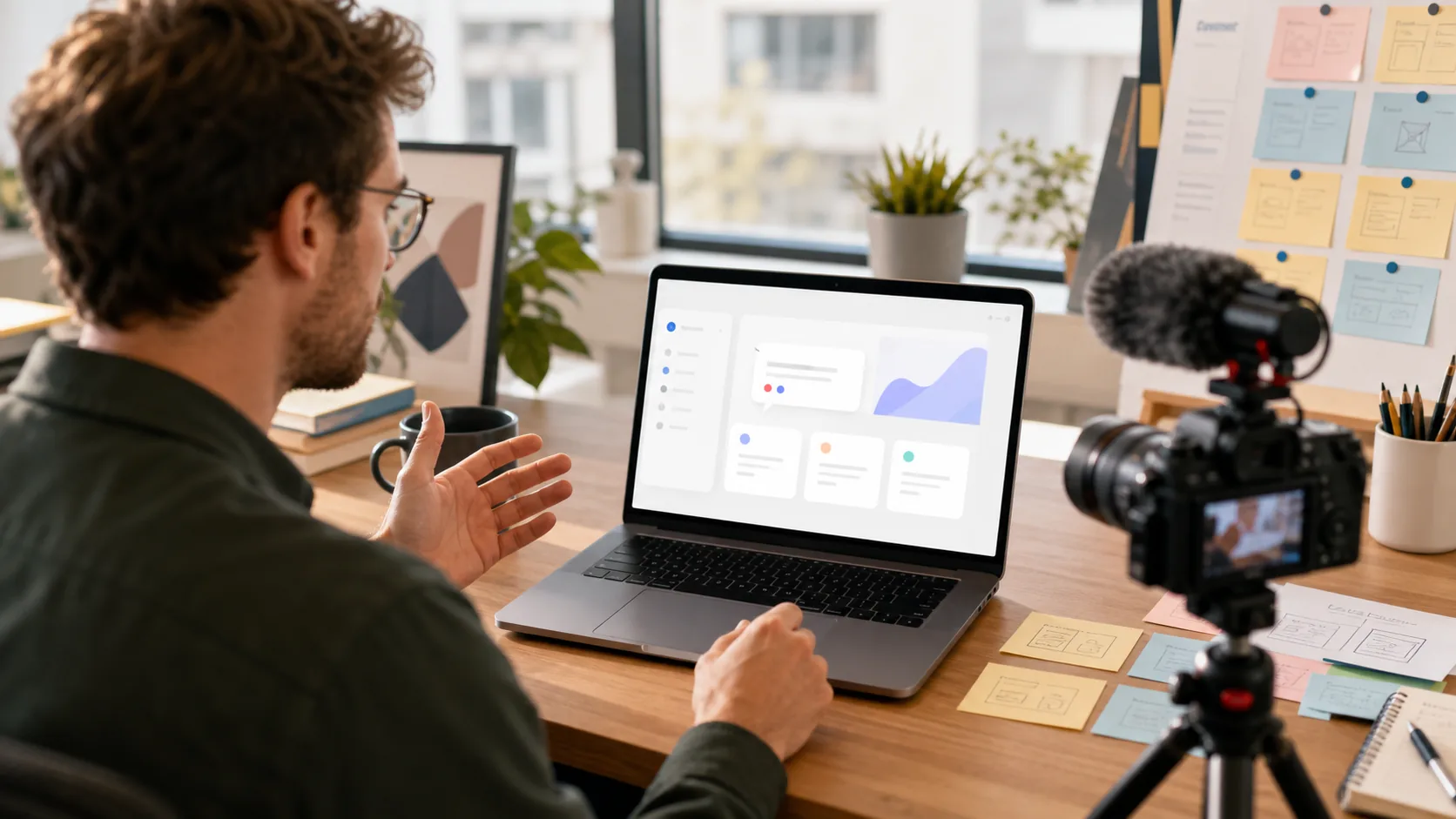
An AI YouTube demo needs more context than a launch page, but it still needs structure. Viewers will forgive length if each section answers a real question. They will not forgive a wandering screen recording.
| Timestamp | Segment | What to say or show |
|---|---|---|
| 0:00-0:15 | Cold open | Show the final result first. “In this video, I am going to turn this messy product brief into a complete AI launch demo kit.” |
| 0:15-0:45 | Who it is for | Name the target viewer and use case. Avoid broad category hype. |
| 0:45-1:30 | Before state | Show the messy workflow, blank page, confusing dashboard, slow manual process, or old output. |
| 1:30-3:30 | Core demo | Show the input, product action, and first useful output. Keep the product visible. |
| 3:30-5:30 | Real workflow | Show the next steps: edit, export, share, integrate, approve, publish, test, or run again. |
| 5:30-7:00 | Quality check | Compare before and after. Discuss what worked, what needed review, and what failed. |
| 7:00-8:30 | Pricing and fit | Explain who should try it, who should skip it, and what plan or usage model matters. |
| 8:30-9:30 | Alternatives | Mention adjacent categories or point viewers to AI Tools for broader comparison. |
| 9:30-10:00 | Next click | Give one action: try public demo, read docs, submit a launch, download prompts, or watch the deeper technical demo. |
Copy-ready YouTube intro:

Today I am testing [product] for [specific audience]. The question is simple: can it turn [messy before state] into [useful after state] without hiding the hard parts?

I will show the exact input, the product workflow, the output, what I would change, who should use it, and who should probably skip it.
The best AI YouTube demo is not a sponsored monologue. It is a guided test. If the video is sponsored, make that clear, then make the demo useful enough that viewers still learn something.
Product Launch Demo Checklist
Use this before publishing an AI product launch demo. It applies to launch pages, Product Hunt, social clips, YouTube videos, demo day recordings, newsletters, and founder posts.
- The first screen or first sentence makes the user and job clear.
- The demo shows a real input, not only a final output.
- The output appears within the first 30 seconds of the short demo.
- The before state and after state are easy to compare.
- The sample prompt, file, repo, image, video, query, or API request is visible or linked.
- The CTA points to one clear next click.
- The pricing model is visible or linked.
- The docs, GitHub, model card, or technical notes are linked when relevant.
- The product's limits are not hidden.
- The launch page and video use the same positioning.
- The screenshots are current and match the product.
- The public demo link works without requiring unnecessary sales friction.
- The founder, marketer, creator, and technical versions do not contradict each other.
- The launch is submitted to Submit an AI Launch if it is relevant for Kingy coverage.
Founder-Submitted Demo Checklist
Founders often send creators, journalists, and launch editors too little information. A short note with a link is not enough when the category is new or the product is complex.
Before submitting to Kingy's Submit an AI Launch page, prepare the following:
- One-sentence product explanation: user, problem, input, output.
- Launch date and what changed: new product, model, feature, funding, open source release, API, agent, or major update.
- Public URL that works.
- Short demo video under three minutes.
- Long walkthrough or technical demo if needed.
- Three to five screenshots with descriptive filenames.
- Sample prompts, sample inputs, or sample API requests.
- Before-and-after examples.
- Pricing page or pricing summary.
- Docs link and GitHub link if relevant.
- Founder contact and press contact.
- Clear note on who the product is not for.
- Permission to use screenshots, clips, and quotes in coverage.
The best founder-submitted demo removes editorial friction. It gives the reviewer enough material to understand the product without scheduling a call.
How AI Companies Can Make It Easier for Creators and Journalists to Cover Their Product
Creators and journalists are not just distribution channels. They are translators. Their job is to explain why something matters to an audience that did not sit through your roadmap meetings.
If you want coverage, give them a clean angle. Is this a new AI agent for sales ops? A coding assistant for long-running tasks? A video generator for product marketers? An open-weight model with better local deployment? A search tool for source-backed research? A productivity tool that replaces a painful workflow?
Then give them assets. A creator-friendly launch kit should include a 30-second clip, a two-minute clip, a full walkthrough, product screenshots, example prompts, outputs, pricing, docs, founder notes, and limitations. Do not make every creator record the same basic screen capture from scratch.
Make the public demo easy to try. If the product requires a waitlist, provide a reviewer path. If the product requires private data, provide a sample workspace. If the product is an API, provide a sandbox or copyable quickstart. If the product is open source, provide install steps and a working example.
If a campaign is paid, make the sponsorship brief clear. Kingy's Sponsor Kingy AI page and AI Sponsored Video ROI Calculator are useful references for thinking through creator economics, but the demo still has to stand on its own.
The companies that get covered most clearly are not always the loudest. They are often the easiest to explain.
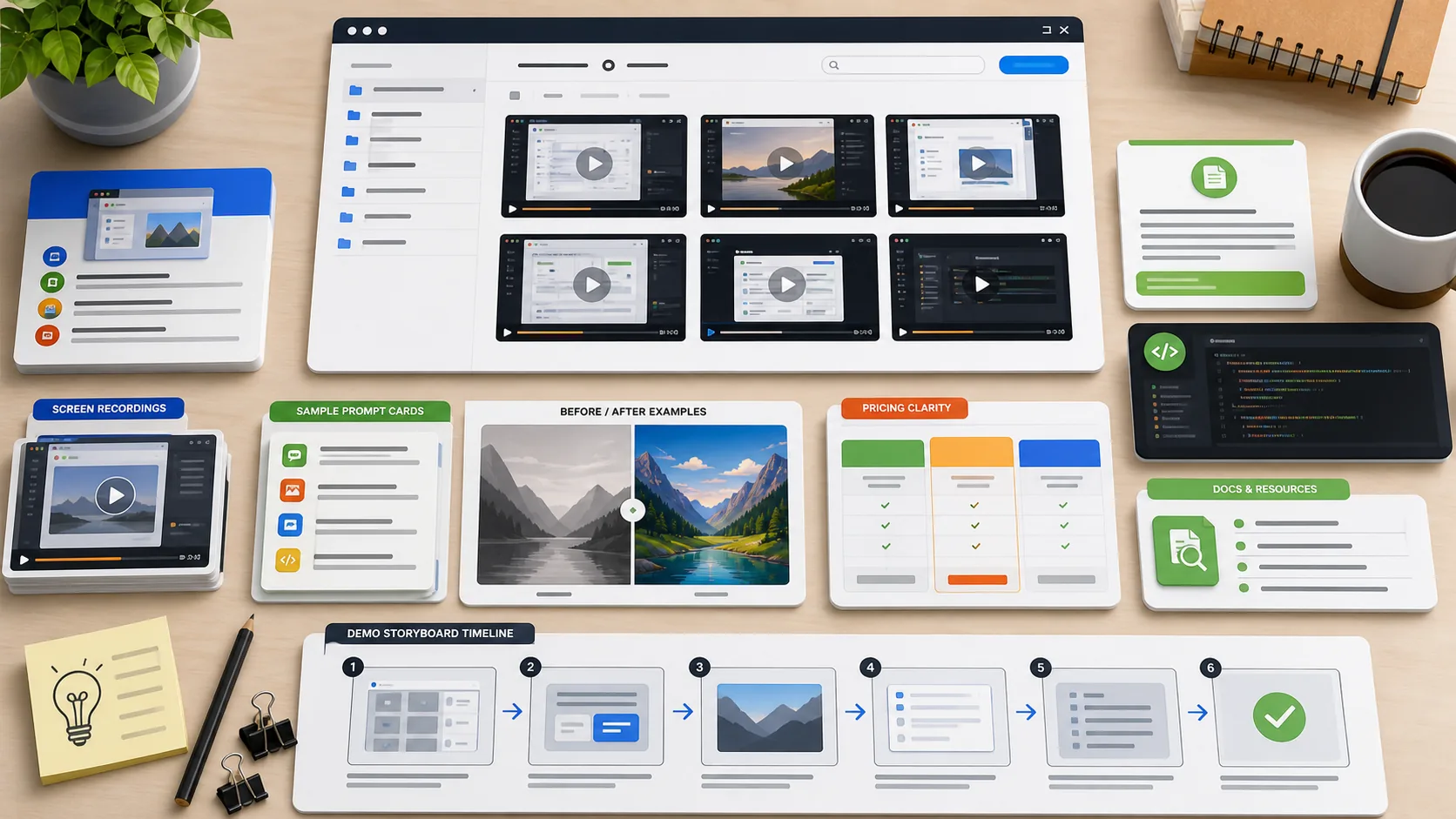
Demo Assets
Demo assets are the materials that make the product easier to understand, review, share, and cover. Treat them as launch infrastructure, not decoration.
Screen recordings
Record a short clean walkthrough and a longer deep dive. Capture at readable zoom. Remove private data. Avoid jump cuts that hide setup. Show the real product state, not only polished slides.
Sample prompts
Provide copyable prompts for the main use cases. Include context about what the prompt is meant to prove. For developer tools, include sample API requests or CLI commands instead of only natural-language prompts.
Before/after examples
Before/after assets are the fastest way to make value visible. Show the messy input and the improved output side by side. This works for writing, code, video, image, search, agents, automation, and productivity workflows.
Sample outputs
Share real outputs in full when possible. A cropped screenshot is not enough if the product claims to create long documents, code, videos, dashboards, or research. Let reviewers inspect the result.
Use case screenshots
Screenshots should be named and grouped by use case. Do not send ten random dashboard images. Send “agent-run-approval-step,” “coding-tool-test-diff,” “video-tool-before-after,” or “search-tool-citations.”
Pricing clarity
Show whether the product is free, trial-based, paid, usage-based, credit-based, open source, enterprise-only, or custom quote. Pricing ambiguity slows adoption and makes coverage less useful.
Public demo links
A public demo link is ideal. If a public link is impossible, provide a sample workspace, test account, hosted video, sandbox, or reviewer path. Do not make the first experience a calendar wall unless the product truly requires sales qualification.
Docs
Docs matter for anything technical. Developers expect quickstarts, SDKs, examples, error handling, rate limits, changelogs, and integration notes. Useful reference patterns include Anthropic docs, Gemini API docs, and the OpenAI Cookbook.
GitHub links if relevant
If the product has a repo, SDK, template, example app, eval harness, open model, or integration, link it. Technical buyers want inspectable artifacts. Public examples such as Vercel AI SDK and Model Context Protocol docs show how ecosystem context can make adoption easier.
FAQ
What is an AI product demo guide?
An AI product demo guide is a practical playbook for showing what an AI product does, who it helps, what input it needs, what output it creates, and why someone should try it. The goal is clarity, not hype.
How long should an AI product demo be?
A launch demo can be 60 to 180 seconds. A YouTube demo can be 6 to 12 minutes if it teaches clearly. A technical demo can be longer if it includes setup, code, logs, and implementation details. The first 10 to 30 seconds still need to make the product understandable.
What is the best demo format for an AI startup demo?
Most AI startups should begin with a use case demo or workflow demo. If the product is developer-first, pair it with a technical demo. If the founder is the strongest storyteller, use a founder demo but keep the product visible.
What makes an AI demo high converting?
A high-converting AI demo makes the user, problem, workflow, output, proof, and next click obvious. It shows value quickly, removes ambiguity, and gives the viewer enough confidence to try, share, cover, or buy.
Should an AI product launch demo mention pricing?
Usually yes. Pricing clarity helps serious users decide whether to continue. If exact pricing is not final, provide the model: free trial, waitlist, usage-based, team plan, enterprise, open source, API credits, or custom quote.
How should creators cover a new AI tool demo?
Creators need a clear product angle, a public link, screen recordings, sample prompts, before and after outputs, pricing, docs, screenshots, limitations, and a contact path. Make those assets easy to find and easy to verify.
What is the difference between an AI tool demo and an AI product video?
An AI tool demo proves the product works for a task. An AI product video may include positioning, story, founder context, visuals, and launch messaging. The best AI product video still includes a real demo moment.
How do I demo an AI agent without overpromising?
Show the exact task, permissions, tools used, approval steps, logs, final output, and known limits. Avoid implying full autonomy if the product still needs human review.
The AI Product Demo Readiness Checklist
Use this final checklist before you publish, pitch, sponsor, submit, or record an AI demo.
- The demo passes the 10-second AI demo test.
- The audience is specific.
- The problem is visible.
- The input is visible or linked.
- The product action is easy to follow.
- The output is shown clearly.
- The proof is credible.
- The next click is obvious.
- The short demo is under three minutes.
- The deeper demo exists for serious evaluators.
- The demo does not overpromise autonomy, accuracy, safety, or reliability.
- The pricing page or pricing summary is easy to find.
- The docs link works.
- The GitHub or model link works if relevant.
- The screenshots and screen recordings use current UI.
- The creator kit includes clips, screenshots, prompts, sample outputs, and limitations.
- The founder-submitted package includes launch date, category, contact, and public URL.
- The product category is clear enough for launch trackers, journalists, and buyers.
- The launch has a natural home in AI Launch Tracker, AI Agent Launches, AI Coding Tool Launches, AI Video Tool Launches, or AI Open-Weight Model Launches if those categories apply.
A strong AI demo is not about making the product look magical. It is about making the product understandable. When the user, problem, input, output, proof, and next step are clear, people know what to do with the product. That is when they try it, share it, cover it, and buy it.
The Kingy Brief
Get the next Kingy Brief.
Source-checked AI changes, original tests and one practical thing to try.
Free · Choose your subjects · Double opt-in · Unsubscribe anytime