Last updated: June 13, 2026
Open source AI models are now part of the serious AI stack. Not because every local model beats the best cloud model. It does not. Not because every downloadable model is truly open source. Many are not. And not because running AI locally magically solves security, compliance, cost, or quality.
The real reason is ownership.
People learned they did not own their Facebook reach. Creators learned they did not own YouTube, TikTok, or Instagram algorithms. Businesses learned that cloud services can change terms, prices, APIs, access rules, and moderation policies. AI users are learning the same lesson. A workflow that depends completely on one closed provider is powerful, convenient, and fragile.
The better question is not “local models or cloud models?” The better question is:
What parts of my AI workflow should I own?
This guide is the practical answer. It explains open-source AI, open-weight AI models, local LLMs, hardware requirements, quantization, context windows, tool use, local agents, RAG, fine-tuning, security, and AI sovereignty without pretending the field is cleaner than it is.
For Kingy.ai readers who want the shorter platform-risk argument, start with They Didn’t Pause AI Research. They Paused Your AI Research. If you want the broader model-selection view, see Which AI Model Should You Use?. This article is the pillar guide for building the local and open-weight side of your stack.

TL;DR: The Practical Answer
- Beginners: try LM Studio first if you want a friendly desktop app, or Ollama if you are comfortable with a terminal.
- Developers: test Ollama for local development and vLLM for higher-throughput serving.
- Apple Silicon users: look at LM Studio, Ollama, and MLX-based workflows.
- Businesses: start with a hybrid stack: cloud frontier models for hardest work, local/open models for private drafts, classification, document workflows, offline fallback, and vendor leverage.
- Model choice: test Qwen, DeepSeek, Llama, Gemma, Mistral, gpt-oss, Phi, GLM, Kimi, and relevant embedding/reranker models on your own tasks. Do not crown a universal winner.
- Hardware: memory is the constraint. VRAM, unified memory, RAM, context length, quantization, and model architecture matter more than the model name alone.
- Licenses: “downloadable weights” does not always mean “open source” and does not always mean “safe for commercial use.” Check the model card and license before deploying.
What “Open-Source AI” Really Means
The phrase “open-source AI” is used loosely. That is the first trap.
The Open Source Initiative’s Open Source AI Definition frames open source AI around the freedoms to use, study, modify, and share an AI system. That is a stronger standard than “you can download a model file.” The model weights may be available, but training data, training code, filtering methods, evaluation details, and commercial rights may not be.
For practical AI users, the label matters because it changes what you can safely do. A creator experimenting on a laptop can tolerate more uncertainty than a startup building a commercial product or a regulated business processing sensitive documents.
| Term | What you get | What you usually do not get | Can you run locally? | Can you fine-tune? | Can you use commercially? | Risk level |
|---|---|---|---|---|---|---|
| Open-source AI | System components under terms that preserve use, study, modify, and share freedoms | Sometimes still not every detail needed for full reproducibility | Usually | Usually | Usually, if license permits | Lower, but still read the license |
| Open-weight AI | Downloadable model weights | Training data, full training code, complete transparency | Yes, if hardware fits | Often | Depends on license | Medium |
| Source-available | Some code or artifacts visible | Open-source rights may be limited | Sometimes | Sometimes | Depends | Medium to high |
| Research-only | Model access for experiments | Commercial rights | Often | Sometimes | Usually no | High for business use |
| Non-commercial | Personal or academic use | Commercial deployment rights | Often | Sometimes | No, unless separately licensed | High for startups and clients |
| Custom community license | Weights plus a special license | Standard open-source guarantees | Often | Often | Depends on restrictions | Medium to high |
| Closed/API-only | Hosted model access through an API or app | Weights, local control, training details | No | Only through provider options | Yes, subject to terms | Vendor/platform risk |
Use the precise phrase when it matters. Llama, Gemma, DeepSeek, Qwen, Mistral, OpenAI gpt-oss, Kimi, GLM, Phi, and community fine-tunes do not all sit in the same legal bucket. Some are permissive. Some are custom. Some are open weights but not OSI-open. Some are easier to use commercially than others. Always check the official model card before business use.
Why Local Models Matter Now
Local AI matters because it changes your bargaining position.
If every workflow depends on a closed model, then your capabilities are coupled to that provider’s access policy, pricing, moderation rules, uptime, product roadmap, data terms, and regional restrictions. That may be acceptable for many tasks. It is not acceptable for every task.
Local models give you:
- Platform-risk insurance: your fallback survives API changes, product removals, and access restrictions.
- Privacy leverage: sensitive drafts and documents can stay on your machine or controlled infrastructure.
- Cost control: repeated classification, extraction, summarization, and draft generation can be cheaper after hardware is paid for.
- Offline access: useful for travel, field work, classrooms, labs, and security-conscious environments.
- Latency control: small local models can be fast for narrow tasks.
- Customization: you can combine models with private files, retrieval, tools, and fine-tunes.
- Repeatability: you can pin a model version and avoid surprise behavior changes.
The caveat is important: local models are not magic. They can be weaker than frontier cloud models, slower on weak hardware, annoying to set up, and constrained by memory. They can hallucinate. They can be unsafe if given tools carelessly. Some “open” models have license traps. The goal is not cloud abstinence. The goal is optionality.
The Beginner Local AI Stack
Think about local AI in layers.
Layer 1: Runtime
The runtime loads the model and runs inference. Common choices include Ollama, LM Studio, llama.cpp, MLX, and vLLM. Ollama is excellent for simple local model commands and API usage. LM Studio is excellent for people who want a polished desktop app. llama.cpp is the low-level engine behind a huge amount of local inference. MLX matters for Apple Silicon. vLLM is more production/server oriented.
Layer 2: Model
The model is the brain you choose for the task: chat model, reasoning model, coding model, vision model, embedding model, reranker, or fine-tuned specialist. A good model for coding is not always the best model for long-form writing. A good embedding model is not a chat model. A small model with tools can beat a larger model with no tools for narrow workflows.
Layer 3: Interface
The interface is how you use the model: LM Studio chat, Open WebUI, AnythingLLM, Jan, VS Code integrations, terminal tools, or a custom app hitting a local OpenAI-compatible endpoint. LM Studio’s documentation describes local API server and OpenAI-compatible endpoints; that matters because many existing tools can be pointed at local infrastructure with a base URL change.
Layer 4: Tools
Tools connect the model to useful actions: web search, file search, code execution, browser automation, calculators, databases, APIs, RAG, vector databases, and MCP servers. For more on agent loops, see Kingy.ai’s AI Loops Explained and The State of AI Agents in 2026.
Layer 5: Workflow
The workflow is the job: private business knowledge base, coding copilot, document analyst, offline writing assistant, research assistant, sales/marketing assistant, or local agent. Beginners often obsess over model names. Advanced users define the workflow first, then choose the smallest reliable model that does the job.
Runtime Comparison: Ollama vs LM Studio vs llama.cpp vs vLLM vs MLX
| Runtime | Best for | Difficulty | GUI? | API? | Best hardware | Pros | Cons | Who should use it |
|---|---|---|---|---|---|---|---|---|
| Ollama | Simple local models, CLI, local API | Easy | Limited app experience | Yes | Mac, Windows, Linux with enough memory | Fast start, strong ecosystem, model library, scriptable | Less visual than LM Studio; context/memory tuning matters | CLI users, developers, power users |
| LM Studio | Friendly desktop testing and local chat | Easy | Yes | Yes | Consumer laptops/desktops | Great beginner UI, model search, local server | Less ideal for production serving | Beginners, creators, non-technical users |
| llama.cpp | Deep local control, GGUF, CPU/GPU split | Medium | No primary GUI | Server mode available | Broad CPU/GPU/Mac hardware | Efficient, portable, foundational local runtime | More manual setup | Local LLM engineers and tinkerers |
| vLLM | High-throughput model serving | Medium to hard | No | OpenAI-compatible server | NVIDIA/AMD/server GPUs and production hardware | Throughput, batching, production patterns, quantization support | Overkill for casual laptop chat | Developers serving models to apps or teams |
| MLX | Apple Silicon optimized workflows | Medium | Not primarily | Through ecosystem tools | Apple Silicon unified memory | Designed for Apple Silicon; efficient unified-memory workflows | Apple-focused; less universal than Ollama/llama.cpp | Mac power users and researchers |
Start here: absolute beginner, use LM Studio. Simple CLI/API user, use Ollama. Apple Silicon optimizer, test LM Studio, Ollama, and MLX. Developer building apps, start with Ollama and graduate to vLLM when serving needs justify it. Production deployment, evaluate vLLM, TGI, llama.cpp server, or managed hosting depending on throughput, model format, hardware, and operations maturity.
Model Size Explained
Parameters are the learned numbers inside a model. A 7B model has roughly seven billion parameters. Bigger models often understand more, reason better, and handle harder tasks, but bigger is not automatically better. A small model can be faster, cheaper, more private, easier to run, and good enough for tool-driven workflows.
Dense models use most of their parameters for each token. Mixture-of-experts models, or MoE models, have many total parameters but activate only part of the model per token. This is why total parameter count can mislead. A model may have hundreds of billions or even a trillion total parameters, but far fewer active parameters during inference. Official model cards from families such as Qwen, Kimi, Mistral, and gpt-oss often call out active versus total parameters for this reason.
- 1B-4B: tiny assistants, phone/edge experiments, classification, simple rewriting, fast local utilities.
- 7B-9B: everyday local chat, simple coding, summarization, lightweight agents.
- 14B-20B: stronger reasoning and coding on good consumer hardware.
- 30B-34B: serious local work on high-memory laptops, desktops, or workstations.
- 70B: high-quality local use with expensive memory requirements.
- 100B+: workstation/server class, often MoE, often better as hosted or carefully optimized.
These are rough starting points, not rules. Quantization, context length, architecture, GPU/CPU split, runtime, batch size, and multimodal encoders can change the answer.
Hardware Requirements by Tier
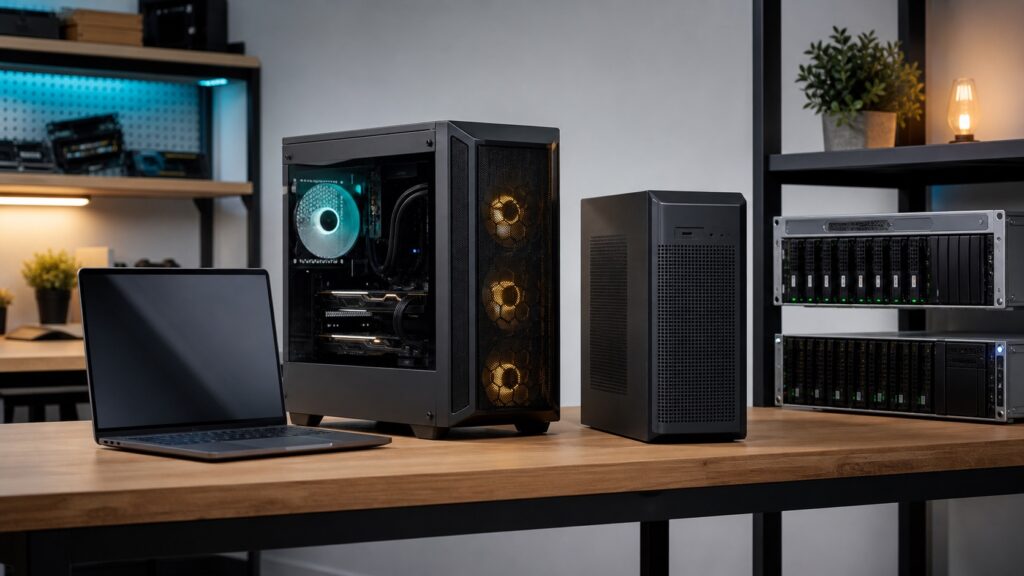
Memory is the constraint. GPU VRAM is the hard limit on many Windows/Linux machines. Unified memory changes the calculation on Apple Silicon because CPU and GPU can share the same memory pool. CPU-only works, especially with smaller models and GGUF, but it may be slow. Context length can make a model that “fits” suddenly not fit because the KV cache also consumes memory. The Ollama context-length documentation is useful because it explicitly calls out how context defaults scale with VRAM and why agent/coding/search tasks need more context.
| Hardware | Realistic model class | Suggested quantization | Comfortable context | Best use cases | What not to expect |
|---|---|---|---|---|---|
| Average laptop | 1B-8B, sometimes 14B slowly | Q4/Q5 GGUF | 4K-16K | Writing drafts, private notes, simple classification | Fast 70B reasoning or big agents |
| Gaming PC, 8GB VRAM | 7B-9B comfortably; 14B with care | Q4/Q5, AWQ/GPTQ where supported | 4K-16K | Chat, coding help, summarization | Large context plus large model |
| Gaming PC, 12GB VRAM | 7B-14B strong; some 20B quantized | Q4/Q5 | 8K-32K | Better coding, private assistant, RAG experiments | Comfortable 70B |
| Gaming PC, 16GB VRAM | 14B-20B; some 30B with tradeoffs | Q4/Q5, maybe Q6 for smaller models | 16K-64K if memory allows | Local coding, research, stronger assistants | High-concurrency serving |
| RTX 3090/4090 class, 24GB VRAM | 20B-34B comfortable; some 70B quantized with CPU/RAM help | Q4/Q5/Q8 for smaller models | 32K-128K depending on model | Serious local work, coding, agents | Frontier cloud quality on every task |
| Apple Silicon, 16GB unified memory | 3B-8B, sometimes 14B quantized | Q4/Q5 | 4K-16K | Private writing, lightweight chat | Heavy multitasking with large models |
| Apple Silicon, 32GB unified memory | 7B-20B practical | Q4/Q5/Q6 | 8K-64K | Creator and developer workflows | Fast 70B all day |
| Apple Silicon, 64GB unified memory | 20B-34B strong; 70B quantized possible | Q4/Q5 | 32K-128K with care | Local research, coding, document work | Server-like concurrency |
| Apple Silicon, 96GB/128GB | 34B-70B practical; larger MoE experiments | Q4/Q5/Q8 depending on size | 64K-256K if model/runtime supports it | High-end local AI workstation | Cheap replacement for GPU cluster |
| Mac Studio/workstation | 34B-70B, some 100B+ quantized | Q4/Q5, sometimes Q8 | 64K-256K with memory planning | Private labs, advanced local workflows | Unlimited multimodal serving |
| Multi-GPU desktop | 70B and larger, depending on total VRAM | Q4/Q5/FP8/AWQ/GPTQ | 64K+ | Research, local serving, evals | Zero setup complexity |
| Dedicated server | 70B, MoE, production-sized models | FP8/INT4/AWQ/GPTQ/full precision as needed | Depends on SLA and concurrency | Team APIs, production prototypes | Consumer-style simplicity |
| DGX-style/enterprise hardware | Frontier-class open-weight serving and evals | Task-specific | Large, but still finite | Enterprise AI platforms | Good governance by default |
Quantization Explained
Quantization shrinks model weights by storing them with lower precision. That is why a model that would normally require server-class memory can sometimes run on a laptop. Hugging Face’s quantization documentation summarizes the idea: lower-precision data types reduce memory and compute costs. GGUF is the local model format most people meet through llama.cpp-based tools, and the llama.cpp quantization README shows the convert-then-quantize workflow.
| Quantization | Memory use | Quality | Speed | Best for | Avoid when |
|---|---|---|---|---|---|
| FP16/BF16 | High | Near full quality | Fast on supported GPUs | Evals, fine-tuning, production baselines | Consumer memory is limited |
| FP8 | Lower than FP16 | Often strong if supported | Hardware dependent | Serving on modern accelerators | Runtime/hardware support is unclear |
| Q8 | Moderate | Close to full quality | Good | Quality-first local use | You need maximum memory savings |
| Q6 | Medium | Strong | Good | Quality/speed balance on good hardware | Very tight hardware |
| Q5 | Low-medium | Often a sweet spot | Good | Daily local use | Critical evals or fragile reasoning |
| Q4 | Low | Good enough for many tasks | Often fast | Beginner default; laptop local AI | Accuracy matters more than fit |
| Q3 and lower | Very low | Can degrade noticeably | Sometimes fast, sometimes not | Extreme fit constraints | Reasoning, coding, high-stakes work |
| AWQ/GPTQ/EXL2 | Low | Good when model/runtime match | Can be excellent on GPUs | GPU inference and serving | You need maximum portability across runtimes |
For beginners, Q4 is the practical default. Q5 is often a better quality/speed balance if it fits. Q8 is attractive when hardware allows. For serious evaluations, compare against higher precision so you know what the quantization cost is.
Context Window Is the Hidden Constraint
Context window means how much text, code, files, chat history, and tool output the model can “see” at once. Long context sounds like free intelligence. It is not. It costs memory, slows inference, and can make retrieval sloppy if you dump everything into the prompt.
Local context is especially constrained because the KV cache consumes memory as context grows. Coding agents, research tools, and document assistants often need more context than simple chat. But RAG can beat brute-force context when the system retrieves the right chunks at the right time.
| Workflow | Useful context range | Better approach | Warning |
|---|---|---|---|
| Simple chat | 4K-8K | Short prompt, clear task | Do not overpay for context you do not need |
| Blog outline/writing | 8K-32K | Outline first, then sections | Long drafts can drift |
| Coding help | 32K-128K | Selective repo context plus tools | Full-repo dumps waste tokens |
| Research assistant | 32K-128K plus retrieval | RAG, citations, source ranking | More context is not more truth |
| Private knowledge base | RAG first | Embeddings, reranking, source snippets | Need access controls and evals |
| Large repo assistant | RAG plus tool execution | File search, tests, terminal | Context-only agents miss behavior |
Which Model Should You Choose?
Do not start with a leaderboard. Start with a job.
- What are you doing: writing, coding, reasoning, research, long documents, private company knowledge, vision, multilingual work, tool use, phone/edge use, fine-tuning, embeddings, or RAG?
- What hardware do you have?
- Do you need commercial use?
- Do you need offline/privacy guarantees?
- Do you need speed or quality?
- Do you need long context?
| Use case | Best model families to test first | Why | Hardware tier | Notes/caveats |
|---|---|---|---|---|
| All-around local assistant | Qwen, Llama, Gemma, Mistral, gpt-oss | Broad ecosystem and many quantized builds | 7B-20B+ | Test writing, refusal behavior, and tool use |
| Reasoning | gpt-oss, Qwen reasoning variants, DeepSeek, GLM | Reasoning-oriented releases and tool workflows | 20B+ | Verify on your own evals; avoid fake benchmark certainty |
| Coding | Qwen Coder, DeepSeek, Devstral/Codestral, Kimi Code, gpt-oss | Strong coding-specific ecosystems | 14B-70B+ | Run tests; do not trust generated code blindly |
| Tiny/edge | Phi, Gemma small, Qwen small, Llama small | Small models are easier to run privately | 1B-8B | Great for narrow tasks, not universal reasoning |
| Vision | Llama Vision, Gemma/Gemma multimodal, Qwen-VL, GLM-V, Kimi multimodal | Model cards specify image support | Varies | Multimodal encoders increase memory |
| Long-context docs | Qwen, Llama, DeepSeek, Kimi, gpt-oss depending on context support | Long context varies by model and runtime | High memory | RAG often beats giant prompts |
| Embeddings/RAG | BGE-M3, Arctic Embed, Jina embeddings, E5-family options | Embeddings are built for retrieval, not chat | CPU/GPU varies | Add a reranker for higher precision |
| Reranking | BGE rerankers, Jina rerankers, model-specific rerankers | Improves document ranking after embedding search | Moderate | Reranking adds latency |
| Apple Silicon stack | Qwen/Gemma/Llama/Mistral GGUF or MLX builds | Unified memory is useful for local AI | 16GB-128GB | Watch thermal and memory pressure |
| Budget Windows stack | 7B-14B Q4 via LM Studio or Ollama | Simple setup and broad compatibility | 8GB-16GB VRAM or CPU/RAM fallback | Keep context modest |
Model Family Breakdown
As of June 13, 2026, the following families are worth testing. This is not a winner-take-all ranking. It is a practical shortlist.
| Family | License posture | Strengths | Weaknesses/caveats | Best use cases | Runtime notes |
|---|---|---|---|---|---|
| Qwen | Many open-weight releases use Apache 2.0; verify exact repo | Strong general, coding, multilingual, MoE coverage | Many variants; choose carefully | General assistant, coding, multilingual, agents | Ollama, LM Studio, vLLM, llama.cpp, HF |
| DeepSeek | Official repos/cards vary; DeepSeek model licenses often support commercial use, but verify | Reasoning, coding, economics of open-weight capability | Large models need serious memory; license details differ | Coding, reasoning, research, self-hosted experiments | vLLM/HF for larger models; quantized local builds vary |
| Llama | Meta custom Llama license; open weights, not OSI-open | Huge ecosystem, many fine-tunes, strong local support | Custom license and acceptable-use restrictions | General use, vision variants, fine-tune ecosystem | Excellent GGUF/Ollama/LM Studio support |
| Gemma | Gemma 4 moved to Apache 2.0 according to Google’s official announcement; verify model terms | Efficient open models from Google DeepMind | Older Gemma terms differ from Gemma 4 license posture | Efficient local assistants, edge-ish workflows | Ollama, LM Studio, HF, Google tools |
| Mistral | Several open models use Apache 2.0; hosted frontier models may differ | Small models, coding models, European AI ecosystem | Lineup mixes open and API/commercial products | Small models, coding, enterprise experimentation | Ollama, LM Studio, vLLM, HF |
| OpenAI gpt-oss | OpenAI describes gpt-oss as open-weight and Apache 2.0 | Reasoning, tool use, local deployment focus | Open weights are not the same as full training transparency | Reasoning assistants, agents, local fallback | Ollama, HF, vLLM and partner runtimes |
| Microsoft Phi | Microsoft states Phi models are open source under MIT; verify exact model card | Small language models, on-device scenarios | Small models have limits on broad reasoning | Edge, classification, simple assistants | Ollama, HF, Azure AI Foundry |
| GLM/Zhipu/Z.ai | GLM-4.5 materials describe MIT licensing; verify repo | Reasoning, coding, agentic modes, vision variants | Large models need robust serving setup | Advanced research, coding, agents | HF/vLLM; local quant support varies |
| Kimi/Moonshot | Modified MIT for Kimi K2 family; verify commercial obligations | Long-horizon coding, MoE, agentic workflows | Very large total parameters; hardware matters | Coding agents, long tasks, research | Server-class for full models; quant builds may vary |
| Nous/Hermes and community fine-tunes | Depends on base model and fine-tune license | Instruction style, roleplay, uncensored variants, agent behavior | Quality and licensing vary widely | Style-specific assistants, experiments | Often GGUF-friendly; check base model license |
| Embedding/reranker models | BGE, Arctic Embed, Jina and others vary; many permissive | Private search, RAG, knowledge bases | Not chat models; evaluate retrieval quality | Document assistants, semantic search | TEI, sentence-transformers, local vector DBs |
Kingy.ai also has directory pages for Qwen, DeepSeek-V3, DeepSeek-R1, Llama, and Mistral Small. Treat those as jump-off points, not license advice. Always read the official card before deployment.
Cloud Frontier Models vs Local/Open Models
| Category | Cloud frontier model | Local/open model |
|---|---|---|
| Quality | Usually best for hardest tasks | Often good enough; sometimes excellent in narrow domains |
| Control | Provider-controlled | You control version, runtime, and deployment |
| Privacy | Depends on provider terms and plan | Can stay local if tools do not call cloud services |
| Moderation/access risk | Provider policy applies | You define local policy, subject to law and license |
| Cost | Usage based | Hardware/ops upfront, cheap repeated use |
| Latency | Network and queue dependent | Can be fast for small models |
| Offline use | No | Yes |
| Context length | Often larger and managed | Memory constrained |
| Tool use | Convenient managed tools | Flexible but you own safety boundaries |
| Fine-tuning/customization | Provider-dependent | More control if license permits |
| Compliance | Enterprise features may help | You must build governance |
| Setup difficulty | Low | Medium; varies by runtime |
| Reliability | Managed uptime | Your infrastructure responsibility |
| Vendor lock-in | Higher | Lower if prompts/data are portable |
The cloud is still usually best for the hardest reasoning, top multimodal ability, managed convenience, and large-scale team features. Local models are best for ownership, privacy, control, repeatability, offline work, cost control, and workflows that should not disappear when an API rule changes.
The “Own Your Stack” Reference Architectures
Architecture A: Beginner Personal Local AI
- LM Studio
- One strong 7B/8B or 14B model
- Simple chat interface
- Manual file upload/paste
- No coding required
Architecture B: Power User Local Assistant
- Ollama
- Open WebUI or AnythingLLM
- Qwen, DeepSeek, Llama, Gemma, Mistral, or gpt-oss model
- Embedding model such as BGE-M3
- Local document RAG
- Optional web search
Architecture C: Local Coding Agent
- Ollama or LM Studio local server
- Coding model
- Editor or agent integration
- Repo access
- Terminal/code execution
- Strict approval rules for file changes and destructive commands
Architecture D: Private Business Knowledge Base
- Local or self-hosted chat model
- Local embeddings and reranker
- Vector database
- Access controls
- Document ingestion
- RAG
- Human review
- Audit logs
Architecture E: Hybrid AI Stack
- Cloud frontier model for hardest non-sensitive tasks
- Local model for private drafts, first passes, classification, offline use
- Open-weight model as backup provider
- Exportable prompts and data
- Evaluation set to compare model swaps
Architecture F: Production Local/Open Model API
- vLLM or equivalent server
- GPU server
- Monitoring
- Eval suite
- Rate limits
- Logging and privacy controls
- Security review
- Rollback model
How to Give Local Models Tools
A smaller model with tools can beat a larger model without tools.
Useful tools include web search, file search, code execution, browser automation, calculators, databases, APIs, MCP servers, local vector databases, and sandboxed command execution. A 7B model with search, calculator, and file access can do useful business research. A coding model with terminal access can fix real code if tests and review are in place. A local model with embeddings can search a private folder better than a cloud model with no access to that folder.

The warning is just as important: tool access creates security risk. Do not blindly let a local agent delete files, spend money, email customers, publish content, or run destructive commands. Local does not mean harmless.
Fine-Tuning vs RAG vs Prompting
Prompting is easiest. RAG is usually best for private knowledge. Fine-tuning is best for behavior, style, classification patterns, and specialized formats. Fine-tuning is not the best way to “upload a company wiki into the model.” A retrieval system is usually better for changing facts.
LoRA and QLoRA can make fine-tuning cheaper by training small adapter weights instead of every model parameter, but dataset quality matters more than the acronym. Bad fine-tunes can make a model worse. Always evaluate before and after.
| Need | Best approach | Why |
|---|---|---|
| Make model know private documents | RAG | Facts change; retrieval can cite sources |
| Make model write in company style | Prompting, then fine-tune if repeated | Style can be learned from examples |
| Classify support tickets | Fine-tune or small specialist model | Repeated labels are trainable |
| Follow a repeated workflow | Prompt + tools + evals; fine-tune later | Process reliability needs instrumentation |
| Answer from changing data | RAG or tool/database access | Do not bake volatile facts into weights |
| Use product docs | RAG plus reranking | Source-grounded answers matter |
| Handle niche jargon | RAG first, fine-tune if language patterns repeat | Terminology can be retrieved or learned |
| Act like a domain expert | RAG + evals + human review | Expertise requires reliable sources, not vibes |
Security, Privacy, and Legal Warnings
- Running locally does not automatically make a workflow secure.
- Model licenses matter. Some restrict commercial use, redistribution, or high-scale competitors.
- Some models have acceptable-use policies even when weights are downloadable.
- Some local interfaces and plugins may still call cloud services. Check telemetry and connector settings.
- Sensitive documents need access controls, encryption, retention rules, and audit trails.
- Local agents can damage files if unsandboxed.
- Businesses handling regulated data need legal and security review before deployment.
- Do not use local AI to bypass lawful restrictions or build harmful workflows.
Beginner Setup Tutorials
Tutorial 1: Install LM Studio and Run Your First Model
- Download LM Studio from lmstudio.ai.
- Open the model search.
- Start with a 7B/8B Q4 model if you have normal hardware.
- Load the model and ask a short question.
- Watch memory use. If the machine slows down, choose a smaller model or lower context.
- Try the local server only after chat works.
Tutorial 2: Install Ollama and Run a Model
- Install Ollama from ollama.com/download.
- Open a terminal.
- Run a model, for example:
ollama run qwen3or another model from the Ollama model library. - Keep the first test small.
- Use the local API only after the model runs interactively.
- Adjust context carefully. Ollama documents context controls and defaults in its context-length docs and FAQ.
Tutorial 3: Connect a Local Model to a Chat UI
- Choose Ollama or LM Studio as the local server.
- Install a UI such as Open WebUI, AnythingLLM, Jan, or another verified local interface.
- Point the UI at the local server URL.
- Test with a non-sensitive file.
- Confirm whether the UI has telemetry, cloud sync, or external connectors enabled.
Tutorial 4: Build a Private Document Assistant
- Choose a chat model that fits your hardware.
- Choose an embedding model such as BGE-M3, Arctic Embed, or Jina embeddings.
- Ingest a small document folder first.
- Ask questions with known answers.
- Check whether answers cite the right documents.
- Add a reranker if retrieval quality is weak.
- Create a small eval set before adding more documents.
Tutorial 5: Use a Local Model for Coding
- Pick a coding model or strong general model.
- Connect it to an editor or agent carefully.
- Give it repo access only where needed.
- Run tests after changes.
- Require human approval for file writes, shell commands, dependency changes, and publishes.
Tutorial 6: Create a Hybrid Workflow
- Use cloud frontier models for hardest non-sensitive work.
- Use local models for private drafts, classification, and offline work.
- Keep prompts and source documents exportable.
- Maintain a backup open-weight model.
- Build a personal eval set so model swaps are measurable.
Benchmarks Without Hype
Benchmarks are useful, but they are not truth. Some benchmarks are gamed. Some are saturated. Some do not resemble your work. Official model cards are useful starting points, but your own task evals matter more.
Your local eval checklist should include accuracy, hallucination rate, refusal behavior, speed, memory use, context handling, coding ability, tool use, writing quality, instruction following, license fit, reliability, cost, and deployment ease.
| Task | Expected answer | Model output | Score | Notes |
|---|---|---|---|---|
| Summarize contract clause | Correct risk and citation | 1-5 | Check hallucinated obligations | |
| Fix failing test | Patch passes test | 1-5 | Run actual tests | |
| Retrieve policy answer | Answer cites source doc | 1-5 | Check retrieval precision |
Recommended Local AI Starter Kits
| Starter kit | Runtime | First model to test | Backup model | Hardware notes | Good for | Next upgrade |
|---|---|---|---|---|---|---|
| Non-technical beginner | LM Studio | 7B/8B Q4 general model | Gemma/Qwen small | Normal laptop | Private chat and drafts | Try local server |
| Creator/writer | LM Studio or Ollama | Qwen/Gemma/Mistral 7B-14B | Llama fine-tune | 16GB+ helpful | Drafts, outlines, rewrites | RAG for notes |
| Developer/coder | Ollama | Qwen Coder/DeepSeek/Devstral | gpt-oss | 12GB+ VRAM helps | Repo assistance | Editor agent with approvals |
| Small business owner | Ollama + UI | 14B general model | 7B fallback | 32GB RAM useful | Docs, SOPs, classification | Private RAG |
| Privacy-first researcher | Ollama/LM Studio | Qwen/DeepSeek/Llama | gpt-oss | High memory preferred | Offline notes and analysis | RAG + citations |
| Apple Silicon user | LM Studio/Ollama/MLX | 7B-20B Q4/Q5 | Gemma/Qwen | Unified memory matters | Quiet local work | More unified memory |
| Gaming PC owner | Ollama or LM Studio | 14B-20B Q4/Q5 | 7B fast model | VRAM sets ceiling | Coding and agents | 24GB+ GPU |
| High-end workstation | vLLM/llama.cpp/Ollama | 34B-70B | 20B fast model | Plan context carefully | Serious local AI | Serving + evals |
| AI founder prototype | Ollama then vLLM | Task-specific open model | Cloud fallback | Measure cost and latency | Product experiments | Hybrid routing |
| Business self-hosting | vLLM or managed self-host | License-approved model | Second model family | Ops and security required | Controlled AI workflows | Governance and monitoring |
When Not to Use Local Models
Do not use local models just because local sounds virtuous. Use cloud models when you need the best frontier reasoning, huge managed context, top multimodal/video/audio capability, low-maintenance collaboration, enterprise admin controls, professional support, managed compliance features, guaranteed uptime, or extremely fast output without buying hardware.
Local AI is strongest when control matters. Cloud AI is strongest when convenience and frontier capability matter. Serious users need both.
Conclusion: Own the Parts That Matter
Local models are not about abandoning cloud AI. They are about owning your fallback, your data, your workflows, and your leverage.
The winning stack is probably hybrid: cloud models for frontier capability, local and open-weight models for control, privacy, repeatability, and resilience.
Try LM Studio or Ollama today. Run one local model. Test it on one real task. Build one private workflow. Do not wait until your favorite AI tool changes terms, disappears, blocks access, raises prices, or rewrites the rules.
Sources and Further Reading
- Open Source Initiative: Open Source AI Definition
- Ollama and Ollama model library
- Ollama context length documentation
- LM Studio and LM Studio OpenAI-compatible API docs
- llama.cpp and llama.cpp quantization README
- Hugging Face GGUF documentation
- Hugging Face quantization documentation
- vLLM documentation and vLLM serving docs
- MLX GitHub and Apple MLX overview
- Qwen official site and Qwen on Hugging Face
- DeepSeek GitHub and DeepSeek on Hugging Face
- Meta Llama, Meta AI Llama, and Llama license materials
- Google DeepMind Gemma, Gemma 4 announcement, and Gemma terms
- Mistral models, Mistral 3, and Devstral
- openai/gpt-oss on GitHub
- Microsoft Phi and Phi-4 on Hugging Face
- GLM-4.5 GitHub and GLM-4.5 on Hugging Face
- Kimi K2 GitHub and Moonshot AI on Hugging Face
- BGE-M3 embeddings, BGE reranker, Snowflake Arctic Embed, and Jina embeddings
Recommended Next Reads on Kingy.ai
- AI Open-Weight Model Launches
- Which AI Model Should You Use?
- AI Loops Explained
- The State of AI Agents in 2026
- OpenAI Codex Course for Beginners
- AI Courses
The Kingy Brief
Get the next Kingy Brief.
Source-checked AI changes, original tests and one practical thing to try.
Free · Choose your subjects · Double opt-in · Unsubscribe anytime