A deep dive into Google’s experimental on-device AI app: local model inference, optional connected tools, and the hardware limits that still matter.
There’s a quiet but profound shift happening in artificial intelligence, and it isn’t being driven by a bigger data center or a more expensive frontier model. It’s happening on the device already sitting in your pocket. In June 2025, Google quietly released an experimental Android application called AI Edge Gallery — an app that lets you download and run sophisticated large language models entirely on your smartphone, with no internet connection required once a model is loaded.
A year later, the project has evolved from a developer-focused curiosity distributed as a raw APK file into a polished, cross-platform application available on the Google Play Store, the App Store, and macOS, with more than a million downloads and over 23,000 stars on its GitHub repository. This article unpacks what Google AI Edge Gallery actually is, how it works under the hood, what you can do with it, where it shines, and where its hard limits are.
What Google AI Edge Gallery Actually Is
At its simplest, Google AI Edge Gallery is a free, open-source app for running supported AI models on your device. The model inference runs locally. Model downloads and optional tools that use remote services are separate from that local inference path.
Google describes it on its GitHub page as “the premier destination for running the world’s most powerful open-source Large Language Models (LLMs) on your mobile device,” promising “high-performance Generative AI directly on your hardware — fully offline, private, and lightning-fast.” In the app’s original user guide, Google framed it as “an experimental app that puts the power of cutting-edge Generative AI models directly into your hands, running entirely on your Android devices.”
The key word there is experimental. When it first appeared, the app was an “experimental alpha release” hosted on GitHub rather than an app store. It still carries a “Beta” label today, and Google is explicit that it remains “in active development.” This is not a commercial product with service-level guarantees; it’s a showcase — a living demonstration of what Google’s on-device AI tooling can do, and an open invitation for developers and enthusiasts to build on top of it.
Critically, the entire thing is released under the permissive Apache 2.0 license, which allows both academic and commercial use. The source code lives in the open, written predominantly in Kotlin. That openness is part of the strategic point, as we’ll see.
A Brief History: From APK to App Store
When Gadgets 360 reported on the launch on June 2, 2025, the picture was decidedly rougher than it is today. The app was a roughly 115MB APK file you had to sideload manually. As VentureBeat’s coverage noted, installation was “cumbersome,” requiring users to enable developer mode, download an APK directly from GitHub, and — at the time — even create a Hugging Face account to pull down models. It was very much a tool built for people comfortable with the rougher edges of pre-release software.
The trajectory since then tells the story of a project maturing fast. The app expanded from Android-only to iOS and macOS, graduated onto the official Google Play Store and Apple’s App Store, and accumulated a steady cadence of releases — the repository shows more than twenty releases, with version 1.0.15 landing on May 21, 2026. Along the way, the feature set ballooned from three simple task types to a sprawling toolbox of agentic skills, audio transcription, device automation, and even a mini-game.
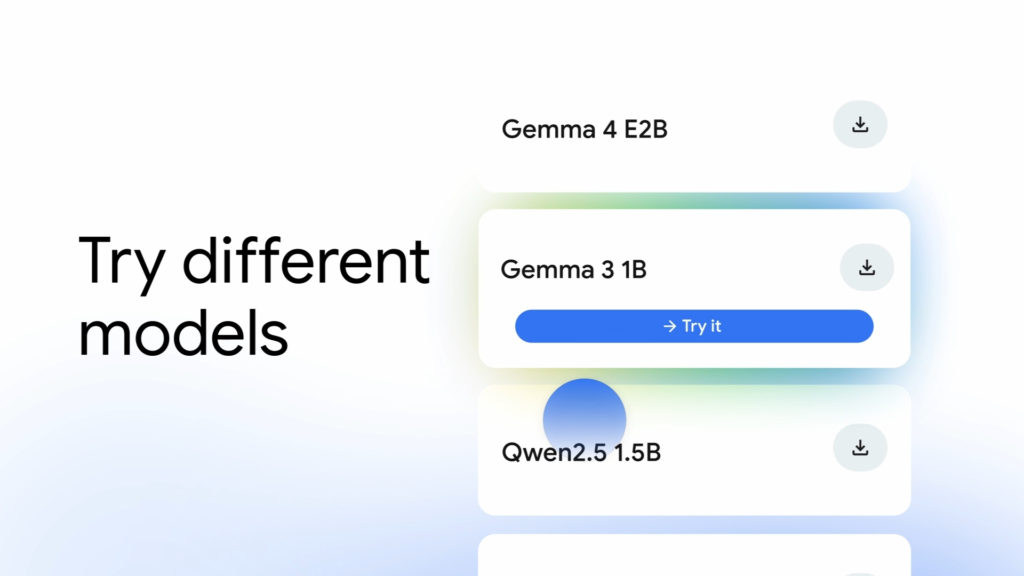
The app supports Gemma 4, including Thinking Mode with compatible Gemma 4 models. The current repository also highlights EmbeddingGemma 2 for on-device semantic search, with Instant Media Search and Video Moment Finder. Gemma 4 remains part of that broader model toolbox.
The Technology Under the Hood
To understand why an app like this is even possible, you have to look at the stack Google built beneath it. AI Edge Gallery isn’t magic — it’s the visible tip of a much larger on-device machine learning effort.
LiteRT: the runtime doing the heavy lifting
The engine running the models is LiteRT, Google’s lightweight runtime for optimized model execution. If that name is unfamiliar, its old one probably isn’t: LiteRT is the rebranded TensorFlow Lite. It’s purpose-built to squeeze machine learning inference onto resource-constrained hardware — phones, tablets, and embedded devices — where memory, battery, and thermal headroom are all in short supply.
Layered alongside it is the MediaPipe framework, another Google project for building on-device ML pipelines. Together, these components form the “Google AI Edge” platform that gives the app its name. Notably, the system isn’t locked to a single model format — according to VentureBeat’s reporting, it supports models originating from JAX, Keras, PyTorch, and TensorFlow, which is a meaningful flexibility for developers who don’t want to be boxed into one ecosystem.
Quantization: the trick that makes it fit
The single most important technical concept behind on-device AI is quantization. Frontier cloud models are enormous, with weights stored in high-precision formats. To make a model small and fast enough to live on a phone, you reduce the numerical precision of those weights — say, from 16-bit floating point down to 4-bit integers.
Google’s technical documentation explains that int4 stores each weight in four bits rather than BF16’s sixteen. In its April 18, 2025 Gemma 3 QAT post, Google lists approximately 0.5 GB for 1B int4 weights, 2.6 GB for 4B weights, and 6.6 GB for 12B weights. A multi-billion-parameter model therefore does not generally shrink to a few hundred megabytes. Those figures cover weights only; running the model also needs memory for the KV cache and other work. Quality and speed depend on the model, quantization and device.
Real-world performance numbers
When the app launched, its flagship was Gemma 3, a compact model that VentureBeat reported weighed in at just 529 megabytes and could process up to 2,585 tokens per second during prefill inference on mobile GPUs. In practice, that translates to sub-second response times for many text and image tasks — fast enough that the experience can feel comparable to a cloud service, at least for short interactions.
Performance, however, is entirely a function of your hardware. VentureBeat’s testing found that high-end devices like the Pixel 8 Pro handled larger models smoothly, while mid-tier phones experienced noticeably higher latency. There’s no way around this: on-device AI is gated by the chip you own, not by a server you rent.
What You Can Actually Do With It
The app organizes its capabilities into a set of distinct “tiles,” each designed to demonstrate a different on-device AI use case. At launch there were three; today there are many more.
The original three: Chat, Ask Image, and Prompt Lab
AI Chat is the most familiar feature — a multi-turn conversational interface where you type a prompt and get a response. You can ask it to explain concepts, draft text, summarize content, or work through problems. Core offline chat relies on the model’s training knowledge; connected Agent Skills can retrieve outside information. The current version adds a Thinking Mode toggle that lets you “peek under the hood” and watch the model’s step-by-step reasoning process — a feature that currently works with supported models, starting with the Gemma 4 family.
Ask Image is the multimodal feature. You point your camera at something or upload a photo from your gallery, then ask the model questions about it. Per Google’s description, you can use it to identify objects, solve visual puzzles, or get detailed descriptions. VentureBeat’s testers used it for things like solving math problems written on paper and calculating a restaurant receipt — though, as we’ll discuss, it wasn’t flawless.
Prompt Lab is the developer’s Playground. It’s a dedicated workspace for single-turn tasks — tone-based rewriting, summarization, free-form generation, code snippet generation — with granular control over model parameters like temperature and top-K sampling. This is where you go to understand exactly how a model behaves when you tweak its knobs, rather than just chatting with it.
The newer, more ambitious features
The current version of the app has grown well beyond a simple model demo. According to the Play Store listing and GitHub README, it now includes:
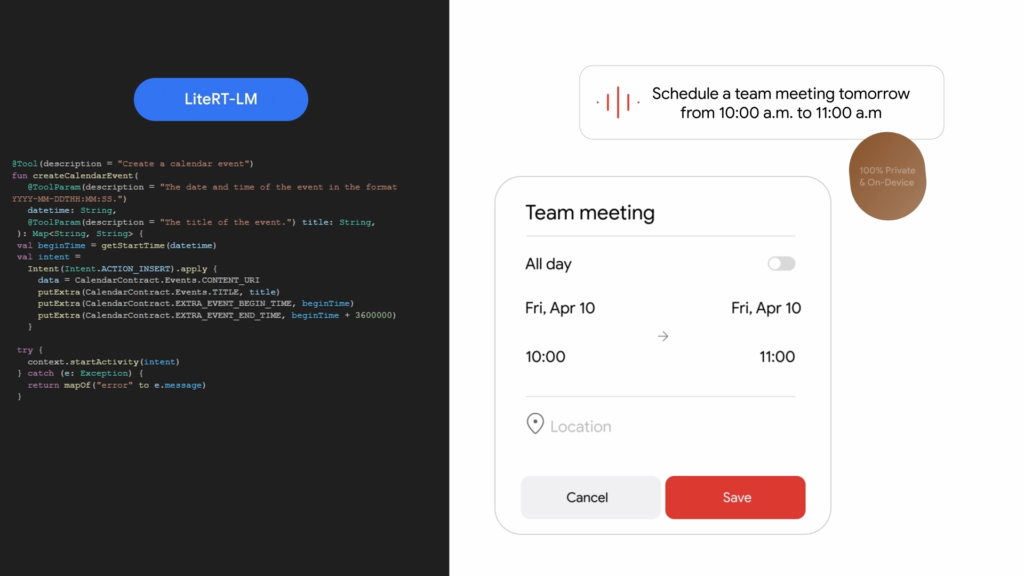
- Agent Skills — arguably the most significant addition, this transforms the LLM “from a conversationalist into a proactive assistant.” It augments the model with tools like Wikipedia for fact-grounding, interactive maps, and visual summary cards. You can load modular skills from a URL or browse community contributions on GitHub Discussions. A recent update extended this to include experimental MCP (Model Context Protocol) connections, the ability to schedule reminders, and read or create calendar events.
- Audio Scribe — transcribes and translates voice recordings into text in real time using efficient on-device speech models. (Notably, audio input was an Android-first feature and wasn’t available on iOS at the initial launch, per MindStudio’s hands-on walkthrough.)
- Mobile Actions — offline device controls and automated tasks, powered by a fine-tune of FunctionGemma 270m, a tiny specialized model.
- Tiny Garden — a genuinely whimsical touch: an experimental mini-game where you plant and harvest a virtual garden using natural language, also powered by FunctionGemma 270m. It exists mostly to demonstrate function-calling in a fun, tangible way.
- Model Management & Benchmark — the app is a flexible sandbox. You can download models from a curated list, import your own custom models, manage your library, and run benchmark tests that surface metrics like time-to-first-token and decode speed so you can see exactly how each model performs on your specific hardware.
- Conversation History — save and resume past chats, plus apply personalized system instructions to guide the model’s behavior across Chat, Ask Image, and Audio Scribe.
The shared benefit is on-device model inference. After downloading a compatible model, core inference can run offline. Agent Skills that retrieve Wikipedia content, load a remote skill, or use other online services may need a connection; local inference does not make those external activities offline.
Where the Models Come From
A big part of what makes the Gallery useful is that it isn’t a walled garden of Google-only models. From the start, the app integrated with Hugging Face, the de facto hub for open machine learning models, pulling optimized models from the LiteRT community there.
The list of models you’re offered adapts to your device — newer phones with AI-accelerated chipsets unlock larger and more capable models, while older hardware is steered toward lighter options. And if you’d rather bring your own, the app lets you import and run a compatible model file already stored locally on your device. This combination of a curated catalog plus bring-your-own-model flexibility is what makes it a genuine sandbox rather than a fixed demo.
It’s worth being precise about the model families involved, because they’re easy to confuse. Gemini is Google’s flagship family of large, cloud-based models accessed via API. Gemma is the separate family of smaller, open-weight models designed to be efficient enough to run on consumer hardware. AI Edge Gallery uses Gemma (and other open models) precisely because Gemini-scale models are far too large to fit on a phone. When you run the Gallery, you’re getting Gemma’s efficiency, not Gemini’s raw frontier power.
The Real Advantages: Privacy, Offline Access, and Latency
The case for on-device AI rests on three pillars, and the Gallery demonstrates all of them.
Privacy is a reason to consider local inference: it avoids sending the inference request to a cloud model. That is narrower than a guarantee that no data ever leaves the app or that no external service keeps logs. Check the permissions and destinations of any connected skill or integration before using sensitive notes, documents or media. This article has not independently audited the app’s network traffic, telemetry or data handling.
Offline access is the second pillar. Once a model is downloaded, it works anywhere — on a plane in airplane mode, deep in the backcountry, or anywhere connectivity is unreliable or restricted. The elimination of network dependence means intermittent connectivity, traditionally a hard limitation for AI apps, simply stops mattering for core functionality.
Latency is the underrated third pillar. With no round-trip to a server, there’s no network delay. For short responses on capable hardware, on-device inference can actually feel faster than a cloud service, because the only bottleneck is local computation rather than the speed of light across a fiber backbone.
The Limitations You Need to Understand
For all its promise, on-device AI involves real, unavoidable tradeoffs, and it would be dishonest to gloss over them.
The capability ceiling is real. The small models that fit on a phone — in the 1B to 4B parameter range — are dramatically smaller than frontier cloud models. They handle simple Q&A, summarization, drafting, and image description well, but they struggle with complex multi-step reasoning, nuanced instruction-following, and anything that benefits from massive pretraining scale. You should not expect GPT-class output.
Accuracy can wobble. A local model can still make factual mistakes. Core offline chat does not automatically obtain current information; connected Agent Skills can add retrieval, but retrieved content also needs checking. This update did not run Kingy accuracy tests.
Hardware dictates everything. Performance varies enormously by device. The same model that’s snappy on a flagship phone can be sluggish on a mid-range one. And running inference is computationally intense — extended use will warm your device and drain the battery faster than ordinary app usage.
Storage and download costs add up. Model files are large, ranging from a few hundred megabytes to several gigabytes. On a phone where photos and apps already compete for space, that’s a meaningful commitment, and the initial download should always be done over Wi-Fi.
There’s a context-window limit. Small models typically support shorter context windows, so you can’t feed them a long document and expect coherent reasoning across the whole thing.
It’s also worth flagging a minor inconsistency in the public information: while some third-party walkthroughs (like MindStudio’s) reference iOS 16 compatibility, Google’s own current GitHub documentation lists the official OS requirements as Android 12 and up, and iOS 17 and up. When the official source and a third-party guide disagree, trust the official spec — and check it against your own device before downloading.
How to Get Started
Getting up and running today is far easier than it was at launch. The recommended path is simply to install the app from the Google Play Store or Apple’s App Store. For users without Google Play access — including those on corporate-managed devices — Google still publishes the APK directly on GitHub under the latest release.
The basic flow is:
- Check your OS — Android 12+ or iOS 17+, with several gigabytes of free storage.
- Install the app from your platform’s store, or sideload the APK.
- Pick a task — Chat, Ask Image, Audio Scribe, or another tile.
- Download a model — the app prompts you to do this on first use; do it over Wi-Fi since files can be large. This download happens only once.
- Start prompting — let the model load into memory, then use core local inference offline. Downloads and any connected skills have their own network requirements.
For the deep details — including the corporate-device installation path and a full feature walkthrough — Google maintains a Project Wiki. And because the app is in active beta, Google actively solicits feedback through GitHub bug reports and feature requests.
The Bigger Strategic Picture
It would be a mistake to read AI Edge Gallery as just a neat utility. As VentureBeat argued in its analysis, the app is better understood as a strategic chess move in the increasingly fierce competition over mobile AI.
The mobile AI battlefield is crowded. Apple’s Neural Engine already powers on-device language and photography features across its devices. Qualcomm’s AI Engine drives on-device intelligence in Snapdragon-based Android phones, and Samsung embeds its own neural processing units in Galaxy devices. But Google’s bet is fundamentally different in kind. Rather than competing on a single flashy feature baked into one OS, Google is positioning itself as the infrastructure layer — the runtime, the frameworks, the model distribution pipeline — that every mobile AI application can be built on.
This is the classic platform play. By open-sourcing the tooling under Apache 2.0 and making it freely available across Android, iOS, and macOS, Google maximizes adoption while quietly entrenching its frameworks (LiteRT, MediaPipe, and the Gemma model family) as the default substrate for on-device AI. As AI capabilities become commoditized, the durable value accrues to whoever owns the tools and the distribution — not to whoever shipped the cleverest individual feature this quarter.
There’s a deeper logic, too. Google built much of the centralized, cloud-based AI world, and it appears to recognize that this model may not be where the future ultimately lives. With billions of capable smartphones already in people’s hands, the marginal cost of inference can be pushed to the edge — onto hardware Google doesn’t have to pay to run. If even a fraction of AI workloads migrate from data centers to devices, the economics and the privacy calculus of the entire industry shift. The “experimental” label on AI Edge Gallery undersells just how seriously Google seems to be taking that possibility.
How It Compares to the Alternatives
The Gallery doesn’t exist in a vacuum. On the desktop, tools like Ollama and LM Studio have long let enthusiasts run open models locally, and they support a far wider variety of models — but neither runs on a phone. Apple Intelligence is more deeply woven into iOS than any standalone app could be, but it’s far less flexible: you can’t load arbitrary models or run raw prompts through an open chat interface the way you can in the Gallery. For mobile on-device AI specifically — a genuine, model-agnostic sandbox you can carry in your pocket — Google AI Edge Gallery is currently one of the most accessible and capable options available.
The Bottom Line
Google AI Edge Gallery combines local generative AI with an evolving beta toolbox: chat, vision, audio transcription, model management and device-oriented features. Core model inference runs on your hardware; optional skills and integrations should be checked separately for connectivity, permissions and privacy.
It is not a replacement for cloud-based frontier models. The small models it runs have a real capability ceiling, they occasionally get things wrong, and they lean hard on your device’s hardware and storage. But that’s not the point. The point is the demonstration: that meaningful AI no longer requires a data center, a network connection, or surrendering your data to a third party. For developers, it’s an open invitation to build. For privacy-conscious users, it’s a glimpse of an AI future that respects the boundary of your own device.
You can explore the project yourself on GitHub, grab it from the Play Store, or read Google’s AI Edge documentation to understand the platform powering it all. The revolution Google is betting on isn’t in the cloud — it’s in your pocket.
Google On-Device AI
Offline AI Apps
Google Edge Model Context
Google Company Context
The Kingy Brief
Get The Kingy Brief.
AI changes, original tests and one practical thing to try. Fridays at 09:00 Vancouver time.
Free · Double opt-in · Unsubscribe anytime
Sign up for The Kingy Brief on Beehiiv.
Signup help and newsletter schedule
Signup form provided by Beehiiv. After submitting, check your inbox for "Confirm your subscription to The Kingy Brief" and open its confirmation link. Check Spam or Promotions if you cannot find it.
Fridays at 09:00 Vancouver time: source-checked AI changes, original tests and one practical thing to try. We skip a week when there is not enough verified material. Free. Unsubscribe anytime.