The AI Cloud Finally Gets Some Competition From Your Desk

For the last few years, artificial intelligence has mostly meant one thing: open a browser, type into a chatbot, and wait while some distant server farm does the heavy lifting.
Google, OpenAI, Anthropic, and others built the modern AI habit around the cloud. It works. It is powerful. It is also a little weird when you stop and think about it. Your thoughts, drafts, snippets of code, interview notes, messy ideas, and half-baked business plans often leave your machine before the AI can help.
Now Google wants to shift some of that action back to your laptop.
Google has launched AI Edge Gallery for macOS, giving Mac users a way to run select Google Gemma models locally. That means the model runs on the Mac itself instead of depending on a cloud server. No constant internet connection. Less data leaving the device. Fewer “sorry, the network blinked” moments. The humble Mac suddenly gets to play mini data center, minus the jet-engine soundtrack.
The move is not just another app launch. It hints at a broader turn in AI: from “send everything to the cloud” toward “let the device do more of the work.”
And honestly, that is the first truly normal-sounding AI trend in a while.
What Google AI Edge Gallery Actually Does
Google AI Edge Gallery gives users a way to run AI models directly on their devices. It had already been available on Android and iOS, and now it has arrived on macOS.
The key phrase here is “run locally.” Instead of sending every prompt to Google’s servers, the Mac handles the AI workload using its own hardware. That creates a different kind of AI experience. It may not always match the raw firepower of huge cloud models, but it changes the trade-off.
Local models can work offline. They can respond without sending private prompts across the internet. They also let users take advantage of increasingly capable laptop chips, especially Apple Silicon Macs with strong CPU, GPU, and neural processing capabilities.
Google’s Mac app does not appear to be a wide-open model playground like Ollama or LM Studio. Those tools let users install many models from many developers. AI Edge Gallery, at least for now, focuses on Google’s own models.
That gives Google more control. It may also make setup easier for casual users. But it limits flexibility. Power users who like swapping models like guitar pedals may still prefer broader local-AI platforms.
Google is not throwing open the whole candy store yet. It is handing Mac users a curated box. Nice box. Still a box.
The Five Models Mac Users Get
At launch, Google AI Edge Gallery for macOS offers five Google models from the Gemma family:
Gemma-4-12B-it
Gemma-4-E2B-it
Gemma-4-E4B-it
Gemma-3n-E2B-it
Gemma-3n-E4B-it
The “it” label stands for “instruct,” meaning these models are tuned to follow user instructions rather than simply predict the next chunk of text. That matters. A raw language model may complete a sentence. An instruct model tries to do the thing you asked it to do.
The headline model is Gemma 4 12B. The “12B” refers to 12 billion parameters, which gives it more capacity than tiny local models while keeping it small enough for consumer hardware, according to Google’s claims.
This matters because local AI has often lived in a compromise zone. Small models run easily but struggle with harder tasks. Bigger models perform better but can devour RAM like a raccoon in a pantry. Google is trying to land in the sweet spot: big enough to be useful, small enough to fit on a normal laptop.
That is the whole bet.
If it works well in real-world use, Mac users get a more private, more portable AI assistant. If it stumbles, it becomes another interesting developer toy. The difference will come down to performance, usability, and whether Google keeps expanding the model lineup.
Gemma 4 12B Is the Main Event
Gemma 4 12B is the star of the launch. Google describes it as a model built to bring agentic and multimodal intelligence directly to laptops.
That is a mouthful, so let’s de-jargon it.
“Multimodal” means the model can work with more than text. Reports say Gemma 4 12B can handle text, images, and audio. That lets it support tasks like speech recognition, code generation, document understanding, and video analysis. The Decoder reported that the model can process frames and audio together for video analysis, including a demo involving a five-minute Google I/O clip.
That is not small potatoes. It suggests Google wants local AI to do more than answer text prompts. It wants your laptop to inspect, listen, read, and reason across different kinds of input.
Google also says Gemma 4 12B can run locally on consumer laptops with 16GB of RAM. That number matters because 16GB remains a common configuration for many modern Macs. A model that needs 64GB of RAM may impress researchers. A model that runs on a regular laptop can reach normal people.
Of course, “runs” does not always mean “runs beautifully.” Speed, heat, battery drain, and accuracy still matter. Independent testing will decide whether Gemma 4 12B feels magical, merely useful, or like asking a toaster to write SQL.
Why Local AI Matters for Privacy
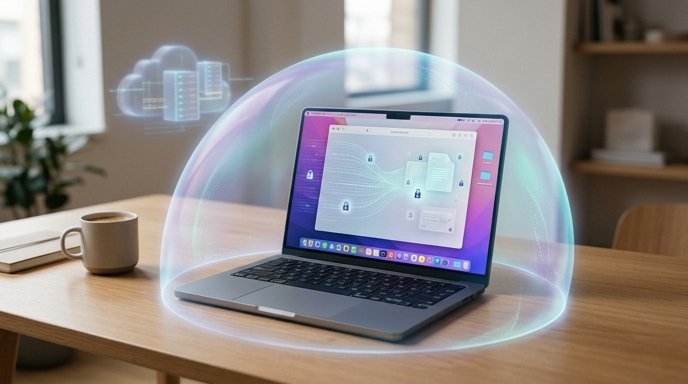
Cloud AI has a privacy problem baked into the basic design. To use the model, users usually send prompts, files, or media to someone else’s servers. Companies can create policies, controls, and enterprise agreements to reduce risk. But the architecture still starts with export.
Local AI flips that pattern.
When the model runs on your Mac, your prompt can stay on your Mac. That does not solve every privacy issue in computing. But it reduces one big exposure point: the routine upload of sensitive material.
This matters for journalists, lawyers, doctors, developers, students, researchers, executives, and anyone who has ever typed something into a chatbot and then thought, “Wait, should I have done that?”
Local processing also helps in places with bad or unstable connectivity. A journalist in the field can analyze notes. A developer on a plane can test code ideas. A business user can summarize internal material without depending on a cloud round trip.
Byte-Pulse framed this as part of a broader demand for local control, faster responses, and better privacy. That framing is sensible. The industry has spent years centralizing AI in the cloud. Users are now asking a blunt question: why should every small task leave the device?
It should not. Not always.
Some tasks need frontier-scale cloud models. Many do not.
The Offline Advantage Is Bigger Than It Sounds
Offline AI sounds boring until you need it. Then it feels like oxygen.
Cloud tools fail when the network fails. Local models do not have that same weakness. Once installed, they can keep working without an active internet connection. That changes the feel of AI from “service I access” to “capability my computer has.”
That distinction matters.
A calculator does not need to phone home to divide numbers. A notes app does not need a server to search your notes. Many AI tasks should behave the same way. Summarize this draft. Clean up this paragraph. Extract action items from this transcript. Help me understand this code. Sort this messy list. None of those tasks inherently require a giant remote model every time.
Local AI also gives users more predictable access. Cloud tools can throttle usage, change pricing, suffer outages, or alter model behavior. Local models give users more stability, at least after installation. They are not immune to software updates or bugs, but they reduce dependence on a live service.
The trade-off is capability. A local model on a laptop will usually trail the strongest cloud models. Physics remains undefeated, annoyingly. Massive server clusters can run larger models than your MacBook.
Still, local AI does not need to win every benchmark. It needs to be good enough for everyday tasks. That bar keeps moving upward.
Google Also Brought AI Edge Eloquent to Mac
Google did not stop with AI Edge Gallery. It also launched Google AI Edge Eloquent for Mac, an on-device dictation app.
Eloquent captures speech, transcribes it, and polishes the text. It can remove disfluencies, smooth phrasing, and make light edits for clarity and flow. Users can choose different writing styles and add custom words, including names, jargon, and specialized terms.
That last part matters more than it sounds. Dictation tools often fail in hilariously annoying ways. They butcher names. They mangle product terms. They turn technical vocabulary into alphabet soup with confidence. Custom vocabulary helps reduce those errors.
The local processing angle also matters here. Voice data can be sensitive. Recordings may include private conversations, personal notes, client information, or internal company material. Processing that speech on-device makes the app more attractive to users who do not want every spoken draft shipped to a server.
For writers, this could be useful. For professionals, it could be practical. For people who pace around the room while thinking aloud, it could be dangerous. Suddenly all those wandering monologues become editable text. The laptop has receipts now.
Eloquent also fits Google’s bigger theme: local AI should not only chat. It should become a quiet utility layer across everyday work.
The Catch: Google’s Garden Has Walls
Google’s move is exciting, but the limitations matter.
AI Edge Gallery for macOS currently focuses on five Google models. Compared with Ollama or LM Studio, that is narrow. Those competing tools let users pull from a much wider universe of open models. Developers and tinkerers may want that freedom.
Google may argue that curation improves simplicity. That is fair. Many users do not want to compare model cards, quantization formats, memory footprints, and benchmark charts. They want to download an app and do useful work before dinner.
But curation can become constraint. If Google does not expand the model catalog, AI Edge Gallery may feel less like a platform and more like a demo shelf. The model lineup will need to grow, improve, and stay current.
There is also the benchmark question. Google says Gemma 4 12B delivers strong performance for its size, including performance comparable to a larger 26B mixture-of-experts model. That claim deserves attention. It also deserves independent testing.
Vendor claims are not useless. They are just not the same as field evidence. Real users will test Gemma 4 12B on messy documents, rambling audio, bad screenshots, weird codebases, and all the other garbage reality throws at software.
That is where the truth lives.
Why This Launch Lands Especially Well on Mac
The Mac is a natural target for local AI. Apple Silicon machines already combine strong performance, tight hardware-software integration, and good energy efficiency. Many Mac users also work in fields where privacy and local workflows matter: software development, media production, research, writing, design, and business analysis.
Google’s launch gives those users another way to experiment with AI without turning every task into a cloud dependency.
It also creates an interesting competitive tension. Apple has pushed on-device intelligence as part of its privacy story. Google, traditionally seen as a cloud and services giant, is now giving Mac users tools that lean into local execution. That is a funny twist. Google is showing up on Apple’s platform with a privacy-friendly local AI pitch. Somewhere, a strategy slide just smirked.
For users, the brand politics matter less than the workflow. If the app works, people will use it. If it runs reliably, protects data better, and handles enough common tasks, it earns a place.
The bigger story is not “Google made a Mac app.” The bigger story is that local AI is becoming normal enough for mainstream platforms. That is the shift to watch.
Cloud AI will not disappear. But it may stop being the default answer to every problem.
What Users Should Watch Next
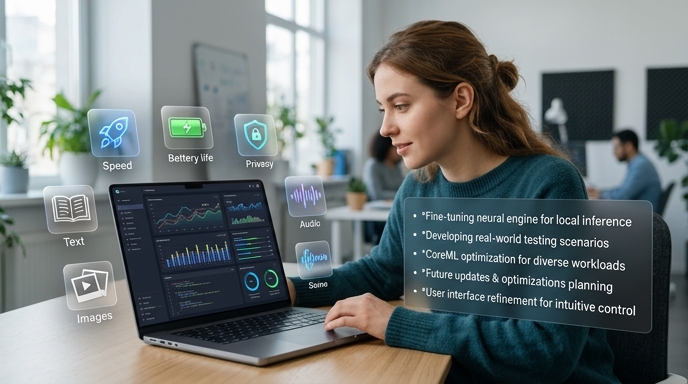
The next phase comes down to proof.
Users should watch real-world tests of Gemma 4 12B on Macs with 16GB of RAM. Does it respond quickly? Does it handle images and audio cleanly? Does it drain battery aggressively? Does it slow the system when other apps are open? Does it produce reliable summaries, code help, and transcriptions?
They should also watch whether Google expands AI Edge Gallery beyond the current Gemma lineup. A local AI platform with five models can start a conversation. A rich model ecosystem can sustain one.
The privacy story also needs practical clarity. Local processing is valuable, but users still need to understand what gets downloaded, what stays offline, what telemetry exists, and how updates work. Trust does not come from slogans. It comes from boring, specific behavior.
Still, Google’s direction looks important. AI has spent years climbing into the cloud. Now some of it is moving back down to the edge: phones, laptops, desktops, and local devices.
That shift will make AI feel less like a website and more like a built-in tool. Sometimes it will be brilliant. Sometimes it will be clumsy. Sometimes it will confidently summarize the wrong thing and remind us that software remains software.
But the direction is clear.
Your Mac is no longer just a window into AI services. It is becoming a place where AI can actually live.
Sources
- 9to5Mac: Google AI Edge Gallery launches on macOS, letting Mac users run Gemini models locally
- The Decoder: Google DeepMind’s Gemma 4 12B squeezes multimodal AI onto a laptop with just 16GB of RAM
- iGeeksBlog: Google AI Edge Gallery lands on macOS with new local AI tools
- Byte-Pulse: Google AI Edge Gallery for macOS: Boosting Local AI Performance and Privacy
The Kingy Brief
Get The Kingy Brief.
AI changes, original tests and one practical thing to try. Fridays at 09:00 Vancouver time.
Free · Double opt-in · Unsubscribe anytime
Sign up for The Kingy Brief on Beehiiv.
Signup help and newsletter schedule
Signup form provided by Beehiiv. After submitting, check your inbox for "Confirm your subscription to The Kingy Brief" and open its confirmation link. Check Spam or Promotions if you cannot find it.
Fridays at 09:00 Vancouver time: source-checked AI changes, original tests and one practical thing to try. We skip a week when there is not enough verified material. Free. Unsubscribe anytime.