Evaluate Your Resume App
Your Resume Has 7 Seconds to Survive an AI Screener — Here’s How to Make Them Count
An honest look at why qualified candidates get ghosted in 2026, and the free AI resume evaluator that tells you exactly what to fix.
You hit “Submit.” You close the tab. You refresh your inbox like it owes you money. A week passes. Nothing.
It’s not you. It’s the bot.
According to a 2025 Jobscan analysis, a detectable Applicant Tracking System (ATS) sits on 97.8% of Fortune 500 career sites, and industry research suggests up to 75% of resumes are rejected before a human ever reads them (National Search Group). In 2026, your resume is no longer a document — it’s an API call to a machine that decides whether you’re worth a recruiter’s seven seconds.
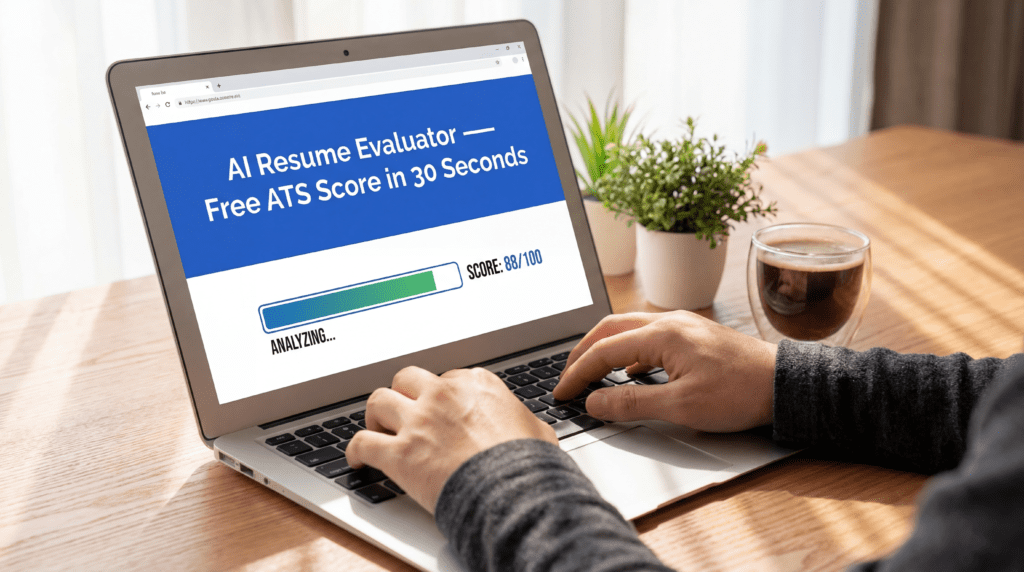
The good news: the rules are knowable. The better news: you can check your resume against them in under a minute with our free AI Resume Evaluator →
What Actually Happens When You Click “Apply”
Most candidates picture a recruiter skimming their PDF over coffee. The reality is closer to a customs checkpoint.
Your resume is first ingested by an ATS — platforms like Workday, Greenhouse, Taleo, or iCIMS — which parses your file into structured fields: name, title, dates, skills, education. Then an AI layer on top ranks you against the job description using keyword density, semantic similarity, and formatting signals. Only the top candidates surface in the recruiter’s queue.
As VBeyond Corporation puts it: “Systems reward resumes they can parse cleanly, then rank or surface profiles that match the job’s language. If the file is hard to read or the signals are weak, the resume often sinks quietly.”
That quiet sinking is why talented engineers, marketers, and analysts send 200 applications and hear back from three.
The 5 Silent Killers Hiding in Your Resume Right Now
Before we get to fixes, let’s diagnose. Run your current resume against this list — or skip the manual audit and drop it into our AI evaluator for an instant score.
1. Multi-Column Layouts and Tables
That gorgeous two-column Canva template? ATS parsers frequently read it left-to-right across columns, scrambling your job titles into nonsense. Enhancv’s ATS research confirms that single-column layouts with standard headings parse most reliably.
2. Headers, Footers, and Text Boxes
Contact info stuffed into a header? Many older ATS systems skip it entirely. Recruiters then see a resume with no phone number and move on.
3. Graphics, Icons, and Skill Bars
Those little progress bars showing you’re “80% Python” are invisible to a machine. The ATS sees a decoration, not a skill.
4. Creative Section Titles
“My Journey” and “What Drives Me” may feel authentic, but the bot is searching for Work Experience, Education, and Skills. Stick to convention.
5. Missing Keywords (The Big One)
This is the #1 rejection reason. If the job description says “project management” 6 times and your resume says “coordinated initiatives,” the ATS sees a mismatch — even though you did the exact same job.
The 2026 ATS Optimization Playbook
Here’s what works right now, grounded in current guidance from Rezi, Jobscan, and enterprise recruiters.
Step 1: Pick the Right Format
Use reverse-chronological. It’s the format ATS systems were trained on. Save as .docx when possible; a text-based PDF is a safe second choice. Avoid image-based PDFs at all costs — they’re effectively blank pages to a parser (National Search Group).
Step 2: Mirror the Job Description (Without Stuffing)
Paste the job posting next to your resume. Highlight every noun and verb that appears more than once. Now ask: does my resume use those exact phrases?
If the listing says “stakeholder management,” don’t write “managed people.” Write “stakeholder management.” The ATS rewards literal matches, but modern AI layers now penalize obvious stuffing — so integrate keywords into genuine accomplishments, not a wall of buzzwords.
Step 3: Quantify Everything
Weak: Responsible for leading marketing campaigns.
Strong: Led 10-person marketing team, increasing campaign ROI by 25% in six months.
Numbers aren’t just for humans — they signal specificity and seniority to AI ranking models. Rezi’s research across 4 million users found that resumes with quantified bullet points achieve dramatically higher interview rates.
Step 4: Use Standard Fonts and Headers
Arial, Calibri, Helvetica, Times New Roman. 10–12pt body. Section headings in Work Experience, Skills, Education, Certifications. Nothing clever. Nothing artisanal. Boring formatting is a competitive advantage.
Step 5: Test Before You Send
This is where 90% of job seekers stop and pay the price. They polish, they pray, they submit. They don’t test.
A free AI resume evaluator simulates what the ATS actually sees — parse rate, keyword match percentage, formatting flags, and content quality. Running this check takes 30 seconds and can save you from sending 50 invisible applications.
Why AI Resume Evaluators Became Non-Negotiable in 2026
Five years ago, resume advice lived in Reddit threads and $500 career coaches. Today, AI closes the gap instantly.
A good evaluator does three things a human reviewer can’t do at scale:
- Parses your resume the way the ATS does, flagging content that’s silently being lost.
- Compares your resume to the specific job description, not generic “best practices.”
- Scores keyword density, action-verb strength, and impact statements in seconds.
The best tools — Jobscan, Resume Worded, Enhancv’s checker, and our own AI Resume Evaluator — turn a guessing game into a measurable process. You see a score, you fix the gaps, you re-score, you apply. Rinse, repeat, get interviews.
A Real Before-and-After
Let’s make this concrete. Here’s a bullet from a data analyst’s resume we recently evaluated:
Worked on dashboards and helped the team with data stuff for better decisions.
Parse-friendly? Yes. ATS-optimized? Not even close. No keywords, no metrics, no action verbs that rank well.
After one pass through our evaluator and a job description for a Senior Data Analyst role:
Built 12 Tableau dashboards integrating SQL and Python pipelines, enabling leadership to cut monthly reporting time by 40% and informing $2.3M in strategic spend decisions.
Same job. Same person. Four times the keyword matches. Quantified impact. Role-specific tooling named. That bullet now ranks in the top 10% of applicants for the role.
This is the kind of rewrite you can generate in minutes — try it on your own resume here.
Common Objections (And Why They’re Wrong in 2026)
“My network will get me hired — I don’t need to optimize for bots.”
Referrals still work, but even referred candidates are routed through the ATS at most Fortune 500 companies. A weak resume undermines a strong referral.
“Tailoring each resume takes too long.”
It did. In 2020. With AI evaluators, tailoring now takes 3–5 minutes per application — faster than writing the cover letter.
“AI rewrites sound robotic.”
They do — if you let the AI write for you. Use AI to identify gaps and suggest phrasing, then rewrite in your own voice. The sweet spot is human content with AI-optimized structure.
The Honest Truth About “Beating the ATS”
You don’t beat the ATS. You cooperate with it.
The ATS isn’t your enemy — it’s an overworked filter trying to surface qualified humans for an overworked recruiter. When you format cleanly, match keywords naturally, and quantify impact, you’re making everyone’s job easier. That’s what gets rewarded.
The candidates winning in 2026 aren’t the most qualified. They’re the ones who understood that the resume is now a technical document, and technical documents need testing.
Your Next 5 Minutes
Here’s the exact workflow I’d run tonight:
- Pull up the last 3 jobs you applied to and never heard back from.
- Copy each job description.
- Drop your resume and the job description into the AI Resume Evaluator (above)
- Read the score. Note the missing keywords. Note the parse-rate issues.
- Rewrite three bullet points. Re-score. Re-apply — to a new role this time.
You don’t need a new career, a bootcamp, or a LinkedIn Premium subscription. You need a resume the bot can actually read.