The AI Stack Audit Guide: How to Choose the Right AI Tools, Cut Waste, and Build a Smarter AI Workflow
Last updated: June 19, 2026. Primary keyword: AI stack audit.
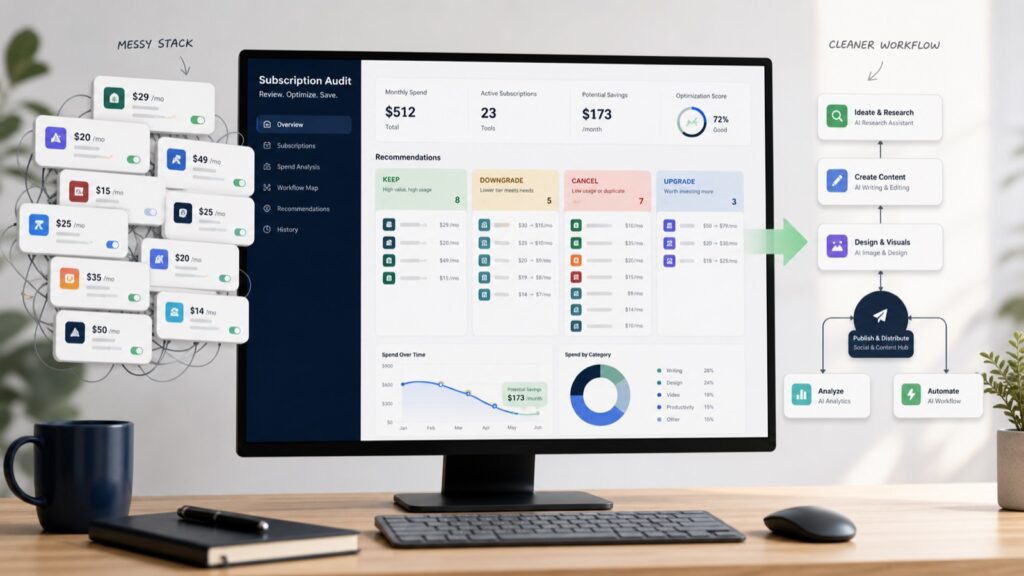
Image note: A good AI stack audit turns scattered subscriptions into a smaller, clearer workflow.
Most people do not need more AI tools. They need a cleaner AI stack, a sharper model-selection habit, and a simple way to decide which subscriptions actually deserve money every month.
That is what an AI stack audit is for. It is a practical review of the AI tools you use, the AI tools you pay for, the AI tools your team quietly added, and the workflows those tools are supposed to improve. The goal is not to chase the newest product. The goal is to choose the right AI tools for the right jobs, cut waste, reduce duplicate subscriptions, and build a smarter AI workflow that is easier to run every week.
This guide is written for creators, marketers, small business owners, founders, consultants, developers, startup teams, WordPress publishers, and AI-curious professionals who feel overwhelmed by too many AI products. It is also for anyone who has a credit card statement full of AI subscriptions they signed up for after a good demo and then barely used.
Use this as a working guide. Open your billing page, team app list, browser bookmarks, API dashboard, and workflow docs. By the end, you should know what to keep, cancel, downgrade, replace, upgrade, or test more carefully.
Quick Answer
The best AI productivity stack is usually smaller than the stack people build by accident. For most people, the useful core is one strong general chatbot, one research/search tool, one specialized production tool for the work they do most often, and one automation or meeting tool only if it saves time every week.
A practical AI stack audit answers seven questions: what do you use weekly, what creates measurable value, what saves time, what overlaps, what has hidden limits, what has privacy or data concerns, and what should be cancelled, downgraded, replaced, or upgraded.
If you want a shortcut, start here: cancel tools you have not used in 30 days, downgrade tools that only handle occasional tasks, replace overlapping tools with one clear default, and upgrade only when a better tool unlocks a workflow you already run. Browse Kingy's AI Tools and AI Launch Tracker when you need market context, but do not let browsing become buying.
Simple rule: a tool earns a seat in your stack when it saves weekly time, improves output, reduces risk, creates measurable revenue, or handles a job another tool cannot handle well.
Why AI Stacks Get Bloated
AI stacks get bloated because the market moves faster than normal software categories. A new model appears, a wrapper launches, an app adds an AI feature, a creator posts a workflow, a founder offers a launch discount, and suddenly a person has six tools that all claim to write, summarize, research, automate, or build.
The first cause is category confusion. Many tools overlap across writing, research, coding, design, video, automation, and agents. A general chatbot can draft a blog post, summarize a transcript, create code, analyze a spreadsheet, and plan a marketing campaign. A specialized tool may do one of those jobs better, but only if the workflow needs that specialization. Without a clear job map, every new AI tool looks useful.
The second cause is trial inertia. Free trials and low first-month prices make it easy to test a tool. The hard part is remembering to cancel it before it becomes background spend. AI subscription audit work is boring, so people avoid it until the monthly total feels embarrassing.
The third cause is fear of missing out. AI tools change quickly, and nobody wants to be left behind. But reacting to every launch is not a strategy. If you want to watch the market, use a tracking habit such as Kingy's AI Launch Tracker. If you want to spend money, require a workflow reason.
The fourth cause is role creep. A tool starts as a video editor, then adds scripts. A writing tool adds image generation. A meeting tool adds CRM updates. A coding tool adds agent workflows. A chatbot adds research, voice, memory, files, and app integrations. Features expand until tool boundaries blur. Your audit should restore the boundaries: what is each tool's primary job?
The fifth cause is hidden usage limits. Some tools look cheap until you hit credit caps, export limits, context limits, slow queues, watermark rules, team-seat minimums, API costs, storage limits, or model restrictions. This is especially common with AI video, image, voice, and model API products.
The sixth cause is team drift. One person buys a meeting tool. Another buys an automation tool. A developer adds a coding assistant. A marketer adds a content tool. The founder pays for a frontier model. Nobody writes down who owns each tool or what it replaced. A bloated AI productivity stack often starts as a set of reasonable individual choices that were never reconciled.
What Each AI Tool Category Is For
Before you can audit a stack, you need a vocabulary. The phrase “best AI tools” is too broad. A chatbot, an agent, an automation platform, a coding assistant, a video generator, and a meeting notetaker solve different problems. Buying them as if they are interchangeable creates waste.
General chatbots
ChatGPT, Claude, Gemini, and similar assistants are the default workbench for drafting, brainstorming, summarizing, planning, rewriting, tutoring, and everyday analysis. They are flexible, but they are not automatically the best place to run every workflow. A general chatbot is strongest when the task is broad, language-heavy, and needs context from you. It is weaker when the task needs deterministic automation, a dedicated production editor, strict formatting, or direct access to a business system.
Reasoning models
Reasoning models are built for harder problems: multi-step planning, technical debugging, math, logic, strategy, policy review, and decisions where a cheap fast answer would be too shallow. They can be slower and more expensive, so they should be reserved for work where the cost of a wrong answer is meaningful. Use them for review, architecture, diagnosis, and high-stakes synthesis rather than every email draft.
Coding tools
AI coding tools include coding assistants, agentic IDEs, terminal agents, code reviewers, app scaffolding tools, and repo-aware pair programmers. They help with implementation, tests, refactors, docs, debugging, and codebase navigation. If coding tools matter to your stack, track the category through Kingy's AI coding tool launches so you can see which tools are evolving and which ones are just wrappers around older workflows.
AI video tools
AI video tools generate, edit, caption, translate, storyboard, repurpose, or polish video. They are valuable for YouTubers, creators, educators, product marketers, and teams that need visual output. They are also one of the easiest places to overspend because credits, render limits, quality tiers, and export restrictions vary. Watch the category through Kingy's AI video tool launches if video is part of your workflow.
AI image tools
AI image tools create and edit product mockups, social graphics, ad concepts, thumbnails, illustrations, diagrams, and visual references. They are excellent for ideation and fast visual drafts. They are not a replacement for brand review, legal review, accessibility review, or final design judgment. For production work, check text accuracy, hands/faces, brand consistency, file size, rights, and whether the image actually supports the article or campaign.
AI research tools
AI research tools combine search, retrieval, source collection, citation, and synthesis. They are useful when you need a starting map of a topic, competitor scan, product research, customer research, or source-backed summary. They still need source review. Treat citations as leads, not proof. Kingy tracks this area under AI search and research tool launches.
AI automation tools
AI automation tools connect apps, trigger workflows, classify inputs, enrich records, route messages, and update systems. They can save huge time, but they also create hidden maintenance work. Every automation needs an owner, a failure mode, a review checkpoint, and a way to stop it. A cheap automation that quietly corrupts CRM data is not cheap.
AI agents
AI agents are systems that can plan steps, use tools, inspect results, and continue toward a goal with less manual prompting. Some agents are narrow and safe. Some are ambitious and brittle. The audit question is not whether something is called an agent. The question is what it can access, what it can change, how it handles uncertainty, where humans approve actions, and how you verify the result.
Voice tools
Voice tools include text-to-speech, speech-to-text, voice cloning, dubbing, translation, call assistants, and audio cleanup. They matter for video, podcasts, sales calls, support, accessibility, and training content. Check consent, disclosure, voice rights, storage policies, quality across accents, and whether exports are usable in your publishing workflow.
Meeting tools
Meeting tools record, transcribe, summarize, extract tasks, update CRMs, and generate follow-ups. They save time when meetings are frequent and notes are messy. They become risky when they record sensitive conversations without consent, push poor summaries into systems, or create action items nobody reviews. Meeting AI should reduce admin work, not become the official memory of the business without human review.
App builders
AI app builders create websites, landing pages, internal tools, prototypes, scripts, and no-code or low-code apps. They are excellent for speed and learning. They still need QA, security review, accessibility checks, responsive checks, analytics setup, and maintenance ownership. If you are building public tools, Kingy's Build With AI Academy is a useful next step for learning the build-and-verify workflow.
Once you separate categories, your AI workflow tools become easier to judge. You are no longer asking “is this tool cool?” You are asking “what job does it own, how often do we use it, and what does it replace?”
The AI Stack Audit Framework
Use this framework for every AI tool, paid or free. Put the answers in a spreadsheet or notes doc. The value comes from forcing every subscription to defend itself against the same questions.

1. What do you use weekly?
Weekly usage is the first filter because AI value is usually workflow value. A tool that looks powerful but is not used in normal work is either unnecessary, too hard to access, poorly integrated, or not tied to a real job. Mark each tool as daily, weekly, monthly, rarely, or unused. Be strict. A tool you opened once to test a feature is not weekly usage.
2. What creates measurable value?
Measurable value can mean revenue, leads, output volume, quality, retention, support speed, faster shipping, better decisions, or reduced risk. Avoid vague answers such as “it is useful” or “it is interesting.” A creator might measure videos published. A marketer might measure landing pages shipped. A developer might measure resolved issues. A founder might measure investor research time saved.
3. What saves time?
Estimate hours saved per month. Include review time. A tool that saves two hours of drafting but adds three hours of cleanup is not saving time. A meeting notetaker that produces reliable summaries may save time. A meeting notetaker that creates inaccurate tasks can create more work than it removes.
4. What overlaps with another tool?
Overlap is the heart of an AI subscription audit. Many teams pay for multiple tools that summarize documents, draft content, generate images, build simple apps, search the web, or write code. Overlap is not always bad. You may keep two tools if each has a distinct job. But you should never pay for duplicate tools because nobody has chosen a default.
5. What has hidden usage limits?
Look at message caps, credit systems, model access, context windows, rate limits, export quality, watermark rules, team seat limits, API spend, storage caps, and file limits. Do not guess. Open the official pricing and docs pages. Model providers publish current pricing and model details on pages such as OpenAI pricing, OpenAI model docs, Claude pricing docs, Gemini API pricing, and Gemini model docs. Use those pages rather than stale screenshots or old blog posts.
6. What has privacy or data concerns?
Privacy is not a paperwork detail. It determines what data a tool can safely touch. Check whether the tool stores prompts, trains on submitted data, supports enterprise privacy controls, allows data deletion, exposes admin logs, offers SSO, handles customer data, connects to email/calendar/CRM, or can take external actions. For a broader risk lens, compare your review process with the NIST AI Risk Management Framework.

7. What should be cancelled, downgraded, replaced, or upgraded?
Every tool should land in one of five buckets: keep, cancel, downgrade, replace, or upgrade. Keep tools that do a weekly job well. Cancel unused or duplicate tools. Downgrade tools that are useful but over-provisioned. Replace tools when a better default covers the same job with less friction. Upgrade only when the upgrade removes a real constraint in an active workflow.
Sample AI Stacks
There is no universal best AI stack. A YouTuber, developer, founder, marketer, and WordPress publisher need different workflows. The goal is not to copy these stacks exactly. Use them as conservative starting points, then audit based on your work.
Beginner AI stack
One general chatbot, one research tool, one notes/doc workspace, and one image tool if you publish visuals. Start with free or low-cost plans. The goal is to learn what AI is good at before you accumulate subscriptions. A beginner stack can be ChatGPT or Claude, Perplexity or Gemini search, Google Docs or Notion, and Canva or a lightweight image generator.
Creator AI stack
Creators need ideation, scripts, editing, thumbnails, repurposing, and analytics. A practical stack is one general chatbot for ideas and scripts, one image tool for thumbnails, one video editor or captioning tool, one research tool, and one content calendar. Add specialized tools only when they make publishing faster every week.
YouTuber AI stack
A YouTuber stack should support topic research, scripting, title and thumbnail testing, editing, captions, repurposing, and sponsor ROI. Keep one strong writing assistant, one research tool, one thumbnail/image workflow, one video editing workflow, and a simple analytics review. If sponsorships are part of the business, use the AI Sponsored Video ROI Calculator before paying for a tool that only makes prettier pitch decks.
Marketer AI stack
A marketer stack should cover audience research, campaign planning, SEO, ad copy, landing page drafts, creative concepts, analytics review, and reporting. The trap is buying separate tools for every channel. Most marketers can start with one strong chatbot, one research/search tool, one design tool, one automation tool, and the analytics/reporting tools they already use.
Small business AI stack
Small businesses need support, marketing, operations, documents, scheduling, and knowledge management. The best stack is usually boring: one assistant, one meeting transcription tool if meetings are frequent, one CRM or inbox tool with AI features, one automation tool for repetitive admin, and one secure document workflow. Prioritize privacy and reliability over novelty.
Developer AI stack
Developers need codebase understanding, implementation help, test generation, debugging, documentation, and architecture review. A useful stack is one repo-aware coding tool, one general reasoning model, one search/research tool, and one documentation system. Track AI coding tool launches and AI open-weight model launches if you care about local models, cost control, or self-hosting.
Founder AI stack
Founders need research, strategy, pitch materials, hiring workflows, customer support, product planning, fundraising prep, and investor updates. A strong founder stack is one general assistant, one research tool, one notes/workspace system, one CRM, one meeting tool, and one automation layer. The founder should not delegate judgment, pricing, legal claims, investor communications, or customer promises to AI without review.
WordPress publisher AI stack
A WordPress publisher needs keyword research, outlines, drafts, source checks, internal links, images, schema, QA, and publishing discipline. A practical stack is one writing assistant, one research tool, one image workflow, one SEO workflow, a link checker, and WordPress itself. If you are building interactive WordPress tools, start with Build With AI Academy before adding a pile of builders and plugins.
Free, Budget, Pro, and Advanced Stacks
This table is deliberately category-based, not vendor-based. Product names change, pricing changes, and new launches arrive every week. The level of the stack should be based on workflow need, not identity.
| Stack level | Budget shape | Best for | Typical components | Strength | Watch out for |
|---|---|---|---|---|---|
| Free | $0 tools only or mostly free tiers | Learning, occasional drafts, basic research, simple images | Free chatbot, free search/research, Google Docs, free design tool | Low cost, enough for learning, easy to cancel | Limits, lower priority access, weak automation, more manual review |
| Budget | A small paid plan plus free tools | Creators, consultants, students, solo operators | One paid assistant, one free/cheap research tool, one design/video tool as needed | Better model access, fewer limits, still controlled | Can still sprawl if every trial becomes a monthly plan |
| Pro | Several paid tools with clear owners | Teams, agencies, active publishers, serious creators | Assistant, research, image/video, automation, meeting, analytics, CRM/workspace | End-to-end workflow coverage and measurable time savings | Needs governance, privacy review, usage tracking, and renewal discipline |
| Advanced | Specialized tools, APIs, agents, and custom workflows | Developers, product teams, high-volume operations, AI-native companies | Model APIs, coding agents, automation layer, evaluation, observability, private knowledge base, custom apps | High leverage and tailored workflows | High cost, maintenance overhead, privacy/security exposure, failure modes |
If you are unsure which tier you need, start one tier lower. A budget stack used well will beat an advanced stack nobody maintains.
Model Selection
Model selection is one of the easiest ways to reduce AI waste. Many people use an expensive frontier model for every task because it feels safer. That is understandable, but it is not always efficient. A strong AI productivity stack routes tasks by difficulty, risk, and value.
Use cheaper or faster models for low-risk, high-volume work: rewriting short copy, formatting notes, tagging content, generating first-draft outlines, classifying support messages, turning bullet points into emails, extracting simple fields, summarizing clean transcripts, and brainstorming ideas you will review anyway.
Use stronger frontier or reasoning models for high-value work: technical architecture, code review, complex debugging, strategy, legal or policy review support, mathematical reasoning, multi-source synthesis, financial analysis, customer-sensitive decisions, and anything where a shallow answer could cause expensive mistakes.
Use specialized models or tools when the output format matters. Video, image, voice, music, code, retrieval, and app-building workflows often need tools designed for that medium. A general chatbot may help plan the task, but the production tool may be a better place to finish it.
Use open-weight or local models when control matters. They can help with privacy, customization, offline workflows, or predictable costs, but they also require maintenance and evaluation. If that direction matters to you, monitor Kingy's AI open-weight model launches rather than assuming last quarter's model choice is still current.
Routing rule Use the cheapest model that reliably handles the task, then escalate only when accuracy, reasoning, privacy, or output quality requires it.
Token Budgeting
Token budgeting deserves its own guide because model cost is not just a monthly subscription line. Tokens affect API spend, context length, retrieval strategy, long-document workflows, agent loops, coding sessions, and whether a team can scale AI usage without surprise bills.
This article will not duplicate the full token-budgeting framework. If your stack includes API usage, long-context research, coding agents, document analysis, or production automations, read Kingy's Complete Guide to Token Budgeting and use it alongside this stack audit.
For the audit, capture three simple numbers: how many tasks run each month, how much context each task needs, and what model tier the task really requires. If nobody can estimate those numbers, the stack is not mature enough for heavy agent or API usage yet.
AI Tool ROI
AI tool ROI is not only subscription price. A $20 monthly plan can be expensive if it distracts the team. A more expensive plan can be cheap if it saves hours every week or enables revenue. ROI is value minus total cost, and total cost includes money, attention, setup time, review time, privacy risk, and maintenance.
Use this basic calculation: monthly value equals hours saved times realistic hourly value, plus revenue influenced, plus risk reduced, minus subscription cost, API cost, review time, and maintenance time. Do not overcomplicate it. You are not trying to build an accounting model. You are trying to make a sane decision.
A creator might measure ROI by videos shipped, editing hours saved, sponsorship packages produced, and thumbnail tests run. A marketer might measure landing pages, ad variants, research hours, or campaign reporting speed. A developer might measure issues resolved, tests written, review time saved, and fewer regressions. A founder might measure decisions clarified, investor research completed, or customer support time reduced.
If you use creator sponsorships or YouTube as part of your AI product growth strategy, pair this audit with the AI Sponsored Video ROI Calculator. It helps separate tool cost from campaign economics instead of treating all growth spend as the same bucket.
If you sell AI products and want distribution in front of Kingy's audience, Sponsor Kingy AI may be relevant. That is a distribution decision, not a core stack decision, so keep it out of your internal productivity stack unless sponsorships are part of your marketing workflow.
The Kingy AI Stack Audit Checklist
Use this checklist during a monthly or quarterly review. It is intentionally direct. If you cannot answer an item, the tool needs more scrutiny.
- List every AI subscription, free account, API key, browser extension, app integration, and team seat.
- Mark the owner for each tool. If nobody owns it, it is a cancellation candidate.
- Record the monthly price, renewal date, team seats, API spend, and credit balance where applicable.
- Mark usage as daily, weekly, monthly, rarely, or unused.
- Write the primary job of the tool in one sentence.
- List the workflow it improves and the output it creates.
- Estimate monthly hours saved after review time.
- Identify every tool that overlaps with it.
- Check official pricing, usage limits, model access, export rules, and watermark rules.
- Check privacy terms, data retention, admin controls, and whether the tool can access sensitive systems.
- Decide: keep, cancel, downgrade, replace, upgrade, or test for 30 more days.
- Write the next review date.
The 30-Minute AI Subscription Cleanup
If your stack is messy, do not start with a perfect spreadsheet. Start with a fast cleanup. Set a 30-minute timer and remove obvious waste.
- Minutes 0-5: open your credit card statement, app store subscriptions, PayPal, Stripe receipts, workspace billing, and API dashboards. Search for AI, OpenAI, Anthropic, Google, video, image, transcription, automation, writing, coding, and app-builder vendors.
- Minutes 5-10: make a simple list with tool name, price, owner, and last time used. Do not research deeply yet.
- Minutes 10-15: cancel anything unused in the last 30 days unless it is required for a client, project, or production workflow.
- Minutes 15-20: downgrade tools that you use occasionally but do not need at the current tier.
- Minutes 20-25: mark duplicates. Pick one default writing assistant, one default research workflow, one default image/video workflow, and one default coding workflow if relevant.
- Minutes 25-30: schedule a deeper audit for the tools that touch private data, customer data, code, or live business systems.

The cleanup is not the full audit. It is the quick win. The full audit comes after, when you review privacy, limits, ownership, and workflow value.
Common Mistakes
- Buying a tool because it is new instead of because a workflow needs it.
- Using a frontier model for every task without checking whether cheaper models are enough.
- Keeping three tools that all draft content because each one has one nice feature.
- Ignoring API usage until a bill arrives.
- Letting meeting tools record sensitive conversations without a consent and retention policy.
- Connecting agents to email, calendars, code, or CRMs without approval gates.
- Treating AI-generated research as proof instead of a starting point.
- Buying app builders before defining who maintains the app after launch.
- Confusing tool activity with business progress.
- Skipping monthly cleanup because each individual subscription feels small.
FAQ
What is an AI stack audit?
An AI stack audit is a structured review of every AI tool, subscription, model, workflow, automation, and agent your team uses. The goal is to keep the tools that create measurable value, remove duplicates, reduce unnecessary spend, and improve the workflow around the tools that remain.
How often should I audit my AI tools?
Most individuals should audit monthly or quarterly. Teams should audit monthly for paid tools, before annual renewals, and whenever a new AI tool category becomes important to the business. Fast-moving AI pricing and model changes make annual-only reviews too slow for active users.
How many AI tools do most people need?
Most people need fewer than they think. A strong everyday stack can be one general assistant, one research tool, one creator or coding tool if needed, one automation or meeting tool if it saves weekly time, and the normal business tools they already use. Specialized tools should earn their place through measurable output.
What is the biggest sign that an AI subscription should be cancelled?
Cancel or downgrade a tool when nobody uses it weekly, it duplicates another tool, it does not save time, it creates review burden, it has unclear limits, or it handles sensitive data without enough trust. A tool that feels impressive but does not change real work is not producing ROI.
Should I use one frontier model for everything?
Usually no. Frontier models are worth using for high-value reasoning, technical work, strategy, source-heavy synthesis, and sensitive review. Cheaper models are often enough for tagging, rewriting, formatting, first drafts, summaries, and repetitive low-risk work.
What is the difference between AI workflow tools and AI agents?
AI workflow tools usually automate defined steps. AI agents can plan, use tools, inspect results, and continue across steps toward a goal. The boundary is blurry, so evaluate capabilities, permissions, review gates, and failure modes instead of relying on the label.
How do I calculate AI tool ROI?
Estimate the monthly cost, hours saved, quality improvement, revenue impact, risk reduction, and maintenance burden. Then compare the tool with the manual workflow and cheaper alternatives. If a tool costs more attention than it saves, its ROI is weak even if the subscription price is low.
Are free AI tools enough for business use?
Free tools can be enough for learning, ideation, and light drafting. Business use often needs stronger privacy controls, higher limits, team management, better exports, admin controls, integrations, or API access. The right answer depends on the sensitivity and frequency of the work.
How do I avoid AI tool overlap?
Assign each tool a primary job. If two tools both write drafts, research sources, create images, summarize meetings, or automate tasks, compare them on weekly usage, quality, limits, privacy, and workflow fit. Keep the one that wins the job, not the one with the better demo.
What should a beginner do first?
List every AI tool you pay for, mark weekly usage, identify duplicates, cancel unused subscriptions, and choose one default assistant. Then build one repeatable workflow around a real task such as writing, research, coding, meetings, or marketing.
Final Recommendation
Most people should use fewer tools better, not more tools randomly. A clean AI stack is not boring. It is what lets you get real leverage from the tools you already pay for.
Keep the tools that create weekly value. Cancel the tools that only create curiosity. Downgrade the tools that are bigger than the job. Replace overlapping tools with clear defaults. Upgrade only when the upgrade unlocks a workflow you already understand.
The best AI stack is not the longest list of subscriptions. It is the smallest set of tools that reliably helps you think, build, create, sell, support, and publish better work.
The Kingy Brief
Get the next Kingy Brief.
Source-checked AI changes, original tests and one practical thing to try.
Free · Choose your subjects · Double opt-in · Unsubscribe anytime