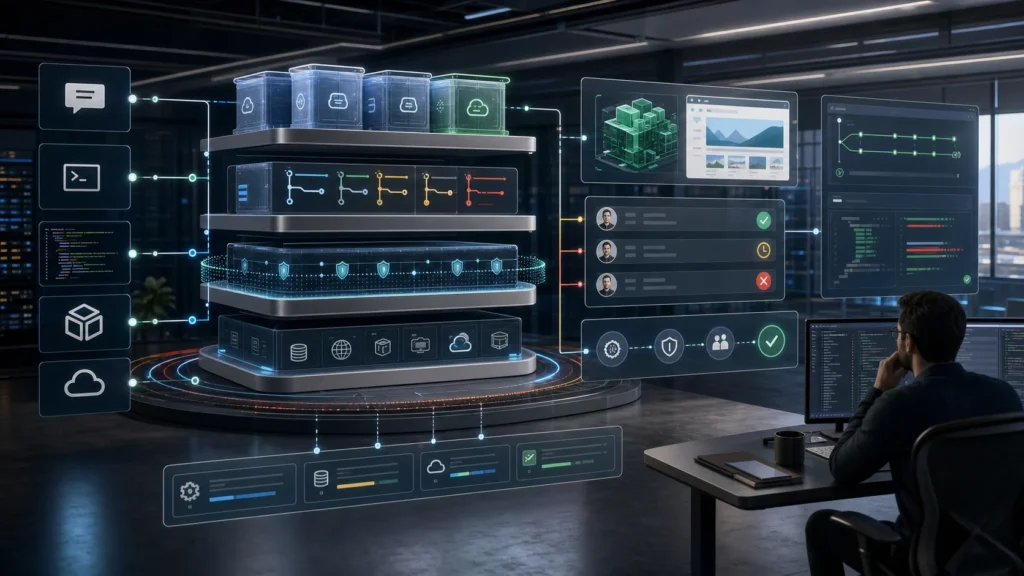
Last updated: June 21, 2026. AI coding agents are crossing a line that matters. They are no longer just autocomplete, chat sidebars, or clever wrappers around a model. The serious products are becoming infrastructure: persistent sandboxes, remote cloud workers, artifacts, agent runtimes, permission systems, audit logs, workflows, and model routers.
The clearest signal came on June 11, 2026, when OpenAI announced it had signed an agreement to acquire Ona, explicitly saying the move would expand Codex with secure, customer-controlled cloud infrastructure for long-running agents. Around the same time, Anthropic’s Claude Code docs made Artifacts a first-class collaboration surface, and Google’s I/O 2026 developer announcements pushed Antigravity, Gemini 3.5 Flash, and Managed Agents deeper into the agentic development stack.
That is the shift. Coding agents are not chatbots anymore. They are becoming cloud workers with a place to think, a place to run commands, a place to remember state, and a place to show evidence.
The short version: the winning AI developer stack will not be “the smartest model” by itself. It will be model quality plus secure execution, repo context, approvals, artifacts, persistent state, cost control, observability, and human review.
What Changed From Autocomplete To Autonomous Coding
Autocomplete helped you write the next line. Chat helped you ask for a function, a regex, or a debugging idea. The new coding-agent stack is different because it does not stop at suggestion. It can inspect a repository, make a plan, edit multiple files, run tests, read failures, patch the fix, generate a PR summary, and produce an artifact that explains what happened.
That sounds subtle until you run it on real work. A chatbot gives you advice. A cloud coding agent can take a ticket, create an isolated work area, install dependencies, run the project, make a branch, work for a while, and come back with a diff. The human moves from typing every step to supervising the work, checking judgment, and deciding what ships.
This is why the “Codex vs Claude Code vs Cursor vs Gemini Antigravity vs OpenClaw” question is not only a model comparison. It is a stack comparison.
For readers who want the practical OpenAI side, start with Kingy’s Codex Zero to Hero and the OpenAI Codex Super Guide. This article zooms out from the product tips and explains the infrastructure layer underneath.
The New AI Coding Agent Stack
A modern coding agent has seven layers:
- Model: the reasoning engine, such as GPT-5.5, Claude, Gemini, GLM, DeepSeek, or Kimi.
- Agent harness: the loop that decides when to plan, call tools, edit files, run tests, and stop.
- Workspace: the repo, branch, worktree, local folder, or cloud environment where work happens.
- Tools: shell, browser, package manager, GitHub, MCP servers, docs, databases, design tools, and deployment systems.
- Memory and context: project rules, coding conventions, prior decisions, issue history, and active state.
- Artifacts: the proof layer: diffs, plans, screenshots, browser recordings, dashboards, checklists, PR walkthroughs, and review pages.
- Governance: permissions, secrets, network access, logs, approvals, retention, policy, and cost caps.

The model matters. But the model is only one component. If a great model is running in a brittle environment with sloppy permissions and no way to review evidence, the product will feel magical once and dangerous the next time. If a slightly weaker model has a clean runtime, narrow credentials, solid artifacts, and a good review loop, it can be safer and more useful in production work.
Why Persistent Environments Matter
A persistent environment is the difference between “help me think” and “keep working while I do something else.”
OpenAI’s Ona announcement is important because it names this directly. OpenAI said Ona would help Codex move beyond work tied to a single device or active session, with secure, persistent environments where agents can access the tools, systems, and context they need over time. It also said the acquisition remains subject to closing conditions, so the exact integration path is not finished yet. The direction, though, is very clear.
Persistent environments solve several real problems:
- Setup time: the agent does not need to rediscover the repo, reinstall everything, and rebuild mental context every turn.
- Long jobs: migrations, flaky test hunts, data backfills, dependency upgrades, and security triage can run beyond one chat response.
- Parallel work: multiple agents can work on separate branches or tasks without trampling each other.
- Reviewability: stateful environments leave logs, artifacts, test output, screenshots, and diffs that humans can inspect.
- Enterprise control: organizations can define where work runs, what it can access, and how it is audited.

The old AI coding workflow was: open editor, ask question, paste answer, hope it fits. The new workflow is closer to: assign work, let the agent operate in a controlled environment, inspect the artifact, then accept, steer, or reject the change.
A Simple Agent Workflow Diagram
The core loop looks like this:
Goal, constraints, repo, branch
Tasks, risks, acceptance criteria
Shell, browser, GitHub, MCP
Isolated files, tests, state
Diff, screenshot, report, PR notes
Human review, CI, release
The important part is not that every product uses the same names. It is that the winning tools are converging on the same pattern: receive intent, work in an environment, produce evidence, and pass through review before production.
Why Artifacts And Live Workspaces Matter
Artifacts are the trust layer. They turn a stream of tool calls into something a human can review quickly.
Anthropic’s Claude Code Artifacts docs describe artifacts as live, interactive pages at private URLs that can update as a session continues. They are useful for PR walkthroughs, dashboards, implementation alternatives, investigation timelines, and other work that is easier to see than to read in a terminal. Anthropic also documents constraints: artifacts are self-contained pages, have no backend, and are governed by organization availability and admin controls.
Google uses a similar idea in Antigravity. Its developer materials describe agents producing artifacts such as task lists, implementation plans, screenshots, and browser recordings so the human can verify progress without reading every raw tool call.

This is a bigger deal than it looks. The hardest part of autonomous coding is not only getting the model to write code. It is keeping the human in the loop without making the human read a thousand lines of logs. A good artifact answers:
- What did the agent decide?
- What files changed?
- What tests ran?
- What failed and why?
- What evidence proves the feature works?
- What still needs human judgment?
That is why Kingy’s Claude Code Artifacts guide is worth reading alongside this one. Artifacts are not decoration. They are how agents become reviewable.
Comparison Table: Codex vs Claude Code vs Cursor vs Gemini Antigravity vs OpenClaw
This table is not a popularity contest. It is a practical map of where each tool is strongest as of June 21, 2026.
| Tool | Best role | Infrastructure signal | Best for | Watch-outs |
|---|---|---|---|---|
| OpenAI Codex | Cloud coding worker for repo tasks, PRs, debugging, tests, and sustained software work. | Codex cloud runs tasks in its own cloud environment, including parallel background work. The planned Ona acquisition points toward secure, customer-controlled persistent infrastructure. | Parallel engineering tasks, codebase exploration, bug fixing, PR preparation, and teams already using ChatGPT/Codex. | Cloud access, repo permissions, network controls, and prompt scope need governance. Acquisition benefits depend on closing and product integration. |
| Claude Code | Terminal-first coding agent with strong code reasoning, refactoring, review, tool use, hooks, and artifact output. | Artifacts turn session output into shareable review pages. Claude Code also supports worktrees, subagents, hooks, MCP, and admin controls. | Local repo work, complex refactors, debugging, code reviews, design docs, and teams that like terminal-native workflows. | Artifact availability is plan and organization dependent. Local permissions and shell access still require disciplined approval habits. |
| Cursor | IDE-native agent experience for fast coding, multi-file edits, rules, cloud agents, terminal work, and developer flow. | Cursor’s docs position Cloud Agents as continuous coding assistance, with worktrees, rules, MCP, terminal controls, and team setup. | Day-to-day development, frontend edits, quick iteration, engineers who want the agent inside the editor. | Best results still depend on project rules, narrow tasks, review habits, and understanding where data is processed. |
| Gemini Antigravity | Agent-first development platform across editor, terminal, browser, mobile, Gemini API, and Google Cloud surfaces. | Google I/O 2026 highlighted Antigravity 2.0, Managed Agents, persistent isolated environments, dynamic subagents, scheduled tasks, and Gemini 3.5 Flash. | Google Cloud, Android, browser-verification, Workspace-integrated apps, and teams exploring managed agents as product infrastructure. | The ecosystem is moving quickly. Treat pricing, quotas, enterprise controls, and supported surfaces as product-specific. |
| OpenClaw | Open, configurable agent runtime/control layer for routing providers, models, channels, and agent harnesses. | OpenClaw’s docs separate provider, model, runtime, channel, context, and harness ownership. That is exactly the infrastructure framing agent teams need. | Builders who want control over runtimes, model routing, self-hosting, channels, and custom agent operations. | More flexible also means more operational responsibility. Non-technical users usually need a managed product first. |
If you want the more direct tool-by-tool buyer angle, Kingy has separate pieces on Codex vs Cursor, Codex vs GitHub Copilot, and the broader AI coding tools category.
Capability Maturity Chart
This chart is a maturity model, not market share and not a benchmark score.
assist
explain
edit
execute
govern
The industry is moving from the left side of that chart to the right. The question for buyers is not “can it write code?” The question is “can it work safely in our environment while giving us enough evidence to trust the result?”
How Coding Agents Handle Long-Running Tasks
Long-running agent work usually has a lifecycle:
- Task intake: the user describes the goal, repo, branch, constraints, and acceptance criteria.
- Environment preparation: the agent gets a local worktree, cloud sandbox, or managed runtime with dependencies and permissions.
- Planning: the agent breaks work into steps and may ask for approval before touching risky areas.
- Execution: it edits files, runs tests, reads logs, consults docs, calls tools, and iterates.
- Checkpointing: it saves state, summarizes progress, and may produce artifacts along the way.
- Human steering: the user reviews evidence, comments on the plan or artifact, and redirects if needed.
- Review and handoff: the agent creates a diff, PR summary, changelog, test notes, and known-risk list.
This lifecycle is why cloud tasks, worktrees, and artifacts belong together. A long-running agent without checkpoints is stressful. A long-running agent with visible artifacts becomes manageable.
Model Comparison Chart: GPT-5.5 vs Claude vs Gemini vs GLM vs DeepSeek vs Kimi
Models change fast, so this chart should be read as a routing guide as of June 21, 2026. It is not a permanent leaderboard. The best setup for serious teams will usually be a router: use cheaper and faster models for mechanical work, reserve the most expensive reasoning for hard planning and high-risk review, and keep a closed-model fallback when local or hosted open models are not enough.
| Model family | Current agentic signal | Best agent use | Cost strategy |
|---|---|---|---|
| OpenAI GPT-5.5 / GPT-5-Codex | OpenAI positions GPT-5.5 as frontier work intelligence, and Codex is the agent surface for cloud software work. | Complex repo work, high-stakes debugging, architecture planning, PR review, and sustained cloud tasks. | Use lower effort for routine edits, higher effort for planning, debugging, and final review. |
| Claude Opus / Sonnet / Fable / Mythos | Anthropic’s Claude line remains heavily used for coding agents. Claude Code adds agent workflows, tools, hooks, and artifacts. | Careful refactors, code review, long-context reasoning, docs, and terminal-native development. | Use stronger models for reasoning and review. Use faster tiers for repetitive edits and summarization. |
| Gemini 3.5 Flash | Google positions Gemini 3.5 Flash as built for agents and coding, with Antigravity and Managed Agents as key surfaces. | Tool-heavy workflows, browser verification, Android and Google Cloud work, managed agents, fast multi-step tasks. | Good candidate for high-volume agent loops when the task benefits from speed plus tool use. |
| GLM | Z.ai positions GLM models around reasoning, coding, and agentic engineering, including coding-plan style integrations. | Model-diversified coding agents, teams exploring open or non-US provider routes, cost-sensitive routing. | Run behind a router. Benchmark on your own tasks before making it the default. |
| DeepSeek | DeepSeek’s V4 Preview materials emphasize stronger agent capability and integration with coding agents. | Budget-aware coding backends, open-source-oriented workflows, alternative-provider resilience. | Use cost caps, evals, and fallbacks. Do not assume benchmark strength transfers to your stack automatically. |
| Kimi K2.7 Code | Moonshot’s Kimi docs describe K2.7 Code as a coding and agent model with integration paths for Claude Code, Cline, RooCode, and OpenCode. | Alternative coding backend, long-context/code-heavy work, teams comfortable configuring model endpoints. | Set daily spend limits and monitor retries. Agent loops can burn tokens quickly when they get stuck. |
For business buyers, the practical lesson is simple: do not pick a model in isolation. Pick a stack, then route models by task.
Security Risks Nobody Should Hand-Wave
Coding agents are useful because they can do things. That is also why they are risky.
The main risks are:
- Secrets exposure: the agent may read environment files, logs, tokens, credentials, private docs, or production data.
- Overbroad permissions: a tool that can run shell commands, write files, and access the network can do real damage.
- Prompt injection: malicious instructions can hide in issues, docs, webpages, dependency files, comments, or test fixtures.
- Supply-chain mistakes: the agent may install packages, change lockfiles, or copy insecure code from public sources.
- False confidence: a green test run does not prove the change is correct, secure, accessible, or maintainable.
- Persistent-state drift: cloud environments can accumulate stale dependencies, hidden state, or assumptions that do not match production.
- Cost runaway: a stuck agent can retry, re-run tests, generate artifacts, and burn tokens or compute while appearing busy.
The mitigation is not “never use agents.” It is to treat them like junior cloud workers with unusual speed:
- Use least-privilege credentials.
- Keep production secrets out of agent sandboxes unless absolutely necessary.
- Default to no network access for sensitive work, then allowlist specific needs.
- Use branches, worktrees, and isolated runtimes.
- Require human review before merge, deploy, data writes, or customer-visible changes.
- Log tool calls and retain artifacts for audit.
- Use budgets, timeouts, and stop conditions.
- Ask the agent to list residual risk before handoff.
OpenAI’s Codex sandboxing docs, Anthropic’s Claude Code security docs, Cursor’s privacy and ignore-file controls, and Google’s managed environment language are all signs that the infrastructure layer is becoming the product.
Use the AI Coding Agents hub to connect this infrastructure view with practical comparisons, workflows and current product records.
Best Workflows For Non-Technical Users
Non-technical users should not start by asking an agent to “build my app” and then blindly deploy the output. That is how you get a demo that looks impressive and hides broken assumptions.
A better beginner workflow is:
- Start with a plain-English brief: describe the user, the job to be done, the current problem, and what success looks like.
- Ask for a plan before edits: “Do not change files yet. Explain the implementation plan, likely files, risks, and tests.”
- Use a sandbox branch: never let the first attempt touch production or the main branch.
- Ask for an artifact: request a visual walkthrough, checklist, screenshot, or PR explanation.
- Require tests and a manual QA script: the agent should tell you exactly what to click or verify.
- Bring in a human reviewer: a developer, security reviewer, or trusted technical friend should inspect meaningful changes.
- Ship small: make one change, verify it, then expand.
Here is a practical prompt:
You are working in a sandbox branch. First inspect the project and propose a plan. Do not edit files until I approve. Include the files you expect to touch, the tests you will run, the security risks, and the artifact you will produce for review. If anything requires production credentials, stop and ask.
That one instruction changes the relationship. You are not asking the agent to be magical. You are asking it to be accountable.
Best Coding Agent For Different Tasks
| Task | Best starting point | Why |
|---|---|---|
| Explore an unfamiliar repo | Codex, Claude Code, Cursor | They can inspect files, summarize architecture, and answer repo-specific questions. |
| Quick feature inside an editor | Cursor | The agent sits inside the IDE flow with rules, context, terminal access, and fast iteration. |
| Long-running bug fix or migration | Codex cloud, Cursor Cloud Agents, Antigravity, OpenClaw with configured runtime | Background execution and isolated environments matter more than chat polish. |
| PR walkthrough, dashboard, or design review | Claude Code Artifacts, Antigravity Artifacts | Artifacts make complex work easier to inspect and share. |
| Google Cloud, Android, browser verification | Gemini Antigravity | Google is wiring Antigravity into Gemini API, AI Studio, Android, Firebase, and enterprise surfaces. |
| Custom agent infrastructure | OpenClaw | It exposes the provider/model/runtime/channel split instead of hiding the infrastructure choices. |
| Non-technical app prototype | Codex, Cursor, Google AI Studio/Antigravity, or a managed no-code agent product | Use the most guided interface available, then bring in human review before production. |
Cost And Reasoning-Level Strategy
The naive way to use coding agents is to pick the strongest model, turn reasoning up, and let it run. That feels good until the bill arrives or the agent spends 40 minutes overthinking a CSS tweak.
A better strategy:
- Use cheap reasoning for mechanical work: formatting, simple copy changes, small component edits, test snapshots, file moves.
- Use medium reasoning for normal implementation: scoped features, API changes, bug fixes with visible error messages.
- Use high reasoning for ambiguity: architecture, migrations, security fixes, concurrency bugs, weird CI failures, and unfamiliar codebases.
- Use the strongest model for review: a second-pass reviewer often catches issues the first agent missed.
- Batch parallel tasks carefully: parallel agents are powerful, but overlapping edits create merge pain.
- Stop infinite loops: set maximum attempts, time boxes, token budgets, and explicit “ask me before another rewrite” rules.
- Prefer artifacts over verbose logs: make the agent compress its work into evidence humans can review.
For companies, the mature architecture will look like a model router:
Sovereign AI stack pattern:
Local model for private/simple tasks -> hosted open model for scalable commodity work -> closed frontier API for hard reasoning -> router and policy layer deciding which task goes where.
This does not mean every team should self-host tomorrow. It means serious teams should avoid locking their entire engineering workflow to one opaque route when model quality, pricing, availability, and policy are all changing quickly.
AI SEO Flywheel For Agentic Developer Content
For creators and publishers, this topic is bigger than a news post. It is a pillar category.
AI search and answer engines tend to reward clear entities, structured explanations, citations, comparisons, and freshness. A strong AI coding-agent content flywheel looks like this:
Clear pages for tools, models, companies, and categories.
Source-backed claims and links to primary docs.
FAQ, article metadata, authorship, and update dates.
Updated model names, pricing notes, and launch dates.
Useful pages that answer engines can confidently cite.
For Kingy, the play is obvious: keep the AI tools directory, AI launches, AI agents, and AI coding tools pages connected to evergreen explainers like this one. Then turn the article into a YouTube script, a comparison chart, Shorts, and tool-specific updates whenever a major product changes.
The creator workflow map is: script -> image -> video -> edit -> publish -> repurpose. Agent artifacts can feed that loop. A coding agent can help produce the comparison table, update sources, generate YouTube chapter outlines, create thumbnail briefs, and repurpose the post into social posts. But a human should still own the taste, claims, and recommendations.
What Feels Unproven
The direction is real. Some promises are still unproven.
- OpenAI plus Ona integration: the acquisition was announced, but integration details depend on closing and product rollout.
- Enterprise governance at scale: every vendor talks about control; buyers still need proof around secrets, logs, retention, approvals, and compliance.
- Benchmark transfer: coding benchmarks are useful signals, but your repo, tests, build system, and team norms are the real eval.
- Cost predictability: long-running agents can turn small prompts into expensive tool loops.
- Artifact quality: artifacts can clarify work, but they can also become pretty summaries of flawed reasoning.
- Non-technical safety: giving non-technical users autonomous coding power is useful, but the review and deployment path still needs guardrails.
The next phase will be less about who can demo the flashiest one-shot app and more about who can handle boring enterprise reality: permissions, logs, dependency caches, branch isolation, review queues, budget limits, and incident rollback.
Why This Matters
AI coding agents change the unit of software work. Instead of one human doing one task line by line, a human can supervise multiple bounded work streams. That does not remove the need for engineering judgment. It raises the leverage of that judgment.
The teams that benefit most will not be the teams that say “AI writes all our code now.” They will be the teams that redesign work around delegation, review, and evidence.
Should Businesses Care?
Yes, especially if your business depends on software but does not have enough engineering capacity.
Businesses should care because agents can reduce backlog drag, accelerate internal tooling, help maintain legacy systems, and make technical work more legible to non-engineers. But the business value appears only when the agent workflow is governed. A company should know which repos agents can access, which credentials are forbidden, which changes require review, which logs are retained, and how spend is capped.
The buyer question is not “which agent is coolest?” It is “which agent can operate inside our risk model?”
Should Creators Care?
Yes. Coding agents are turning software creation into a content format.
A creator can now turn an idea into a working demo, a visual artifact, a walkthrough, a tutorial, and a repeatable workflow faster than before. The opportunity is not to pretend everyone is suddenly a senior engineer. The opportunity is to teach people how to use agents responsibly: clear prompts, small scopes, human review, better artifacts, and realistic expectations.
This is why the YouTube angle is strong. A video version of this guide could show the same task moving through Codex, Claude Code, Cursor, Antigravity, and OpenClaw, with the human reviewing each artifact instead of simply admiring the output.
Should Developers Care?
Absolutely. Developers are the first group who can turn this from novelty into operating leverage.
The developer advantage is not typing less. It is running better loops. A good developer can give the agent sharper constraints, recognize suspicious diffs, design better tests, spot architectural shortcuts, and set up environments that make success repeatable.
Developers who learn agent supervision will be able to handle more surface area. Developers who ignore the shift may find themselves competing with engineers who use agents as background teammates.
How To Start This Week
Pick one low-risk repo or project. Then run a controlled experiment:
- Choose a small bug, cleanup, documentation task, or test improvement.
- Ask the agent for a plan before it edits anything.
- Let it work in a branch, worktree, or cloud sandbox.
- Require a short artifact: changed files, tests run, screenshots if UI, risks, and next steps.
- Review the diff manually.
- Run your own tests.
- Write down where the agent saved time and where it created review burden.
After three or four runs, you will know more than any benchmark can tell you. Your real question is not “is AI coding good?” It is “which tasks become cheaper, safer, or faster when delegated to an agent with the right guardrails?”
FAQ
What is an AI coding agent?
An AI coding agent is a software assistant that can understand a task, inspect a codebase, use tools, edit files, run commands, test its work, and hand off results for review. The best agents operate inside controlled environments instead of only answering in chat.
How is a coding agent different from autocomplete?
Autocomplete predicts the next code fragment. A coding agent can work across a task: plan, change multiple files, run tests, interpret failures, revise, and produce a review artifact.
Why are persistent sandboxes important?
Persistent sandboxes let agents keep files, dependencies, logs, test output, and task state over time. That makes long-running work possible and makes human review easier.
Are cloud coding agents safe?
They can be safe when configured with least privilege, isolated environments, restricted network access, audited logs, secret controls, and human review. They are not automatically safe just because they are impressive.
Is Codex replacing developers?
No. Codex and similar agents replace some mechanical execution, but developers still own architecture, judgment, review, security, product tradeoffs, and accountability.
What are Claude Code Artifacts?
Claude Code Artifacts are live, interactive pages that can present session output such as PR walkthroughs, dashboards, implementation options, or investigation timelines. They make agent work easier to review than raw logs.
What is Google Antigravity?
Google Antigravity is Google’s agent-first development platform. I/O 2026 announcements positioned Antigravity 2.0, Managed Agents, persistent isolated environments, and Gemini 3.5 Flash as core parts of Google’s agentic developer stack.
What is OpenClaw?
OpenClaw is an open and configurable agent layer that separates providers, models, runtimes, channels, context, and harnesses. It is most interesting for teams that want to build or control their own agent infrastructure.
Which coding agent is best for non-technical users?
The best choice is the most guided product that can produce reviewable artifacts and keep work in a safe branch or sandbox. Non-technical users should start with small tasks and require human review before deploying anything.
How should teams control cost?
Use lower reasoning for simple tasks, higher reasoning for ambiguous work, time-box runs, cap retries, set budgets, and route tasks across models instead of using the most expensive model for everything.
Do benchmarks decide the best coding model?
No. Benchmarks are useful signals, but the real eval is your codebase, your tests, your dependencies, your security model, and your team’s ability to review the output.
Should agents access production secrets?
Usually no. If a task truly needs sensitive access, scope credentials narrowly, log every action, use a controlled environment, and require explicit approval.
Sources
- OpenAI: OpenAI to acquire Ona
- OpenAI Developers: Codex cloud
- OpenAI Developers: Codex sandboxing
- OpenAI API docs: GPT-5.5
- Anthropic: Claude Code Artifacts
- Anthropic: Claude Code security
- Anthropic: Claude models overview
- Anthropic: Claude Opus 4.8
- Google: I/O 2026 developer highlights
- Google Developers Blog: Build with Google Antigravity
- Google: Gemini 3.5
- Google DeepMind: Gemini 3.5 Flash model card
- Cursor Docs: Cloud Agents
- Cursor Docs: Worktrees
- Cursor Docs: MCP
- OpenClaw Docs: Agent runtimes
- Z.ai: GLM-5
- DeepSeek: V4 Preview release
- Kimi API Platform: Kimi K2.7 Code integrations
- SWE-bench
- Model Context Protocol
The Kingy Brief
Get the next Kingy Brief.
Source-checked AI changes, original tests and one practical thing to try.
Free · Choose your subjects · Double opt-in · Unsubscribe anytime