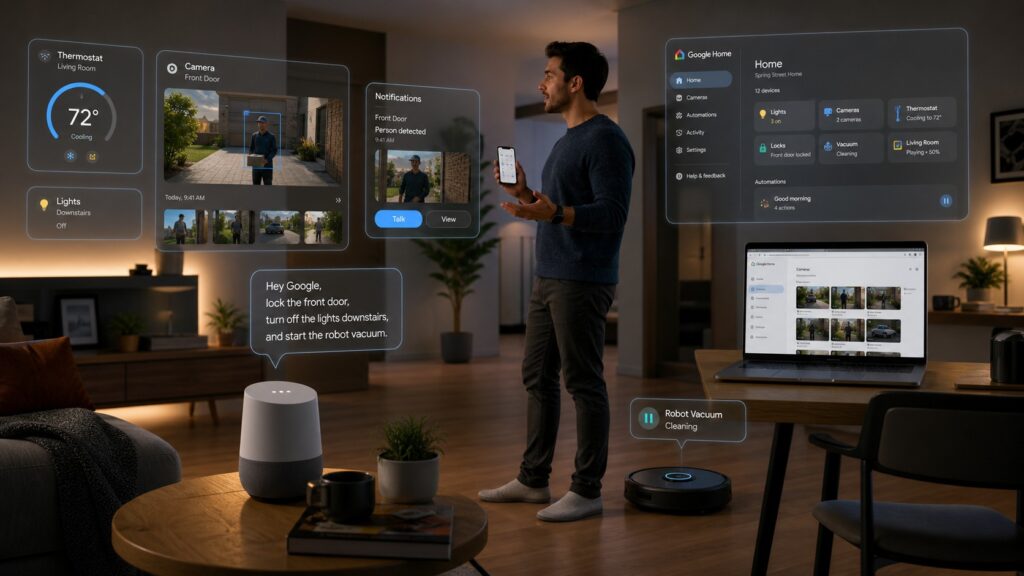
The Smart Home Finally Starts Acting Smart
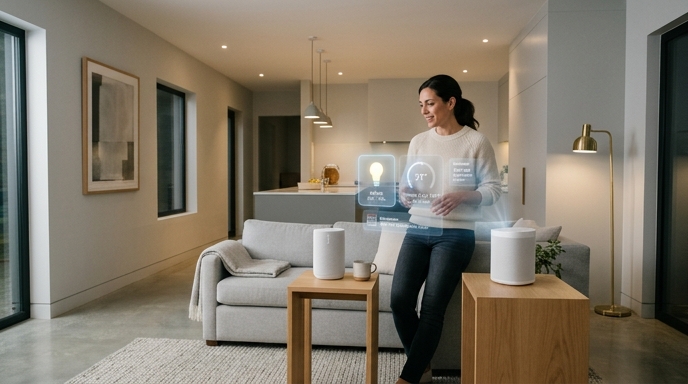
Google Home is getting one of its biggest upgrades in years, and this one is not just a fresh coat of app paint. The Spring 2026 update brings Gemini 3.1 to Gemini for Home, a redesigned camera experience, expanded automations, smarter notifications, and an upcoming web version of Ask Home. In plain English: your Google-powered home should get better at understanding what you actually mean, not just what you literally bark at it while holding groceries and regretting your life choices.
The headline feature is Gemini 3.1. Google says the upgraded model helps Gemini for Home handle complex, multi-step voice commands. That matters because smart home assistants have long had a weird problem: they can turn on a lamp, but ask them to do two related things in one sentence and suddenly they behave like a confused intern on day one.
Gemini 3.1 Moves Into the Living Room
Gemini for Home users in early access now get Gemini 3.1, which Google describes as its most advanced model yet for this use case. The key improvement is reasoning. Instead of needing separate commands for separate tasks, users can combine requests in one natural sentence. For example, Google says you can add new list items and update existing ones in one breath.
That sounds small. It is not. The old smart-home command style forced people to talk like robots to their robots. “Turn on lights. Set timer. Add milk.” Charming? No. Efficient? Also no.
The upgrade also helps with alarms, reminders, calendar management, and smart home control. Google says Gemini 3.1 has fully rolled out to users enrolled in early access, so this is not merely a distant teaser floating in marketing fog.
Multi-Step Commands Are the Real Win
The big deal here is not that Gemini has a larger model number. Model numbers are often confetti with Wi-Fi. The real deal is whether the assistant can understand chained intent.
A normal person might say, “Set an alarm for 7, add coffee to the grocery list, and turn off the downstairs lights.” Historically, many smart assistants preferred that you split those into neat little chunks. Google says Gemini 3.1 is designed to better interpret and execute those multi-step requests.
That makes the smart home feel less like a remote control and more like an assistant. Not a magical butler. Not Jarvis. Let’s not get carried away. But at least something that can follow a sentence with commas.
The Camera App Gets a Much-Needed Cleanup
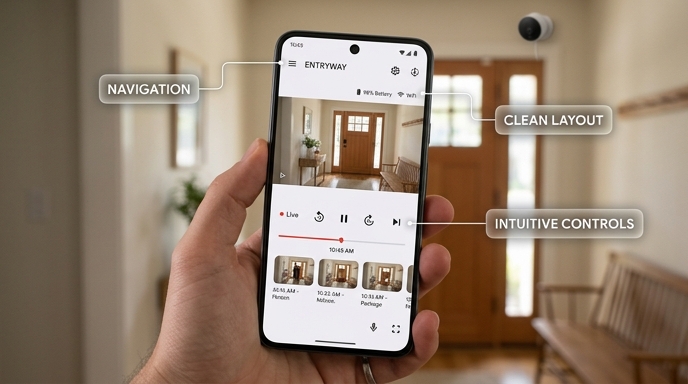
Google is also overhauling the camera experience inside the Google Home app. The update includes a refreshed interface, faster navigation, smoother video scrubbing, a redesigned event details page, and alerts with zoomed-in previews.
This is probably the update many Nest camera owners will notice first. Camera history is one of those features that sounds simple until you actually need it. Then you are hunched over your phone, dragging through footage like a tiny forensic analyst trying to answer the eternal suburban mystery: “Was that a delivery driver, a raccoon, or my neighbor being weird again?”
Google says the new experience keeps the player visible while users scroll, improves feedback flows, and makes event history easier to navigate.
Zoomed-In Previews: Tiny Feature, Big Relief
One useful camera addition is zoomed-in previews. Google says thumbnail previews are now animated clips that focus on the subject, so users can quickly see what triggered an alert.
That matters because smart camera notifications often suffer from “technically correct, practically useless” syndrome. A notification says “Person seen.” Great. Which person? Where? Doing what? Standing at the door? Walking across the sidewalk? Sneaking off with a package?
The new previews should make those alerts faster to understand. Chrome Unboxed notes that notifications can automatically crop and focus on the subject that triggered the alert.
It is the smart-home equivalent of saying, “Here, look at the relevant bit.” Revolutionary? No. Welcome? Absolutely.
Better Event History, Less Video Archaeology
Google is also adding event descriptions to the timeline for users with the Advanced plan of Google Home Premium. That should make it easier to scan through history and identify interesting moments without opening every single clip like a detective trapped in a very boring noir film.
Event filtering is also part of the update. Users can sort events by criteria such as “Person seen,” “Package seen,” “Glass break heard,” or “Activity Zone.”
That is exactly the kind of boring utility that makes a product better. Not flashy. Not keynote fireworks. But when you need to find the one clip where something actually happened, filters beat vibes every time.
Older Nest Cameras Get Some Love
Google is not limiting all the camera improvements to newer hardware. The company says it has expanded select Google Home Premium features to earlier-generation cameras in the Google Home app. Those include Gemini-generated event descriptions for compatible older Nest cameras with the Advanced plan, plus zoomed-in previews.
That is a smart move. Smart home hardware tends to linger. People do not replace doorbells like phones. A camera mounted outside, surviving heat, rain, dust, spiders, and one deeply suspicious squirrel, should not become useless just because the app moved on.
This part of the update makes Google’s ecosystem feel less disposable. That is good for users. It is also good for Google, because abandoned hardware makes people grumpy, and grumpy smart-home users are a terrifying species.
Familiar Face Detection Gets Tidier
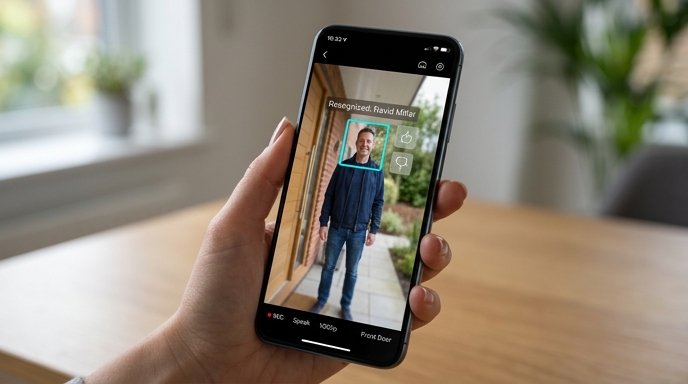
Google is also improving familiar face detection. The update adds thumbs-up and thumbs-down feedback buttons on familiar face previews, which should help improve recognition over time. Google also says face library management now automatically excludes low-quality examples, including blurry, ghosted, non-frontal, or tiny faces.
That is sensible. Face recognition systems can get messy when they keep bad samples. A blurry half-face at midnight should not become a treasured reference image. That is not a face library. That is a haunted scrapbook.
The goal is cleaner data and more reliable alerts. As always with AI-powered recognition, results can vary, but the direction is practical.
Automations Get More Muscles
Google is also expanding home automations. The company says new capabilities will help users manage robot vacuums, kitchen appliances, battery levels, door locks, and more.
Android Authority lists several new automation areas, including security systems, door lock states, binary sensors, appliance start-and-stop states, robot vacuum commands, lighting controls, window coverings, humidity monitoring, media playback, volume, battery status, charging status, and smart switch inputs.
That is a lot. More importantly, it is the right kind of lot. Smart homes become powerful when devices can react to specific states. “If this, then that” only works well when “this” and “that” are detailed enough.
Robot Vacuums, Door Locks, and Coffee Machines Join the Party
The expanded automation support means Google Home can work with more kinds of real-life household situations. A robot vacuum can dock, pause, or resume. Appliances such as washers, dryers, and coffee machines can expose operational states like start, stop, pause, and resume. Door locks can report specific states such as locked, unlocked, jammed, forced open, or ajar.
That is where smart-home automation starts to feel less gimmicky. You do not just want lights to turn blue because it is movie night. You want the house to notice useful conditions. Is the door actually locked, Is the washer done? Is the vacuum stuck under the chair again, contemplating its failures?
The more device states Google Home can understand, the more useful automations become.
Ask Home Is Coming to the Web
Google is also preparing Ask Home on Web, coming soon to Public Preview. The feature will let users search camera history, check devices, and create automations from a computer.
This is overdue in the best possible way. Phones are great, but not every smart-home task belongs on a small screen. If you are building an automation, reviewing camera history, or managing multiple devices, a browser can be much more comfortable.
The Verge reports that Ask Home on Web will let users manage their smart home from a computer, including natural-language camera history search, device checks, and automation creation.
Finally, the desktop gets invited into the house. Shoes off, please.
Notifications Get Quick Actions
Google is also testing improved and expanded notifications in Public Preview. These notifications include Quick Action buttons for device control directly from the alert. If users manage multiple properties, the Google Home app can automatically switch to the right home.
That last bit is niche but important. People who manage multiple homes, rentals, offices, or family properties can lose time bouncing between locations. A notification that opens the correct device panel without extra tapping is not glamorous. It is just good design.
Android Authority notes that these Quick Action buttons can help users jump immediately to device controls and automatically pull up the right property.
Tiny friction cuts matter. Remove enough of them and the whole app feels faster.
The Bigger Picture: Google Wants Home to Feel Conversational
Put all these updates together and a pattern appears. Google is not merely adding features. It is trying to make Google Home feel less like a control panel and more like a conversational system.
Gemini 3.1 handles more complex language. Ask Home on Web brings natural-language control to the browser. Camera history gets easier to search and scan. Automations get more detailed triggers and actions. Notifications become more actionable.
That is the right strategy. The smart home has always had two enemies: complexity and unreliability. Add enough devices, apps, accounts, rooms, routines, hubs, and subscriptions, and suddenly “smart home” becomes “IT department, but in your kitchen.”
Google’s update attacks that problem by reducing the amount of fiddling required.
The Catch: Early Access and Premium Still Matter
Not every feature lands for every user in the same way. Gemini 3.1 is available to Gemini for Home early access users. Ask Home on Web and the expanded notification features are coming through Public Preview. Some camera features, including certain Gemini-powered event descriptions, require Google Home Premium’s Advanced plan and compatible devices.
So yes, this is a major update. No, that does not mean every Nest owner wakes up with every feature tomorrow morning.
That distinction matters. Smart home announcements often sound universal, then the footnotes creep in wearing tiny tap shoes. Device compatibility, subscription tiers, country availability, language support, and preview enrollment can all affect what users actually see.
Why This Update Matters
The Google Home update matters because it tackles the parts of smart-home life that most often feel clumsy: voice commands, camera history, automations, and notifications.
Gemini 3.1 may make voice control less brittle. The camera redesign may make event review less painful. Expanded automations may let homes react to more useful real-world conditions. Ask Home on Web may finally make management feel comfortable on a larger screen. Quick Actions may cut out unnecessary taps.
None of this guarantees perfection. Smart homes remain messy because homes are messy. Devices vary. Networks hiccup. AI misreads things. Pets have no respect for machine learning.
But this update points Google Home in the right direction: less command syntax, more context; fewer taps, more action; less hunting, more finding.
Bottom Line
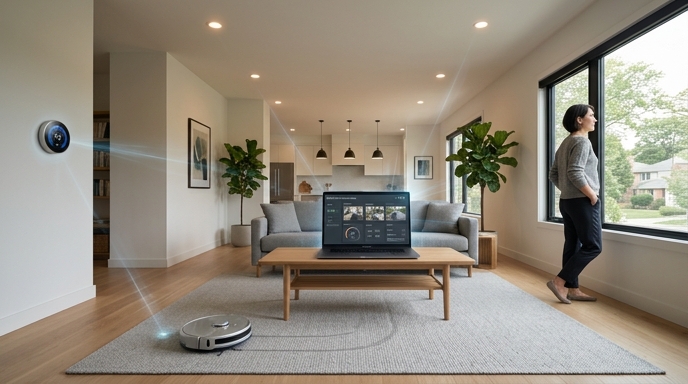
Google’s Spring 2026 Home update is not one feature. It is a bundle of practical fixes aimed at making the smart home feel smoother, faster, and less needy.
Gemini 3.1 gives Gemini for Home better multi-step command handling. The camera app gets a cleaner interface, smoother scrubbing, event filters, zoomed-in previews, and better familiar face tools. Older cameras get selected new features. Automations expand across locks, appliances, robot vacuums, lights, sensors, media devices, and more. Ask Home is coming to the web. Notifications are getting Quick Actions.
That is a meaningful update. Not because it makes the home “magical.” That word needs a vacation. It matters because it makes the home less annoying.
And honestly, in smart home land, “less annoying” is a luxury feature.
Sources
- The Verge: Google Home’s Gemini AI can handle more complicated requests
- 9to5Google: Gemini for Home voice assistant gets Gemini 3.1 upgrade
- Google Nest Community: Google Home Update Spring 2026
- Android Authority: Google Home’s May update includes new automations and more
- Google Nest Community: Enhanced Camera Experience in the Google Home App
- Chrome Unboxed: Massive Google Home update brings Gemini 3.1, a new web interface, and huge camera improvements
Google Home Gemini
Google Smart Home AI
Smart Home Competition
Google Ecosystem AI
The Kingy Brief
Get the next Kingy Brief.
Source-checked AI changes, original tests and one practical thing to try.
Free · Choose your subjects · Double opt-in · Unsubscribe anytime