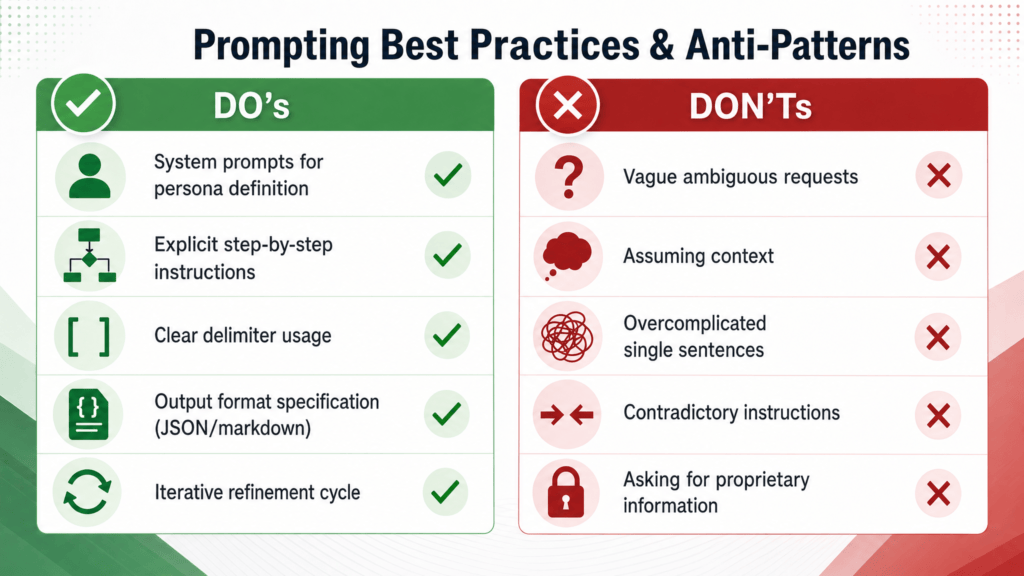
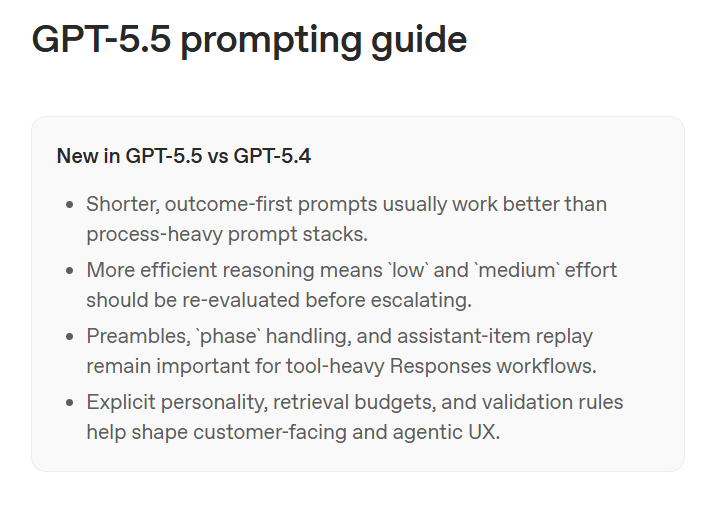
OpenAI’s official GPT-5.5 prompting guide is unusually clear about the direction of travel: GPT-5.5 generally works better with shorter, outcome-first prompts than with long, process-heavy prompt stacks. The companion Using GPT-5.5 guide reinforces the same migration advice: treat GPT-5.5 as a model family to tune for, not as a drop-in replacement for older GPT-5 prompts.
The guidance below uses OpenAI’s docs as the source of truth. The extra prompt templates are compatible adaptations, not claimed as official OpenAI text unless explicitly quoted.
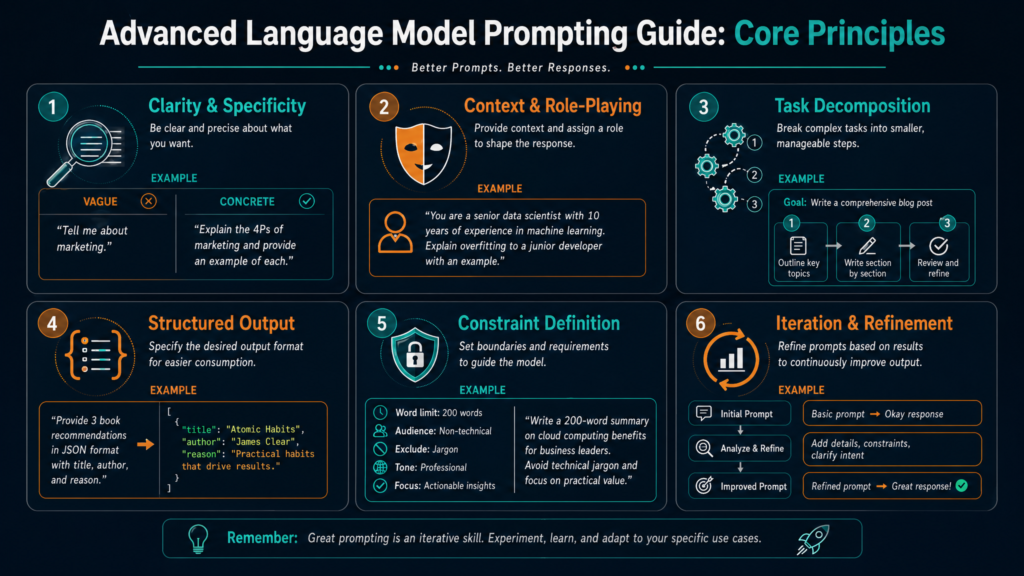
The Big Shift: Outcome First
The central idea in OpenAI’s GPT-5.5 prompting guide is that GPT-5.5 performs best when you describe:
- the outcome you want
- the success criteria
- the constraints that matter
- the available evidence
- the desired final format
- the stopping conditions
Instead of over-prescribing every reasoning step, you give the model a clear destination and let it choose an efficient path.
A GPT-5.5-style prompt should usually look less like this:
First analyze the request, then think step by step, then inspect every possible angle, then compare alternatives, then decide what to do, then explain your reasoning in detail...
And more like this:
Resolve the user’s request completely.

Success means:
- the answer directly addresses the user’s core question
- all factual claims are grounded in provided or retrieved evidence
- missing evidence is clearly identified
- the final response is concise, useful, and includes links for cited claims

Stop when the user’s core request can be answered with sufficient evidence.
That pattern is directly aligned with OpenAI’s emphasis on target outcome, success criteria, constraints, context, and final answer shape in the official prompt guidance.
What Changed in GPT-5.5
According to OpenAI’s Using GPT-5.5 guide, GPT-5.5 brings stronger task execution, more efficient reasoning, more precise tool use, and a more concise default style. It also preserves GPT-5.4-era API features such as prompt caching, hosted tools, tool search, compaction, and phase handling.
The important prompting implications are:
- Shorter prompts can work better if they clearly define the desired result.
- Legacy prompt stacks may be noisy because older prompts often over-specified process.
- Reasoning effort should be tested, not assumed; OpenAI says
mediumis the GPT-5.5 default, but many workflows should evaluatelowbefore escalating. - Personality and collaboration style should be explicit for customer-facing assistants.
- Preambles matter for long-running or tool-heavy workflows.
- Retrieval budgets and stopping rules matter for search-heavy work.
- Validation rules matter when the output can be checked.
A Practical GPT-5.5 Prompt Structure
OpenAI’s official guide suggests this general structure for complex prompts: role, personality, goal, success criteria, constraints, output, and stop rules. Here is a tightened version you can reuse:
Role:
You are [role/function]. Your job is to [job in one sentence].

# Personality
[tone, collaboration style, directness, warmth, level of detail]
# Goal
[state the user-visible outcome]
# Success Criteria – [what must be true] – [what evidence or validation is required] – [what the final answer must include] # Constraints – [policy, safety, business, technical, source, or tool constraints] – [what not to invent] – [when to ask for clarification] # Output
[state exact format, length, sections, tone, citation style]
# Stop Rules – Stop once the core request is answered with sufficient support. – Ask only for missing information that would materially change the answer. – If evidence is insufficient, say what is missing instead of guessing.
This is not a verbatim OpenAI block, but it follows the official suggested prompt structure.
Prompt Template 1: General Research Assistant
Use this when you want grounded research without endless searching.
You are a research assistant focused on accurate, source-grounded answers.

Goal:
Answer the user’s question using the minimum evidence needed to be accurate.

Success criteria:
- Use only provided context or retrieved sources for factual claims.
- Include inline links next to the claims they support.
- If sources conflict, state the conflict and attribute each side.
- If evidence is missing, say what is missing instead of guessing.

Retrieval budget:
- Start with one broad search using short, specific keywords.
- Search again only if a required fact, date, owner, source, comparison point, or citation is missing.
- Do not search again just to improve wording or add nonessential detail.

Output:
Write a concise answer first, then include caveats only if they materially affect the conclusion.

Stop rule:
Stop when the user’s core question can be answered with useful evidence and citations.
This is in keeping with OpenAI’s guidance on grounding, citations, retrieval budgets, and stopping conditions in the GPT-5.5 prompting guide.
Prompt Template 2: Customer-Facing Assistant
OpenAI specifically recommends separating personality from collaboration style. Personality controls how the assistant sounds; collaboration style controls how it works.
You are a customer-facing assistant for [company/product].

# Personality
Be calm, clear, friendly, and direct. Sound like a capable teammate, not a script. Use warmth when the user is frustrated, but avoid excessive apologies or filler.

# Collaboration Style
Make progress when the request is clear enough. Ask a narrow clarifying question only when missing information would materially change the answer, affect safety, or create a wrong action.

# Goal
Resolve the customer’s issue as completely as possible.

# Success Criteria
- Identify the user’s actual need.
- Use available policy, account, or product information where relevant.
- Complete allowed actions before replying.
- Clearly separate completed actions, recommendations, and blockers.

# Output
Use short paragraphs. Include bullets only when they make the answer easier to scan.

# Stop Rules
If the issue is resolved, stop. If blocked, state the smallest missing piece of information needed.
This mirrors the official guide’s recommendation to keep personality and collaboration instructions short, and not let them replace clear goals, tool rules, or stopping conditions.
Prompt Template 3: Long-Running Agent With Preamble
OpenAI notes that GPT-5.5 may spend time reasoning, planning, or preparing tool calls before visible text appears. For longer or tool-heavy tasks, the official guide recommends a short user-visible preamble before tool calls.
For multi-step or tool-heavy tasks, begin with a brief user-visible update before making tool calls.

The update should:
- acknowledge the request
- state the first concrete step
- be one or two sentences

Do not narrate every routine tool call. Provide another update only when starting a new major phase, discovering something that changes the plan, or reaching a blocker.
This is directly aligned with OpenAI’s preamble guidance in the GPT-5.5 prompting guide, and was also highlighted in Simon Willison’s post.
Prompt Template 4: Creative Drafting Without Invented Claims
For marketing copy, launch blurbs, slides, and executive summaries, the risk is that the model may produce polished but unsupported specifics. OpenAI’s guide explicitly recommends distinguishing source-backed facts from creative wording.
Create a polished draft for [artifact type].

Use source-backed facts for:
- product capabilities
- customer names
- metrics
- roadmap status
- dates
- competitive claims
- business outcomes

Do not invent:
- customer results
- statistics
- product features
- quotes
- names
- dates
- market claims

If support is missing, use a placeholder like [metric needed] or write the claim generically.

Style:
Make the writing clear, specific, and useful. Creative wording is allowed, but factual specifics must come from provided or retrieved evidence.
This follows OpenAI’s creative drafting guardrails section in the official prompt guidance.
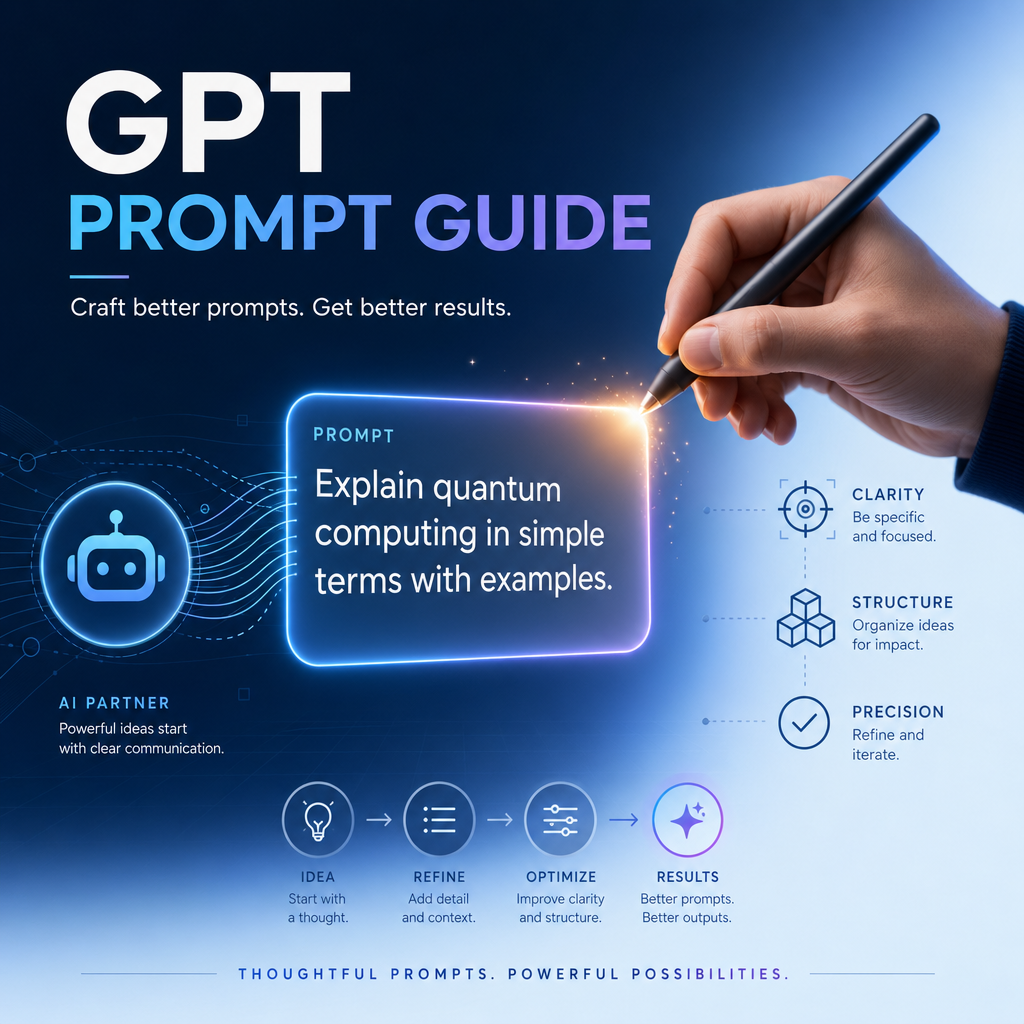
Prompt Template 5: Coding Agent Validation
OpenAI’s GPT-5.5 guide says that when validation is possible, the model should be given tools and instructions to check its work. For coding agents, that means tests, type checks, builds, or smoke tests.
After making code changes, run the most relevant validation available.

Prefer:
- targeted unit tests for changed behavior
- type checks when types are affected
- lint checks when formatting or static rules are relevant
- build checks for affected packages
- a minimal smoke test when full validation is too expensive

If validation cannot be run, explain why and describe the next best check.

Final response:
- summarize what changed
- state what validation was run
- mention any remaining risks or follow-up work
This is consistent with the official guide’s section on prompting the model to check its work.
Prompt Template 6: Strict Formatting Without Over-Structuring
OpenAI notes that GPT-5.5 is highly steerable on output format, and that text.verbosity can be used intentionally. The official docs say the API default for text.verbosity is medium, and low is useful for shorter responses.
Write for [audience].

Length:
Keep the answer under [word count].

Structure:
- Start with the conclusion.
- Then give the reasoning.
- Then include caveats only if they materially affect the answer.

Formatting:
Use plain paragraphs by default. Use bullets only for comparisons, rankings, checklists, or steps.

Do not add extra sections, disclaimers, or background unless needed for correctness.
Use this when you want a polished answer without the model turning everything into a heavy outline.
Prompt Template 7: Evidence-Grounded Web Article
Since you asked for links in the body like a Medium article, here is a reusable prompt for that style:
Write a Medium-style article about [topic].

Source rules:
- Use only the sources provided or retrieved in this workflow.
- Include links inline in the body where they support specific claims.
- Do not invent citations, URLs, authors, dates, studies, or quotes.
- If a claim cannot be supported, either remove it or label it as an inference.

Style:
Write in a clear, explanatory editorial style. Use short sections, strong topic sentences, and practical examples.

Output:
- Title
- Short introduction
- 5-8 sections with descriptive headings
- Practical prompt examples where useful
- Short conclusion

Stop rule:
Do not continue researching once the core article can be written with sufficient source support.
This combines the official guidance on grounding, citation behavior, formatting, and retrieval budgets from OpenAI’s GPT-5.5 guide.
Migration Checklist for Existing Prompts
If you are migrating older prompts to GPT-5.5, start with OpenAI’s official warning in Using GPT-5.5: do not assume older GPT-5.2 or GPT-5.4 prompt stacks should be carried over unchanged.
A practical migration checklist:
- Remove legacy process scaffolding
- Cut repeated “think step by step” phrasing unless the exact process matters.
- Remove redundant “always” and “never” rules unless they are true invariants.
- Rewrite around outcomes
- Define the end state.
- Add success criteria.
- Add evidence rules.
- Add output format.
- Add stopping conditions.
- Tune reasoning effort
- Start with the GPT-5.5 default
mediumwhen unsure. - Evaluate
lowfor latency-sensitive workflows before escalating. - Use
highorxhighonly when evals justify the added cost and latency, consistent with OpenAI’s Using GPT-5.5 guidance.
- Start with the GPT-5.5 default
- Use Structured Outputs where possible
- OpenAI’s migration guidance says to remove output schema definitions from prompts where possible and use Structured Outputs instead.
- Put static prompt content first
- The Using GPT-5.5 guide recommends optimizing prompts for caching by putting stable parts first and dynamic parts last.
- Check tool-heavy workflows
- If using the Responses API with manual replay of assistant items, preserve
phasevalues. - Use
previous_response_idwhen appropriate. - Add preambles for long-running flows.
- If using the Responses API with manual replay of assistant items, preserve
- Validate
- Run representative examples.
- Compare accuracy, latency, token use, and output quality.
- Change one thing at a time.
OpenAI also says Codex can help migrate projects using the OpenAI Docs Skill with:
$openai-docs migrate this project to gpt-5.5
What Not to Do
The official guide is not saying prompts should be vague. It is saying they should be less process-heavy and more outcome-specific.
Avoid:
You are the world’s greatest expert. Think deeply. Think step by step. Consider every possible option. Do not miss anything. First do A, then B, then C, then D, then E, then explain all your reasoning...
Prefer:
Produce a decision memo recommending one option.

Success criteria:
- compare the three provided options
- use only the supplied evidence
- identify the main tradeoff
- recommend one option
- include risks and next steps

Output:
Use four sections: Recommendation, Rationale, Risks, Next Steps.
Keep it under 600 words.
The second prompt gives GPT-5.5 a clearer contract and avoids unnecessary reasoning choreography.
Final Takeaway
The GPT-5.5 prompting style is not about clever tricks. It is about giving the model a clean operating contract.
The strongest GPT-5.5 prompts usually answer six questions:
What outcome do you want?
What counts as success?
What constraints matter?
What evidence may be used?
What should the final answer look like?
When should the model stop, ask, retry, or abstain?
That is the core of OpenAI’s official GPT-5.5 prompt guidance: write prompts that define the destination clearly, remove legacy noise, and let the model choose an efficient path.
The Kingy Brief
Get The Kingy Brief.
AI changes, original tests and one practical thing to try. Fridays at 09:00 Vancouver time.
Free · Double opt-in · Unsubscribe anytime
Signup help and newsletter schedule
Signup form provided by Beehiiv. After submitting, check your inbox for "Confirm your subscription to The Kingy Brief" and open its confirmation link. Check Spam or Promotions if you cannot find it.
Fridays at 09:00 Vancouver time: source-checked AI changes, original tests and one practical thing to try. The weekly restart begins October 9, 2026. We skip a week when there is not enough verified material. Free. Unsubscribe anytime.