• AI News
  • Blog
  • Contact
Thursday, April 30, 2026
Kingy AI
  • AI News
  • Blog
  • Contact
No Result
View All Result
  • AI News
  • Blog
  • Contact
No Result
View All Result
Kingy AI
No Result
View All Result
Home AI

Cursor SDK Review: Cursor’s Coding Agent Becomes Programmable Infrastructure

Curtis Pyke by Curtis Pyke
April 30, 2026
in AI, Blog
Reading Time: 25 mins read
A A

Cursor has spent the last few years becoming one of the most visible AI-native developer environments. Until recently, however, its agentic capabilities were primarily experienced inside Cursor itself: the desktop IDE, the CLI, the web app, and Cursor’s cloud agent interface. The new Cursor SDK changes that boundary. With the public beta of @cursor/sdk, Cursor is no longer only an interactive coding product; it is starting to look like an agent runtime that developers can embed into scripts, internal tools, CI systems, dashboards, and even customer-facing applications.

Cursor announced the SDK in its April 29, 2026 blog post, “Build programmatic agents with the Cursor SDK”. The central claim is straightforward: developers can now build agents “with the same runtime, harness, and models that power Cursor,” and the agents that run in the desktop app, CLI, and web app are accessible from TypeScript. The SDK is available in public beta and can be installed with:

bashCopynpm install @cursor/sdk  


cursor sdk vs claude code vs codex

That sounds simple, but the implications are larger than a convenience wrapper. The Cursor SDK is an attempt to productize the hard parts of running coding agents: repository context, workspace management, cloud execution, streaming events, model selection, MCP integration, subagents, hooks, artifacts, and lifecycle management. Instead of forcing every engineering team to build a custom coding-agent platform from scratch, Cursor is packaging its own agent harness as a programmable interface.

This review looks at what the SDK actually provides, where it fits, what seems strong, what remains immature, and what kinds of teams are most likely to benefit.

The core idea: one Cursor agent, multiple runtimes

The official TypeScript SDK documentation describes the package as a way to “call Cursor’s agent from your own code.” The key architectural decision is that the SDK wraps several runtimes behind one interface.

Cursor documents three runtime modes:

RuntimeWhat it doesBest fit
LocalRuns the agent inline in a Node process using files from diskDev scripts, CI checks, current working tree tasks
Cloud, Cursor-hostedRuns in an isolated VM with the repo cloned inParallel agents, durable tasks, jobs that survive disconnects
Cloud, self-hostedSame shape as cloud, but using your own VM poolRegulated environments, private code, secrets, build artifacts

That design matters. Many agent SDKs are effectively prompt orchestration libraries: they help you call a model, stream output, and maybe wire in tools. Cursor’s SDK is more opinionated and more vertically integrated. It does not merely expose a language model. It exposes Cursor’s coding agent, including the repository-aware machinery that Cursor has built into its product.

The smallest local example from Cursor’s docs looks like this:

typescriptCopyimport { Agent } from"@cursor/sdk";  
  
const agent = awaitAgent.create({  
  apiKey: process.env.CURSOR_API_KEY!,  
  model: { id: "composer-2" },  
  local: { cwd: process.cwd() },  
});  
  
const run = await agent.send("Summarize what this repository does");  
  
forawait (const event of run.stream()) {  
  console.log(event);  
}  

This is the SDK’s pitch in miniature. Create an Agent, point it at a repo, send it a task, and stream the run. It is not a generic chat completion call. The agent has access to a workspace, can use Cursor’s harness, and can retain conversation context across multiple prompts.

For cloud execution, the same basic programming model applies, but the agent runs inside Cursor-managed infrastructure. Cursor’s blog gives an example of creating a cloud agent against the public cursor/cookbook repo, enabling autoCreatePR, and later retrieving the run result with Agent.getRun(...). The blog explicitly says cloud sessions run on the same optimized runtime used for Cloud Agents, each with a dedicated VM, sandboxing, a cloned repository, and a configured development environment.

That is arguably the most important thing about the SDK: it is not simply “Cursor via API.” It is Cursor’s agent runtime as a service.

Public beta means powerful, but not settled

Cursor is clear that the SDK is in public beta. The TypeScript SDK docs state that APIs may change before general availability. The Cloud Agents API is also marked public beta.

That caveat should not be dismissed. Teams considering the SDK for production automations should treat it as a promising but still-moving platform. Cursor’s own docs include several known limitations:

  • Inline mcpServers are not persisted across Agent.resume().
  • Artifact download is not implemented for local agents.
  • local.settingSources does not apply to cloud agents.
  • Hooks are file-based only through .cursor/hooks.json; there are no programmatic hook callbacks.
  • Team Admin API keys are not yet supported for SDK authentication.
  • Tool call schemas are not stable and should be parsed defensively.

Those are not dealbreakers, but they define the maturity level. This is already much more than a toy SDK, yet it is not a fully frozen enterprise API surface. If you build on it now, you should expect to update code as the beta evolves.

Agents and runs: the right abstraction

One of the smartest design decisions in the SDK is the split between Agent and Run.

According to the docs, an Agent is a durable container that holds conversation state, workspace configuration, and settings. A Run is one prompt submission, with its own stream, status, result, and cancellation behavior.

That distinction maps well to real coding work. A coding task is rarely just one prompt. You may ask an agent to inspect a bug, then add a test, then update docs, then open a PR. Keeping the agent as the durable stateful object while treating each prompt as a run gives developers enough structure to build workflows without reducing everything to stateless model calls.

A Run can be streamed, waited on, cancelled, inspected, and queried for conversation history. Cursor documents statuses including "running", "finished", "error", and "cancelled" at the SDK level. For cloud lifecycle events, the stream can also emit status values such as CREATING, RUNNING, FINISHED, ERROR, CANCELLED, and EXPIRED.

The SDK supports:

typescriptCopyrun.stream()  
run.wait()  
run.cancel()  
run.conversation()  
run.supports(...)  
run.onDidChangeStatus(...)  

This is exactly the kind of API shape needed for dashboards, CI bots, internal developer portals, or issue triage systems. You can stream progress live when a user is watching, wait silently when running in the background, cancel stuck work, or persist structured conversation turns for audit and debugging.

Streaming is first-class

Cursor’s streaming support is one of the more mature parts of the SDK design. The docs define a normalized SDKMessage event union with event types including:

  • system
  • user
  • assistant
  • thinking
  • tool_call
  • status
  • task
  • request

For many applications, this normalized stream is enough. You can render assistant output, show tool activity, display lifecycle transitions, and surface requests for user input or approval.

For lower-level integrations, Cursor also exposes raw deltas through onDelta and step callbacks through onStep. The documented delta types include text deltas, thinking deltas, token deltas, tool-call start/completion events, partial tool calls, step boundaries, turn-ended events, summaries, and shell-output deltas.

This is useful because different products need different levels of detail. A CI integration may only care about terminal status and final output. A developer-facing UI may want live assistant text, tool-call indicators, and shell output. A more sophisticated observability layer may want token counts and step timing.

The caution is that tool internals are not stable. Cursor explicitly warns that tool call args and result payloads reflect internal tool shapes and can change. That is the right warning. Developers should treat the envelope as stable, but avoid hard-coding too much around individual built-in tools unless Cursor later formalizes those schemas.

Local runtime: useful for scripts and CI

The local runtime runs the agent inline in your Node process and operates on files from disk. That makes it attractive for:

  • repository summarization scripts;
  • pre-merge checks;
  • CI jobs that inspect a checked-out branch;
  • local developer utilities;
  • one-off automation around a working tree.

The SDK allows local agents to load settings from sources such as project, user, team, MDM, plugins, or all of the above, controlled by local.settingSources. Without that field, local agents only load inline MCP servers. This is a subtle but important point. Cursor is giving developers control over how much ambient Cursor configuration enters the SDK process.

Local execution should feel familiar to teams already using Cursor. It runs against a current working directory, can reload filesystem configuration, and supports cancellation. But local runtime also has limits. The docs say local agents currently return no artifacts and throw for artifact downloads. And local runs depend on the caller’s machine or CI runner staying alive.

That means local is probably best for quick, bounded tasks. For durable, long-running, or highly parallel workloads, cloud is the more interesting runtime.

Cloud runtime: where the SDK becomes infrastructure

The cloud runtime is the SDK’s most compelling feature. Cursor says cloud sessions initiated from the SDK run on the same optimized runtime used for Cloud Agents. Each agent gets a dedicated VM with sandboxing, a cloned repo, and a configured development environment, according to the announcement blog.

Cloud agents can keep running if a laptop sleeps or a network connection drops. Developers can stream the conversation and reconnect later. When the agent finishes, it can open a PR, push a branch, or attach demos and screenshots.

That changes the mental model. Instead of “call an AI model and hope it finishes,” cloud SDK usage looks more like “create a durable remote worker that understands my repository and can make code changes.”

The Cloud Agents API docs show the REST layer underneath this model. The API lets developers:

  • create agents with POST /v1/agents;
  • list agents;
  • get agent metadata;
  • create follow-up runs;
  • list runs;
  • get run state;
  • stream a run via Server-Sent Events;
  • cancel a run;
  • list and download artifacts;
  • archive, unarchive, or permanently delete agents;
  • retrieve API key info;
  • list models;
  • list GitHub repositories.

The SDK wraps much of this in TypeScript objects, but the REST docs are valuable because they clarify the underlying lifecycle. In v1, Cursor has moved to a durable agent plus per-prompt runs model, replacing what the docs call a flatter v0 surface.

There are practical constraints. The Cloud Agents API documentation says v1 currently supports one repository in the repos array. Only one run can be active per agent; if another run is already CREATING or RUNNING, a follow-up returns 409 agent_busy. These details are important for designing queues and orchestration. If you want parallel work, you should create multiple agents, not overload one agent with simultaneous runs.

Self-hosted cloud: a bridge for sensitive environments

Cursor’s docs also describe a self-hosted cloud mode: same general shape as cloud, but with VMs run through a self-hosted pool. Cursor’s blog frames this as useful when code and tool execution need to stay inside your network.

This is important for enterprise adoption. Many organizations like the idea of agentic coding systems but cannot casually send code, secrets, or build artifacts into third-party execution environments. Cursor’s self-hosted option suggests a hybrid approach: use Cursor’s agent abstractions and SDK, but keep execution in infrastructure the organization controls.

The publicly available docs fetched here do not fully detail self-hosted setup, so this review should not overstate it. What can be said is that the TypeScript SDK recognizes cloud.env shapes including { type: "cloud" }, { type: "pool" }, and { type: "machine" }, and positions pool and machine as self-hosted targets. For regulated companies, that may be the difference between experimentation and real deployment.

The full Cursor harness: the main differentiator

The strongest argument for using Cursor’s SDK over a generic agent framework is the “full Cursor harness.” Cursor’s blog and forum announcement both emphasize that SDK-launched agents inherit capabilities from Cursor’s production agent system.

The documented harness includes:

  • codebase indexing;
  • semantic search;
  • instant grep;
  • MCP servers;
  • skills;
  • hooks;
  • subagents.

This is the part that makes the SDK feel less like a thin API wrapper and more like a serious coding-agent platform. Coding agents live or die by context quality. A model that cannot find the right files, understand repository structure, or use project-specific tools will struggle. Cursor’s existing product work around codebase indexing and search becomes a major advantage when exposed programmatically.

MCP support is also central. The SDK can configure MCP servers inline or load them from Cursor configuration. Local agents can use inline servers, plugin servers, project servers from .cursor/mcp.json, and user servers from ~/.cursor/mcp.json, depending on local.settingSources. Cloud agents can load inline servers and user/team MCP servers from Cursor’s agent configuration.

The docs distinguish between HTTP/SSE MCP servers and stdio MCP servers. They also explain authentication behavior: HTTP headers and auth for cloud are handled by Cursor’s backend, sensitive fields are redacted before the VM sees them, while stdio env values are passed into the VM because the server runs there.

That is a meaningful security distinction. If you are building a production automation, you need to know where credentials go. Cursor’s docs are unusually explicit here.

Skills, hooks, and subagents: project policy meets agent behavior

Cursor’s SDK supports three notable mechanisms for customizing agent behavior: skills, hooks, and subagents.

Skills are loaded from a repo’s .cursor/skills/ directory, according to Cursor’s blog. The marketplace listing for the Cursor SDK plugin itself is an example of Cursor’s plugin/skill model: it describes a skill intended to guide users building apps, scripts, CI pipelines, and automations on top of @cursor/sdk.

Subagents can be defined inline or committed to .cursor/agents/*.md. The docs show examples such as a code-reviewer subagent and a test-writer subagent. A parent agent can delegate subtasks to named subagents via the Agent tool. Inline definitions override file-based definitions with the same name.

Hooks are configured through .cursor/hooks.json. The docs frame hooks as a “project policy boundary,” not a per-run callback system. That is an interesting product choice. Instead of allowing every SDK caller to inject arbitrary hook behavior, Cursor treats hooks as part of repo policy. On Enterprise plans, cloud agents also run team hooks and enterprise-managed hooks alongside project hooks, according to the SDK docs.

Together, these features indicate that Cursor is trying to make agents governable. The SDK is not only about launching agents; it is about launching agents inside an existing project context with rules, capabilities, and specialized helpers.

Model selection: powerful, but account-dependent

Cursor says the SDK gives access to every model supported in Cursor. The docs show model: { id: "composer-2" } in many examples, and the blog specifically calls out Composer 2 as a specialized coding model that Cursor says provides strong coding-agent performance at lower cost than general-purpose frontier models.

The SDK also includes Cursor.models.list(), which returns valid model IDs and parameter definitions available to the account. This is the right design because model availability changes. Rather than hard-coding assumptions, production integrations should call the model list endpoint or use configured defaults.

The Cloud Agents API docs say that if a model is omitted, Cursor resolves the user default model, then the team default model, then a system default. That behavior is helpful for organizations that want centralized control, but it also means reproducibility-conscious teams may prefer explicit model IDs.

Per-run overrides are another nice feature. The docs say a model passed to agent.send() overrides the agent selection for that run and then becomes sticky for subsequent sends unless overridden again. That allows workflows like: use a cheaper model for triage, switch to a stronger model for implementation, then use another configuration for test generation.

Artifacts and PRs: the workflow endpoint matters

An agent that only outputs text is useful. An agent that changes code, produces artifacts, and opens PRs is more operationally valuable.

Cursor’s cloud SDK path supports git metadata on run results, including branches and PR URLs. Cloud options include:

  • repositories to clone;
  • startingRef;
  • prUrl for attaching to an existing PR;
  • workOnCurrentBranch;
  • autoCreatePR;
  • skipReviewerRequest.

The Cloud Agents API also exposes artifact listing and download. Artifacts are agent-scoped because the workspace persists across runs. The REST API returns relative artifact paths and can provide temporary 15-minute presigned S3 URLs for downloads.

This is where the SDK fits naturally into CI/CD and internal tooling. A workflow can create an agent, ask it to fix a failing test, wait for completion, inspect the PR URL, and post a result into Slack, Linear, Jira, GitHub, or an internal dashboard via MCP or external application code.

Cursor’s blog lists examples of teams using the SDK for CI/CD summaries, root-cause analysis for CI failures, PR updates, internal apps for GTM teams querying product data, and embedded agent experiences in customer-facing products. Those examples are from Cursor’s own blog, so they should be treated as Cursor-provided positioning rather than independently verified case studies. Still, they are plausible and align with the SDK’s design.

Cookbook and examples: a good start

Cursor has published a public cursor/cookbook repository with SDK examples. At the time fetched, GitHub showed the repo as public with 1.1k stars and 128 forks. The README describes four SDK examples:

  • Quickstart: a minimal Node.js local-agent example;
  • Prototyping tool: a web app for spinning up agents to scaffold projects in a sandboxed cloud environment;
  • Kanban board: a board for viewing Cursor Cloud Agents, grouping them by status or repository, previewing artifacts, and creating cloud agents;
  • Coding agent CLI: a minimal terminal interface for spawning Cursor agents.

This is exactly the right example set. It covers the progression from “hello world” to “real product surface.” The Kanban example is especially telling because it hints at how teams might think about agent work as tickets moving through states, not just as chat sessions.

The npm package page identifies @cursor/sdk as “TypeScript SDK for Cursor agents,” version 1.0.10, published April 29, 2026, with six dependencies and optional platform-specific packages. It also says the README intentionally points to public docs so API guidance stays in one place. That is a good documentation strategy during beta: reduce stale examples and make the docs the source of truth.

Error handling: practical enough for real automation

The SDK defines CursorAgentError with fields including isRetryable, code, cause, and protoErrorCode. Documented error classes include:

  • AuthenticationError;
  • RateLimitError;
  • ConfigurationError;
  • IntegrationNotConnectedError;
  • NetworkError;
  • UnknownAgentError;
  • UnsupportedRunOperationError.

The IntegrationNotConnectedError is especially useful because it includes a provider and helpUrl, allowing applications to direct users to reconnect GitHub, GitLab, Azure DevOps, or another provider as Cursor adds support.

For production systems, isRetryable is essential. Agent tasks often run in noisy environments: networks fail, cloud provisioning takes time, rate limits happen, and integrations expire. Cursor’s error model appears designed for automation rather than only interactive debugging.

Where the SDK feels strongest

The SDK’s biggest strengths are clear.

First, it exposes an already capable coding-agent harness rather than asking developers to assemble retrieval, tools, workspace state, execution, and model calls themselves. That can save months of platform work.

Second, the local/cloud abstraction is elegant. Teams can prototype locally, then move durable or parallel work into cloud sessions without rewriting the whole workflow.

Third, the agent/run model fits real engineering processes. Durable agents with multiple runs are more useful than stateless prompt calls.

Fourth, streaming is thoughtfully designed. The normalized stream is simple, while raw deltas and step callbacks support richer UIs and observability.

Fifth, Cursor has paid attention to integration details: MCP, subagents, hooks, artifacts, PR creation, API key metadata, model listing, repository listing, and lifecycle management.

Sixth, the SDK aligns with how engineering organizations actually work. CI/CD, code review, internal tools, PR automation, and task boards are more natural targets than generic chatbots.

Where the SDK is still rough

The rough edges mostly come from beta status and product scope.

The biggest limitation is stability. Cursor says APIs may change before general availability. Tool call schemas are not stable. Teams should avoid building brittle integrations around internal tool payloads.

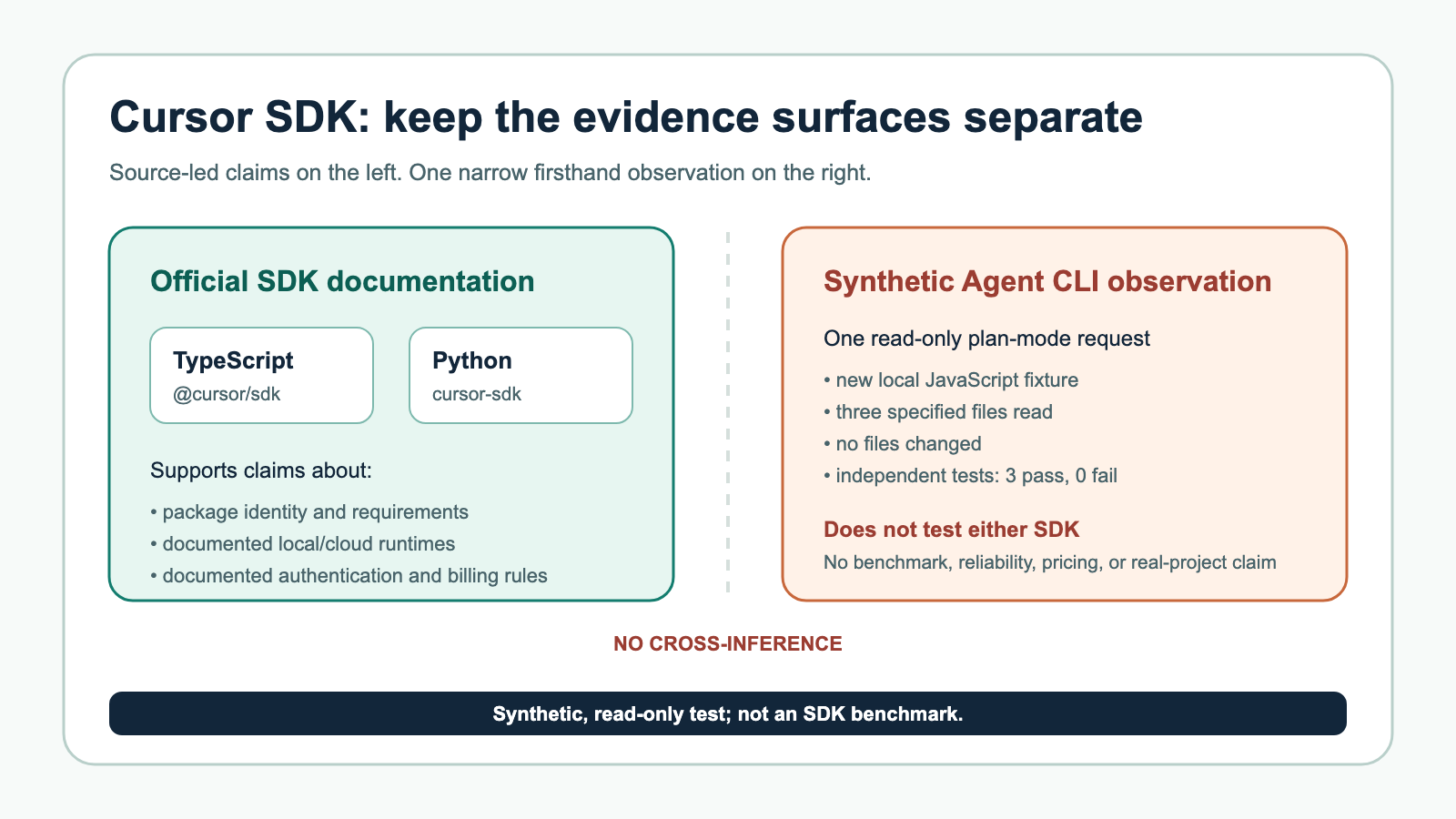
The SDK is TypeScript-only for the official package reviewed here. The forum page links to a community topic titled “New Python SDK For Cursor Agent API,” but the official SDK described by Cursor is TypeScript. Organizations standardized on Python, Go, Java, or Rust may need to use the REST API directly or wait for more official language support.

Cloud v1 currently supports one repository per agent request, according to the Cloud Agents API docs. That may limit monorepo-adjacent or multi-repo workflows unless teams design around it.

Only one run can be active per agent. This is reasonable, but orchestration systems must account for 409 agent_busy.

Artifacts are cloud-focused; local artifact support is currently absent.

Hooks are file-based only. That is good for policy consistency, but less flexible for application developers who want per-run programmable callbacks.

Authentication has some limits: user API keys and service account API keys are supported, but Team Admin API keys are not yet supported.

Finally, because cloud agents involve remote execution, teams need to think carefully about secrets, repository permissions, auditability, and cost controls. Cursor’s docs address some of this, but every organization will need its own governance layer.

Review verdict: a serious SDK, not just a wrapper

The Cursor SDK is one of the more consequential developer-tooling releases because it turns Cursor from an AI coding environment into a programmable agent platform.

If you are an individual developer, the SDK is useful but perhaps not essential. You can write scripts that ask Cursor to inspect a repo, summarize code, or automate small tasks. That is nice, but the real value emerges at team scale.

If you are an engineering platform team, this is much more interesting. The SDK gives you building blocks for:

  • CI failure repair agents;
  • automated PR reviewers;
  • issue-to-PR workflows;
  • internal “agent task boards”;
  • repository maintenance bots;
  • migration assistants;
  • developer support tools;
  • productized coding agents inside your own app.

If you are an enterprise, the self-hosted runtime direction and service account support make the SDK worth watching closely, though beta status means you should pilot before standardizing.

The most important thing Cursor gets right is that coding agents are not just model calls. They need repository context, execution environments, state, cancellation, streaming, tools, policies, and outputs that land back in developer workflows. The SDK’s design reflects that reality.

The most important caution is that this is still public beta. Build with defensive parsing, isolate the SDK behind your own abstraction if you plan to depend on it, and avoid assuming the current API surface is final.

Overall, the new Cursor SDK looks like a strong and strategically important release. It gives developers programmatic access to the agentic system Cursor has been building inside its own products, and it does so with a practical TypeScript API that covers local development, cloud execution, streaming, MCP, subagents, hooks, artifacts, PRs, and lifecycle management. For teams that already trust Cursor’s agent, the SDK is the missing piece that lets them move from interactive usage to repeatable automation.

The short version: Cursor has taken its coding agent out of the IDE and made it programmable. That is a big deal.

Curtis Pyke

Curtis Pyke

A.I. enthusiast with multiple certificates and accreditations from Deep Learning AI, Coursera, and more. I am interested in machine learning, LLM's, and all things AI.

Related Posts

Cursor / Cursor SDK vs. Claude Code vs. Codex: The Deepest Practical Comparison of Modern AI Coding Tools
AI

Cursor / Cursor SDK vs. Claude Code vs. Codex: The Deepest Practical Comparison of Modern AI Coding Tools

April 30, 2026
Brandolini’s Law Is Dead. AI Killed It. And Most People Haven’t Noticed Yet.
AI

Brandolini’s Law Is Dead. AI Killed It. And Most People Haven’t Noticed Yet.

April 28, 2026
BytePlus Review: Seedance 2.0 Turns BytePlus Into a Serious AI Video Platform
AI

BytePlus Review: Seedance 2.0 Turns BytePlus Into a Serious AI Video Platform

April 28, 2026

Leave a Reply Cancel reply

Your email address will not be published. Required fields are marked *

I agree to the Terms & Conditions and Privacy Policy.

Recent News

Cursor SDK Review: Cursor’s Coding Agent Becomes Programmable Infrastructure

Cursor SDK Review: Cursor’s Coding Agent Becomes Programmable Infrastructure

April 30, 2026
GitHub Copilot token-based billing

The Party’s Over: GitHub Copilot Is Charging You for Every Token You Burn

April 29, 2026
Laguna XS.2 AI model

Meet Laguna XS.2: The Open-Source AI That’s Crashing the Big Boys’ Party

April 29, 2026
Cursor / Cursor SDK vs. Claude Code vs. Codex: The Deepest Practical Comparison of Modern AI Coding Tools

Cursor / Cursor SDK vs. Claude Code vs. Codex: The Deepest Practical Comparison of Modern AI Coding Tools

April 30, 2026

The Best in A.I.

Kingy AI

We feature the best AI apps, tools, and platforms across the web. If you are an AI app creator and would like to be featured here, feel free to contact us.

Recent Posts

  • Cursor SDK Review: Cursor’s Coding Agent Becomes Programmable Infrastructure
  • The Party’s Over: GitHub Copilot Is Charging You for Every Token You Burn
  • Meet Laguna XS.2: The Open-Source AI That’s Crashing the Big Boys’ Party

Recent News

Cursor SDK Review: Cursor’s Coding Agent Becomes Programmable Infrastructure

Cursor SDK Review: Cursor’s Coding Agent Becomes Programmable Infrastructure

April 30, 2026
GitHub Copilot token-based billing

The Party’s Over: GitHub Copilot Is Charging You for Every Token You Burn

April 29, 2026
  • About
  • Advertise
  • Privacy & Policy
  • Contact

© 2024 Kingy AI

Welcome Back!

Login to your account below

Forgotten Password?

Retrieve your password

Please enter your username or email address to reset your password.

Log In
No Result
View All Result
  • AI News
  • Blog
  • Contact

© 2024 Kingy AI

This website uses cookies. By continuing to use this website you are giving consent to cookies being used. Visit our Privacy and Cookie Policy.