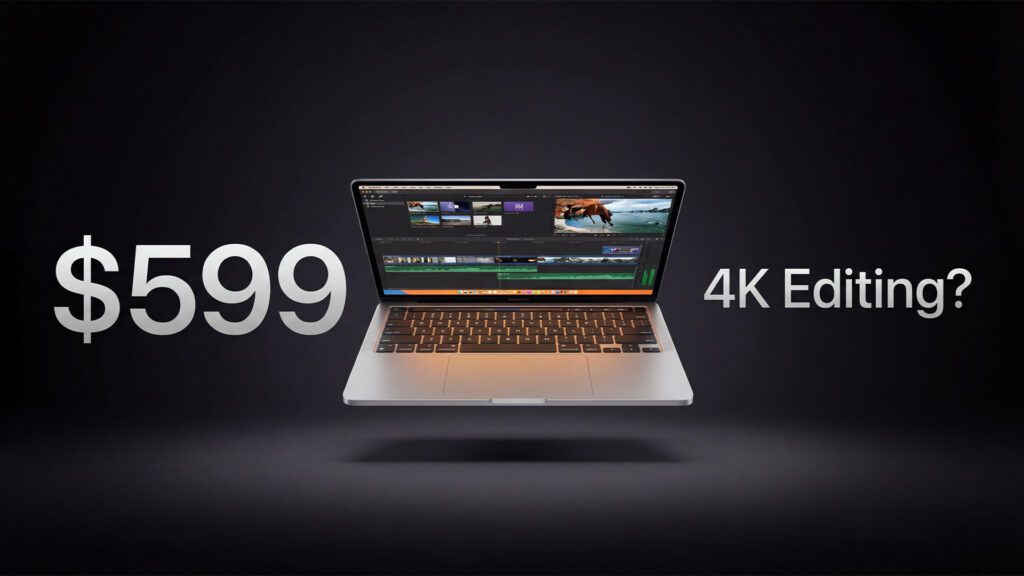
A deep dive into Apple’s most affordable laptop, its A18 Pro chip, and what it’s genuinely capable of in the editing suite
There is a version of this review that writes itself. You look at the specs — 8 gigabytes of unified memory, a passively cooled chip borrowed from a phone, a $599 price tag — and the conclusion practically types itself. Too little RAM. Too slow. Not for creators. Move on.
But that version of the review would be wrong. Or at least, it would be incomplete in a way that matters quite a lot to a very specific type of person: the student who wants to cut their first short film, the wedding videographer who needs a silent second machine for on-location editing, the hobbyist photographer who shoots on the weekends and doesn’t want to spend $2,000 on a MacBook Pro. For those people, the MacBook Neo is not a compromise. It is a revelation.
Apple introduced the MacBook Neo in March 2026 at a starting price of $599, or $499 for education. Positioned squarely below the MacBook Air, it is the company’s first laptop to carry an A-series chip from the iPhone lineup — specifically the A18 Pro, the same silicon that powers the iPhone 16 Pro — rather than the M-series chips found in more expensive Mac notebooks. The implications of that choice ripple through every aspect of the machine: its performance, its thermal envelope, its battery life, and ultimately, its ceiling as a creative tool.
What follows is a thorough, data-backed assessment of everything the MacBook Neo can and cannot do, with a particular focus on video and photo editing. Because while it is clearly not a MacBook Pro, the distance between those two machines — in real-world creative workflows — is far narrower than the price gap suggests.
Design and Build: A MacBook in Every Sense
Let’s begin where first impressions are made. The MacBook Neo does not look like a budget laptop. It looks, unmistakably, like a MacBook.
The aluminum unibody chassis is finished in four colors — Silver, Blush, Citrus, and Indigo — and the build quality is exactly what you’d expect from Apple’s manufacturing. There is no flex, no creaking, no plastic trim trying to pass itself off as premium. The machine measures just 0.50 inches (1.27 cm) thick, 11.71 inches (29.75 cm) wide, and 8.12 inches (20.64 cm) deep, and it weighs only 2.7 pounds (1.23 kg). That last figure is significant. This is genuinely, practically light — the kind of laptop you throw in a bag and forget is there.
The keyboard is Apple’s Magic Keyboard design with 78 keys (ANSI) or 79 keys (ISO), including a full row of function keys. There is one notable omission: the 256GB base model ships without a backlit keyboard and without Touch ID. If you want Touch ID, you need to configure the 512GB model — a deliberate product segmentation move that will frustrate budget-conscious buyers who also want fingerprint login. The trackpad is a physical click mechanism, not the Force Touch haptic design found in the MacBook Air and Pro. Again, a cost-cutting decision that’s noticeable if you’ve used higher-end Apple laptops, but functional and responsive in day-to-day use.
NotebookCheck’s review praises the inputs and speakers as “comfortable/excellent” and notes that the internals are accessible without glue — a point in Apple’s favor on repairability, even though the RAM and SSD are soldered and non-upgradeable. That last detail is worth absorbing early: what you buy is what you get. There is no path to 16GB of RAM in the future. You are committing to 8GB for the life of this machine.
The Display: Sharp, Accurate, But Missing P3
The MacBook Neo ships with a 13.0-inch Liquid Retina display, Apple’s branding for its IPS-technology LCD panels. The resolution sits at 2408 × 1506 pixels, landing at 219 pixels per inch — sharp enough that individual pixels are invisible at normal viewing distances. Peak brightness is rated at 500 nits, and the panel supports 1 billion colors.
That last spec requires a caveat that matters deeply to video editors and color-sensitive workflows: the MacBook Neo’s display covers the sRGB color space, not the wider P3 (Display P3) gamut found in MacBook Pro and MacBook Air models. This means the screen cannot accurately represent colors in the Display P3 or DCI-P3 color spaces that are standard in professional video production, digital cinema, and HDR content creation.
For web content, social media video, and general photography, sRGB coverage is perfectly adequate. The display is very sharp and color-accurate within its gamut and, importantly, produces no PWM (pulse-width modulation) flicker — a welcome detail for anyone who works long hours at a screen. There is also no True Tone technology, which dynamically adjusts the white balance to match ambient lighting; that feature is reserved for pricier Apple hardware.
What this means practically: if you are editing video intended for digital cinema, HDR streaming platforms, or any workflow where wide-gamut color accuracy is critical, the MacBook Neo’s display will not show you what your audience will see on P3-capable screens. You’d be editing “blind” to those color differences. That is a genuine limitation, and one every aspiring creator should understand before buying. However, if you are editing YouTube videos, Instagram content, wedding films, or documentary-style footage destined for web delivery in sRGB, you will find the Neo’s screen entirely suitable — and noticeably better than what you’d find on most Windows laptops in this price bracket.
The display also supports external output via its USB-C port, with one external monitor supported at up to 4K at 60Hz via DisplayPort 1.4 (HBR3). The Neo cannot drive 6K or 8K external displays, unlike higher-end M-series MacBooks.
The A18 Pro Chip: Phone Silicon in a Laptop
The heart of the MacBook Neo is the Apple A18 Pro, first introduced in the iPhone 16 Pro in late 2024. Bringing phone silicon to a laptop is a bold move, and it’s one that fundamentally shapes what the Neo can and cannot do.
The A18 Pro features a 6-core CPU with 2 high-performance cores clocked at 4.0 GHz and 4 efficiency cores running at 2.4 GHz, a 5-core integrated GPU with hardware-accelerated ray tracing, a 16-core Neural Engine for on-device AI tasks, and 60GB/s of unified memory bandwidth. The GPU in the MacBook Neo has one fewer core than the version in the iPhone 16 Pro — a minor adjustment Apple made when moving the chip to the laptop form factor.
Because the chip and memory are on the same die (the “unified memory” architecture Apple introduced with M1), the CPU, GPU, and Neural Engine all share the same memory pool rather than having separate pools for the processor and graphics card. This architecture, which Apple has championed across its Silicon line, is one of the main reasons 8GB of unified memory can punch above its weight compared to 8GB of conventional DDR RAM in a Windows laptop.
The A18 Pro in the MacBook Neo draws up to 6W at peak (PL2), settling at approximately 3.8–4.0W under sustained load. That is an exceptionally low thermal envelope for a full laptop chip, and it is what makes fanless, silent operation possible. It is also the reason why multi-core performance, while competitive, is limited compared to M4 MacBook Air — because Apple can only push power so far without active cooling.
The chip comes with a dedicated Media Engine, which is arguably one of the most important components for video creators. The Media Engine provides hardware-accelerated encode and decode for H.264, HEVC (H.265), ProRes, and ProRes RAW, plus AV1 decoding. This means video playback and export of these formats offloads work from the CPU to dedicated silicon, dramatically reducing strain on the main processor and battery.

Benchmarks: How Fast Is the Neo, Really?
When the first MacBook Neo benchmarks surfaced on MacRumors in early March 2026, the numbers confirmed what chip analysts had been predicting: single-core performance is astonishing for this price point, while multi-core lags behind the MacBook Air.
In Geekbench 6, the MacBook Neo scores:
- Single-core: 3,461
- Multi-core: 8,668
- Metal (GPU): 31,286
To put those numbers in context, here’s how the Neo compares to other devices:
- iPhone 16 Pro: 3,445 single-core, 8,624 multi-core, 32,575 Metal
- M1 MacBook Air: 2,346 single-core, 8,342 multi-core, 33,148 Metal
- M4 MacBook Air: 3,696 single-core, 14,730 multi-core, 54,630 Metal
- M3 iPad Air: 3,048 single-core, 11,678 multi-core, 44,395 Metal
- iPad 11: 2,587 single-core, 6,036 multi-core, 19,395 Metal
A few things immediately stand out. The Neo’s single-core score of 3,461 is almost identical to the iPhone 16 Pro’s 3,445 — logical, since it’s the same chip. More striking is how it compares to the M1 MacBook Air: the Neo’s single-core score beats it by nearly 50%, while multi-core is roughly on par. That means for tasks that rely primarily on one CPU core — web browsing, loading apps, snappy UI responses, opening files — the Neo feels faster than a $999 M1 MacBook Air from 2020.
The multi-core gap versus the M4 MacBook Air (8,668 vs. 14,730) is where the passive cooling penalty becomes clear. The M4 Air has active cooling, can sustain higher power draws, and scales better when all cores are working hard simultaneously. For export-heavy workflows, multi-threaded rendering, or running multiple simultaneous processes, the M4 Air is significantly faster.
NotebookCheck’s analysis notes that the single-core result “easily surpasses every other mobile processor from AMD, Intel, or Qualcomm” — a remarkable statement that underlines just how efficient Apple Silicon’s architecture is. Only newer M-series chips (M4, M5) score higher. On the GPU side, the 5-core GPU “easily beats” Qualcomm’s Adreno X1-45 and outperforms Intel’s Iris Xe integrated graphics, though it is not designed for modern 3D gaming or GPU-intensive 3D rendering.
The Media Engine: Hardware Acceleration That Actually Matters
Before diving into specific editing application tests, it’s worth dwelling on the Media Engine because it is the single most important factor in why the MacBook Neo performs better in video editing than its specs suggest it should.
Hardware media acceleration is not new — Intel and Qualcomm both offer similar capabilities — but Apple’s implementation is particularly mature and deeply integrated with its software ecosystem. The official Apple spec sheet confirms the Media Engine supports hardware-accelerated encode and decode for H.264, HEVC, ProRes, and ProRes RAW, plus AV1 decode. There is a dedicated video decode engine, a video encode engine, and a ProRes encode and decode engine — separate silicon pipelines that don’t share resources with the main CPU or GPU.
Why does this matter for video editing? In a typical 4K editing workflow in Final Cut Pro or Adobe Premiere Pro, the most common bottleneck is not the CPU but the decoding and playback of compressed video files. When that decoding is offloaded to dedicated hardware, the CPU is freed up for other tasks: rendering effects, managing the timeline, handling audio — all the things that actually make the editing experience feel fluid or sluggish.
Apple’s ProRes codec, in particular, is worth highlighting. ProRes is a professional intermediate codec favored by editors because it is relatively uncompressed, making it fast to decode and easy to color grade. When the A18 Pro’s Media Engine is handling ProRes decode in hardware, Final Cut Pro can push through ProRes footage with very little CPU overhead. This is one of the primary reasons Tyler Stalman was able to achieve smooth 4K playback in Final Cut Pro — the heavy lifting was happening in silicon, not in software.
AV1 hardware decoding is the other standout here. AV1 is increasingly used by YouTube, Netflix, and other streaming platforms as a next-generation codec that offers better compression efficiency than H.264. Having hardware AV1 decode means the Neo can play back AV1 content efficiently without spinning up the CPU to full tilt, which has implications for both editing workflows and battery life.

Adobe Premiere Pro: 4K Editing Put to the Test
One of the most substantive real-world tests of the MacBook Neo came from Macworld’s Roman Loyola, whose findings were covered and amplified by 9to5Mac. Loyola edited both 1080p and 4K footage in Adobe Premiere Pro — professional-grade software that is not exactly known for being light on system resources.
The results were more impressive than many anticipated. According to the 9to5Mac report:
“The whole experience went off without a hitch. I never had to wait for the Mac to catch up to what I was doing, nor did the MacBook Neo stall, hiccup, or churn.”
During the editing session, the Neo’s 8GB of unified memory was not enough to hold everything in RAM — the machine used 2.58GB of swap memory (writing to the SSD when RAM filled up). Crucially, Loyola noted no performance hit from the swap usage. This is an important data point. Conventional wisdom says swap memory kills performance. On Apple Silicon, because the SSD is extremely fast and the memory controller is efficient, modest amounts of swap activity are far less punishing than they would be on a Windows machine with traditional DDR RAM and a slower NVMe drive.
This doesn’t mean unlimited swap is fine — it isn’t. But it does mean the first couple of gigabytes of swap activity on the Neo are largely transparent to the user experience. For a 4K editing timeline in Premiere Pro with standard color correction and basic effects, the machine holds together.
To stress the machine further, Loyola also opened Chrome with 59 browser tabs running simultaneously — a real-world scenario for creators who multitask with reference windows, YouTube tutorials, and client communication open while editing. Swap memory ballooned to nearly 8GB (equaling the installed RAM), yet the machine reportedly didn’t flinch.
“But once again, the MacBook Neo didn’t flinch. I could switch between tabs easily, and even when I used an app and kept Chrome open in the background, there was no noticeable performance hit.”
That is, to put it mildly, not what you’d expect from an 8GB laptop at $599. It’s a testament to Apple’s memory architecture and macOS’s sophisticated memory management. Chrome is a notoriously RAM-hungry application; having 59 tabs open alongside an active Premiere Pro session would bring many Windows laptops to their knees. The Neo, while clearly running at its memory ceiling, managed the workload.
This has a limit, of course. As timeline complexity increases — more video tracks, more effects stacked, high-bitrate source files, heavy color grading — the performance delta between 8GB and 16GB or 24GB becomes real and meaningful. The Neo handles practical 4K editing. It does not handle professional broadcast-level 4K editing with the same ease.
Final Cut Pro: Apple’s Editing Ace Up Its Sleeve
Apple’s own Final Cut Pro is where the MacBook Neo shines most naturally, and Tyler Stalman’s testing (reported by Fstoppers) pushed the machine through a series of escalating challenges.
Stalman’s approach was methodical: open every app simultaneously, flip through large photo libraries, and then jump into Final Cut Pro with 4K footage. The results aligned with Loyola’s Premiere findings — smooth 4K playback on a standard timeline, with scopes visible and without dropped frames. The hardware-accelerated codec pipeline in Final Cut Pro, which takes deep advantage of Apple’s Media Engine, means the A18 Pro can sustain high-quality 4K playback without overwhelming the CPU.
The more revealing test was what Stalman described as a mixed 6K and 4K YouTube-style project layered with titles, transitions, and LUTs (Look-Up Tables used for color grading). This is the kind of project that actually represents real creative work — not just raw footage cuts, but a finished, graded, titled production.
In Final Cut Pro’s “Better Performance” mode — which prioritizes playback smoothness over rendering quality — the Neo kept up with the project. Switch to “Better Quality” mode, stack multiple effects, and begin adding complex transitions, and the machine starts to show strain. Playback becomes less smooth. Rendering becomes the bottleneck. As the Fstoppers review concludes:
“You can edit 4K video here, but you need to be realistic. Proxy files and background rendering are part of the deal. If you expect flawless playback under heavy grading and layered transitions, you step into MacBook Pro territory.”
That is perhaps the most honest and useful sentence anyone has written about the MacBook Neo. It doesn’t dismiss the machine. It contextualizes it. The Neo can handle 4K editing in Final Cut Pro. It simply requires working within its constraints — using Apple’s proxy workflow, letting background rendering do its job, and being deliberate about effect stacking.
For many editors, these are not onerous requirements. Proxy-based editing has been standard practice in professional video production for decades. Many professional documentary editors working with RAW or high-bitrate footage routinely use proxies even on Mac Studios and MacBook Pros. The Neo just makes proxies not optional — they become necessary for complex work, rather than merely convenient.
What the Neo offers in Final Cut Pro that no Windows laptop in this price class can touch is tight software-hardware integration. Final Cut Pro is built specifically for Apple Silicon. It leverages the Media Engine directly. It knows exactly how to distribute workloads between the CPU cores, GPU, Neural Engine, and the dedicated media hardware. That integration is invisible to the user but profoundly present in the editing experience.
Photo Editing: Handling 100 Megapixel RAW Files
Video is not the only demanding creative task Stalman put the Neo through. He also imported 50 RAW files from a Hasselblad medium-format camera — each file exceeding 200MB in size, totaling over 100 megapixels of image data per frame — into Lightroom Classic.
According to the Fstoppers report, the 50-file import completed in roughly 50 seconds. Flipping through standard previews felt instant. Zooming to full resolution required a brief pause while one-to-one previews rendered, but the workflow remained usable. AI masking for sky and subject selection — a task that requires Neural Engine acceleration — ran in seconds.
Photoshop opened slower than it would on a MacBook Pro, and zooming exhibited slight stutters. These are noticeable friction points, not deal-breakers. Stalman’s assessment was measured: large RAW files are not off-limits on the Neo, but they require patience in specific operations.
One commenter in the Fstoppers discussion thread offered a useful counterpoint: Heiko Kanzler noted that his M2 MacBook Air with 8GB RAM struggles significantly with Hasselblad X2D files in Phocus (Hasselblad’s native software), with 10–40 second load times per image. Phocus relies heavily on GPU memory, and he remained skeptical the Neo would fare better in that specific application. This underlines an important nuance — results vary significantly depending on the software and how it is optimized for Apple Silicon. Lightroom Classic performs well. Hasselblad’s native software may not.
For photographers working within Adobe’s ecosystem or Apple’s own Photos app, the Neo is a capable companion. For those relying on manufacturer-specific RAW processing software that hasn’t been optimized for A-series chips, your mileage may vary considerably.

The 8GB RAM Debate: Enough Until It Isn’t
No discussion of the MacBook Neo can avoid the RAM question. 8GB of unified memory in 2026 is a configuration that divides opinion sharply, and both sides have valid points.
The case for 8GB starts with Apple’s memory architecture. Because the CPU and GPU share the same memory pool with 60GB/s bandwidth, the A18 Pro can use memory more efficiently than traditional separate-pool designs. macOS is also an exceptionally well-optimized operating system that manages memory compression and eviction intelligently. As we’ve seen, the Neo can handle Premiere Pro + 59 Chrome tabs while using swap memory without a noticeable performance hit.
The case against 8GB is simpler: memory is finite. Once you’ve allocated RAM to the OS, Final Cut Pro, supporting apps, Chrome, and active browser tabs, you are very close to the ceiling. Every additional demand — a second application, a complex plugin, a larger project — pushes further into swap territory. The SSD handling swap is fast, but it is not as fast as RAM, and it adds latency to memory-intensive operations. Over time, heavy swap usage also contributes to SSD wear, though modern SSDs are robust enough that this is unlikely to be a practical concern for most users.
Heavy multitasking is not the MacBook Neo’s “target scenario” – the machine excels when kept on Apple’s own apps and lighter loads. For a new editor working primarily in Final Cut Pro or iMovie, 8GB will suffice. For someone switching between Premiere Pro, After Effects, Lightroom, Chrome, and Slack simultaneously, the machine will struggle.
There is also a longevity dimension to consider. App memory requirements tend to grow over time, not shrink. An 8GB machine purchased in 2026 may feel increasingly constrained by 2028 or 2029. The inability to upgrade RAM — it is soldered to the logic board — means you cannot address this problem without buying a new machine. For a $599 laptop, that’s an expected trade-off. But buyers should enter that trade-off with eyes open.
The honest answer is that 8GB is enough for the use cases the MacBook Neo is designed for. It is not comfortable for professional-grade multi-app workflows, and it will show its limits faster than the 16GB configurations available in the MacBook Air.
Battery Life: Remarkably Long at Normal Use, Brief Under Load
One of the MacBook Neo’s most compelling characteristics for portable creative work is its battery life — at least, under normal conditions.
Apple rates the 36.5 watt-hour battery at up to 11 hours of wireless web browsing and up to 16 hours of video streaming. Real-world testing from NotebookCheck produced approximately 12.9 hours of Wi-Fi web surfing at 150 nits brightness, and approximately 13.6 hours of 1080p video playback at the same brightness setting. These are excellent results for a laptop in any price category and reflect the A18 Pro’s genuinely impressive power efficiency.
The caveat is brightness-dependent degradation. At maximum brightness, NotebookCheck reported only approximately 4.8 hours of battery life during web browsing — a steep drop from the 12.9 hours at 150 nits. Creators who prefer working at full brightness will find the battery considerably less impressive in practice.
Under CPU and GPU stress — the kind of sustained load that video encoding or effects rendering generates — battery life collapses further. NotebookCheck’s stress test at maximum load and maximum brightness produced approximately 2.8 hours of runtime. In a practical editing scenario, expect somewhere between 3 and 4 hours when the machine is actively exporting or heavily rendering, though lighter editing tasks (timeline trimming, color correction previews, scrubbing footage) will draw less power and extend runtime.
For comparison, gaming laptops like the Dell XPS 15 and Razer Blade 15 typically deliver 2–4 hours under GPU load — similar to the Neo under full stress, but without the Neo’s 12+ hour light-use endurance. The MacBook Neo’s battery profile is simply better optimized for the majority of the time users are not pegging every core.
One note on charging: the Neo ships with a 20W USB-C power adapter, which is slow by modern laptop standards. NotebookCheck noted approximately 2 hours to a full charge even with a faster 65W brick — the 20W charger takes longer still. Creators who plan to charge quickly between shoots or between classes should budget time accordingly, or invest in a third-party USB-C charger with higher wattage.
Thermal Performance: The Silent Creative Machine
The MacBook Neo is fanless. There is no cooling fan anywhere in the chassis. Heat from the A18 Pro is managed entirely through passive dissipation — the chip running well within a thermal envelope that requires no active airflow.
The practical upshot is that the MacBook Neo is completely silent at all times. Not quiet — silent. Whether you are running a demanding video export, importing 100 RAW files, or sustaining heavy CPU load for an extended period, there is no fan noise. No spinning up, no whirring, no electronic hum. For creators who work in quiet environments — libraries, coffee shops, recording studios, interview settings — this is a genuine quality-of-life advantage that is difficult to quantify until you’ve experienced it.
NotebookCheck’s thermal testing found the chip peaks at approximately 40°C under full load. The A18 Pro can draw up to 6W at its power limit 2 peak, settling to approximately 3.8–4.0W sustained. This is low enough that the chassis itself remains cool to the touch even during extended editing sessions, with no hot spots concentrated at the keyboard deck. The machine never throttles in the conventional sense of dropping performance to avoid overheating — instead, it maintains a steady, predictable performance level that stays at the low sustained wattage rather than oscillating.
The trade-off is that the multi-core performance ceiling is lower than it would be with active cooling. An M4 MacBook Air, which does have a fan, can sustain higher clock speeds for longer periods during multi-threaded workloads like batch export. The Neo’s fanless design makes it predictable and silent, but limits the performance headroom available for sustained heavy lifting.
For video editors, the absence of fan noise is particularly valuable during recording or capture sessions. If you’re using the MacBook Neo as a capture or monitoring machine on a film set or in an interview room, the machine will not contaminate your audio recording with fan noise — something that genuinely happens with even well-designed active-cooled laptops.
Connectivity and I/O: The Limits Are Real
The MacBook Neo’s port situation is simple and, for some, simplistic. There are two USB-C ports, one 3.5mm headphone jack, and nothing else. No HDMI. No SD card reader. No MagSafe. No USB-A. No Thunderbolt. Two USB-C ports.
Of those two USB-C ports, only one is USB 3 (up to 10Gb/s) with DisplayPort 1.4 support. The other is USB 2, running at 480Mb/s — the same speed as a standard USB connector from the early 2000s. Apple’s official specs confirm this asymmetry, and it has practical consequences for creators.
If you want to connect an external display, you’ll use the USB 3 port. That leaves the USB 2 port for charging or peripherals. If you want to charge while also using an external display, you’ll need a USB-C hub — but that hub’s downstream bandwidth will be capped at USB 2 speeds on the second port. For a video editor expecting to move large project files or connect professional peripherals, this topology creates friction.
Card readers — essential for ingesting footage from cameras — require a USB-C adapter. External hard drives or SSDs for project storage add another adapter. The MacBook Neo is a two-port machine in a four-port world, and creators with even modest peripheral setups will need to carry a hub.
External display support is capped at one 4K monitor at 60Hz. Unlike M-series MacBooks, the Neo cannot drive multiple external displays simultaneously, and it does not support 6K or 8K external monitors. For a single-screen editing setup, 4K at 60Hz is entirely adequate. For multi-monitor workflows common in professional post-production, it is a hard ceiling.
Wi-Fi 6E (802.11ax) and Bluetooth 6 round out the wireless connectivity. Wi-Fi 6E provides fast, low-latency wireless networking in environments with 6GHz infrastructure — useful for uploading finished content or accessing network-attached storage for project files. The 1080p FaceTime HD front camera handles video calls competently, with Apple’s advanced image signal processor bringing computational video features to the experience.
Competitive Landscape: What Else Can You Buy?
At $599, the MacBook Neo occupies a category of one. There is simply no Windows laptop that competes with this combination of performance, build quality, battery life, and macOS integration at this price.
The nearest meaningful comparison within Apple’s lineup is the MacBook Air with M4, which starts at approximately $699 with 16GB of unified memory and the M4 chip. The M4 Air’s benchmark scores — 3,696 single-core, 14,730 multi-core, 54,630 Metal in Geekbench 6 — dwarf the Neo’s across the board, particularly in multi-core and GPU performance. It also has MagSafe charging, two Thunderbolt 4 ports, a P3-wide color display, Touch ID on all configurations, and a backlit keyboard. The $100 premium buys significantly more capability, and for any creator who is even partially serious about their work, the M4 Air is the clearly superior choice.
The MacBook Pro 16-inch (2023) with M3 Pro or M3 Max starts at approximately $2,499 and offers configurations up to 96GB of unified memory, an 18- to 40-core GPU, a ProMotion mini-LED display with P3 color at up to 1,600 nits of HDR brightness, and a full professional I/O complement including HDMI, SD card reader, and Thunderbolt 4. For professional video production, color grading, or multi-camera workflows, the Pro is in a different universe. But it costs four times as much.
Windows alternatives in a similar price range — Chromebook-tier machines, budget Dell Inspirons, HP Pavilions — cannot match the Neo’s performance or build quality. As NotebookCheck bluntly notes: at $599, “Windows does not really offer an alternative.” Gaming-oriented machines like the Dell XPS 15, Razer Blade 15, or Lenovo Legion 5 Pro offer discrete GPUs and larger displays, but they start at $1,500–$2,200, weigh significantly more, have shorter battery lives under load, and are louder.
In pure cost-per-capability terms for someone in the Apple ecosystem, the MacBook Neo is genuinely unmatched at its price. The comparison that becomes interesting is not Neo versus a Windows laptop, but Neo versus an iPad Pro with a keyboard case. For writing, productivity, and consumption tasks, the iPad Pro is compelling. For a full macOS environment with support for professional desktop applications like Premiere Pro, Lightroom Classic, and Final Cut Pro — which are not available on iPadOS in their full desktop form — the MacBook Neo wins.
Who Is the MacBook Neo Actually For?
NotebookCheck’s review draws a clear picture of the target user, and it’s worth quoting directly: the MacBook Neo “excels when kept on Apple’s apps and lighter loads” and is not suited for heavy multitasking as its “target scenario.” The review observes that for a new editor or hobbyist working with 1080p or 4K footage, the machine can “feel snappy and silent.” For professionals needing multi-camera 4K/8K workflows or long exports, reviewers consistently point toward MacBook Pro-class machines.
The ideal MacBook Neo buyer looks something like this:
The student editor. As 9to5Mac noted in its coverage of the viral blog post by Sam Henri Gold, there is a “future world-famous cinematographer making his first foray into video editing on a MacBook Neo.” Gold himself reflected on cutting Final Cut Pro projects at age nine on a 2006 Core 2 Duo iMac with 3GB RAM. The tools feel inadequate by spec-sheet standards; the creativity is limitless. For a high school or college student who wants to learn Final Cut Pro or Premiere and cut 4K projects, the Neo is an extraordinary value.
The traveling content creator. YouTubers, vloggers, and social media creators who shoot 4K on a mirrorless camera and need to rough-cut footage on the road will find the Neo lightweight, silent, long-lasting on battery, and capable enough for their workflows — especially when using proxies and keeping projects straightforward.
The educator or corporate user. For teachers who occasionally edit classroom videos, corporate communicators who need to produce basic training content, or healthcare workers who create informational video materials, the Neo is far more than adequate. It handles simple 4K projects cleanly and costs a fraction of what institutions typically allocate for creative hardware.
The hobbyist photographer. As Stalman’s testing demonstrated, importing and basic editing of large RAW files is viable. Landscape photographers, travel photographers, and hobbyists who shoot occasionally and process in Lightroom will find the Neo handles their workflow without embarrassment.
The budget-constrained professional who needs macOS. For a freelance editor who works primarily in Final Cut Pro, uses proxies as standard practice, and doesn’t need 8K or multi-camera workflows, the Neo represents a legitimate professional tool — especially as a secondary machine.
Who should not buy the MacBook Neo is equally clear: professional video editors working with raw camera formats, multi-camera sources, or complex color pipelines; motion graphics artists working in After Effects or Cinema 4D; audio engineers running large session files in Logic Pro or Pro Tools; developers building large codebases who need fast compilation times; or anyone who regularly multitasks with many professional applications simultaneously.
The Missing Keyboard Backlight: A Genuine Complaint
This seems like a small thing. It is not a small thing.
The base 256GB MacBook Neo ships without a backlit keyboard. In 2026, for a machine running macOS, sold under the MacBook brand, this is a notable omission. Editing video — or doing anything with a computer, really — frequently happens in dim lighting. Working on a dark airplane, in a hotel room at night, or in a darkened edit suite is simply harder without keyboard backlighting.
Apple’s decision to remove the backlight from the base model is a cost-cutting move that affects the everyday usability of the machine in ways that benchmark comparisons don’t capture. If keyboard illumination matters to you — and it likely will when you’re trimming footage at midnight — the 512GB model (which adds both Touch ID and the backlit keyboard) is the only option within the MacBook Neo line. That configuration costs more, and at that point, the price delta between the Neo and the M4 MacBook Air becomes a serious consideration.
Conclusion: Redefining What ‘Entry-Level’ Means
The MacBook Neo is a machine that rewards realistic expectations and punishes wishful thinking. Go in expecting a MacBook Pro at a third of the price, and you will be disappointed. Go in expecting the best $599 laptop ever made — and a genuinely capable creative tool for the right use cases — and you will be impressed.
The A18 Pro’s single-core performance genuinely “surpasses every other mobile processor from AMD, Intel, or Qualcomm,” as NotebookCheck puts it, and that translates to a laptop that feels faster than its price suggests in daily use. The Media Engine’s hardware acceleration for H.264, HEVC, ProRes, and ProRes RAW makes 4K video editing a realistic proposition in both Final Cut Pro and Adobe Premiere Pro — confirmed not by spec sheets but by hands-on testing from Macworld, Tyler Stalman, and Fstoppers. The battery delivers 12+ hours at moderate brightness. The machine weighs 2.7 pounds and makes no sound whatsoever.
Its constraints are real and worth naming plainly. Eight gigabytes of non-upgradeable unified memory is the machine’s defining limitation, and it becomes tangible at the edges of complex creative workflows. The sRGB-only display excludes it from color-critical professional editing. The asymmetric USB-C port configuration — one USB 3, one USB 2 — creates I/O friction for creators with professional peripheral setups. The base model’s missing keyboard backlight feels out of step with 2026 expectations. And when the creative workload gets heavy, the machine’s fanless thermal ceiling means multi-core performance is constrained compared to the M4 MacBook Air, which sits just $100 higher.
But step back from those limitations and consider what Apple has actually built: a laptop starting at $599, weighing 1.23 kilograms, running silently, lasting more than 12 hours on a charge, with a chip whose single-core performance embarrasses most of the competition and a media engine that makes 4K editing possible where you’d otherwise expect struggle. No Windows laptop at this price comes close. Very few Windows laptops at twice the price offer this combination of attributes.
The MacBook Neo is not for everyone. It is specifically for people who don’t yet know that they are capable of making something extraordinary with it — and, as 9to5Mac’s coverage of Sam Henri Gold’s blog post beautifully captures, that has always been the most interesting category of creator. The machine that teaches you your craft matters far more than the machine you think you need before you know what you’re doing.
Somewhere right now, a student is opening Final Cut Pro on their MacBook Neo for the first time. They do not know they are using a device that “shouldn’t” be able to edit 4K video. They will not notice the 8GB of RAM because they haven’t learned yet that it’s supposed to be a problem. They will cut their first project, export it, and post it. And the machine will have done exactly what it was built to do.
Compare
Recent Launches
Latest News
- Is Siri Falling Behind as other Tech Giants Race Forward?
- In Case You Missed It: Kingy AI Enters the Tech Arena (And It’s Just Getting Started)
Continue Reading
The Kingy Brief
Get future Kingy Brief editions.
Source-checked AI changes, original tests and one practical thing to try.
Free · Choose your subjects · Double opt-in · Unsubscribe anytime
Regular sending is paused; no restart date is set.