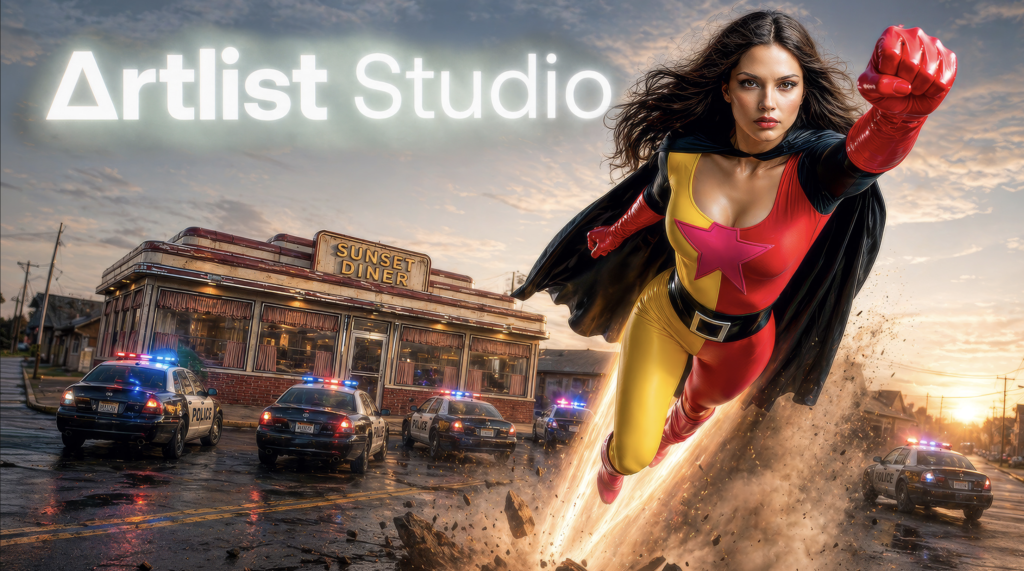
Artlist Studio is best understood as Artlist’s attempt to solve a problem that every modern video creator feels: production workflows have become scattered. One tool generates images. Another creates short AI clips. A third provides voiceover. A fourth handles music. A fifth sells stock footage. Then the real edit still happens somewhere else.
Artlist’s pitch is that a creator should not have to stitch all of that together from scratch. On its official homepage, Artlist now describes itself as “the ultimate creative AI ecosystem,” combining AI video, image, music, voiceover, Artlist Studio, and a stock catalog of more than 900,000 digital assets. That is a major shift from Artlist’s older identity as primarily a royalty-free music platform.
Artlist Studio is one of the more coherent all-in-one production platforms for video creators, but it should not be judged as a magic one-prompt video generator. Its value is workflow consolidation, licensing clarity, and production structure.
If you only want the cheapest music subscription, Artlist Studio is probably overkill. If you want a unified stack for AI-assisted video production, licensed stock assets, voiceover, music, sound effects, footage, team administration, and post-production handoff, Artlist becomes much more interesting.
Executive summary
Artlist Studio is not just another text-to-video interface. It is a structured AI production environment built around characters, locations, framing, directing, generated shots, and sequence assembly. Artlist’s own Studio page describes it as “the first true AI production platform,” with tools for casting characters, building locations, framing scenes, and directing shots.
That framing matters. Most AI video tools still behave like prompt boxes: describe a clip, generate it, hope for the best, then try again. Artlist Studio’s model is more production-shaped. You create or select reusable characters. You create or select reusable locations. You generate frames. Then you direct motion, camera behavior, sound, and narrative flow.
The official Studio getting-started guide describes the workflow in four core steps: creating characters and locations, generating frames, and directing video. The generated clips are then added to a shot sequence, where users can drag, drop, reorder, and build a narrative.
That does not make Studio a replacement for Premiere Pro, DaVinci Resolve, Final Cut Pro, or After Effects. Artlist’s own Premiere Pro extension documentation makes the intended handoff clear: Artlist helps you browse, preview, download, and generate assets, but professional finishing still belongs in editing software.
The strongest reason to buy Artlist Studio is not that it will always generate the single best AI video clip on the market. The stronger reason is that Studio sits inside a broader Artlist ecosystem: licensed music, stems, sound effects, footage, templates, LUTs, plugins, voiceover, Artboards, team management, and business licensing.
That combination is where Artlist has a real argument.
What Artlist Studio actually is
Artlist Studio is the AI production layer inside the wider Artlist platform. It is available through Artlist’s AI plans, and the pricing page says Studio access starts with AI Starter at the 16,500-credit tier, while AI Professional includes “full end-to-end AI production on Artlist Studio.”
The workflow is built around a simple creative sequence:
- Create or choose a character.
- Create or choose a location.
- Generate still frames.
- Use those frames as visual anchors.
- Direct movement, action, sound, and camera behavior.
- Arrange generated shots into a sequence.
- Download outputs and continue the edit elsewhere.
Artlist’s Studio page lists several core features: structured prompting, cross-scene consistency, prompt tags, character and location capture, cinematic shot control, and frame-to-shot generation. In plain English, that means Studio is trying to reduce the randomness that often makes AI video frustrating for production work.
The standout concept is reusable production objects. In the character documentation, Artlist explains that saved characters can be reused across shots and projects to maintain visual and voice consistency. In the location documentation, it describes reusable environments that can be applied across multiple shots and projects.
That is the product’s most important idea. Instead of rewriting the same character description in every prompt and hoping the model remembers what you mean, you build a character and reuse it. Instead of describing the same rooftop, cabin, office, street, or sci-fi corridor from scratch, you save a location and reuse it.
For filmmakers, agencies, educators, and branded-content teams, that is more useful than a flashy one-off generation.
Characters and locations: Studio’s continuity engine
AI video has a continuity problem. Characters drift. Faces change. Wardrobe mutates. Locations become similar but not identical. The more shots you generate, the more obvious the inconsistencies become.
Artlist Studio’s answer is to treat characters and locations as reusable assets.
The Studio character guide lets users describe a character by appearance, clothing, style, mood, personality, and age. Users can also upload reference images and choose whether the image should be treated as inspiration or matched more exactly. Once a character is generated, the user can refine the character, adjust details, select a voice profile, create angles, rename the character, duplicate it, delete it, download it, and reuse it.
The “angles” feature is especially important. Artlist’s documentation says character angles include frontal close-up, three-quarter view, full-length back body, and full-length side profile. These angles act as reference views that help the system understand the character from multiple perspectives.
Locations work similarly. The location guide says users can describe architecture, landscape, colors, materials, lighting, atmosphere, weather, objects, and surrounding elements. They can use reference images, generate variations, apply ambience filters, create location angles, and save locations for reuse.
This matters because continuity is not just an aesthetic preference. In commercial production, it affects whether a client can approve a concept. In narrative filmmaking, it affects whether a viewer believes the sequence. In educational content, it affects whether the visual story feels clear rather than chaotic.

Artlist’s own best-practice guidance is practical: use the same saved character across related frames, avoid drastically changing the character description in prompts, and generate character angles. For locations, the advice is similar: reuse the same saved location and generate location angles for better perspective consistency.
That is not a guarantee of perfect continuity, but it is a better workflow than repeatedly prompting from zero.
Framing: where Studio becomes more cinematic
The framing documentation is where Artlist Studio starts to feel less like a consumer AI toy and more like a production tool.
Framing lets users define camera settings, composition, and visual style before generating frames. Artlist lists camera emulations such as Auto, Apple iPhone Pro Max, ARRI Alexa 35, RED V-Raptor, and VHS Camcorder. Lens options include Auto, ARRI Signature Prime, Cooke S4/i, Helios 44-2, Lomo Anamorphic, and Sigma Cine Art.
Those options do not magically turn an AI image into real ARRI footage, but they give creators useful visual language. A creator can specify whether they want something that feels like a smartphone video, a polished cinema camera, a vintage camcorder, or an anamorphic film shot.
The composition controls are also meaningful. Artlist supports camera angles such as bird’s-eye view, Dutch angle, eye level, high angle, low angle, overhead, and over-the-shoulder. Shot types include close-up, extreme close-up, extreme wide shot, full shot, macro, medium shot, and wide shot. Lighting options include blue hour, golden hour, hard light, natural or ambient light, neon or practical light, noir, rim lighting, softbox or diffused light, and volumetric light.
That is the kind of vocabulary directors, editors, cinematographers, and storyboard artists already use. Artlist is not forcing users to invent prompt poetry for every shot. It is giving them structured production categories.
The framing guide also supports free-form and structured prompting. Structured prompts break the shot into subject, location, action, composition, style, and mood. For many users, that is a better way to prompt because it forces visual hierarchy: who is in the shot, where they are, what they are doing, how the frame is composed, what it looks like, and what it should feel like.
This is one of Studio’s clearest strengths.
Directing: turning frames into shots
After framing comes directing. The directing documentation says users can select a model, camera type, camera lens, number of output videos, duration, motion type, and audio behavior.
The motion controls are extensive for a creator-focused AI platform. Artlist lists static, handheld, pan left, pan right, tilt up, tilt down, zoom in, zoom out, dolly in, dolly out, tracking shot, chase or follow shot, arc or orbit, POV, truck left, truck right, pedestal up, pedestal down, and roll.
Again, the point is not that every generation will be perfect. The point is that Studio exposes a familiar directing surface. You can ask for the kind of camera movement you would ask from a human operator or describe in a shot list.
Audio can also be part of the directing process, although Artlist notes that audio behavior is model-dependent. The directing guide says users can choose auto-generated voice or a saved character voice where supported. It also notes that Veo models should be used for non-English audio.
Generated videos are added to the shot sequence, where users can reorder shots, identify missing shots, and generate additional material. This is useful, but it should not be confused with a full editing timeline. Studio appears to be designed for shot generation and assembly, not professional trimming, audio mixing, color grading, captions, finishing, or delivery.
That limitation is not a flaw if you understand the product correctly. Studio is a production and previsualization layer. The finishing editor remains external.
AI voiceover and audio workflow
Artlist’s broader AI stack includes voiceover, and this matters because Studio is not isolated from the rest of the platform.
The AI Suite documentation says Artlist supports text-to-speech, custom voices, speech-to-speech, language selection, voice catalog browsing, and model-dependent customization such as accent, speed, stability, effects, and emotion. The official Artlist voiceover blog says the AI voiceover product supports more than 70 languages and multiple English accents, with models such as Cartesia Sonic 2, MiniMax 02 HD, Eleven v3, Eleven Multilingual v2, and Cartesia Voice Changer.
For creators making explainers, product videos, ads, educational content, or social campaigns, that is a real advantage. AI video without voice is often just visual atmosphere. AI video with integrated voiceover can become a draft ad, a social post, a course intro, or a concept pitch much faster.
The Premiere extension strengthens that workflow. Artlist’s Library Extension documentation says the extension lets Premiere Pro users browse, preview, and download music, stems, sound effects, footage, and voiceovers without leaving the editing timeline. It also supports Artboards inside the extension.
That is one of the most practical parts of the ecosystem. Artlist is not pretending creators will finish everything in the browser. It is giving editors a way to move assets into the software where real post-production happens.
Stock catalog and Artboards
Artlist’s stock catalog is central to Studio’s buyer appeal. The Artlist homepage says the platform includes more than 900,000 digital assets, including royalty-free music, sound effects, stock footage, video templates, and LUTs, with fresh assets added daily.
That catalog changes the value proposition. If Studio were only an AI video generator, it would compete mainly on raw model performance and credit cost. But because it sits next to Artlist’s licensed stock ecosystem, it becomes a hybrid production environment: generate what you cannot find, license what already exists, and organize both inside one account.
Artboards are part of that organization layer. The AI Suite documentation describes Artboards as a way to keep project assets in one place and use AI to curate and suggest assets from across catalogs. The Premiere extension documentation says users can access Artboards, create new Artboards, add or remove assets, and drag assets from an Artboard into the Premiere timeline.
That makes Artboards more than a favorites folder. They are closer to lightweight project boards for creative planning and asset handoff.
For solo creators, that reduces browser-tab chaos. For agencies, it helps organize concepts. For teams, especially on business tiers, it can become part of client review and internal asset selection, although Artlist’s public documentation does not present it as a full enterprise review-and-approval platform.
Pricing: how Artlist Studio is sold
Artlist pricing is not a single “Studio subscription.” It is tied to AI Suite, Artlist Max, team plans, and business or enterprise plans.
The live Artlist pricing page shows AI Starter at $11.99/month billed annually for 16,500 credits and AI Professional at $89.99/month billed annually for 180,000 credits. The page says AI Starter includes Studio access, while AI Professional includes full end-to-end AI production on Artlist Studio, priority generation speed, and up to five members.
The official pricing explainer gives a fuller ladder. AI Starter ranges from 7,500 to 120,000 credits, with annual prices listed from $9.99/month to $59.99/month. AI Professional ranges from 180,000 to 1,000,000 credits, with annual prices listed from $89.99/month to $479.99/month. Prices exclude VAT.
Artlist Max is the more complete bundle. The same pricing explainer lists Artlist Max from $39.99/month billed annually, with AI credits available as add-ons or higher tiers. The Max plan documentation says Max includes music and SFX, music stems, AI voiceover, AI image and video generation, footage up to 8K, templates, LUTs, Artlist tools, plugins, and the Premiere Pro extension.
For creators who only need AI generation, AI Suite may be enough. For creators who want AI plus stock, Max is the more natural fit.
Here is the clean buying logic:
| Buyer type | Best-fit plan family | Why |
|---|---|---|
| AI-only solo creator | AI Starter | Lowest-cost entry into AI generation and Studio access at qualifying credit tiers |
| Heavy AI creator or small team | AI Professional | Higher credits, priority generation speed, up to five members on qualifying tiers |
| Creator who wants AI plus stock | Artlist Max | Combines AI tools with music, SFX, footage, templates, LUTs, plugins, and Premiere extension |
| Small production team | Team plans or qualifying AI Professional | Shared workflows, seats, and licensing |
| Agency or company with 50+ employees using stock assets | Max Business or Enterprise | Required coverage and stronger business controls |
The pricing is defensible if you use multiple parts of the ecosystem. It is less compelling if you only use one narrow feature.
Credits: the cost discipline problem
Credits are the practical constraint in Artlist Studio. The Studio credit guide explains that credits are deducted whenever users generate AI content, with costs varying by model and settings.
Character and location creation costs 300 credits per generated image. Creating character angles costs 900 credits for three additional angles. Creating location angles costs 600 credits for two additional angles. Frame generation varies by model and resolution, from 30 credits per image for Flux 2.0 Flash at 1K to 700 credits per image for Nano Banana Pro at 4K.
Video generation can become expensive quickly. The same credit guide lists video costs by model, resolution, duration, and audio. For example, Veo 3.1 without audio at 720p or 1080p is listed at 300 credits per second, while Veo 3.1 with audio at 4K is listed at 1,025 credits per second. Seedance 2.0 at 1080p with audio is listed at 1,600 credits per second.
That means users should not casually iterate high-resolution video clips from rough prompts. The smart workflow is to iterate cheaply on frames, lock the composition, then spend credits on motion.
Artlist is explicit that credits are consumed by generation, not download. The Studio credit documentation says credits cannot be refunded for generations that do not meet expectations because credits cover the resources required to create the generation. It also says unused credits generally do not roll over from month to month, except in a limited first-month upgrade scenario.
This is the main operational weakness for buyers: experimentation has a meter running.
For individuals, the answer is restraint. For teams, the answer is governance.
Licensing: Artlist’s strongest commercial advantage
Artlist’s licensing is one of the strongest reasons to consider the platform.
The official Artlist license page distinguishes between Assets and AI Output. Assets include Artlist’s stock catalog, such as music, sound effects, footage, and video templates. AI Output means content users create with Artlist’s AI Services, such as voiceovers, footage, audiovisual content, and still images.
The license help article says music, SFX, footage, and templates can be used in projects created and published while the subscription is active, and those completed published projects remain covered after cancellation. But once a subscription expires, those stock assets cannot be used in new projects.
AI-generated content is treated more generously. Artlist’s license help says that when users create AI-generated content with Artlist, it is fully theirs, and they can use AI-generated outputs commercially even after the subscription expires, as long as they follow the license terms and avoid forbidden uses.
The Studio FAQ repeats this: AI-generated images and videos can be used in commercial projects, branded content, advertisements, social media, and client work. It also says users can continue using AI-generated outputs after their subscription expires.
There is an important nuance. The Studio FAQ says AI-generated content created by Artlist and downloaded from Studio’s Character or Location libraries is considered an Asset and is covered under the Asset license. That means user-generated AI output and Artlist-provided AI assets are not identical from a licensing perspective.
For commercial buyers, the most important rule is this: separate stock asset rights from AI output rights.
Artlist is also clear about Social versus Pro licensing. The license page says Social covers one channel per social platform, while Pro covers broader professional uses, including client work and paid or promoted videos. The license page also says Pro users can create projects for clients, and the client is covered for use of the finished project, but the raw assets themselves cannot be transferred as standalone files.
For freelancers, agencies, and production companies, Social is not the right license. Pro, Business, or Enterprise is the safer route.
Business and enterprise features
Artlist’s business positioning is also clear. The enterprise page describes Artlist Enterprise as a solution for global teams that need AI tools, stock catalog access, scalable features, a tailored enterprise license, SSO, admin controls, security, collaboration tools, dedicated support, and legal indemnification.
The page also states that Artlist is GDPR compliant and ISO 27001 certified, with SOC 2 Type 2 “coming soon.” It says enterprise users retain rights to AI-generated outputs and that prompts, inputs, and outputs are not used to train or fine-tune AI models.
For large organizations, the licensing threshold matters. The Artlist license page says companies with more than 50 employees, broadcasters, and agencies using stock assets need Max Business or Enterprise coverage. Artlist notes that this requirement does not apply to subscription plans consisting solely of AI Services, but it does apply to stock-asset use.
That is not a minor detail. A 75-person company using Artlist stock assets on a consumer plan may not have the coverage it expects. Agencies of any size should also pay attention.
Technical limits and practical constraints
Artlist is unusually transparent about several Studio limits.
The Studio FAQ says reference images must be JPG or PNG. Transparent backgrounds are not supported by current image-to-image or image-to-video generators. Uploaded images must be at least 0.5 MP, with 1 MP or higher recommended, and must be under 10 MB. Supported aspect ratios are between 0.4:1 and 2.5:1.
Generated frames are JPEG. Generated videos are MP4. Video length is model-dependent. Prompt areas for characters and locations have a 2,000-character limit, while framing and directing prompts have no listed character limit.
The FAQ also says all content is backed up on Artlist’s servers, there is no storage limit on generations, deleted creations are permanently removed, and expired subscriptions retain read-only access to creations and sessions, with downloads still available for content generated while the account was active.
Privacy is another strength. Artlist says creations are private and secure, no one else can view or use them without permission, and personal data is not used to train AI models. Support access may occur in limited troubleshooting scenarios.
The limitations are still real:
- Studio is not a full nonlinear editor.
- Public docs do not show a self-serve Studio generation API.
- Offline Studio operation is not documented.
- Formal version-history and approval-gate tooling is not emphasized in the public docs.
- Performance benchmarks by model, resolution, and queue time are not publicly detailed.
- Credit use can make trial-and-error expensive.
None of those points makes Artlist Studio weak. They simply define what it is and what it is not.
Who Artlist Studio is best for
Artlist Studio is strongest for five user groups.
First, filmmakers and directors can use Studio for previsualization, pitch sequences, concept films, music videos, and continuity-sensitive AI scenes. The character, location, framing, and directing workflow is well suited to shot-based thinking.
Second, agencies can use it for ad concepts, pitch boards, client-safe AI visuals, social variations, and fast campaign exploration. Artboards, stock licensing, team controls, and business licensing matter here.
Third, YouTubers and branded-content creators can use Artlist as a combined stack for music, SFX, footage, AI visuals, voiceover, and thumbnails. The value is less about one feature and more about reducing context switching.
Fourth, educators and course creators can use AI voiceover, generated visuals, and licensed stock assets to build explainers faster.
Fifth, enterprises can use Artlist if they need licensing coverage, SSO, indemnification, support, central controls, and a creative stack that combines AI and stock assets.
Artlist Studio is weaker for buyers who only need one narrow thing at the lowest possible price. If you only need music, a dedicated music subscription may be cheaper. If you only need design assets, a broad design marketplace may make more sense. If you only need advanced editing, Artlist will not replace your NLE.
Best workflow for new users
The best way to test Artlist Studio is not to start with a feature-length film. Start small.
A good pilot project would be a 15-second social ad, a 30-second product teaser, a short explainer, or a five-shot previs sequence with one character and one location.
The workflow should look like this:
- Create an Artlist account and test the free generation options.
- Build an Artboard from the project brief.
- Create one reusable character.
- Generate character angles.
- Create one reusable location.
- Generate location angles.
- Generate still frames first.
- Refine composition, camera angle, shot type, and lighting.
- Direct motion only after the frame works.
- Add music, SFX, footage, or voiceover.
- Move the final assets into Premiere Pro or another editor.
The mistake is to spend credits on full video generations before the shot idea is stable. Studio’s own documentation points toward a more disciplined approach: reusable characters, reusable locations, framing first, directing second.
That is how you get value from the platform.
Final verdict
Artlist Studio is a serious product with a coherent point of view. Its central promise is not that every generation will outperform every AI video model on the market. Its central promise is that creators can generate, license, organize, iterate, and hand off production assets with less friction.
On the evidence from Artlist’s official materials, that promise is credible.
The best parts of Artlist Studio are its production-shaped workflow, reusable characters and locations, camera and lens controls, structured prompting, shot sequence assembly, integration with Artlist’s broader stock catalog, AI voiceover, Artboards, Premiere Pro extension, and strong licensing position for commercial creators.
The weakest parts are credit economics, model variability, incomplete replacement of professional editing tools, limited public performance benchmarking, and limited public evidence of a Studio-specific self-serve API or deep enterprise-style versioning system.
My recommendation is simple: buy Artlist Studio if you are paying for workflow consolidation, not just raw AI generation. It makes the most sense for filmmakers, editors, agencies, commercial creators, educators, and teams that repeatedly need AI visuals, licensed music, SFX, footage, templates, and voiceover in the same production pipeline.
Skip it, or choose a narrower tool, if you only need one specialized asset category at the lowest possible price.
For the right buyer, Artlist Studio is not just another AI generator. It is a practical, licensing-aware production layer for modern video work.
Artlist Studio
Artlist AI Toolkit
Artlist Campaigns
Artlist Reviews
The Kingy Brief
Get the next Kingy Brief.
Source-checked AI changes, original tests and one practical thing to try.
Free · Choose your subjects · Double opt-in · Unsubscribe anytime