
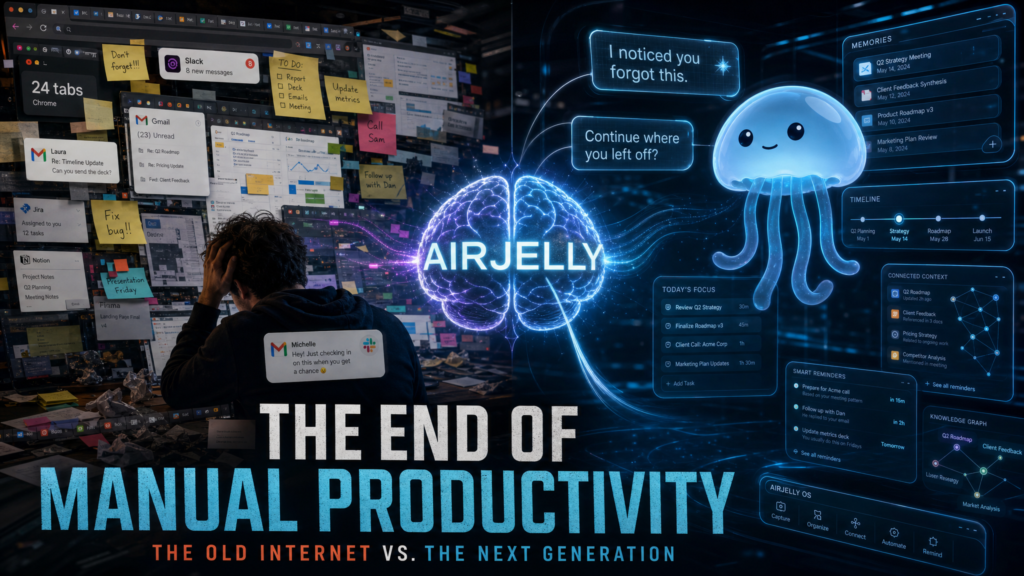
There’s a particular kind of fatigue that comes from working across a dozen apps at once. You finish a Zoom call, jump into Slack to confirm a follow-up, hop into a Google Doc to draft a brief, lose a tab in the chaos of fifteen others, and somewhere along the way you promise someone you’ll “circle back tomorrow.” Then tomorrow arrives, and the promise is gone — not because you didn’t mean it, but because the context evaporated the moment you switched windows.
Most AI tools, for all their power, don’t help much with that problem. They wait. You open a chatbot, you type a prompt, you paste in context, you ask a question, you get an answer. The cycle assumes that you remember what to ask, what to paste, and what to follow up on. The intelligence is there, but the initiative sits on your shoulders.
Air Jelly is built around a different assumption. It calls itself “The World’s First Context-Aware Proactive Agent,” and while that’s a strong claim to lead with, the product behind it is interesting enough to take seriously.
The core idea: shift the burden of context
The clearest way to explain Air Jelly is to start with the gap it’s trying to close.
When you use a typical AI assistant — a chatbot, a coding agent, a research helper, even a productivity app — you and the model are starting from zero each time. You explain what you’re working on. You paste a doc. You describe a thread. You summarize a meeting. The model is brilliant the moment it has context; it’s just that you are the one who has to deliver that context every single time.
Air Jelly’s pitch is that this is the wrong division of labor.
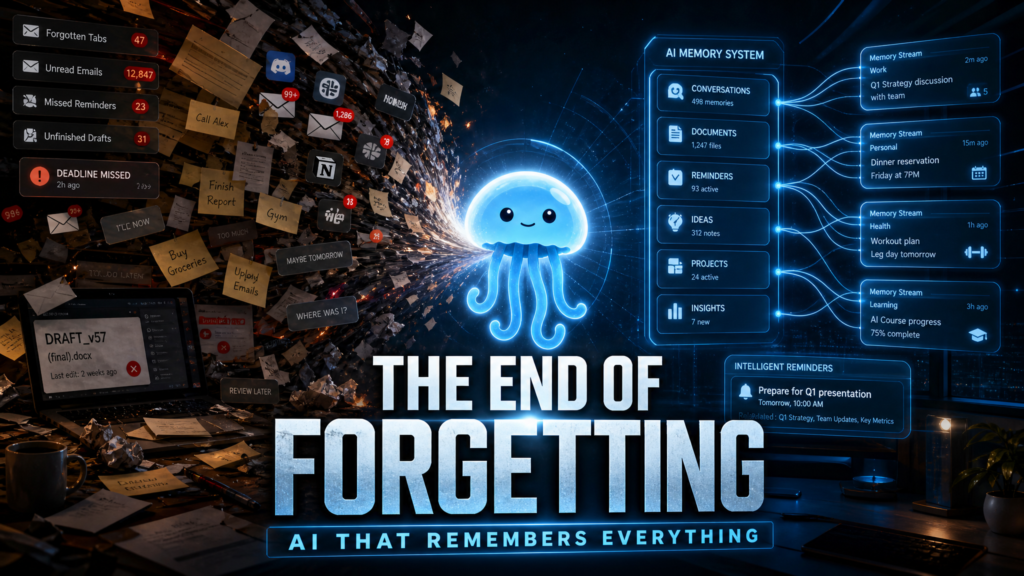
The app sits on your machine and observes what you’re already doing across applications — emails, documents, messaging tools, browsers, calendars, meeting apps — and continuously builds a memory of that activity. Then, when you need help, it doesn’t need to be briefed. It already has the context. And, more notably, it can act on that context without being asked first.
Air Jelly frames this in three pillars: a continuously updating Timeline of your work, Context-powered agents that run on your full cross-app history, and a Proactive layer that surfaces the next thing you should be doing.
The YouTube walkthrough captures the practical version of this idea well. Early in the Kingy AI review, the reviewer points out that today’s AI tools, however capable, force a constant rhythm of stopping, copying, pasting, and summarizing. Air Jelly’s design tries to break that loop by removing the briefing step altogether.
Whether or not “the world’s first” claim ages well, the underlying direction — making context the system’s job, not the user’s — is the right one.
What Air Jelly actually shows you: the Timeline
The first thing you notice in the walkthrough is the Timeline. The official site describes it as “a chronological log of everything Air Jelly observed — across apps, meetings, and files,” and that’s exactly what it looks like in practice.
In the video, the Timeline reads as a kind of continuous activity log: a Slack moment at 09:14 where a promise was captured for follow-up, a Zoom meeting at 10:32 where notes were saved with three action items, a research brief compiled in Docs at 14:05, an interview reminder pushed through Calendar at 16:48. It’s not a screenshot reel. It’s a structured, readable account of what you did and what mattered about each entry.
The value of that kind of log is easy to underestimate until you’ve gone a full week without one. Most of us reconstruct our days from fragments — a Slack search here, a calendar glance there, an open tab we’d forgotten. The Timeline replaces that reconstruction with a single chronological view, which means the answer to “what was I doing yesterday afternoon?” is no longer a guessing game.
The point isn’t that Air Jelly remembers everything. It’s that it remembers the shape of your day in a form you can actually query.
Tasks that capture themselves
The second pillar — and probably the one that will feel the most immediately useful to most knowledge workers — is automatic task capture.
The Kingy AI review shows a specific example that’s worth dwelling on. A user types into an email, “I’ll follow up with them tomorrow.” Air Jelly recognizes the sentence as a commitment, captures it as a signal, and turns it into a reviewable task with the original email attached as context.
That sounds small. It isn’t.
The single most common failure mode in knowledge work is the implicit promise — the kind you make in a message or a meeting without writing it down, fully intending to keep it, then forgetting where you made it. Slack threads bury themselves. Email threads sprawl. Calendar invites go stale. The promise is real; the system to track it isn’t.
The official Air Jelly site gives a clean version of this scenario in its “in the flow of real work” section: “You said you’d follow up — then moved on. Air Jelly turned that message into a task, set the due date, and attached the original thread.” It’s a small, specific behavior, but it’s the kind that compounds. If even half of your implicit promises are quietly captured, the surface area of “things I might be forgetting” gets much smaller.
The Tasks panel in the walkthrough shows a sidebar of pinned and queued items, including a category labeled “Proactive Assist.” These aren’t tasks you typed. They’re tasks Air Jelly inferred from your activity. You still own them — you can accept, edit, or dismiss them — but you didn’t have to author them from scratch.
For people whose work happens in conversation rather than in a project tracker, that flip in default behavior is the most practically useful thing about the product.
People and relationships, kept warm
There’s a feature the YouTube walkthrough calls “People & Relationship Context,” and it’s one of the more thoughtful parts of the design.
Air Jelly builds a per-contact view that pulls from your actual interactions: where you’ve talked, what you’ve worked on together, what’s been promised, what’s still outstanding. The example in the video uses a contact named Michael. Clicking through shows a timeline of interactions — Discord discussions, email drafts, shared tasks — and then offers actions like “Summarize our relationship” and “What matters recently.”
The phrasing is gentle, which I appreciate. It isn’t a CRM. It isn’t trying to score the relationship or categorize it into a funnel. It’s trying to give you the version of “what’s going on with this person” that you’d otherwise have to assemble by hand before a call.
For anyone who manages a portfolio of people — investors, customers, collaborators, candidates, advisees — this is the kind of feature that quietly pays for itself. The cost of walking into a meeting cold is high, and the cost of preparing properly is usually higher than we want to admit. A tool that does the warm-up pass for you, using context that already exists, is genuinely useful.
The walkthrough also briefly demonstrates per-contact attributes like “waiting for update” and “prefers short updates.” It’s not clear how much of that is inferred versus manually maintained, and I’ll be honest: that’s the kind of feature I want to see in real use before I’d vouch for its reliability. Behavioral inferences about people are hard to get right, and easy to get wrong in embarrassing ways. But the structure — a person-centric view that reflects your actual history with them — is the right shape.
Rewind: the day, played back
A feature labeled Rewind in the Kingy AI walkthrough takes the Timeline idea and makes it explorable.
Instead of a flat log, Rewind presents your day in segments — early morning, morning, afternoon, evening — with what you did, on which apps, and for how long. The reviewer asks Air Jelly, “What was I researching yesterday?” and gets a coherent summary back, pulled from the captured memory.
This is the part of the product where the value proposition stops being abstract.
If you’ve ever opened your laptop in the morning and stared at fourteen tabs from the night before, trying to remember which one mattered, you already know the size of this problem. Air Jelly’s answer is to keep a structured memory of what you were doing, so the question “where did I leave off?” is one you can actually ask out loud and get answered.
The website’s “Daily Report” section frames the same idea from the other end of the day: an end-of-day auto-generated summary of what happened, what’s pending, and what to pick up tomorrow. Together, Rewind and the Daily Report bracket the workday with continuity. You always know where you left off, and you always know where you’re going next.
That’s a small ritual change, and a meaningful one.
Proactive: moving work forward before you ask
The proactive layer is the most ambitious — and the most polarizing — part of Air Jelly’s design.
The website describes it plainly: “Catches missed follow-ups, prepares briefs, and surfaces the next step at exactly the right moment — without being prompted.” The walkthrough shows examples like “Follow up with Maya,” “Prep for investor call,” “Demo starts in 12 minutes — draft update?”, and a “Priorities” list that pulls open tasks across active projects and recommends what to do next.
The honest version of my reaction is this: proactive AI is the right idea, and it’s also the hardest thing to get right in practice.
The risk is well-known. Proactive systems can become noisy. They can interrupt at the wrong moment. They can suggest the obvious in a way that feels condescending, or suggest the wrong thing in a way that feels insulting. The line between “anticipates my needs” and “won’t stop nagging me” is thinner than designers like to admit.
What I’ll say in Air Jelly’s favor, based on the walkthrough, is that the proactive surface is framed as suggestions you can accept or dismiss, not actions taken on your behalf. The Priorities view recommends; it doesn’t execute. Tasks captured from messages go into a queue you can review. That restraint — earning trust before taking action — is the correct posture for a tool like this. Whether the tuning holds up over weeks of real use is the kind of thing only you can answer for your own workflow, and the Air Jelly Discord is probably a good place to read other users’ experiences as the product evolves.
I won’t pretend I have a year of data on how well it performs. I’ll say only that the design choices visible in the product are sensible ones.
The privacy posture
Anytime an app says it observes everything you do on your computer, the next question has to be about privacy. To Air Jelly’s credit, they answer it without dodging.
The architecture described on the website is local-first. Screenshots and structured memories are stored on your device, not in the cloud. All data is encrypted with AES-256. There’s a deliberate “close their eyes” feature — double-tap the Option key, and Air Jelly stops capturing for five minutes, with a second double-tap to resume.
The walkthrough video spends a meaningful amount of time on this section, which is the right call. The reviewer notes that the app stores its memory locally, encrypted, and doesn’t upload it to remote servers. He frames it bluntly: with always-on AI tools, trust is everything.
A few honest observations.
First: “local-first” is the strongest claim a tool of this kind can credibly make, and Air Jelly makes it explicitly. That matters. A lot of the discomfort around screen-watching AI comes from the (entirely reasonable) assumption that screenshots will end up on someone else’s server. Air Jelly is staking its design on that not being the case.
Second: I’d encourage anyone evaluating it to read the full privacy policy on the site for the exact terms — particularly around any cloud features (e.g., remote model inference) that may require data to leave the device under specific conditions. “Local-first” is the right default, but most modern AI apps have some cloud component somewhere, and clarity on which features are which is worth the five minutes.
Third: the manual pause control matters. Sensitive moments happen — a tax form, a medical portal, a private message. A one-keystroke way to tell the app to look away is the kind of small, respectful feature that says someone thought about real-world use.
I don’t want to overstate this. Privacy in always-on tools is something you only really learn by using them for months. But the design choices Air Jelly is publishing are the right ones to start from.
Who Air Jelly is actually for
The Air Jelly homepage lays out four target audiences, and they’re worth taking seriously because the value of the product depends heavily on how your work is shaped.
Multi-window, multi-threaded workers — anyone whose day involves constantly switching between fragmented tools and threads. This is the clearest fit. If your work happens across Slack, email, docs, browser tabs, meetings, and a notes app simultaneously, Air Jelly is essentially building the continuity layer your operating system doesn’t.
Heavy computer-based knowledge workers — product, ops, engineering, design, founders. People whose output is largely the result of synthesizing information across many places. The Timeline and Tasks features map directly onto how this kind of work breaks.
Long-term project owners — graduate students, researchers, PhDs, anyone managing extended work that spans weeks or months. The memory layer matters more here than the task layer. Being able to ask “what was I reading three weeks ago about X?” and get a real answer is a serious upgrade.
Remote workers and specialized teams — finance, media, customer support, anyone whose work requires holding shifting context across changing priorities. The “second brain” framing is most literal here.
If you’re a single-app, single-task worker — you spend the day in one IDE, one design tool, one writing app — Air Jelly is probably overkill. The product’s value scales with the fragmentation of your workflow.
The Kingy AI review makes the same point near the end: this is a tool for people whose work is “spread across too many apps and too many threads.” Founders, creators, developers, marketers, operators, product managers, researchers, designers. The list isn’t exhaustive, but the pattern is clear.
What I’d want to know before you download it
A few honest, practical notes.
Platform. As of writing, the Air Jelly site lists the app as available for macOS, with Windows and Linux noted as coming soon. If you’re on Windows or Linux, this is a wait-and-see situation, and the Discord is the best place to track timing.
Onboarding time. The walkthrough is clear about this, and it’s worth repeating: Air Jelly gets more useful the longer it’s been running. The first hour is shallow. By the end of the first week, the Timeline has shape, the People view has substance, and the proactive suggestions have something to draw on. Treat the first few days as the training period.
The promise is continuity, not magic. Air Jelly isn’t going to write your code or design your slides. What it’s going to do — based on everything visible in the walkthrough video — is make sure you stop losing the threads of your own work. That’s a smaller promise than most AI products make, and a more useful one.
A short note on the design
It’s worth saying that the product has taste.
The jellyfish mascot — translucent, glowing, calm — is more than aesthetic. It signals what the app is trying to be: something present but not loud, attentive but not intrusive. The UI in the walkthrough follows the same logic. Timelines are readable. The Tasks panel is grouped, not crowded. The Rewind view treats the day like a story rather than a dashboard.
These are small choices, and they add up. A tool that’s going to be looking over your shoulder all day needs to feel like good company, not surveillance. Air Jelly, in its visual and interaction language, gets that.
You can see more of how the team thinks on their X (Twitter) account and on their Product Hunt page.
The honest summary
Let me write the version of this review I’d want to read.
Air Jelly is a desktop application — macOS first, other platforms to follow — that observes your work across apps, builds a structured memory of it, and then uses that memory to help you in three ways: a chronological Timeline of what happened, an auto-populating Tasks list pulled from your conversations and commitments, and a Proactive layer that surfaces follow-ups, briefs, and next steps before you ask. It also includes a Rewind view for replaying a day, a People view for keeping context on your relationships, and a Daily Report that brackets the workday with continuity. All of this runs on a local-first architecture, with encrypted storage on your device and a manual “look away” hotkey for sensitive moments.
It is, in the most useful sense of the word, an assistant. Not a chatbot, not an agent that runs autonomously off in the cloud, but something closer to a thoughtful colleague who keeps notes on your behalf and quietly hands them back at the right moment.
The honest reservations are the ones any reasonable person would have about any tool in this category. Proactive AI is hard. People-context inferences are hard. Local-first claims need to be read alongside the actual policy. And the only real way to know if a continuous-memory tool fits your workflow is to use it for two or three weeks and see whether your day feels lighter or heavier.
What I’ll say in Air Jelly’s favor is that the design choices are the right ones. Local-first storage. Suggestions over silent actions. A manual pause. A focus on memory and continuity rather than on replacing the human in the loop. A clear target audience — people whose work is fragmented and who feel that fragmentation as a cost. None of that guarantees the product will be perfect for you. All of it suggests the team is thinking about the right things.
If you spend your days hopping between apps and walking out of the workday with the vague sense that you forgot something important, Air Jelly is — at minimum — worth the download. Run it for a week. Let it watch your actual work. Then ask it what you were doing on Tuesday afternoon and see if the answer is the one you needed.
If it is, you’ll know.
If it isn’t, you’ll have learned something specific about your workflow that no chatbot was going to tell you.
Either way, it’s an interesting tool to have in the conversation about what AI assistance should actually look like — not a smarter prompt box, but a system that finally takes responsibility for the context it’s working from.You can download it directly from airjelly.ai and join the community on Discord.