There is a particular kind of fatigue that sets in after long sessions with AI video tools. You generate a character you love, then five prompts later that character looks like someone else’s cousin. You nail an environment, then lose the lighting two shots in. You explain the world, the tone, the camera language — and the model forgets the moment the page reloads. Most “AI directors” are really just prompt boxes with a costume on.
InVideo Agent One is the first tool I have used that actually feels like it is trying to fix that problem at the architectural level rather than the cosmetic one. After building a full cinematic short inside it — gladiators, emperors, jungle temples, dialogue, the whole production — I came away convinced this is a genuine shift in how AI video generation should work, even if it is not without its rough edges.
This review is based entirely on my own hands-on walkthrough (full video here) and InVideo’s official documentation. No external opinions, no aggregated takes. Just what the tool actually does when you sit down and use it.
What InVideo Agent One Actually Is
InVideo describes Agent One as “invideo’s AI filmmaker, a conversational agent that thinks through your creative brief, builds your video scene by scene, and edits as you go.” That is marketing language, but it is more accurate than usual. Inside the platform you select Agent mode at the top of the prompt page, hand it an idea — a script, a treatment, even a loose concept — and it begins to construct a project around that input.
InVideo is careful to distinguish Agent One from their other product, Autopilot. Autopilot is the one-click “describe your idea, get a video” path. Agent One is explicitly for users who want to be “in the director’s chair, steering the agent shot by shot, scene by scene.” That framing is critical, because Agent One is not faster than other AI video tools. It is deeper. You are not trying to win a render race. You are trying to make something coherent.
The product is built around a single, surprisingly under-explored idea in AI video: persistent project context. Almost every other tool resets your world every time you generate. Agent One assumes the opposite — that your project has a continuous identity, and that identity should compound as you work.
Starting With a Treatment, Not a Prompt
The workflow begins with what InVideo calls a treatment — essentially a creative vision document. This is one of the most important conceptual shifts the product makes. Other tools beg you for short prompts. Agent One actively wants long, dense, opinionated context. In the docs, InVideo writes: “The more context you give it, the better it gets.” That is not lip service. The agent visibly performs better with longer briefs.
For my test, I uploaded a 60-second cinematic short treatment about a gladiator approaching an ancient temple. It included:
- Character descriptions — a quiet, battle-worn warrior; an elegant, calm, ruthless emperor
- Environment descriptions — a jungle temple exterior with Roman/Mayan-inspired architecture, a dark, tense temple interior
- A beat-by-beat story timeline with timestamps, actions and visual cues
- A cliffhanger ending
The moment I dropped that in and named the agent “Creative Director,” Agent One went to work in a way that felt unfamiliar. It did not just acknowledge the brief — it actively organised it. The chat panel scrolled through actions like “Creating brief: The Forgotten Arena – Short Film,” “Creating phase Bible for characters, location, and style,” “Saving treatment and deliverable specs to context,” “Saving character descriptors to context,” “Saving style spine to context,” “Saving jungle temple location to context.”
That sequence is the whole product in microcosm. It is not generating yet. It is understanding.
Context: The Brain of the Project
The right-hand panel inside Agent One has two tabs: Context and Notebook. The Context tab is, as InVideo’s documentation puts it, “where you teach Agent One how to think about your project.” The Notebook is for working notes. The Context tab is the brain.
InVideo’s docs break Context down into clearly delineated sections that you can edit at any time:
- About this project — what you’re making, the audience, the goal
- Invideo rules — your standing instructions on tone, pacing, format
- Review Agents — secondary agents that check Agent One’s work before it returns to you
- World building — accumulating characters, settings, visual language and continuity
- Inspiration — uploaded images, videos and reference links
- Visual language & Brand guidelines — palette, typography, brand rules
- Knowledge bank — uploaded scripts, specs, research, briefs
In practice, this turned out to be the single feature I leaned on the most. Every change I made — a character refinement, a tone adjustment, the decision to remove all sci-fi elements from my story — was committed to context, and Agent One referenced it on every subsequent generation. I never had to explain “the gladiator uses traditional weapons” twice. The brain held it.
The Review Agents feature is particularly interesting from a workflow standpoint, because it is essentially built-in QA. You can configure agents that check Agent One’s output against your standards before the agent hands the result back to you. I did not stress-test this exhaustively, but the concept alone elevates Agent One from a generator to a small, opinionated studio.
Character Generation: Where Iteration Actually Works
My first real test was character generation. I asked Agent One to produce a storyboard-style sheet of the gladiator from multiple angles — six variations. The first batch came back acceptable but, to be blunt, cartoony. Around four of the six images looked closer to stylised concept art than the grounded, cinematic protagonist I wanted.
This is the moment most AI tools fail. You give feedback, and the model either ignores it or re-rolls something completely different, losing the thread.
Agent One did not do that. I said something close to: “1.7 is realistic and on the right track, the rest look like cartoon slop. Make him look closer to Maximus from Gladiator, give him an energy sword and shield.” I also dropped in a reference image. The next batch was visibly learning from the previous one. The realism improved, the cartoon noise was gone, the silhouette was right.
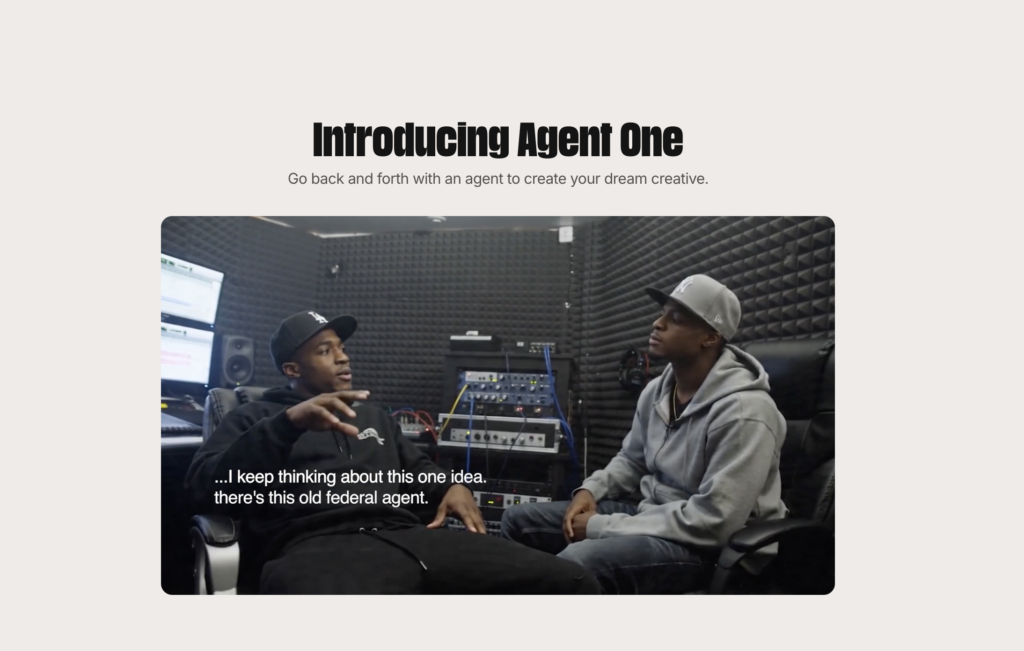
Then I changed my mind — a normal part of any creative process. I decided the sci-fi sword and shield clashed with the temple aesthetic and asked the agent to strip all sci-fi elements from the entire project context. This is where most platforms would simply update one prompt and quietly leave the rest of your world out of sync. Agent One actually updated character context, emperor context, and the jungle temple context simultaneously. The next gladiator grid — nine hyper-realistic frames with traditional weapons — was, to quote myself on camera, “exactly the look I want to use moving forward.”
Then I did the same exercise for the Emperor, uploading a reference image and asking for a comparable character sheet. The Emperor came back regal, intimidating, and crucially, consistent with the gladiator’s visual world. Character consistency across a cast is one of the hardest problems in AI video; Agent One handled it because both characters were being generated from the same persistent brain.
Environments and Cinematic Prompting
Environments were where Agent One quietly impressed me the most. I asked for a batch of six images covering both the temple exterior and several interior shots — throne room, relic chamber, jungle approach.
The results were not just visually strong. They were stylistically locked to the project. The lighting language, the architectural blend of Roman and Mayan, the moss-on-stone texture work — it all matched. More importantly, when I peeked at the prompts Agent One was constructing internally, they were considerably more sophisticated than what I would write by hand. The agent is, functionally, a prompt engineer working on your behalf. It is taking your high-level intent and translating it into the kind of structured, cinematic prompt that an actual VFX prompt designer would produce.
This is one of the most underrated value propositions of the product. You are not just paying for image generation. You are paying for the prompting layer — the thing most users are bad at and most tools refuse to do for them.
Scene Building, GPT Image 2.0, and the First Cut
Once characters and environments were locked, I moved to scene work — six distinct scenes covering the entire 60-second short. I gave Agent One a fairly detailed scene-by-scene breakdown with timestamps, actions, visual notes and specific direction (“stone gates slam shut,” “blue-gold symbols igniting,” “deep shadows, tension”). I specified GPT Image 2.0 as the generation engine.
What came back was a full sequence: the gladiator approaching the temple, entering with a glowing sword, advancing through the corridor, approaching the relic chamber, interacting with the relic, and finally the confrontation with the emperor. Each frame was stitched into a draft video with ambient sound. As a first pass, it was genuinely impressive — three out of six scenes were keepers immediately, and the failures were specific and fixable (some “flashy lights” effects looked overdone and busy).
Crucially, the failure modes were not “the AI doesn’t understand what I want.” They were stylistic preference issues — the kind a real director would resolve with their DP. That is a meaningful upgrade in the conversation.
Narrative Development: AI-Assisted Creative Direction
This is the section that surprised me most, and the one I think reveals what InVideo is really building. Once I had a workable visual sequence, I asked Agent One to help develop the story itself. I wanted to know who this gladiator was, why he was walking toward those ruins, and what his conflict with the emperor actually meant.
Agent One came back with three coherent, distinct narrative options:
- “The Last Mission” — the gladiator has been the emperor’s weapon for years, promised freedom after retrieving the relic
- “The Blood Debt” — a revenge arc rooted in a past betrayal
- “The Heir” — a lineage and succession arc
I picked “The Last Mission” because the irony — walking toward hope, only to be betrayed — gave the cliffhanger ending real emotional weight. Agent One then reconstructed the entire narrative draft against that choice, including adding dialogue to the gladiator’s scenes for the first part of the film.
The dialogue it generated was minimal and effective — the gladiator murmurs “No more blood,” and later the emperor delivers the gut-punch line: “You always were my best. Did you really think I’d let you walk free?” That is not Oscar-bait, but as automatic story scaffolding for a short, it is more than serviceable. And again — because the agent had been holding the entire creative project in context the whole time, the dialogue felt earned. It was written for this gladiator and this emperor, not for generic archetypes.
What Agent One Gets Right
Pulling this together after a full workflow, a few things stand out.
It actually remembers. This is not a marketing claim. The Context system is exposed, editable, and visibly referenced in every generation. Persistent memory is the core mechanic, and it works.
It acts as a creative collaborator, not a vending machine. When I asked narrative questions, it suggested three real options instead of one safe default. When I gave feedback, it propagated changes across the entire project, not just one prompt.
The prompting layer is genuinely valuable. Most users will never write prompts as detailed as Agent One does for them. That alone justifies the platform for serious creators.
The workflow scales with ambition. A 10-second clip or a 60-second cinematic short — same interface, same memory model, same iterative feel. You are not punished for trying to make something complex.
The conceptual separation from Autopilot is clean. If you want one-click, Autopilot exists. If you want to direct, Agent One is built for that. InVideo has resisted the temptation to make one tool do both jobs badly.
What Could Be Better
The first generation pass is often the weakest. Initial character batches leaned cartoony until I corrected them. New users without a clear visual reference may struggle to get to “the look” quickly. Just remember to be as precise as possible with your prompts.
Effect-heavy scenes — glowing symbols, ignited runes — sometimes overcook. Subtlety has to be explicitly asked for.
Generation speed is not instant. The depth of context-handling has a cost, and you feel it in render times. If you are coming from one-shot tools, expect to wait more.
Who This Is Actually For
Agent One is not for someone who wants a TikTok in 30 seconds. It is for filmmakers, serious creators, narrative-driven YouTubers, brand storytellers, and ad teams that need cinematic consistency across multiple shots. If you have ever tried to make an AI video with recurring characters and given up because the model forgot what they looked like, this is the tool for you.
It is also, I think, an early look at where AI video is heading. The center of gravity in this category is moving away from “best single-clip model” and toward “best project memory system.” InVideo got there first in a meaningful way.
Final Verdict
InVideo Agent One is the most coherent AI filmmaking environment I have used. It is not perfect, it is not the fastest, and it is not the cheapest — but it is the only one that treats your creative project as a continuous, evolving thing rather than a series of disconnected prompts. The Context system, the prompting layer, the narrative collaboration, and the genuine sense that the agent is with you in the project rather than just responding to it — those are real, durable advantages.
If you are tired of fighting AI video tools to remember basic facts about your own story, give Agent One a serious test. Bring a treatment, not a one-liner. Use the Context panel ruthlessly. Iterate the way a real director would. You will get something out the other side that actually looks like your film.
That, more than any single model or generation, is the breakthrough.
AI Video Tools
- Framia Pro AI creative-agent review
- OiiOii AI animation-studio review
- consistent AI characters with ChatLLM Teams
- how Kingy AI explained invideo Agent One
AI Agent Guides
The Kingy Brief
Get The Kingy Brief.
Every Friday: the AI launches worth your time, what we actually tested, and one thing to try. Free. Unsubscribe anytime.
Free · Double opt-in · Unsubscribe anytime