A Practical Guide to Building a Prompt Library That Actually Works
1. Introduction: Why Most Prompt Lists Are Shallow
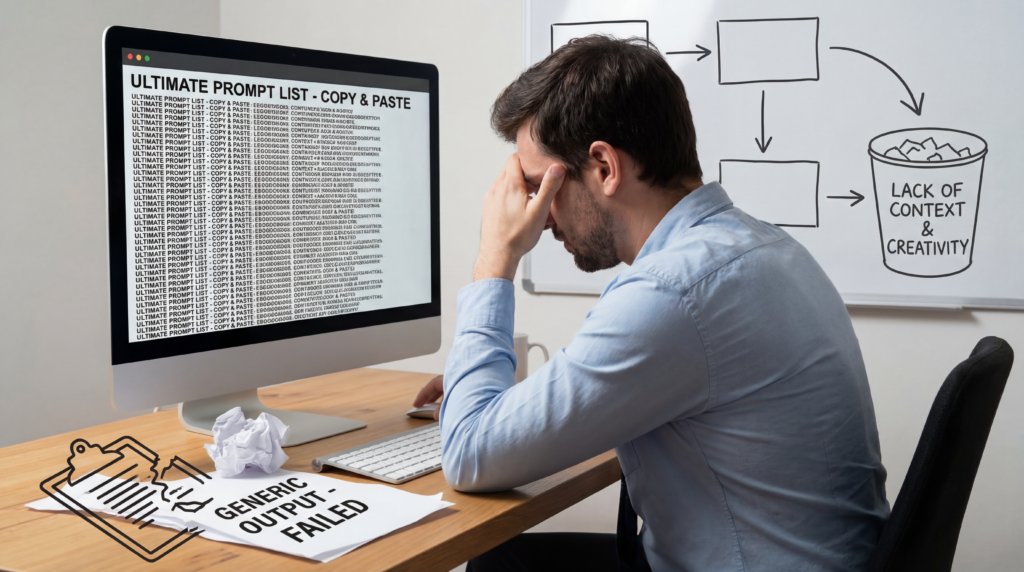
If you’ve ever Googled “best AI prompts,” you know what you find: numbered lists. “100 ChatGPT prompts for productivity.” “50 prompts that will change your life.” “The ultimate prompt cheat sheet.” They come with good SEO titles and bad content. You copy a prompt, paste it into ChatGPT or Claude, get a mediocre result, and wonder why the magic didn’t work.
The problem isn’t the prompts themselves. The problem is the mental model they’re built on: that prompting is about finding the right magic phrase rather than building a reliable input system.
The official guidance from the companies actually building these models says something very different. OpenAI’s Prompt Engineering Guide frames prompts not as one-liners but as a structured combination of clear instructions, relevant context, examples, and constraints. Anthropic’s Prompt Engineering Overview recommends defining success criteria before you write prompts at all, then testing them against real outputs.
Google’s Gemini Prompt Design Strategies explicitly frames prompting as iterative — you start somewhere and refine based on what comes back. Microsoft’s Prompt Engineering Techniques stress specificity and giving the model an explicit fallback (“if you can’t find it, say ‘not found'”) rather than letting it hallucinate a confident-sounding guess.
When four major AI providers converge on the same core principles, that’s not a coincidence — it’s signal. The best practices aren’t about clever wordplay. They’re about reducing ambiguity, increasing structure, and treating AI outputs as something you design rather than something you hope for.
Why copy-paste prompt lists fail
Most prompt lists fail for three reasons.
First, they strip prompts of context. “Write me a landing page for a SaaS product” might be listed as a great prompt, but without knowing the product, the audience, the price point, the tone, and the desired action, the output is almost guaranteed to be generic. A prompt without context is just a topic.
Second, they treat prompts as static. Good prompting is iterative. You write a prompt, evaluate the output, identify what’s missing or wrong, and revise. The model doesn’t guarantee a perfect answer on the first try — but it does respond to better inputs with better outputs. Skipping the iteration step is like sending a brief to a creative agency and being surprised when the first draft needs revisions.
Third, they pretend one prompt works everywhere. It doesn’t. The same input to GPT-4o, Claude 4.6 Sonnet, and Copilot can produce meaningfully different outputs. OpenAI’s documentation notes that even different versions of the same model — snapshots — can behave differently. Anthropic’s prompting guides are explicitly model-specific, covering tool use, XML structure, and agentic behavior in ways that don’t apply identically to other systems. A prompt written for one model may need to be adjusted for another.
Why reusable patterns beat isolated prompts
The better mental model isn’t “best prompts” — it’s “prompt patterns.” A pattern is a repeatable structure that you adapt to new inputs. Instead of saving “Write me a SWOT analysis of Acme Corp,” you save a SWOT analysis template with labeled placeholders: [COMPANY NAME], [INDUSTRY], [CONTEXT]. One template, infinite applications.
This is exactly how professional prompt engineering works at scale. OpenAI notes that for complex applications, organizations build prompt evaluation systems — essentially libraries of tested prompts measured against defined quality criteria. Anthropic recommends building evaluation frameworks before deploying prompts. Google’s public prompt gallery is organized by task type, not by magic phrases.
The shift from “asking AI a question” to “designing an input system”
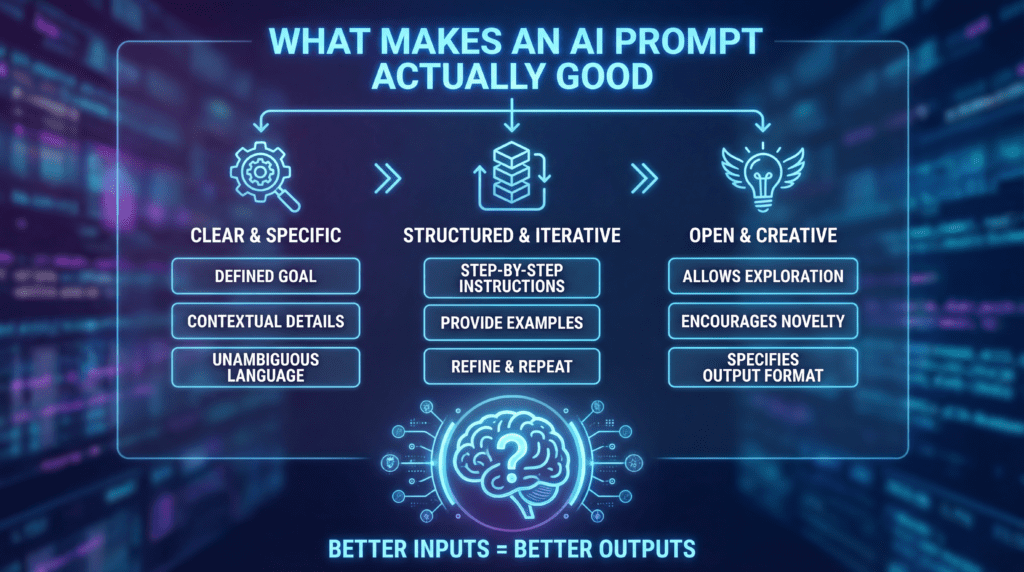
The most useful reframe in this guide is this: stop thinking about prompting as asking a question and start thinking about it as designing an input. When you ask a question, you’re hoping the model will figure out what you need. When you design an input, you’re specifying the task, audience, context, constraints, format, and quality bar — and giving the model everything it needs to produce something useful.
What you’ll find in this guide
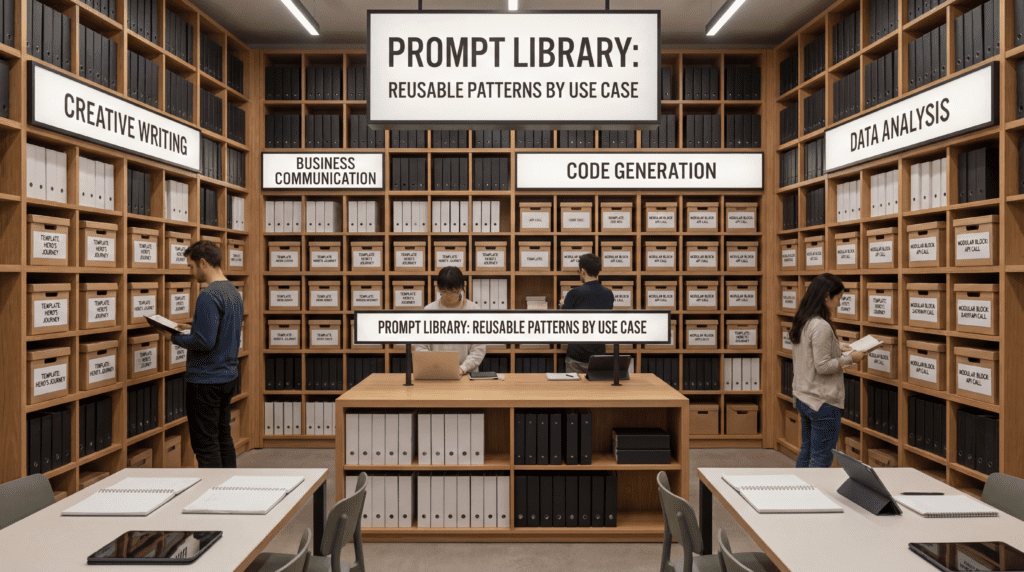
This is not a list of 100 prompts. It is a prompt library organized by use case, built on reusable patterns rather than isolated examples. Each section gives you a framework for thinking about that category of task, the key ingredients a good prompt needs, concrete copyable templates with labeled placeholders, before/after comparisons, and notes on iteration and model behavior.
The guide covers writing and content creation, research and summarization, business and strategy, coding and data, creative and multimodal work, education and coaching, and personal productivity. It ends with a section on failure modes — why prompts break and how to fix them — and a practical framework for building and maintaining your own prompt library over time.
Whether you’re using ChatGPT, Claude, Gemini, Copilot, or any similar tool, the patterns in this guide are designed to be adapted, not just copied. The goal is not to give you prompts that work once. The goal is to help you build a system that works every time.
2. What Makes a Prompt Actually Good
A good prompt reduces ambiguity and increases the probability of a useful output on the first try.
That sounds obvious, but it has real implications. It means a prompt isn’t just a question — it’s a specification. It tells the model what task to perform, who it’s performing it for, what constraints apply, what format to use, and how to handle uncertainty. The more of that information you provide upfront, the less the model has to guess, and the better the output.
This section breaks that down into five components: clarity, context, output control, examples, and iteration.
2.1 Clarity and Specificity
The single most common prompt failure is vagueness. “Write something about climate change” is technically a prompt. It will produce output. But that output will be a generic, encyclopedia-style paragraph because the model had no other information to work from. Vague input, generic output. It’s not a model failure — it’s a prompt failure.
Clarity means defining four things:
Task: What do you want the model to do? (Summarize, generate, rewrite, analyze, explain, compare, classify, extract)
Audience: Who is this for? (A non-technical executive, a developer, a 14-year-old, a hiring manager)
Format: What should the output look like? (Bullet list, table, email, code block, numbered steps, prose)
Constraints: What should be included or excluded? (Word count, tone, factual grounding, forbidden phrases, required sections)
Before: “Write something about climate change.”
After: “Write a 200-word summary of the economic costs of climate change for a non-technical executive audience. Use plain language, no jargon, and end with one practical implication for corporate risk planning.”
The second version produces a usable output. The first produces a paragraph you’ll immediately rewrite.
OpenAI’s best practices documentation notes that you should put instructions at the beginning of the prompt and separate them from context using delimiters like triple quotes (""") or XML tags like <context>. This structural clarity helps the model parse what it’s supposed to do versus what it’s being given to work with — a distinction that matters more as prompts grow in complexity.
2.2 Context
Models don’t know who you are, what you’re working on, or what success looks like unless you tell them. Context is the background information that makes a response relevant rather than generic.
Useful context includes: who you are (role, expertise level, organization), what this is for (a client pitch, an internal report, a first draft for review), what already exists (a rough draft, a transcript, a dataset, an existing strategy document), what the audience knows and expects, and any constraints imposed by the situation.
The difference between useful context and noisy context is relevance. Don’t dump everything you know into a prompt — include only what helps the model make better decisions. If you’re asking for a product description, the model needs to know the product, the target buyer, and the tone. It probably doesn’t need your company’s ten-year history.
Anthropic’s prompt engineering documentation recommends putting long-context documents inside XML tags like <document> to help Claude parse where instructions end and source material begins. This is a small structural choice that consistently improves output quality on complex tasks where the model needs to clearly distinguish your instructions from the material it’s working with.
2.3 Output Control
If you don’t specify format, the model will default to its best guess — which is often prose when you wanted bullets, or bullets when you wanted a table, or 800 words when you wanted 200.
Output control elements include:
Length: “Keep it under 150 words.” “Write at least three paragraphs.” “Be thorough — I’d rather have too much than too little.”
Tone: “Professional but not stuffy.” “Conversational and direct.” “Formal, suitable for a legal memo.”
Format: “Return a numbered list.” “Format as a table with columns for X, Y, Z.” “Output as JSON with the keys: title, summary, tags.”
Structure: “Organize by section with H2 headers.” “Write the executive summary first, then the detailed analysis.”
Inclusion/exclusion rules: “Do not include personal opinions.” “Only use information from the provided document.” “Avoid em-dashes and passive voice.”
The more downstream use this output has — especially if it feeds into automation or needs to be pasted directly into a document without editing — the more specific your format instructions should be.
2.4 Examples
Examples often outperform abstract instructions. This is the principle behind few-shot prompting, which is discussed in depth in the OpenAI Prompt Engineering Guide and is one of the most consistently effective techniques across model families.
The reason examples work is that they show the model the target rather than describing it. “Be concise” is subjective — your version of concise might differ from the model’s default. Three examples of a concise output demonstrate exactly what you mean. Show, don’t describe.
You don’t need elaborate few-shot setups for most everyday prompts. Even a single example of the desired output format — placed after your instructions — meaningfully improves output consistency.
Before: “Write a tweet about this blog post.”
After: “Write a tweet about this blog post. It should be under 200 characters, end with a question, and avoid hashtags. Here’s an example of the style I’m looking for: ‘Most people think negotiation is about leverage. What if it’s actually about listening?'”
That one example communicates more about the desired tone, structure, and length than several paragraphs of description could.
2.5 Iteration
Prompting is not one-and-done. Google’s Gemini documentation frames prompting explicitly as iterative: start with a prompt, evaluate the output, identify the gap between what you got and what you needed, and modify the prompt to close that gap.
Effective iteration follows a pattern:
Write the initial prompt with as much clarity as you have
Read the output critically — not “is it good?” but “where is it missing context, specificity, or structure?”
Add what’s missing, tighten what’s ambiguous, add an example if the format is off
Re-run and compare
Anthropic’s current best practices recommend defining success criteria before writing the prompt, not after. That means knowing what a great output looks like before you evaluate whether you got one. This sounds obvious, but most people skip it and evaluate vaguely. A concrete success criterion (“this summary should be under 150 words, in third person, with exactly three bullet points of key takeaways”) makes iteration dramatically more efficient — you’re not guessing whether it worked, you’re checking against a checklist.
Before/After Prompt Comparisons
Before
After
“Summarize this article.”
“Summarize this article in 3 bullet points for a non-technical executive. Each bullet should be one sentence. Use plain language.”
“Help me with my email.”
“Draft a follow-up email to a client who missed our last two calls. Tone: warm but direct. Under 120 words. End with a single specific ask.”
“Give me ideas for content.”
“Generate 10 article angles about remote work productivity for a B2B SaaS audience. Each angle should be counterintuitive and specific enough to be actionable.”
“Fix this code.”
“This Python function is returning None instead of the expected list. Here’s the code. Identify why and suggest a fix with an explanation.”
“Write a product description.”
“Write a 150-word product description for Flowpath, a project management tool for heads of product. Tone: confident, practical, anti-hype. Avoid ‘streamline’ and ‘all-in-one.'”
3. The Universal Prompt Framework
Every strong prompt contains some version of the same core ingredients. This section codifies those into a reusable framework you can apply to any task, in any category, on any model.
The framework is:
Role → Goal → Context → Constraints → Output Format → Quality Bar
Each component is optional in theory, but together they eliminate most of the ambiguity that leads to mediocre outputs. Think of this as a checklist rather than a rigid template — not every task needs every element, but you should consciously decide what to include rather than omitting components by default.
3.1 Role
Assigning a role to the model (“Act as a senior product manager,” “You are an experienced copywriter,” “Take the perspective of a security analyst”) establishes expertise level and focuses the model’s response style.
Role prompting is not magic — it doesn’t give the model knowledge it doesn’t have — but it consistently improves the relevance and tone of outputs. A financial analyst frame produces tighter, more quantitative responses than no frame at all. An editorial frame produces more critical, less congratulatory feedback. A teacher frame produces more scaffolded, more explanatory responses.
The goal is the clearest, most specific statement of what you want the model to produce. Avoid vague verbs like “help me with” or “write something about.” Use precise action verbs: summarize, generate, rewrite, extract, classify, compare, analyze, draft, outline, debug, explain, translate, convert, evaluate.
The goal should also specify the deliverable, not just the activity. “Analyze this” is an activity. “Produce a 200-word analysis structured as three findings with supporting evidence” is a deliverable.
3.3 Context
Background information, relevant documents, the audience, the business situation, or the existing material the model needs to work with. This is where you paste a transcript, describe a product, provide a brief, or share the constraints of the situation.
Keep context relevant. Every piece of context costs tokens and can dilute the signal if it’s not directly relevant to the task. Front-load the most important context and be ruthless about what earns its place in the prompt.
3.4 Constraints
What must be included, what must be avoided, and any rules that govern the output.
Content constraints: “Only use information from the attached document.” “Do not make up statistics or cite sources you cannot verify.”
Tone constraints: “Keep it professional.” “Avoid jargon.” “Sound like a person, not a press release.”
Structural constraints: “Limit to three sections.” “No more than five bullets per section.” “Respond in the same language I write in.”
Compliance constraints: “This is for a regulated industry — flag anything that might require legal review before publishing.”
Fallback instructions: “If you cannot find the answer in the provided material, say ‘not found’ rather than inferring.”
That last constraint — the explicit fallback — is one of Microsoft’s most consistent recommendations. Telling the model what to say when it doesn’t know is far more effective than hoping it will admit uncertainty on its own. Without a fallback, models tend to fill gaps with plausible-sounding inference. With a fallback, they can stop and say “I don’t have enough information” — which is usually what you actually need.
3.5 Output Format
Specify the exact format you want:
Bullet points or numbered list
Structured table with defined column headers
JSON with specific keys
Email with subject line and body
Slide outline with header and three talking points per slide
SOP with numbered steps and a checklist header
Code block in a specific language with comments
Prose with H2 and H3 headers matching a provided outline
The more downstream use this output has — especially if it feeds automation or gets pasted directly into another document — the more precise your format specification should be.
3.6 Quality Bar
The quality bar closes the evaluation loop by making success criteria explicit upfront. Examples:
“Be thorough — I’d rather have too much detail than too little.”
“Be concise — every sentence should earn its place.”
“Cite every claim with a source if you can. Flag claims you’re not confident about.”
“If you’re unsure about any part of this, say so — don’t fill gaps with inference.”
“Ask me for any critical missing information before producing the output.”
The Universal Prompt Template
Role: [Who the model should act as]
Goal: [What you need the model to produce — specific deliverable]
Context: [Background, audience, relevant documents, situation]
Constraints: [What to include, exclude, avoid, comply with, or fall back to]
Output Format: [Exact format specification — structure, length, style]
Quality Bar: [What good looks like; how to handle uncertainty or missing info]
Example using the full framework:
Role: You are an experienced B2B SaaS copywriter.
Goal: Write a 200-word product description for our project management tool.
Context: The product is called Flowpath. It integrates with Slack, Jira, and Google Calendar.
The target audience is heads of product at mid-sized tech companies who are frustrated with
context-switching between tools. The tone should be confident, practical, and anti-hype.
Constraints: Avoid clichés like "streamline," "seamlessly," or "all-in-one solution."
Don't make unverified claims. Keep sentences short. No passive voice.
Output Format: Two short paragraphs. No headers, no bullets. ~200 words.
Quality Bar: Every sentence should say something specific. If a sentence could appear in
any software product description, delete it. Avoid corporate filler.
4. Writing and Content Creation Prompts
Writing is where most people first encounter AI tools, and it’s where the most common mistakes happen. The mistake isn’t using AI to write — it’s using it at the wrong stage with the wrong prompt. Dropping in a vague topic and hoping for polished output is the fastest way to get something that sounds like AI wrote it, because it did, in the most default way possible.
Strong writing prompts work in sequence: ideation → structure → first draft → rewrite → polish. Each stage has its own prompting patterns and its own failure modes.
4.1 Brainstorming Prompts
Brainstorming is where specificity matters most, because “give me ideas” reliably produces the most obvious options. A vague brainstorming prompt returns the first page of Google results, restated. Specificity surfaces the interesting angles.
Prompt pattern: Article angle generator
I'm writing about [TOPIC]. My audience is [AUDIENCE DESCRIPTION]. They already know
[ASSUMED KNOWLEDGE] and are frustrated by [COMMON MISCONCEPTION OR PAIN POINT].

Generate 15 article angles that are: counterintuitive, specific enough to be actionable,
and not already covered to death. Avoid: obvious list posts, surface-level overviews,
and titles that start with "The Ultimate Guide to."

For each angle: the angle in one sentence, the hook in one sentence,
and the implied promise to the reader.
Prompt pattern: Hook generator
Here is my article's core argument: [PASTE ARGUMENT OR THESIS].

Generate 10 opening hooks using different approaches: a surprising statistic, a
counterintuitive claim, a specific story setup, a "what if" scenario, a direct challenge
to the reader's assumption. Each hook should be 1–3 sentences and pull the reader
immediately into the argument without telegraphing it.
Prompt pattern: Title generator
Write 12 title options for an article about [TOPIC] aimed at [AUDIENCE]. Mix formats:
how-to, counterintuitive claim, list post, question, direct instruction.

Score each title on two dimensions:
- Clarity (1–5): Does it say exactly what the article delivers?
- Curiosity (1–5): Does it make someone want to click?

Bold the top 3.
4.2 First-Draft Prompts
The first-draft prompt’s job is to give you a workable starting point, not a finished product. Expecting a polished first draft from AI is like expecting a junior copywriter to deliver print-ready copy on day one — the value is in the speed of getting to something you can react to and improve.
Prompt pattern: Blog post from outline
Role: Experienced writer for [PUBLICATION OR STYLE, e.g., "Harvard Business Review-style"].
Goal: Write a first draft of this blog post section.
Context: [PASTE OUTLINE OR NOTES]
Constraints: Target length: [WORD COUNT]. Tone: [DESCRIBE]. Don't add sections beyond
what's outlined. Don't pad — every paragraph should add something.
Output Format: Prose with H2 subheadings matching the outline.
Quality Bar: First-draft quality — workable, not perfect. Flag any section where you
had to make an assumption or inference I should verify.
Prompt pattern: YouTube script
Write a script for a [DURATION] YouTube video about [TOPIC] for [AUDIENCE].
Structure: Hook (first 15 seconds) → Problem setup → Main content → Takeaway → CTA.
Tone: [DESCRIBE — e.g., "conversational, like a smart friend explaining something"].
Format: Scene-by-scene with [VOICEOVER] and [ON-SCREEN TEXT] labels where relevant.
Constraint: Don't write for someone who's reading — write for someone who's talking.
Prompt pattern: Email draft
Draft an email to [RECIPIENT DESCRIPTION, e.g., "a client who missed our last two
check-in calls"].
Context: [SITUATION — what happened, what you need, what the relationship is].
Tone: [E.g., "warm but direct — I need a response, not an apology"].
Output: Subject line + email body under 150 words.
Constraints: Don't be passive-aggressive. Don't over-apologize. End with a single
specific ask, not an open-ended offer.
Prompt pattern: Social thread from article
Turn this article into a Twitter/X thread of 8–10 tweets.
[PASTE ARTICLE]

Rules: Each tweet must stand alone. First tweet must hook without clickbait.
Last tweet should include a clear takeaway and call to action.
Under 250 characters per tweet. No hashtags.
Label each tweet with its number.
4.3 Rewriting Prompts
Rewriting prompts are some of the most useful in any content workflow. The key is specificity about what’s wrong and what you want instead — “make it better” is not a useful instruction.
Prompt pattern: Simplify without dumbing down
Rewrite this passage for a general audience. Keep all the meaning — remove all the
jargon. Don't lose specificity in the name of simplicity.
Target reading level: 8th grade.
[PASTE TEXT]
Prompt pattern: Tighten prose
Edit this for tightness. Remove every word that doesn't pull its weight. Don't change
the meaning. Don't change the voice. Cut by at least 20% if possible.
Show me the before and after side by side.
[PASTE TEXT]
Prompt pattern: Humanize AI-generated text
This text sounds AI-generated. Rewrite it to sound like a real person wrote it.
Specifically: break up the uniform structure, vary sentence length dramatically,
remove transitions like "Furthermore," "Additionally," and "In conclusion,"
and inject one or two concrete specific details that only someone who knows
this topic would include.
[PASTE TEXT]
Prompt pattern: Adjust reading level or tone
Rewrite this for a [TARGET AUDIENCE: e.g., "non-technical founder," "10-year-old,"
"first-year MBA student"]. Keep the core argument intact. Change the vocabulary,
examples, and framing to match the audience's background and expectations.
[PASTE TEXT]
4.4 Editing Prompts
Prompt pattern: Developmental edit
Act as a developmental editor. Read this piece and give feedback only on:
(1) Argument clarity — is the central thesis clear?
(2) Structure — does the order of ideas make sense?
(3) Gaps — what's missing that a thorough treatment would include?

Do not fix line-level language. Only structure and ideas. Be direct.
[PASTE DRAFT]
Prompt pattern: Fact-risk review
Read this article and flag:
(1) Any factual claim that might be incorrect or outdated
(2) Any statistic or quote that should be verified before publishing
(3) Any implied claim that overstates what the evidence actually supports

Format: numbered list with the problematic passage quoted and the concern described.
[PASTE ARTICLE]
Prompt pattern: Tone alignment
Here is a sample of our brand voice: [PASTE SAMPLE].

Now edit this draft to match that voice exactly.
Preserve all the information — only change tone, word choice, and sentence rhythm.
[PASTE DRAFT TO EDIT]
4.5 SEO Prompts
Prompt pattern: Keyword clustering
Here are 30 keywords from my keyword research: [PASTE LIST].
Group them into 5–8 topic clusters. For each cluster:
- Name the cluster/topic
- List the keywords that belong to it
- Suggest one primary article this cluster could anchor
- Note the likely search intent (informational / navigational / commercial / transactional)
Prompt pattern: Meta description generation
Write 5 meta description options for an article titled: [TITLE].
Each should be: under 155 characters, include the primary keyword "[KEYWORD],"
and be written as a specific benefit statement rather than a description of
what the article contains. Avoid: "comprehensive," "ultimate," "everything you need."
Prompt pattern: FAQ extraction
Read this article and extract 8 questions a user might have that this article answers.
Format as FAQ-style question-answer pairs. Each answer: 2–3 sentences —
complete but not padded. This is for a FAQ schema section at the bottom of the page.
[PASTE ARTICLE]
5. Research, Summarization, and Knowledge Work Prompts
This is where AI tools become genuinely powerful for professional work — and where the failure modes are most serious. Research and summarization prompts need to be structured carefully because the gap between a plausible-sounding output and an accurate one can be completely invisible unless you design the prompt to surface it.
Anthropic’s documentation recommends careful structure for long-context prompts: separating documents with XML tags, explicitly instructing the model what to do with each document, and asking it to cite specific passages rather than summarize from memory. These aren’t stylistic preferences — they’re meaningful quality controls.
5.1 Research Assistant Prompts
Prompt pattern: Topic map
I'm beginning research on [TOPIC]. I have [LEVEL OF FAMILIARITY: e.g., "no background,"
"basic familiarity," "domain expertise in adjacent area"].

Give me a topic map: the main subtopics, the key questions each subtopic raises,
and the most important concepts I need to understand before going deeper.
Format: outline with one level of nesting. Flag where experts most commonly disagree.
Prompt pattern: Comparison matrix
Compare [OPTION A], [OPTION B], and [OPTION C] across these dimensions: [LIST DIMENSIONS].

Format: table. Use only information from the provided sources. If a comparison
point is not clearly supported by the sources, mark it as "[UNVERIFIED]" rather
than inferring. I will make the judgment call on unverified points.
[PASTE SOURCES]
Prompt pattern: Expert briefing
I have a meeting with [EXPERT TYPE] about [TOPIC] in [TIMEFRAME]. I need to
understand this well enough to ask intelligent questions.

Produce:
(1) A 200-word briefing on the topic
(2) 5 questions that would impress a domain expert — not obvious, not superficial
(3) 3 things I should NOT say if I want to be taken seriously

Flag anything you're uncertain about. Use clear language.
5.2 Summarization Prompts
Prompt pattern: Executive summary
Summarize this [REPORT/ARTICLE/PAPER] for a senior executive who has 90 seconds to read it.

Structure:
(1) What is this?
(2) What does it say?
(3) What should I do about it or think about it?

Maximum 200 words. Plain language. No jargon. No passive voice.
[PASTE DOCUMENT]
Prompt pattern: Dense paper summary
This is a [research paper/technical report/policy document]. Explain it in plain language.

Cover: the core argument, the methodology or evidence used, the main finding,
the limitations acknowledged by the authors, and one implication for practice.

Where you're paraphrasing rather than quoting, say so. If any section of the
original is unclear or poorly argued, note that explicitly.
[PASTE DOCUMENT]
Prompt pattern: Meeting notes distillation
These are raw meeting notes. Extract:
1. Decisions made (with who made them, if stated)
2. Action items (with owner and deadline if stated)
3. Open questions still unresolved
4. Key discussion points that didn't result in a decision

Format: structured bullets under each heading.
Don't add information that isn't in the notes.
If something is ambiguous, flag it with [UNCLEAR] rather than interpreting it.
[PASTE NOTES]
5.3 Source-Grounded Prompts
Source-grounded prompts are among the most important patterns in professional knowledge work. They instruct the model to work only from provided material and to clearly separate what the document says from what it infers — a critical distinction that most generic prompts collapse entirely.
Prompt pattern: Document-only extraction
Answer the following question using ONLY the information in the document below.
Do not use external knowledge.
If the answer is not in the document, say exactly: "Not found in provided material."

Question: [YOUR QUESTION]

<document>
[PASTE DOCUMENT]
</document>
Prompt pattern: Fact vs. inference separator
Read this document and produce three clearly separated lists:

1. CONFIRMED FACTS: explicitly stated in the text
2. STRONG INFERENCES: clearly implied but not directly stated
3. OPEN QUESTIONS: things the document raises but doesn't resolve

Do not mix these lists. If you're unsure which category a claim belongs to,
put it in the inferences list and note your uncertainty.
[PASTE DOCUMENT]
Prompt pattern: Conflicting sources identifier
I'm providing two documents that address the same topic.
Identify:
(1) Where they agree
(2) Where they explicitly disagree
(3) Where one addresses something the other doesn't mention

Do not reconcile contradictions — only surface them clearly.
I'll make the judgment call on what to do with disagreements.

<document_1>[PASTE]</document_1>
<document_2>[PASTE]</document_2>
5.4 Long-Document Prompts
Long documents require explicit structural guidance. Without it, models tend to summarize the opening sections more thoroughly than later sections — an artifact of how transformer attention works in long contexts. The fix is to be explicit about what you want from each part.
Prompt pattern: Section-by-section analysis
I'm sharing a long document. Analyze it section by section, not as a whole.
For each section:
- Main point (one sentence)
- Key evidence or argument used
- Any claims that should be independently verified
- One follow-up question worth pursuing

Label each section clearly. Do not synthesize across sections until I ask you to.
[PASTE DOCUMENT IN LABELED SECTIONS]
Prompt pattern: Contract/legal text first-pass review
Review this document and flag:
(1) Anything that limits my rights or creates unusual obligations
(2) Anything ambiguous that should be clarified before signing
(3) Any clause that seems to differ from standard practice in this type of agreement
(4) Any section I should direct a lawyer's attention to specifically

Note: I understand this is not legal advice. This is a first-pass review
before consulting counsel.
[PASTE DOCUMENT]
5.5 Verification Prompts
These are quality-check prompts designed to test outputs you’ve already generated — including AI-generated content. They’re most useful as the last step before publishing, submitting, or acting on AI-generated work.
Prompt pattern: Missing information audit
Read this [REPORT/ARTICLE/ANALYSIS]. Tell me:
- What important information is missing that a thorough treatment would include?
- What questions does this raise that it doesn't answer?
- What context would a reader need that isn't provided here?
[PASTE CONTENT]
Prompt pattern: Assumption audit
This is an argument or recommendation. List the assumptions it rests on.
For each assumption:
(1) Is it stated or unstated?
(2) How critical is it to the conclusion — if this assumption is wrong, does the
    conclusion collapse?
(3) How plausible is it?
[PASTE ARGUMENT]
Prompt pattern: Weak-claim detector
Read this text and identify every claim that:
(1) Requires evidence that isn't provided
(2) Uses vague language that could mean anything ("many," "often," "in some cases,"
    "research shows")
(3) Sounds confident but is likely contested or contextually variable

Mark each with [VERIFY], [VAGUE], or [CONTESTED] inline.
[PASTE TEXT]
6. Business, Strategy, and Productivity Prompts
Business prompts cover a wide range of use cases, from high-level strategy to day-to-day communication. The common thread is that context matters enormously here — a generic prompt for a business task almost always produces generic output. “Do a competitive analysis” returns the kind of framework any business school student could sketch. Specific prompts return useful insights.
6.1 Business Analysis Prompts
Prompt pattern: SWOT analysis
Role: Business analyst with experience in [INDUSTRY].
Goal: Conduct a SWOT analysis of [COMPANY/PRODUCT/INITIATIVE].
Context: [PASTE RELEVANT BACKGROUND].
Constraints: Be specific — avoid generic SWOTs that could apply to any business.
For each point, give one sentence explaining why it matters strategically.
If you lack information to make a confident assessment in any quadrant, say so explicitly.
Output: Formatted SWOT table, followed by one paragraph synthesizing the single
most critical strategic insight.
Prompt pattern: Competitive positioning
I'm building competitive positioning for [PRODUCT] against [COMPETITOR 1] and [COMPETITOR 2].

Our claimed differentiators: [LIST].
Their claimed differentiators: [LIST WHAT YOU KNOW].

Analyze critically:
(1) Which of our claimed advantages are actually defensible and believable to buyers?
(2) What angles are we not using that we could?
(3) What gaps in our positioning would a sophisticated buyer notice immediately?

Be direct. Don't just validate what I've told you.
Prompt pattern: ICP refinement
I'm defining the ideal customer profile for [PRODUCT/SERVICE].
My current ICP hypothesis: [DESCRIBE WHO YOU THINK YOUR BEST CUSTOMER IS].

Generate 5 sharpening questions that would force me to be more specific.
Then, based on what I've shared:
(1) What is most likely wrong or underspecified about my current hypothesis?
(2) What adjacent customer segment am I probably overlooking?
6.2 Operations Prompts
Prompt pattern: SOP creation
Create a Standard Operating Procedure for: [TASK/PROCESS].
Context: This is for a team of [TEAM TYPE / EXPERIENCE LEVEL].
Current process (rough description): [DESCRIBE].

Format:
- "Before you start" checklist at the top
- Numbered steps, each with: action, responsible party, expected output,
  and what to do if something goes wrong

Quality bar: Specific enough that a new hire could follow this without asking questions.
Prompt pattern: Meeting agenda
Create an agenda for a [DURATION] meeting about [TOPIC].
Attendees: [LIST OR DESCRIBE ROLES].
Goal: [DECISION TO MAKE / PROBLEM TO SOLVE / UPDATE TO SHARE].

Format: Time-boxed items labeled as: Inform / Discuss / Decide.
Add a "Prep required" note for any item requiring pre-reading.
Add a "Parking lot" section at the end for items that come up but are out of scope.
6.3 Sales and Marketing Prompts
Prompt pattern: Cold outreach
Write cold outreach to [TARGET PERSONA] about [OFFER/PRODUCT].
Context: [WHY YOU'RE REACHING OUT + WHAT YOU KNOW ABOUT THEM + WHAT YOU'RE OFFERING].

Rules: Under 100 words. One specific insight about their situation. One clear ask.
Human, not templated.

Forbidden phrases: "I hope this message finds you well," "I wanted to reach out,"
"synergy," "leverage," "circle back."

Output: Subject line + message body.
Prompt pattern: Objection handling
I sell [PRODUCT] at [PRICE POINT] to [TARGET BUYER].
My most common objection is: [PASTE EXACT OBJECTION WORDING].

Generate:
(1) The underlying concern behind this objection (what the prospect really means)
(2) Three ways to address it without becoming defensive
(3) One reframe that changes how the buyer thinks about the issue —
    not just an answer to their question
Prompt pattern: Customer persona
Build a detailed customer persona for the ideal buyer of [PRODUCT/SERVICE].
Context: [WHAT YOU KNOW ABOUT YOUR CUSTOMER BASE].

Include: demographics, role/title, primary goals, daily frustrations,
what they read and trust, how they make buying decisions, their biggest fear
about buying a product like this, and the one sentence they'd use to describe
the problem your product solves.

Constraint: Specific enough to write ad copy for. No generic persona platitudes.
6.4 Email and Communication Prompts
Prompt pattern: Difficult conversation email
Draft an email for this situation: [DESCRIBE — what happened, who's involved,
what you need to address].
Goal: [E.g., "address a missed deadline without damaging the relationship"].
Tone: Direct but respectful. No passive aggression. No excessive softening.
Output: Subject + email under 200 words.
Constraints: Don't open with "I hope..." — lead with the point.
Close with a specific next step, not an open-ended offer.
Prompt pattern: Executive email
Draft an email to [EXECUTIVE — describe role and context] communicating [CORE MESSAGE].
Context: [PROJECT UPDATE / ASK FOR RESOURCES / ESCALATION / APPROVAL NEEDED].

Rules:
- Lead with the most important thing
- Put the ask in the first paragraph
- Short sentences
- No jargon or insider acronyms
- Under 150 words
6.5 Decision-Support Prompts
Prompt pattern: Decision memo
Decision: [WHAT NEEDS TO BE DECIDED].
Options I'm considering: [LIST OPTIONS].
Context: [CONSTRAINTS, GOALS, STAKEHOLDERS, TIMELINE].

Produce a decision memo:
1. Problem statement (one clear sentence)
2. Options — each with: key pros, key cons, and most significant risk
3. Recommendation with rationale
4. Next steps if recommendation is approved

If you lack information to make a confident recommendation,
tell me specifically what you'd need to know.
Prompt pattern: Risk review
Review this plan for risks I might not have considered.
[PASTE PLAN]

Categories to examine: execution risk, market risk, people/team risk,
financial risk, and second-order effects (what happens if this works?).

Format: bulleted list. For each risk: description, likelihood (high/medium/low),
and one mitigation option. Bold the two risks I should take most seriously.
7. Coding, Data, and Automation Prompts
Prompting for technical work is one of the highest-value use cases and one of the most model-sensitive. OpenAI’s current guidance recommends explicit instructions, structured output formats, tool use over guessing, and evaluations for complex automated pipelines. Anthropic’s technical prompting documentation includes detailed guidance on tool use and agentic workflows. Microsoft consistently recommends explicit fallbacks over model inference for technical tasks.
The core principle for technical prompts is: don’t let the model guess. Be explicit about language, version, constraints, expected input/output, edge cases, and error behavior.
7.1 Coding Prompts
Prompt pattern: Code explanation
Explain this code to me as if I'm [EXPERIENCE LEVEL, e.g., "a new hire joining the
project this week," "an experienced developer unfamiliar with this framework"].

Cover:
- What this code does (high level)
- How it works (step by step)
- Any non-obvious design choices and why they were probably made
- Any potential issues, limitations, or gotchas I should know about

[PASTE CODE]
Prompt pattern: Code generation
Write a [LANGUAGE] function that [DESCRIPTION OF TASK].

Requirements:
- Input: [DESCRIBE INPUT — type, format, edge cases]
- Output: [DESCRIBE EXPECTED OUTPUT]
- Constraints: [PERFORMANCE, LIBRARY RESTRICTIONS, NAMING CONVENTIONS, ETC.]
- Error handling: [HOW SHOULD ERRORS BE HANDLED? RAISE, RETURN NULL, LOG?]

Include inline comments for any non-obvious logic.
Do not use deprecated methods.
Include a brief usage example at the end.
Prompt pattern: Refactoring
Refactor this [LANGUAGE] code for [GOAL: readability / performance / modularity /
testability — pick one primary goal].

Rules:
- Don't change what the code does, only how it's structured
- Explain each major change you make and why it improves the code
- If you find a bug while refactoring, flag it but don't fix it unless I ask

[PASTE CODE]
Prompt pattern: Debugging
This code is producing [DESCRIBE THE BUG OR UNEXPECTED BEHAVIOR].
Expected behavior: [WHAT YOU EXPECTED].
Actual behavior: [WHAT ACTUALLY HAPPENED].

[PASTE CODE]

Step through what the code is actually doing and identify exactly where it
diverges from what I intended. Suggest a fix and explain why it resolves the issue.
7.2 Code Review Prompts
Prompt pattern: Security review
Review this code for security vulnerabilities.
Focus on: input validation, authentication/authorization issues, SQL injection,
XSS vulnerabilities, dependency risks, and any hardcoded credentials or
sensitive data.

Format: numbered list with — Issue description, Severity (Critical/High/Medium/Low),
affected line(s), and recommended remediation.

[PASTE CODE]
Prompt pattern: Edge case identification
What inputs or states would cause this code to fail, behave unexpectedly,
or return incorrect results?

For each edge case:
- Describe the condition
- Describe the likely failure mode
- Describe how I'd write a test to catch it

[PASTE CODE]
7.3 Test Generation Prompts
Prompt pattern: Unit test generation
Generate unit tests for this [LANGUAGE] function.
Testing framework: [JEST / PYTEST / JUNIT / XUNIT / etc.]

Cover:
- Normal/happy path cases
- Edge cases (boundary values, empty inputs, nulls)
- Failure cases (invalid input, expected errors)

For each test: include a comment explaining what it's testing.
Tests should be independent — no shared mutable state between tests.

[PASTE FUNCTION]
7.4 Product and Engineering Prompts
Prompt pattern: PRD drafting
Draft a Product Requirements Document for: [FEATURE NAME].
Context: [WHAT IT DOES, WHO IT'S FOR, WHY WE'RE BUILDING IT, WHAT SUCCESS LOOKS LIKE].

Include these sections:
- Overview
- Problem statement and user impact
- Goals and success metrics
- User stories (top 3–5)
- Functional requirements
- Non-functional requirements
- Out of scope
- Open questions

Quality bar: Specific enough that an engineer could build from this without
scheduling a follow-up clarification meeting.
Prompt pattern: User story generation
Generate user stories for [FEATURE/FUNCTIONALITY].
Primary user: [WHO THIS FEATURE IS FOR].
Format: "As a [user type], I want to [action] so that [outcome]."

Include acceptance criteria for each story (3–5 testable criteria).
Flag any story that requires a product or design decision not yet made —
mark it [DECISION NEEDED: describe the decision].
7.5 Data Analysis Prompts
Prompt pattern: SQL generation
Write a SQL query to answer this business question: [BUSINESS QUESTION].
Database schema: [PASTE SCHEMA OR DESCRIBE RELEVANT TABLES AND KEYS].

Requirements:
- Comment each logical step in the query
- Use [DATABASE TYPE: Postgres / MySQL / BigQuery / Snowflake / etc.]
- If there are multiple approaches, show the simplest version first
  and note the performance tradeoff of alternatives

[PASTE SCHEMA IF AVAILABLE]
Prompt pattern: Data interpretation
Here are the results of an analysis: [PASTE DATA OR RESULTS].

Tell me:
(1) What patterns are immediately visible?
(2) What's surprising or counterintuitive?
(3) What would I need to investigate further before drawing confident conclusions?
(4) What decisions could this data support — and what decisions would it
    be dangerous to make on this data alone?
Prompt pattern: Spreadsheet formula
I'm working in [EXCEL/GOOGLE SHEETS]. I need a formula that [DESCRIBE WHAT YOU NEED].
My data layout: [DESCRIBE COLUMNS AND STRUCTURE — e.g., "Column A = dates,
Column B = revenue, Column C = region"].

Return:
- The formula
- A plain-English explanation of how it works
- Any gotchas to watch for (blank cells, date formats, case sensitivity, etc.)
7.6 Automation and Agentic Prompts
Agentic prompts — used in workflows where AI takes multiple sequential actions — require a different structure than single-turn prompts. The key differences are explicit step planning, clear action-confirmation gates, and defined fallback behavior when a step fails or encounters uncertainty.
Anthropic’s documentation on agentic systems recommends preferring reversible actions over irreversible ones, confirming with the user before taking consequential steps, and having a clearly defined escalation path when the model encounters ambiguity it cannot resolve on its own.
Prompt pattern: Workflow decomposition
I want to automate this process: [DESCRIBE PROCESS].

Break it into atomic steps. For each step:
(1) The specific action
(2) The input it requires
(3) The output it produces
(4) What could go wrong
(5) Whether a human should confirm before moving to the next step

Identify which steps are automatable with current tools and which require
human judgment. Flag the highest-risk step.
Prompt pattern: Agentic task definition
You are completing the following task: [TASK DESCRIPTION].
You have access to: [TOOLS OR INFORMATION AVAILABLE].

Before taking any action: state your plan and wait for confirmation.
After each step: confirm the output and whether to continue.
If you encounter a situation where you're unsure how to proceed:
stop and ask rather than guessing.
Do not take irreversible actions without explicit confirmation.
If a step fails: describe what happened and ask how to proceed.
8. Creative, Image, Audio, and Video Prompts
Creative prompts operate on different principles than informational ones. Where research prompts prioritize grounding and accuracy, creative prompts succeed by being evocative, specific about aesthetic choices, and explicit about what good looks like in subjective terms. “Make it beautiful” is not a constraint. “Dark cinematic, shallow depth of field, muted greens and browns, shot at golden hour” is.
Google’s prompt gallery includes multimodal prompting examples demonstrating image-to-text, text-to-image, image-to-JSON, and video Q&A requests — useful references for understanding how model providers think about multimodal task design.
8.1 Visual Generation Prompts
Visual generation prompts (for DALL-E, Midjourney, Stable Diffusion, Imagen, and similar tools) work best when they specify subject, setting, style, mood, lighting, composition, and negative constraints. Every detail you specify is a detail the model doesn’t have to invent — and invention is where creative tools drift furthest from your intent.
Prompt pattern: Cinematic image
Create a cinematic photograph of [SUBJECT].
Setting: [ENVIRONMENT — be specific: "rain-soaked street in Tokyo at 2am,"
not "city at night"].
Lighting: [TYPE — golden hour, overcast diffuse, harsh midday, neon backlighting].
Mood: [EMOTIONAL TONE — melancholy, tense, hopeful, quiet].
Camera: [LENS AND FRAMING — 85mm portrait, wide-angle establishing, macro close-up].
Style reference: [A FILMMAKER, PHOTOGRAPHER, OR VISUAL STYLE].
Do not include: [ELEMENTS TO EXCLUDE — text, watermarks, unrealistic elements, etc.].
Prompt pattern: 5 visual concepts from a single idea
I'm creating visual content around this concept: [CONCEPT OR ARTICLE TOPIC].

Generate 5 distinct cinematic image prompts, each taking a completely different
visual angle on the concept. Vary: setting, perspective, subject, mood,
and compositional approach.

Make each prompt specific enough to generate a high-quality, distinctive image —
not "a person thinking about AI." Think like a creative director briefing
a photographer on five different campaign shots.
8.2 Video and Storyboard Prompts
Prompt pattern: 60-second short-form video script
Turn this article/idea into a script for a 60-second short-form video.
[PASTE ARTICLE OR IDEA]

Format: Scene-by-scene. For each scene:
- Voiceover text
- Visual description
- On-screen text (if any)

Rules:
- Hook in the first 3 seconds — do not open with your name or channel name
- Clear call to action in the last 5 seconds
- Platform: [TIKTOK / REELS / YOUTUBE SHORTS]
- Total word count should be under 130 words (for natural 60-second pacing)
Prompt pattern: Product ad storyboard
Create a storyboard for a 30-second product ad for [PRODUCT].
Audience: [TARGET AUDIENCE].
Goal: [AWARENESS / CONVERSION / EMOTIONAL CONNECTION].

Format: 6–8 scenes. For each:
- Shot type (wide, medium, close-up, POV, etc.)
- Visual description
- Audio / voiceover
- Duration in seconds

Include one surprising or emotionally resonant moment.
End with a clear tagline that could stand alone.
8.3 Audio and Voiceover Prompts
Prompt pattern: Voiceover script
Write a voiceover script for a [DURATION]-second [VIDEO TYPE: explainer / ad /
documentary clip / social video].
Topic: [WHAT IT'S ABOUT].
Tone: [E.g., "warm and authoritative," "energetic and direct"].

Format:
- Script with [PAUSE] markers for natural pacing
- Reading pace: ~130 words per minute
- Word count should match the target duration

Avoid: preamble, filler phrases, passive constructions.
Prompt pattern: Podcast episode structure
Structure a podcast episode about [TOPIC].
Format: [SOLO / INTERVIEW / CO-HOST].
Duration: [TARGET LENGTH].

Output: Episode outline with:
- Cold open hook (first 60 seconds)
- Segment breakdown with timing and key talking points
- 5–7 interview questions if applicable
- Clear close with listener takeaway and CTA

For each segment: label whether it's setup, content, story, or payoff.
8.4 Multimodal Prompts
Prompt pattern: Screenshot to structured notes
Analyze this screenshot and extract:
(1) What it shows — describe the context and purpose
(2) Any visible data, text, or metrics
(3) UX issues, inconsistencies, or design problems if applicable
(4) Action items implied by what's on the screen

Format: structured bullets under each category.
[ATTACH SCREENSHOT]
Prompt pattern: Image data extraction
Extract all data from this chart/table/infographic as structured JSON.
Include all labels, values, and units.
If any value is unclear or partially visible, note it as:
"uncertain: [your best read]" rather than guessing silently.
[ATTACH IMAGE]
9. Education, Coaching, and Personal Use Prompts
Some of the most underused prompt patterns are for learning and personal growth. AI works exceptionally well as a tutor, study partner, and thought partner — but only if the prompts create active engagement rather than passive delivery. The key design principle here is: don’t let the model do all the thinking for you. Good education prompts create productive friction — they prompt you to generate, recall, apply, or analyze rather than just receive.
9.1 Tutor Prompts
Prompt pattern: Scaffolded teaching
Teach me [CONCEPT] step by step. Start at the beginning — assume I know
[PRIOR KNOWLEDGE LEVEL, e.g., "basic Python but no machine learning"].

After each step, pause and ask me a question to check my understanding
before moving on. Don't give me the next step until I've answered.
If I answer incorrectly, don't give me the answer immediately —
give me a hint and let me think again.
Prompt pattern: Analogy-first explanation
Explain [COMPLEX CONCEPT] using an analogy from [FAMILIAR DOMAIN,
e.g., "cooking," "sports," "urban planning"].

After the analogy, explain exactly where it breaks down —
that's usually where the real complexity and nuance of the concept lives.
Prompt pattern: Socratic guide
I'm trying to understand [TOPIC OR QUESTION].
Don't answer it for me — ask me a series of Socratic questions that help me
work toward the answer myself. Start with the most basic foundational question
and build toward the complex one. Let me answer each before asking the next.
9.2 Learning Prompts
Prompt pattern: Study plan
I want to learn [SKILL OR SUBJECT] to the level of [GOAL: "pass a certification exam,"
"build a working prototype," "hold an informed conversation with an expert"].
I have [TIME AVAILABLE PER WEEK] over [TIMELINE].

Build a week-by-week study plan. For each week:
- Topic focus
- Key concepts to master
- One project or practice exercise
- Recommended resource (book, course, or practice problem set)

Flag the hardest week and explain why. Note prerequisites I need before starting.
Prompt pattern: Active recall quiz
Quiz me on [TOPIC].

Rules:
- Ask one question at a time
- Don't show me the answer until I respond
- If I'm right: confirm why I'm right, then ask the next question
- If I'm wrong: give a hint, not the answer — let me try again
- Make questions progressively harder
- Start at [EASY / MEDIUM / HARD] difficulty
9.3 Coaching and Reflection Prompts
Prompt pattern: Decision clarity
I'm trying to decide [DECISION]. I'm leaning toward [OPTION] but I'm uncertain.

Don't tell me what to do. Instead: ask me 5 questions that would help me get clearer
about what actually matters most to me in this decision.

After I answer all five, reflect back what you heard and identify any
contradictions, blind spots, or unstated assumptions in my thinking.
Prompt pattern: Weekly review
Help me do a structured weekly review. I'll share what happened and you'll
help me process it.

Walk me through each section one at a time:
- Wins (what went well and why)
- Blockers (what slowed me down)
- Surprises (what I didn't expect)
- Lessons (what I'd do differently)
- Priorities for next week

For each section: ask one follow-up question after I answer before moving on.
Prompt pattern: Thinking partner
I want to think through [PROBLEM OR IDEA]. I'm not looking for you to solve it.

Your role:
- Ask clarifying questions when I'm vague
- Challenge my assumptions when I state them
- Point out when I'm being imprecise
- Summarize my thinking back to me periodically as a check

Don't give me the answer unless I explicitly ask for it.
Start with: "What's the core question you're actually trying to answer?"
9.4 Everyday Life Prompts
Prompt pattern: Meal planning
Plan [NUMBER] days of meals for [NUMBER] people.
Dietary constraints: [LIST — vegetarian, gluten-free, allergies, etc.].
Time constraints: [E.g., "max 30 minutes on weeknights, more time on weekends"].
Budget: [APPROXIMATE WEEKLY BUDGET IF RELEVANT].

Output:
- Meal plan table (breakfast, lunch, dinner per day)
- Combined shopping list organized by grocery section
- One recipe I probably haven't tried that fits my constraints
Prompt pattern: Travel itinerary
Plan a [DURATION] trip to [DESTINATION] for [NUMBER] travelers.
Travel style: [BUDGET / MID-RANGE / LUXURY].
Top priorities: [E.g., "food and local culture, not tourist traps"].
Hard constraints: [BUDGET, MOBILITY NEEDS, DIETARY RESTRICTIONS, DATES].

Output: Day-by-day itinerary with:
- Morning / afternoon / evening structure
- Accommodation recommendation per night (area, not specific hotel)
- List of what to book in advance vs. leave flexible
- One thing most tourists miss that locals recommend
10. The Failure Modes: Bad Prompts, Hallucinations, and Prompt Anti-Patterns
Understanding failure modes makes you a better prompt engineer faster than studying best practices. Most bad outputs are not random — they’re predictable consequences of specific prompt deficiencies. Recognize the pattern, fix the deficiency.
10.1 Vague Prompts
Vague prompts are the most common failure and the easiest to fix. They produce output that is technically responsive but useless in practice because it lacks the specificity the task requires.
Symptoms: Generic surface-level output. Could have been written by anyone about anything. Reads like a first-page Google result, restated.
Causes:
Missing task definition (“write something about” vs. “write a 200-word executive summary of”)
Missing audience (“explain this” vs. “explain this to a non-technical product manager”)
Missing format (“give me ideas” vs. “generate 10 specific angles, each with a one-sentence hook”)
Missing constraints (“write an email” vs. “write an email under 100 words ending with one specific ask”)
Fix: Run the prompt through the Universal Framework checklist. For each component — Role, Goal, Context, Constraints, Output Format, Quality Bar — ask: have I specified this? Every omission is a decision you’re delegating to the model’s defaults.
10.2 Overloaded Prompts
Overloaded prompts ask too much at once. They’re the opposite problem from vague prompts: instead of being too sparse, they’re too dense with competing or conflicting instructions.
Symptoms: Incomplete output (the model addresses some tasks but skips others), conflicting tone (trying to be formal and casual simultaneously), structural confusion, outputs that feel disjointed.
Fix: One primary goal per prompt. If you have five things to accomplish, write five prompts and chain them. OpenAI’s documentation recommends breaking complex tasks into sequential subtasks — a chain of focused prompts consistently outperforms a single overloaded one.
A good test: can you describe the deliverable of your prompt in one sentence? If not, it’s probably overloaded.
10.3 Negative-Only Instructions
Telling the model what not to do — without specifying what to do instead — is consistently less effective than positive instructions. This is one of the most well-documented findings in practical prompt engineering.
“Don’t use jargon” is weaker than “Use plain language at an 8th-grade reading level.” “Don’t be too formal” is weaker than “Write as if explaining this to a smart friend over lunch.” “Don’t make it too long” is weaker than “Maximum 200 words.”
Google’s Gemini prompting guide gives a clear example of how blanket negative instructions like “do not infer” can cause overcorrection — the model may refuse to draw any inferences at all, including ones that are obviously supported by the text, because the instruction was too broad. The fix is specificity: “Only infer conclusions explicitly supported by the text. For anything beyond that, flag it as inference rather than confirmed fact.”
Anthropic similarly recommends telling the model what to do instead of only what not to do. The practical rule: for every “don’t,” ask yourself what you want instead. Write that.
Bad: “Don’t use bullet points and don’t make it too long.” Better: “Write in prose. Maximum 200 words. No bullets or headers.”
10.4 Hallucination Traps
Hallucination — the model generating confident-sounding false information — is one of the most serious failure modes, and one of the most preventable with better prompt design. It’s not random. It’s systematic, and it’s highest in predictable conditions.
Highest-risk scenarios:
Asking for specific facts the model doesn’t reliably know: obscure statistics, recent events, precise citations, minority academic references
Asking for sources without providing them: “cite three papers about X” often produces plausible-looking citations that don’t exist
Long inferential chains: the further the reasoning extends from established fact, the higher the drift
Confirmation prompts: “Is this correct?” tends to produce agreement more than it produces accurate verification
Mitigations:
Provide the source material and ask the model to work only from what’s there
Build in the explicit fallback: “If you cannot find this in the provided material, say ‘not found’ — do not infer”
Add a confidence qualifier: “If you’re not confident about any of this, say so rather than guessing”
Verify specific factual claims independently — treat AI output as a research assistant’s first pass, not a finished citation
Microsoft’s guidelines are especially clear on this point: give the model an explicit, acceptable response for when it doesn’t know the answer. Without a fallback, the model defaults to its best guess. With a fallback, it can stop and flag uncertainty — which is almost always more useful.
10.5 Prompt Repair
When a prompt produces a bad output, most people start from scratch or give up. The more efficient approach is prompt repair: diagnosing what went wrong and adding the missing ingredient.
Repair checklist:
Was the task unclear? → Add a more specific action verb and deliverable
Was context missing? → Add background, audience, and purpose
Was format unspecified? → Add explicit format instructions
Were there no examples? → Add one example of the target output
Was the scope too large? → Split into multiple sequential prompts
Were instructions contradictory? → Remove the conflict; prioritize one goal
Did the model hallucinate? → Add grounding constraints and an explicit fallback
Was the output generic? → Add more specific constraints and a quality bar
Repair template:
My previous prompt produced [DESCRIBE THE PROBLEM — e.g., "an output that was
too generic and missed the specific angle I needed"].

Here's what I actually wanted: [DESCRIBE THE GAP].

Revised prompt: [YOUR UPDATED VERSION]
Giving the model the context of what went wrong often produces dramatically better results than simply re-running the original prompt. You’re giving it the evaluation data it needs to course-correct.
10.6 Model-Specific Differences
One underappreciated failure mode is treating all AI systems as interchangeable. They aren’t. OpenAI’s documentation notes that different model families — and even different snapshot versions of the same model — can behave differently given identical input. Claude, GPT-4o, Gemini, and Copilot all have different default styles, verbosity preferences, tendencies around hedging, and strengths in specific task categories.
Practical implications:
Claude tends to excel at long-document analysis, structured writing, and following complex multi-part instructions
GPT-4o tends to perform well on code, structured data extraction, and tasks that benefit from broad world knowledge
Gemini 1.5 Pro has a particularly large context window and strong multimodal capabilities
Copilot is optimized for productivity tasks and Microsoft 365 integrations
If you’ve tested a prompt on one model and it works well, test it on others before assuming it’s universally strong. Note model-specific behavior in your prompt library. What works perfectly in Claude with XML tags may need restructuring for GPT-4o — and vice versa.
11. How to Build and Maintain Your Own Prompt Library
The difference between people who get mediocre results from AI and people who get great results consistently is usually not intelligence or creativity. It’s system. People who get consistently great results have a library of tested, refined prompts they can deploy and adapt. People who get mediocre results write a new prompt from scratch every time and throw it away.
A prompt library compounds in value over time. Every prompt you test and refine is an asset. Every pattern you document is a template someone on your team can use. Every failure you log is a bug fix that saves someone else from making the same mistake.
11.1 Organize by Task, Not Topic
The first step is structure. A flat list of prompts is hard to navigate. Organize by task category, not by subject matter:
Writing: brainstorming, first drafts, rewriting, editing, SEO
Learning: tutoring, study plans, quizzes, concept mapping
Personal: coaching, reflection, planning
Within each category, name prompts by their function, not their topic. “Executive summary” is a better prompt name than “Summarize the Q3 report” because it’s reusable. “Cold outreach” beats “Email to Tom at Acme” for the same reason. Organize for reuse.
11.2 Save Prompts as Templates
The most useful prompts are templates with clearly labeled placeholders you fill in for each new use case. A template turns one-time use into permanent infrastructure.
Template notation standard:
[VARIABLE] — fill in with specific content (e.g., [AUDIENCE], [TOPIC])
[OPTION A / OPTION B] — choose one
[PASTE TEXT HERE] — the material the prompt will work with
Save each template with:
Short name and one-sentence description
Best use case and any limitations
Model-specific notes (“works better with Claude for long documents; GPT-4o for code”)
One example output or a note on what a good output looks like
Revision date if you’ve updated it
A simple Notion database, a folder of text files, or a spreadsheet with columns for Name / Category / Template / Notes / Last Tested is all you need. Start simple. Complexity can come later.
11.3 Track Performance
A prompt library without a feedback loop is just a filing cabinet. The feedback loop is what makes it compound.
For each prompt you use regularly, track:
When it worked: what task, what model, what made the output genuinely good
When it failed: what broke, what was missing, what was wrong
What you changed: if you revised the prompt, document the change and why
You don’t need elaborate tooling. A notes column in a spreadsheet or a comment in your template document works fine. The goal is to capture pattern: what reliably produces good output, and what reliably produces bad output — so you stop doing the latter.
11.4 Build Prompt Chains
The most powerful patterns in a prompt library are not individual prompts — they’re chains. Sequences where the output of one prompt becomes the input of the next, each focused on a single stage of the task.
Content creation chain:
Ideation prompt → 10–15 angle options
Outline prompt → structured outline for the chosen angle
First draft prompt → working draft from the outline
Critique prompt → specific, structured feedback on the draft
Revision prompt → improved draft based on critique
Polish prompt → final pass for tone, flow, and tightness
Research chain:
Topic map → key concepts and questions
Source-grounded extraction → facts and claims from provided documents
Comparison matrix → structured comparison across sources
Synthesis → narrative summary of what the sources say together
Verification → flag anything that needs checking before publishing
Decision-making chain:
Problem framing → clear one-sentence problem statement
Option generation → full range of realistic options
Risk review → risks and mitigations for each option
Decision memo → recommendation with rationale
Stress test → “what would have to be true for this recommendation to fail?”
11.5 Treat Prompts Like Assets
The best prompt libraries aren’t the biggest ones — they’re the most curated. Each prompt should earn its place by being:
Reusable: applicable to multiple tasks within its category
Testable: with a clear standard for what a good output looks like
Versioned: with a revision note when model behavior changes or a new use case reveals a gap
Upgradable: revisited periodically as models improve and task requirements evolve
Recent research increasingly frames prompting not as intuition but as engineering — systematic, measurable, and improvable with proper evaluation criteria. The same principle that applies to code applies here: untested prompts accumulate in libraries like untested code accumulates in codebases. The value is in the tested, refined, actively maintained portion.
The closing principle:
The best prompt library is not the biggest one. It’s the one you’ve tested, refined, and organized around real outcomes. Twenty high-quality, well-tested prompt templates adapted to your actual workflow will consistently outperform a list of 200 prompts copied from an article and used exactly once.
Prompting is iterative, model-sensitive, and increasingly evaluated like an engineering system rather than treated as a static trick. The mental model shift — from “finding the right magic phrase” to “designing a reliable input system” — is the real unlock. Everything else is templates and practice.
Appendix A: 25 Starter Prompts by Category
Writing (5)
W1 — Article angle generator
“I’m writing about [TOPIC] for [AUDIENCE]. They know [ASSUMED KNOWLEDGE] and are frustrated by [MISCONCEPTION]. Generate 10 counterintuitive, specific article angles. For each: angle in one sentence, hook in one sentence, implied reader promise.”
W2 — First draft from outline
“Write a first draft of this section: [PASTE OUTLINE]. Target: [WORD COUNT]. Tone: [DESCRIBE]. Flag any claims you’re not confident about with [VERIFY].”
W3 — Prose tightener
“Edit this for tightness. Remove words that don’t earn their place. Don’t change meaning or voice. Cut at least 20%. Show before and after: [PASTE TEXT]”
W4 — Humanizer
“Rewrite this to sound like a real person wrote it. Vary sentence length, remove corporate transitions, add one or two concrete specific details: [PASTE TEXT]”
W5 — Title ranker
“Write 12 title options for [TOPIC / AUDIENCE]. Mix formats. Score each on Clarity (1–5) and Curiosity (1–5). Bold the top 3.”
Research (5)
R1 — Executive summary
“Summarize this for a senior executive with 90 seconds to read it. Structure: What is this? What does it say? What should I do? Max 200 words: [PASTE DOCUMENT]”
R2 — Document-only Q&A
“Answer this question using ONLY the provided document. If not found, say ‘Not found in provided material.’ Question: [QUESTION] [PASTE DOCUMENT]”
R3 — Fact vs. inference separator
“Read this and produce three separate lists: confirmed facts, strong inferences, open questions. Don’t mix them: [PASTE]”
R4 — Comparison matrix
“Compare [A], [B], [C] across [DIMENSIONS]. Table format. Mark anything unverifiable as [UNVERIFIED]: [PASTE SOURCES]”
R5 — Weak-claim detector
“Find every claim that needs evidence, uses vague language, or sounds contested. Mark inline with [VERIFY], [VAGUE], or [CONTESTED]: [PASTE TEXT]”
Business (5)
B1 — Decision memo
“Decision: [DECISION]. Options: [LIST]. Context: [SITUATION]. Produce: one-sentence problem statement, options with pros/cons/key risk, recommendation with rationale, next steps.”
B2 — SOP generator
“Create an SOP for [TASK] for [TEAM]. Include: ‘Before you start’ checklist, numbered steps with action / responsible party / expected output / error handling.”
B3 — Cold outreach
“Write cold outreach to [PERSONA] about [OFFER]. Under 100 words. One specific insight about their situation. One clear ask. No filler phrases. Output: subject line + body.”
B4 — Risk review
“Review this plan for risks I haven’t considered: [PASTE PLAN]. Cover: execution, market, people, financial, second-order effects. Bold the top two I should prioritize.”
B5 — ICP refinement
“My ICP hypothesis: [DESCRIBE]. Generate 5 sharpening questions. Then: what’s probably wrong about my hypothesis, and what segment am I overlooking?”
Coding (5)
C1 — Code explainer
“Explain this code to a new hire this week. Cover: what it does, how it works, non-obvious design choices, potential issues: [PASTE CODE]”
C2 — Unit test generator
“Generate unit tests for this function using [FRAMEWORK]. Cover normal, edge, and failure cases. Independent tests, no shared state: [PASTE FUNCTION]”
C3 — SQL generator
“Write SQL to answer: [BUSINESS QUESTION]. Schema: [DESCRIBE]. Comment each step. Simplest version first. Note performance tradeoffs. Database: [TYPE].”
C4 — Bug debugger
“This code produces [BUG]. Expected: [EXPECTED]. Got: [ACTUAL]. Step through what’s happening, find where it diverges, and suggest a fix: [PASTE CODE]”
C5 — Security review
“Review for security vulnerabilities. Focus on: input validation, auth issues, injection, XSS, hardcoded credentials. Format: issue / severity / line / remediation: [PASTE CODE]”
Creative (5)
CR1 — Cinematic image prompts
“Generate 5 cinematic image prompts for [CONCEPT]. Each should vary setting, perspective, subject, and mood. Specific enough to generate a distinctive, high-quality image.”
CR2 — 60-second video script
“Turn this into a 60-second short-form video script for [PLATFORM]. Scene-by-scene: voiceover, visual, on-screen text. Hook in first 3 seconds. CTA in last 5: [PASTE CONTENT]”
CR3 — Voiceover script
“Write a [DURATION]-second voiceover for [VIDEO TYPE]. Tone: [DESCRIBE]. ~130 words/min. Include [PAUSE] markers: [TOPIC]”
CR4 — Product storyboard
“Storyboard a 30-second ad for [PRODUCT / AUDIENCE / GOAL]. 6–8 scenes. Each: shot type, visual, audio, duration. One emotional moment. End with tagline.”
CR5 — Screenshot analysis
“Analyze this screenshot: what it shows, visible data, UX issues, implied action items. Structured bullets. [ATTACH SCREENSHOT]”
Appendix B: Prompt Template Cheat Sheet
Component
Purpose
Example
Role
Set expertise and perspective
“You are a senior product strategist with B2B SaaS experience”
Goal
Define the specific deliverable
“Write a 200-word executive summary”
Context
Provide relevant background
“This is for a non-technical board audience reviewing Q3 results”
Constraints
Inclusions, exclusions, rules
“No jargon. Use only provided data. Under 200 words.”
Output Format
Define structure precisely
“Numbered list of 5 items, then one synthesis paragraph”
Quality Bar
State what good looks like
“Every sentence should say something specific — delete filler”
Fallback
Instruction for uncertainty
“If not in the document, say ‘not found’ — do not infer”
Example
Show the target output
“Here’s the style I’m looking for: [EXAMPLE]”
Appendix C: Prompt Debugging Checklist
Before running the prompt:
Is the task clear? (Specific action verb + specific deliverable)
Is the context sufficient? (Audience, purpose, relevant background)
Is the output format explicit? (Length, structure, style)
Have I given an example of what good looks like?
Have I defined what to do if information is missing? (“Say not found” or “Ask me”)
Am I asking for more than one primary goal? (If yes → split the prompt)
Am I relying on the model to know a specific fact it might not reliably know? (If yes → provide the source)
Are my negative constraints balanced with positive instructions?
Have I assigned a role that matches the task?
Have I stated the quality bar explicitly?
After receiving the output:
Did the model address the actual task I defined?
Is any part of the output suspiciously confident about something that should be verified?
Did the format match what I asked for?
What’s the single biggest gap between what I got and what I needed?
What one addition to the prompt would close that gap?
Should I split this into two prompts instead of revising this one?
This guide was built on the publicly available prompt engineering documentation from OpenAI, Anthropic, Google Gemini, and Microsoft Azure OpenAI. The best practices across all four sources are remarkably consistent: strong prompts are clear, specific, structured, example-driven, and refined against real outputs. Everything else is implementation.
The Kingy Brief
Get The Kingy Brief.
AI changes, original tests and one practical thing to try. Fridays at 09:00 Vancouver time.
Signup form provided by Beehiiv. After submitting, check your inbox for "Confirm your subscription to The Kingy Brief" and open its confirmation link. Check Spam or Promotions if you cannot find it.
Fridays at 09:00 Vancouver time: source-checked AI changes, original tests and one practical thing to try. The weekly restart begins October 9, 2026. We skip a week when there is not enough verified material. Free. Unsubscribe anytime.