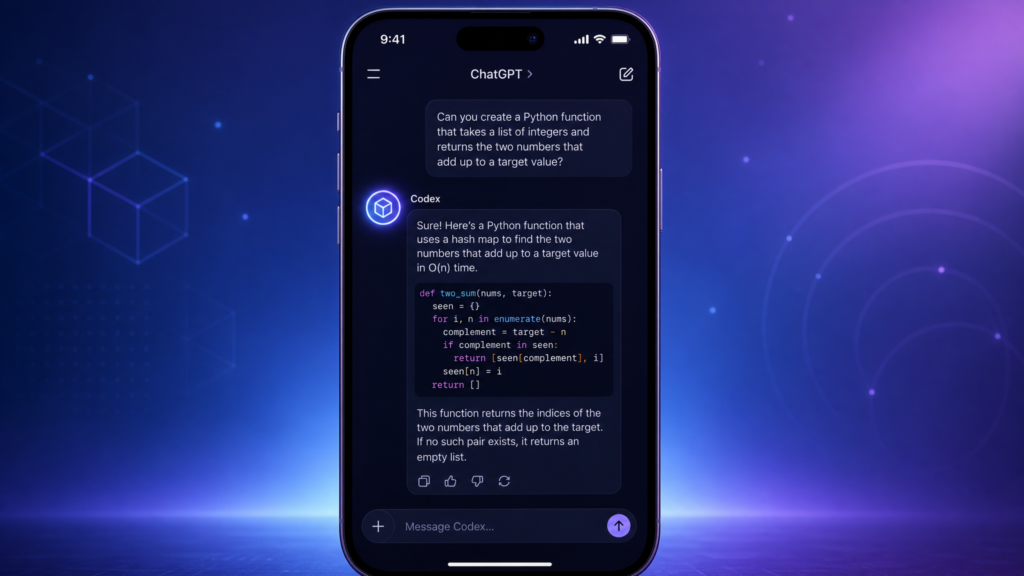
On May 14, 2026, OpenAI quietly flipped a switch that may turn out to be one of the more consequential changes to its developer stack this year: Codex is now available inside the ChatGPT mobile app on iOS and Android. The rollout is in preview, but it’s open to every ChatGPT plan — including Free and the lower-cost Go tier — across all supported regions. The pitch is short and direct: keep Codex moving while you’re away from your computer.
If you’ve used Codex even casually, you already know the rhythm. You ask the agent to fix a bug, ship a feature, write tests, or refactor a module. It runs on your Mac, your devbox, or a remote machine. It works for a while. Then it hits a decision point — a question, a permission prompt, a fork in the road — and waits. Until now, that “waiting” piece almost always meant being parked at your keyboard. With Codex in the ChatGPT mobile app, the entire supervision layer follows you wherever you go.
What actually changed
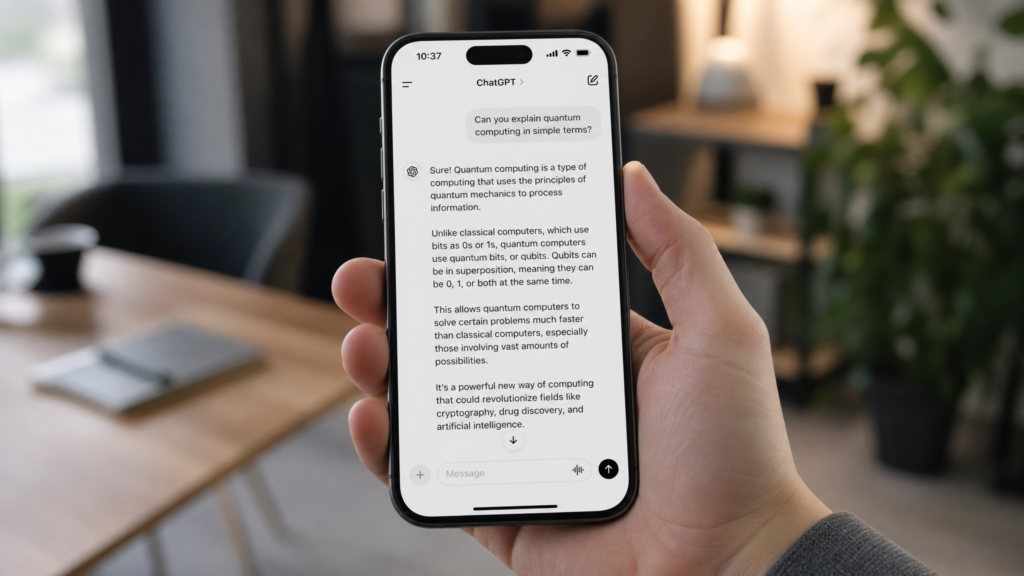
OpenAI’s framing is that this is “more than the ability to remotely control a single task or dispatch new tasks to your computer,” as The Verge reported. From your phone, you can work across all your active Codex threads, review outputs, approve commands, change models, or start something brand new. Real-time updates — screenshots, terminal output, diffs, test results, approval prompts — flow back to your phone as Codex makes progress on the connected machine.
Crucially, your files, credentials, permissions, and local setup never leave the host. As 9to5Mac noted in its coverage, the Codex desktop app on Mac generates a QR code that you scan with the ChatGPT mobile app to pair the two. Once paired, your phone becomes a live remote control for whatever Codex is doing on the host. The compute, the codebase, and the credentials stay where they belong.
That’s a deliberate design choice. The phone is the interface; the workstation is still the workstation.
A predictable but important platform limitation
The preview supports iOS and Android phones connecting to a Mac running the latest Codex app. Windows support — meaning the ability to connect a phone to Codex running on a Windows machine — is “coming soon,” per OpenAI’s announcement on X and confirmed in 9to5Mac. The Codex CLI and IDE extension aren’t part of the mobile pairing flow either; right now, the macOS Codex app is the host that exposes Codex over the relay layer to your phone.
For a meaningful slice of developers, that’s fine — Codex has had a strong Mac presence since the desktop app launched in February 2026. For Windows-only shops, it’s a wait.
How to set it up
Setup is intentionally low-friction. The steps, distilled:
- Update the ChatGPT mobile app on iOS or Android. If you don’t see a Codex entry inside the app, you’re on an older build.
- Update the Codex app on macOS to the latest version.
- Make sure you’re signed in with the same ChatGPT account and workspace on both devices.
- Open the Codex Mac app, look in the sidebar for Set up Codex mobile, and let it display the QR code.
- Scan the QR code with your phone. ChatGPT will open, confirm the workspace, walk you through any SSO/MFA/passkey steps, and then list the Mac as a connected host.
After pairing, head into the Codex app’s Settings > Connections to manage that host. You’ll want to enable Keep this Mac awake for any long-running work — if the Mac sleeps, loses network, or the Codex app closes, the mobile session pauses until the host is reachable again. You can also enable Computer Use and install the Chrome extension on the host, which broadens what Codex can do across local applications and live browser sessions.
If you’re inside a managed workspace, an admin may need to flip the Remote Control permission on before your phone pairing will work. Workspace-level RBAC, data controls, and connected-service policies still apply once you’re up and running.
What you can actually do from your phone
This is where the upgrade earns its keep. Codex in the ChatGPT mobile app isn’t a stripped-down notification center — it’s a real working surface. From the phone you can:
- Start new threads in any project on a connected host
- Continue existing threads with follow-up instructions
- Answer questions Codex asks mid-task
- Approve or reject commands that need human sign-off
- Switch models for the active task
- Inspect outputs in real time: terminal logs, diffs, test results, screenshots of running apps and browsers
- Move between hosts and threads if you have more than one Mac connected
A practical example: you start a “fix the broken auth flow” task on your Mac at the office, then head to the gym. Twenty minutes in, Codex finds the bug, drafts a patch, and pauses because the change touches a shared helper. Your phone buzzes. You read the diff, decide to scope the change narrowly to the failing call site, type the redirect into ChatGPT mobile, and Codex resumes. You never went back to your laptop.
Axios captured the vibe well: “Start something from a computer at home and then go out to the coffee shop and approve the final output over your matcha.”
Built on top of a much bigger Codex year
This mobile drop didn’t happen in a vacuum. OpenAI has been pushing Codex aggressively since the original launch in May 2025 as a cloud sandboxed coding agent powered by codex-1. The pace ramped up sharply over the last six months: the Codex desktop app shipped in February 2026 alongside GPT-5.3-Codex, the most capable agentic coding model OpenAI has released to date, with state-of-the-art results on SWE-Bench Pro, Terminal-Bench 2.0, and OSWorld-Verified.
In April, Codex on macOS gained the ability to drive other applications without commandeering the cursor — meaning Codex could click around inside apps while you kept using your computer normally. Earlier in May, OpenAI shipped a Chrome extension that lets Codex operate inside live browser sessions. The mobile pairing is the missing piece: a way to follow that work from anywhere.
Bundled with this announcement, as The New Stack noted, OpenAI also made Remote SSH generally available for Codex, with the desktop app able to detect hosts from your SSH config and run threads inside those remote machines as easily as local projects. And — important for regulated industries — OpenAI added HIPAA-compliant use of Codex for local environments inside ChatGPT, opening the door for hospitals and healthcare orgs to actually deploy Codex on protected data.
Why this is happening now: the Anthropic factor
The competitive subtext is impossible to miss. TechCrunch points out that Anthropic shipped a comparable feature — Remote Control for Claude Code — back in February 2026, letting Claude Code users monitor and manage agent work from their phones. Claude Code has been steadily eating into developer mindshare, particularly inside enterprises, and OpenAI has been visibly tightening its focus to defend that ground.
The day before the mobile rollout, Sam Altman publicly offered two months of free Codex usage to companies switching over from competing tools — a move that landed shortly after reports of Anthropic raising prices. The pattern, as Axios put it, has become familiar: “Anthropic lifts prices due to surging demand, OpenAI lowers them in hopes of taking market share.”
In other words: this isn’t only a product launch. It’s also a market-share play.
What stays on your computer (and why that matters)
For developers — and especially for security and compliance teams — the architecture is the headline detail. Codex mobile does not move your codebase, secrets, environment variables, or local tools onto your phone. Those stay on the connected host. The phone sends prompts, approvals, and follow-up messages; the host runs the actual work.
That separation is the only reason this design is workable in regulated environments. It also explains why OpenAI describes the connection layer as a “secure relay” that keeps trusted machines reachable across your authorized ChatGPT devices without exposing them to the public internet. Sandboxing, action approvals, and workspace policies remain enforced.
For SSH-based hosts, OpenAI’s docs explicitly recommend standard SSH hygiene: trusted keys, least-privilege accounts, and no unauthenticated public listeners. Same rules as before — Codex didn’t loosen them.
Real risks worth flagging
The mobile experience is genuinely useful, but it does introduce a new failure mode: approving consequential agent actions on a phone while you’re distracted. Axios’s reality check is fair — small screen, multi-tasking user, and an agent asking for permission to run something on a real machine is exactly the setup where rubber-stamping bad decisions becomes easy. Codex still asks for explicit approvals on risky actions, but the human in the loop is now sometimes a human walking through a grocery store.
There’s also the soft cost: more Codex usage means more compute pressure on OpenAI’s stack. Compute remains the most constrained resource in the industry, and OpenAI’s strategy has been to subsidize usage to drive adoption. Whether that holds at mobile-driven scale is a different question.
Who should actually try this today
If you’re on macOS and you already use Codex daily, update both apps and pair your phone. The friction is low and the upside is large.
If you’re a builder or solo founder who runs small projects — landing pages, calculators, internal tools, scripts, light React or WordPress work — this is a meaningful quality-of-life jump. Codex can keep building while you’re on the move, and you can unblock it from your phone instead of waiting until you’re back at your desk.
If you’re on Windows, you’ll need to wait for the host-side support. If you’re inside an enterprise workspace, talk to your admin about the Remote Control permission and any data-handling implications before pairing.
The bigger pattern
Step back from the rollout details, and the direction is unmistakable. Coding agents are moving from “tools you sit in front of” to “teammates you supervise.” The desktop app made Codex a first-class coworker on your machine. The Chrome extension extended it into your browser. Remote SSH put it inside your devbox. HIPAA support let it touch sensitive workloads. The mobile app is the final piece of the loop — the thing that lets you stay in the conversation even when you’ve left the building.
OpenAI’s own framing — “Codex is coming to your phone” — undersells it a little. What’s really arriving is asynchronous, supervisable agent work as a default mode of building software. The phone is just where you’ll meet it.
The Kingy Brief
Get the next Kingy Brief.
Source-checked AI changes, original tests and one practical thing to try.
Free · Choose your subjects · Double opt-in · Unsubscribe anytime