
Last updated: 2026-07-10
Last verified: 2026-07-10
TL;DR: Mistral has turned prompts and skills into managed production assets inside Studio. The July 9 update adds immutable versions, rollback, named ownership, labels, audit logs, and lineage between an AI output and the prompt or skill behind it. The governance model is compelling for teams already building on Mistral Studio, although Mistral has not published a separate price for these features or a detailed migration path from external prompt repositories.
What Mistral changed in Studio
On July 9, Mistral announced that prompts and skills in Studio now have a system of record. Instead of treating a prompt as text copied among notebooks, source repositories, and chat threads, Studio stores it as an asset with an owner, a version history, visibility controls, and a path to production.
The same model applies to skills. In Mistral’s terminology, a prompt stores reusable instructions or templates, while a skill packages a repeatable method, its activation description, instructions, and optional supporting files. Both can now be created, tested, shared, and revised without overwriting the version already used by an application.
This is more than a prompt-library refresh. Mistral is positioning Studio as the place where teams define AI behavior, observe it in production, and trace an output back to the governed asset that produced it.
Why prompt governance has become a production problem
Prompts often contain business rules, brand voice, escalation policies, data-handling instructions, and output constraints. Once those instructions affect customers or operational decisions, an undocumented edit can create the same kind of risk as an unreviewed code change.
Source control can preserve prompt text, but it does not automatically solve every workflow problem. The people who understand a policy best may not work in the codebase, and a small wording change can wait behind an engineering deployment. Mistral’s approach lets a domain owner iterate in Studio while a production promotion still passes through the organization’s existing tests and approvals.
The practical value is accountability: a team should be able to answer which prompt version ran, who changed it, why it changed, and whether it can be rolled back.
The core governance features
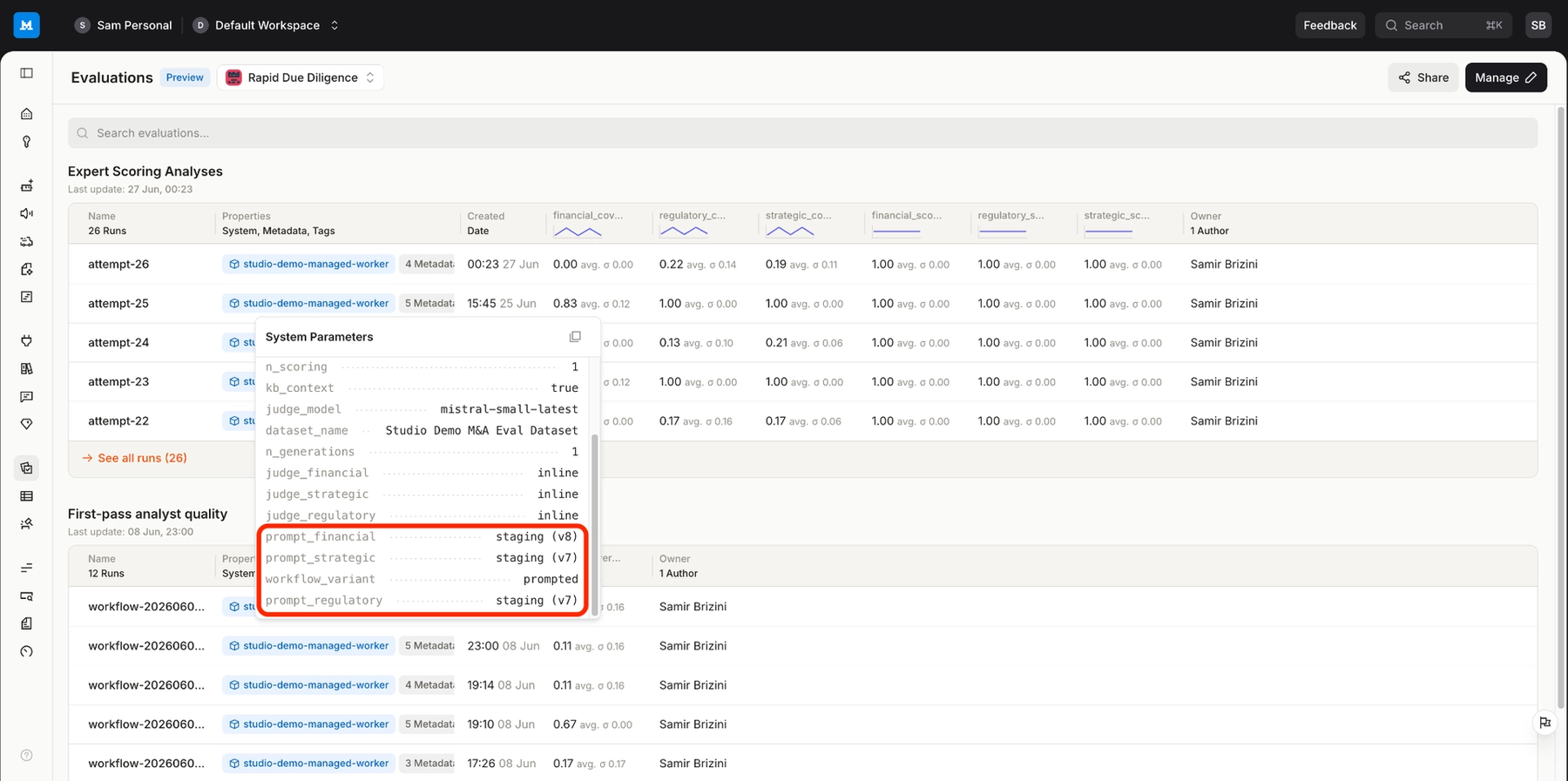
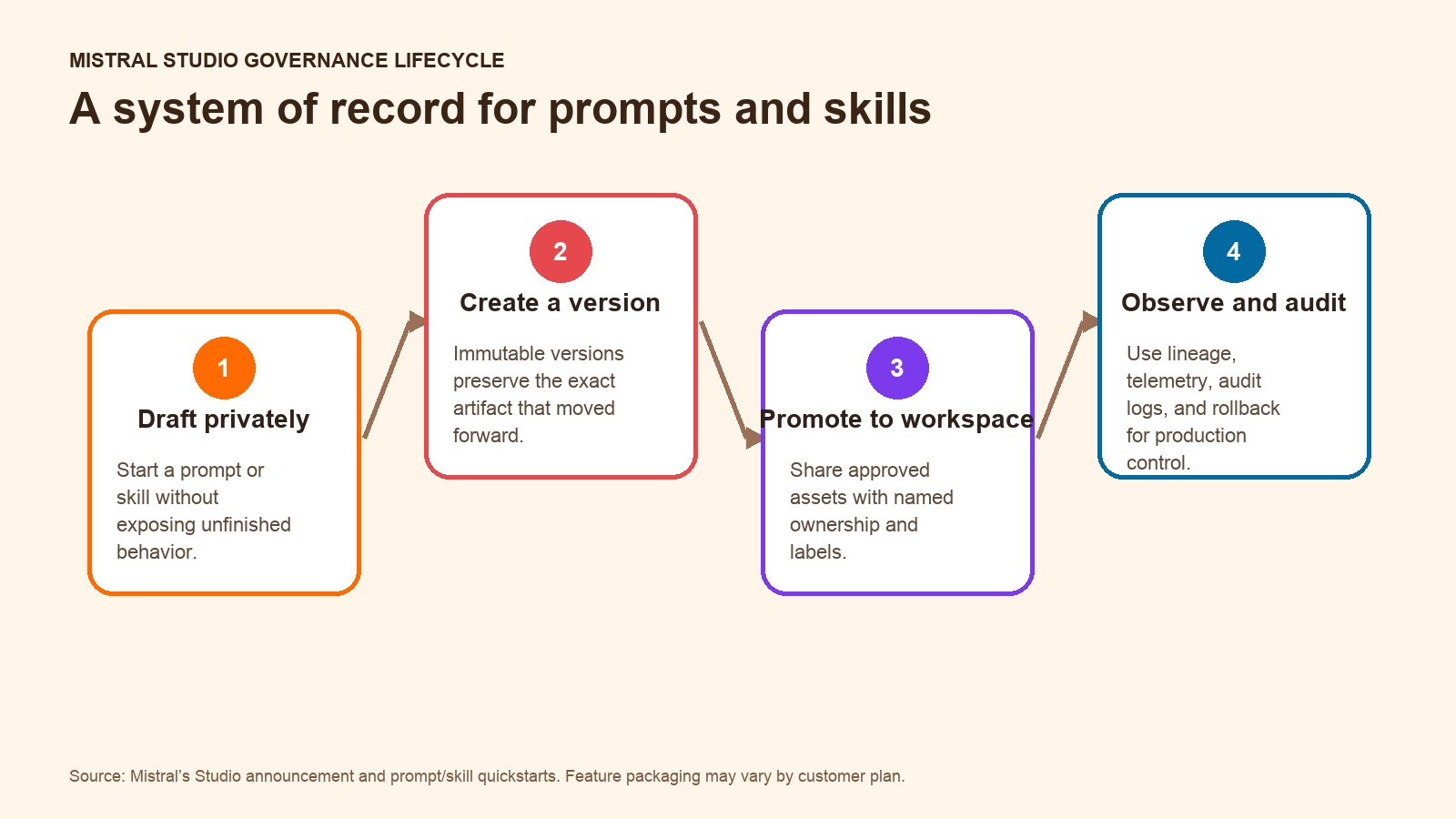
- Immutable versions: saving a change creates a new version rather than silently altering the version already in use.
- Comparison and rollback: teams can inspect differences between versions and return to a known-good version.
- Named ownership: every prompt or skill has an owner, making responsibility and review paths clearer.
- Classification labels: labels can distinguish states such as staging and production and give applications a stable reference to a promoted version.
- Audit logs: Studio records who changed an asset and when.
- Lineage through observability: Mistral says production telemetry can connect an output to the prompt or skill version behind it.
- Controlled visibility: an asset can begin private and then be shared with a workspace. Mistral describes broader organization-wide availability as a future step, so readers should not assume that scope is available in every account today.
- Skills served through MCP: governed skills can be exposed as MCP servers from Studio, reducing the chance that an application runs an unmanaged copy.
How a team would use the new workflow
Mistral’s reusable-prompt quickstart shows a straightforward lifecycle. A builder creates a title and task-oriented description, writes the template, saves it, and tests it in a supported Studio surface. The asset can remain private or be shared with the workspace. Later edits create new versions with notes explaining what changed, while older versions remain available for review and rollback.
The skill quickstart adds an important activation layer. A skill needs a specific description that explains when it should be loaded, a focused procedure, optional reference files, visibility settings, and a test plan. Studio separates workspace sharing from publishing a skill to Mistral Vibe, so those controls should not be treated as interchangeable.
For production use, Mistral says a promoted label can trigger an organization’s normal CI/CD process, including a workflow through the SDK and GitHub Actions. That does not remove engineering controls; it changes who can propose and test an improvement before promotion.
Where this approach fits
The strongest fit is an organization already using Mistral Studio for customer-facing agents or internal AI applications. Platform teams can give domain experts a governed place to refine instructions while preserving production controls. Compliance and operations teams gain a clearer audit trail, and developers gain stable asset references instead of copying prompt text into each application.
The value is less obvious for a team that runs its entire AI stack elsewhere. Studio’s lineage advantage comes from keeping the governed asset close to the system that executes and observes it. Moving only the prompt catalog into Studio, while production runs through unrelated tooling, may weaken that closed loop.
This update also does not replace evaluation discipline. Version history proves what ran; it does not prove that the output was correct, safe, or better. Teams still need representative test cases, approval rules, monitoring, and rollback criteria.
Pricing and availability
Mistral says prompts and skills are available now to Studio customers. It does not publish a separate price for versioning, ownership, audit logs, or lineage in the launch announcement. The broader Mistral pricing page lists user plans, enterprise options, and model API rates, but those prices should not be presented as a feature-specific quote for the prompt and skill registry.
Mistral’s Studio overview also notes that some capabilities vary by plan. A buyer should confirm which governance, observability, deployment, and organization-level controls are included in the intended plan before designing a migration around them.
How it compares with common prompt-management approaches
| Approach | Strength | Trade-off |
|---|---|---|
| Prompt text in source control | Fits existing code review and deployment practices. | Can make iteration dependent on engineers and may not connect changes to production behavior. |
| Standalone prompt catalog | Improves discovery and reuse across teams. | May sit outside the runtime and observability system, weakening lineage. |
| Mistral Studio registry | Combines editing, versioning, ownership, execution, and telemetry in one platform. | Creates the most value when the application already runs through Mistral’s platform. |
Important limits and unanswered questions
- Mistral has not mapped each new governance feature to a public plan or standalone price.
- The announcement does not describe bulk migration tooling for teams with large prompt repositories.
- Organization-wide discovery is described as coming over time; current workspace and account behavior should be verified directly.
- Auditability does not eliminate the need for prompt evaluations, security review, or human approval.
- Teams using several model providers will need to decide whether Studio is the system of record for all prompts or only for Mistral-based workloads.
Should your team evaluate it?
Yes, if unmanaged prompt changes are already creating operational risk and your applications run on Mistral Studio. The combination of immutable versions, ownership, rollback, and output lineage addresses a real gap between prompt experimentation and production governance.
It is not, by itself, a reason to move a working multi-provider stack to Mistral. Before committing, verify plan entitlements, test the API and CI/CD path, and run a small migration with one high-value prompt and one skill. The useful proof is not that Studio can store the asset; it is that the team can improve it without losing control of what reaches production.
FAQ
What changed for prompts in Mistral Studio?
Prompts can be stored as owned, versioned assets with visibility controls, labels, audit history, comparison, and rollback. Production observability can connect an output to the prompt version that produced it.
How is a Mistral Studio skill different from a prompt?
A prompt stores reusable instructions or a template. A skill packages a repeatable procedure, a description of when it applies, and optional supporting files.
Are the new governance features free?
Mistral has not published feature-specific pricing. The company says they are available to Studio customers, and its documentation warns that some Studio capabilities vary by plan.
Does Studio replace prompt testing?
No. It improves traceability and release control, but teams still need evaluations, approvals, monitoring, and rollback criteria.
Official sources
- Mistral’s prompt and skill system-of-record announcement
- Mistral Studio reusable-prompt quickstart
- Mistral Studio skill quickstart
- Mistral Studio product and API overview
- Mistral plans and API pricing
Related Kingy AI coverage
The Kingy Brief
Get The Kingy Brief.
AI changes, original tests and one practical thing to try. Fridays at 09:00 Vancouver time.
Free · Double opt-in · Unsubscribe anytime
Sign up for The Kingy Brief on Beehiiv.
Signup help and newsletter schedule
Signup form provided by Beehiiv. After submitting, check your inbox for "Confirm your subscription to The Kingy Brief" and open its confirmation link. Check Spam or Promotions if you cannot find it.
Fridays at 09:00 Vancouver time: source-checked AI changes, original tests and one practical thing to try. The weekly restart begins October 9, 2026. We skip a week when there is not enough verified material. Free. Unsubscribe anytime.