
AI Is Moving Out of the Chat Window
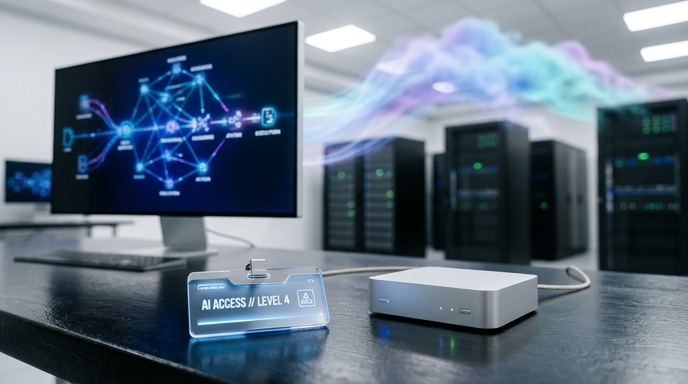
For years, AI has lived in a box.
You typed into a chatbot. It typed back. Sometimes it helped. Sometimes it hallucinated confidently, like a cousin explaining crypto at Thanksgiving. But at Microsoft Build 2026, the message was clear: that phase is getting old.
Microsoft’s big idea now is not just “AI that answers.” It is AI that acts. AI that follows you across devices, lives inside Windows, runs on developer hardware, and helps businesses automate the everyday grind: calendars, email, documents, code, expense reports, and all the tiny office chores that make work feel like being pecked by digital ducks.
At Build 2026, Microsoft announced a wave of AI-heavy updates, including a Surface RTX Spark Dev Box, Project Solara, Scout, new in-house AI models, Windows agent guardrails, and even a more stable quantum chip. But the bigger story is not one product. It is the pattern.
AI agents are becoming infrastructure.
That sounds less flashy than “robot badge with camera.” But it matters more. The future Microsoft sketched is a world where agents do not merely sit in the cloud waiting for prompts. They run locally, talk to tools, jump between devices, and work in teams.
Fun? Yes.
Slightly weird? Oh, absolutely.
Build 2026 Was Basically an AI Parade
Microsoft Build 2026 did not hide its theme. According to The Verge, the keynote was “almost all about AI,” and the announcement list backed that up.
The most developer-friendly reveal was the Surface RTX Spark Dev Box. Microsoft designed it for developers who want to run local AI models on their own hardware. It includes Nvidia’s Arm-based Spark RTX chip, 128GB of unified memory, Visual Studio Code, GitHub Copilot, and a preconfigured version of Windows 11 Pro. Microsoft has not disclosed full specs or pricing yet, but the device is expected to arrive in the U.S. later this year.
Then came developer-focused Windows updates. Microsoft is adding Coreutils to Windows 11, giving developers Linux-like command-line utilities that run natively. It also announced support for creating, running, and interacting with Linux containers through Windows Subsystem for Linux.
That may sound like plumbing. It is. But plumbing decides whether the shiny faucet works.
The new Intelligent Terminal also matters. It gives context to a developer’s preferred AI-powered agent. In plain English: Windows wants to become friendlier to agents that help developers build, test, and ship software.
The old dream was “AI as an app.”
Microsoft’s new dream is “AI as the operating layer.”
Project Solara Wants Agents Everywhere
Project Solara may be the strangest and most revealing part of the story.
As The Verge reported, Project Solara is an Android-based operating system designed to run AI agents across different devices. Microsoft developed it with Qualcomm and MediaTek. The aim is to let agents move across devices, work as PC companions, and hand off tasks between hardware.
That is a big shift.
Most people still think of AI as something inside one interface. You open an app, you ask a question. You close the app. Done. Project Solara points to a different model. In that model, the agent is not trapped inside a browser tab. It has a device ecosystem.
Microsoft showed two concept devices: a desktop hub and a digital badge. The desktop hub is less surprising. A small companion screen near your PC? Fine. We have seen that movie.
The badge is where things get spicy.
Not spicy like “breakthrough medical research.” Spicy like “why does my work ID have a camera?”
And yet, the badge makes a strange kind of sense. Microsoft is not aiming this at bored gadget collectors. It is imagining frontline workers, nurses, retail staff, and information workers carrying AI agents into physical spaces.
That is the leap: from AI that reads documents to AI that observes environments.
The AI Badge Is Weird — But Not Random
The badge drew attention because it sounds almost parody-proof.
According to Gizmodo, Microsoft showed a next-generation concept access badge with a touchscreen, fingerprint sensor, Wi-Fi, 5G, microphone, voice input, recording, and a side-facing camera.
Yes, a camera. On a badge.
During the demo, Microsoft technical fellow Steven Bathiche asked Copilot to find good shots, clean them up, and send them to his team for review. Microsoft described the concept as a reimagined access badge for information workers, nurses, frontline workers, and others who already use badges every day.
The badge is not just a wearable. It is a physical doorway for agents.
That matters because many useful workplace tasks do not happen neatly inside documents. A nurse moves through rooms. A retail worker checks shelves. A warehouse employee handles packages. A technician inspects equipment. A badge with sensors could give an agent context from the real world, with user permission.
Still, the skepticism is fair. AI gadgets have had a rough run. Pendants, pins, and ambient assistants have often promised magic and delivered awkwardness.
The badge may never become a mainstream device. But as a concept, it reveals Microsoft’s direction: agents need eyes, ears, identity, permissions, and hardware.
That is not a chatbot. That is a coworker with a login.
Scout Shows the Enterprise Play
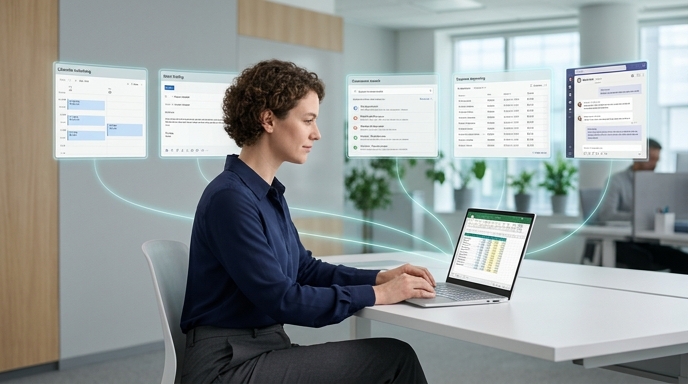
The badge grabbed headlines because gadgets are funny. But Scout may be more commercially important.
Microsoft announced Scout, an always-on assistant built on OpenClaw, according to The Verge. Scout works with Microsoft 365 apps such as Outlook, OneDrive, and Teams. Microsoft designed it to perform background tasks for businesses, including calendar organization, expense reporting, email writing, and related workflows.
That is the real money zone.
Nobody wants to pay enterprise software prices for a chatbot that says, “Here is a draft.” Companies want agents that move the task forward. File the expense report. Pull the right document. Book the meeting. Summarize the thread. Flag the risk. Create the follow-up. Do the boring thing so humans can stop pretending the boring thing is “strategic alignment.”
Scout is also part of a broader family of “Autopilot” agents, each with its own identity. That detail is important. Microsoft is not pitching one giant assistant that does everything. It is moving toward specialized agents.
That matches where enterprise AI seems to be going.
One agent retrieves information. Another writes, checks policy, handles scheduling. Another watches workflow state. Together, they become less like one genius intern and more like a tiny software department.
Hopefully one that does not schedule seven meetings to decide the font color.
Local AI Is the Missing Piece
Cloud AI is convenient. It is also expensive, latency-prone, internet-dependent, and awkward for sensitive data.
That is where local AI agents enter the story.
A C# Corner guide on running AI agents natively without cloud APIs explains the basic idea clearly: instead of sending tasks to external AI services, organizations can run the full AI workflow on local hardware. That includes language processing, task planning, tool execution, document analysis, code generation, and workflow automation.
The benefits are obvious.
Sensitive information can stay inside the organization. Teams can avoid recurring API costs. Agents can keep working when internet access is limited or unavailable. Developers gain more control over models, configurations, permissions, security policies, and storage.
This is not just philosophical. It changes what companies can safely automate.
A local coding agent can review proprietary source code without sending it outside the company. A document agent can summarize contracts without exposing them to a third-party API. A research assistant can organize internal reports without leaking the good stuff.
The cloud is still powerful. Nobody serious should pretend otherwise.
But local agents give companies something cloud tools often struggle to provide: control.
The New Stack: Models, Runtimes, Frameworks, Tools
Running agents locally is not magic. It needs a stack.
The C# Corner local-agent guide breaks that stack into practical pieces. First, teams need a local large language model. Examples include Llama, Mistral, Gemma, Qwen, and Phi. These models can support reasoning, summarization, coding, and content generation.
Second, teams need an inference engine. Tools such as Ollama, llama.cpp, vLLM, and local AI runtimes help run models efficiently on local hardware.
Third, teams need an agent framework. LangChain, LangGraph, CrewAI, AutoGen, and similar frameworks help agents plan steps, call tools, and coordinate work.
Fourth, agents need tool integrations. This is where they become useful. An agent that can access file systems, databases, browsers, email systems, development environments, and internal business apps can actually do work. Otherwise, it is just a very confident text fountain.
Finally, teams must define agent behavior. Goals. Rules. Permissions. Available actions. Boundaries.
That last part is not glamorous. It is essential.
An agent without clear permissions is not an employee. It is a raccoon with admin rights.
Multi-Agent AI Needs Serious Hardware
One agent is useful. Many agents are where things get interesting — and messy.
A separate C# Corner guide on optimizing multi-agent AI with Intel Xeon 6 explains why infrastructure matters as agent systems scale. Multi-agent AI systems distribute responsibilities across specialized agents. In a customer support workflow, for example, one agent may handle queries, another may retrieve database records, another may analyze sentiment, and another may generate responses.
That architecture can work beautifully. It can also choke.
Each agent needs compute, memory access, data processing, orchestration, and communication with other agents. If dozens or hundreds of agents run at the same time, bottlenecks appear fast. Latency rises. Costs climb. Resource contention gets ugly.
The article argues that Intel Xeon 6 processors are designed for modern AI and data-center workloads, with higher core density, improved memory bandwidth, AI acceleration capabilities, and scalability for enterprise deployments.
The key idea is simple: agentic AI is not only a software problem.
It is a hardware problem. A memory problem. A scheduling problem. A networking problem. A monitoring problem. A “who is yelling at the database at 3 a.m.” problem.
The agent era needs infrastructure that can keep up.
Optimization Beats Brute Force
Throwing hardware at agents helps. It does not solve everything.
The Intel Xeon 6 guide emphasizes workload distribution, memory optimization, parallel processing, and communication monitoring. That is the unsexy engineering layer that separates a neat demo from a production system.
Different agents should get mapped to different kinds of work. Retrieval agents search. Reasoning agents analyze. Communication agents manage interaction. If teams assign workloads badly, agents fight for the same resources and slow each other down.
Memory management also matters. Multi-agent systems can duplicate data wastefully. They can hoard context. They can pass around too much information. Better systems limit unnecessary duplication, use shared memory where possible, cache frequently accessed material, and monitor utilization.
Parallel processing is another major lever. Independent tasks should run at the same time instead of waiting in a polite little queue. Agents should not stand around like people at a coffee machine pretending not to hear the printer jam.
Communication needs discipline too. Agents that message each other constantly can create bottlenecks. Group related tasks. Reduce useless chatter. Use efficient orchestration frameworks. Monitor the network.
In short: the smarter the agents get, the more boring the engineering must become.
That is not a contradiction. That is how real systems survive.
Microsoft’s Bet: Agent Identity, Sandboxes, and Control
Microsoft also announced guardrails for agents on Windows.
According to The Verge, Microsoft Execution Containers, or MXC, let developers set limits on what AI agents can access on devices. Microsoft also announced an OpenClaw companion app that can set up agents or connect to existing agents inside a sandboxed environment.
This is not optional decoration.
Agents that can access files, apps, emails, calendars, and business systems need containment. Otherwise, every productivity miracle becomes a potential disaster with a cheerful icon. Sandboxing gives developers a way to limit reach. Permissions define what agents can touch. Identity helps humans understand which agent did what.
That also connects back to Scout and Project Solara. Microsoft is not merely launching clever assistants. It is building a world where agents have roles, devices, permissions, and workspaces.
That sounds very enterprise because it is very enterprise.
Consumer AI often sells personality. Enterprise AI sells accountability. Who acted? What did it access? What changed? Can we audit it, Can we stop it, Can we run it locally? Can we keep data private?
Those are the questions that decide whether AI agents become useful workers or expensive toys.
The Build 2026 announcements suggest Microsoft understands that.
The badge may look odd. The sandbox matters more.
The Big Picture: Agents Are Becoming the New Apps
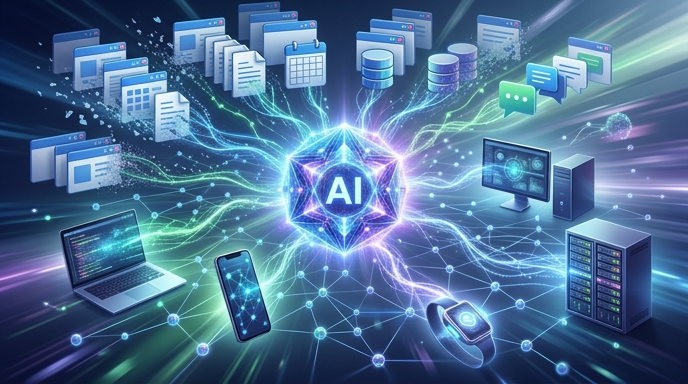
The old app model asked users to do the work.
Open Outlook. Find the email. Open Teams. Check the thread. Open Excel. Update the sheet. Open the browser. Search the policy. Open the calendar. Find a time. Open your soul. Scream quietly.
Agents invert that model.
They can move across apps, tools, documents, and workflows; run locally when privacy matters; collaborate in teams when tasks get complex; tap specialized hardware when scale demands it; and live almost anywhere, inside Windows, Microsoft 365, a dev box, a desktop hub, or, apparently, a camera-equipped badge.
That does not mean every idea will win. The AI badge could become the next big workplace device. It could also become a footnote in the museum of “things executives thought employees wanted.” Both outcomes are plausible.
But the larger trend is harder to dismiss.
Microsoft is preparing for a world where AI agents are not sidekicks. They are operational software. Developers will build them. Companies will deploy them. Hardware vendors will optimize for them. Operating systems will contain them. Workers may carry them around.
That is the real Build 2026 story.
Not “AI can chat.”
AI can act.
Now comes the hard part: making sure it acts usefully, safely, cheaply, and without turning every employee badge into a tiny cybernetic hall monitor.
Sources
- Microsoft Build 2026: The 7 biggest announcements — The Verge
- Microsoft’s Big New Idea for AI Gadgets Is a Badge With a Camera — Gizmodo
- How to Run AI Agents Natively Without Cloud APIs — C# Corner
- Intel Xeon 6+ Guide: Optimizing Multi-Agent AI — C# Corner
The Kingy Brief
Get The Kingy Brief.
AI changes, original tests and one practical thing to try. Fridays at 09:00 Vancouver time.
Free · Double opt-in · Unsubscribe anytime
Sign up for The Kingy Brief on Beehiiv.
Signup help and newsletter schedule
Signup form provided by Beehiiv. After submitting, check your inbox for "Confirm your subscription to The Kingy Brief" and open its confirmation link. Check Spam or Promotions if you cannot find it.
Fridays at 09:00 Vancouver time: source-checked AI changes, original tests and one practical thing to try. We skip a week when there is not enough verified material. Free. Unsubscribe anytime.