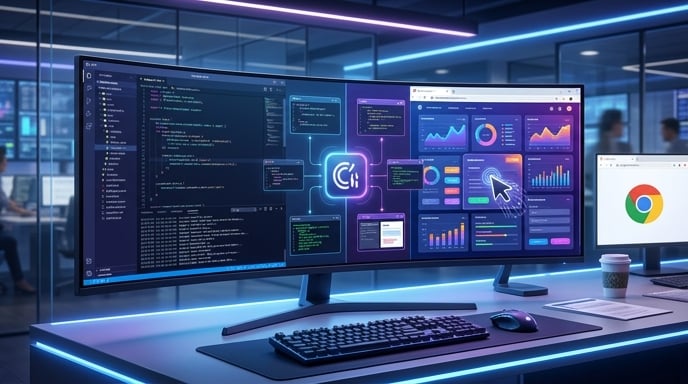

Claude Code has learned a new trick. It can now browse the web from inside Anthropic’s desktop app, allowing the AI coding agent to open documentation, inspect websites, click buttons, complete forms, and test the applications it builds without constantly bouncing users into Chrome.
That may sound like a modest interface upgrade. It is not.
The new in-app browser closes one of the most awkward gaps in AI-assisted software development. Coding agents have become surprisingly capable at reading repositories, editing files, running commands, and debugging errors. Yet many still depend on external browsers when they need to see the finished product.
Claude Code can now write the code, launch the application, look at the result, interact with it, notice what went wrong, and try again. It gets something closer to a complete feedback loop.
In other words, the coding assistant finally has eyes.
Anthropic highlighted the feature on July 10, describing a browser that can open documentation, designs, local development servers, and other websites directly inside Claude Code’s desktop workspace. The browser operates in a sandbox and lets users decide whether sessions should persist.
That combination of convenience, automation, and controlled isolation could make Claude Code more useful for everyday development. It could also push the wider AI coding market toward a future in which agents do not merely produce code. They test their own homework.
A Browser Built Into the Coding Workspace
Claude Code’s browser appears as a dedicated pane inside the desktop application. Developers can open it with Command-Shift-B on macOS or Control-Shift-B on Windows.
Once opened, the browser can sit beside Claude’s chat, terminal, file editor, and code-diff views. That layout keeps the entire development process inside one workspace instead of scattering it across several applications and a small forest of browser tabs.
Claude can use the browser to open external documentation, issue trackers, designs, or other websites. It can also interact with pages using the same tools it uses to inspect locally running applications. Anthropic’s documentation says the agent can read page content, inspect the document object model, click interface elements, fill in forms, and capture screenshots.
The browser also supports static files from a project, including HTML documents, PDFs, images, and videos. That gives Claude more ways to inspect visual assets and reference material without asking the developer to manually move everything into another window.
Developers can still open links in their normal system browser. Anthropic is not confiscating Chrome and hiding it under the floorboards. Instead, users receive a choice between opening a link inside Claude Code or sending it to their default browser.
That distinction matters because the built-in browser serves a different purpose. It is less about casual browsing and more about keeping an AI development session focused, observable, and contained.
Claude Can Now Inspect What It Builds
The most important part of the feature is not that Claude can read websites. AI assistants have retrieved online information for years.
The bigger change is that Claude Code can now inspect the software it just modified.
Suppose a developer asks Claude to create a registration form. The agent can edit the relevant files, start the development server, load the form in its browser pane, click through the interface, enter sample information, and inspect the result.
Perhaps the submit button does nothing. Maybe the layout collapses on a smaller screen. Perhaps an error appears after the form sends data to the server.
Claude can detect those problems and return to the code.
Anthropic says Claude Code can automatically start development servers in many cases and verify changes after edits. It can test both frontend applications and backend services, inspect server logs, interact with API endpoints, and continue iterating when it finds an issue.
That creates a tighter loop:
Write. Run. Observe. Correct. Repeat.
Humans have always worked this way. We write something, check it, sigh dramatically, discover the missing semicolon, and try again.
Giving an AI agent access to the same loop does not guarantee flawless software. It does, however, give the system better evidence about whether its changes actually work.
Goodbye to the Tab-Switching Marathon
Modern software development already involves a lot of context switching.
A developer may jump between an editor, terminal, browser, design file, task tracker, documentation page, messaging app, and a mysterious tab opened three weeks ago that nobody is emotionally prepared to close.
AI coding tools added yet another interface to that collection.
Claude Code’s in-app browser reduces some of that juggling. A developer can keep the conversation, source files, command output, visual preview, and external reference materials inside the same desktop session.
The benefit may sound trivial until it happens hundreds of times a day.
Opening a browser is easy. Finding the correct window is usually easy. Copying an error message back into the coding assistant is also easy. The problem is the accumulation of those tiny interruptions.
Each switch breaks concentration for a moment. Each copied screenshot or pasted console error introduces another manual step. The workflow becomes less like collaborating with an agent and more like escorting it around the internet while repeatedly pointing at things.
With the browser pane, Claude can retrieve documentation and interact with the application directly.
That does not remove the developer from the process. It removes some of the clerical shuffling surrounding the process.
The result should feel less like a chatbot waiting for screenshots and more like an active development tool operating within a controlled workspace.
Developers Had Already Been Building This Themselves
Anthropic did not invent the desire for browser-enabled coding agents. Developers have spent months assembling similar capabilities with external tools, browser automation frameworks, command-line utilities, and Model Context Protocol integrations.
A DEV Community analysis from Skillselion argues that installation data already showed enormous demand for browser access. According to the report, Vercel’s agent-browser tool had more than 533,000 installs, while browser-related Playwright, Chrome DevTools, automation, and accessibility tools collectively accounted for hundreds of thousands more.
Those figures come from Skillselion’s own catalog and should be treated as third-party measurements rather than Anthropic statistics. Still, the broader pattern is credible: developers have actively searched for ways to let coding agents inspect and manipulate browser environments.
Why?
Because an agent that only edits code operates with incomplete feedback.
It can predict that a button should work. It can reason that a page should render correctly. It can infer that a form probably submits the right payload.
But “should” and “probably” are dangerous little words in software development.
Browser automation lets the agent collect evidence. It can see the button, click it, and observe the outcome.
Anthropic’s built-in browser takes a capability developers were already bolting onto their toolchains and places it directly inside the official desktop experience.
That makes the workflow easier to discover and simpler to configure. No toolbox archaeology required.
The Built-In Browser Does Not Replace Everything
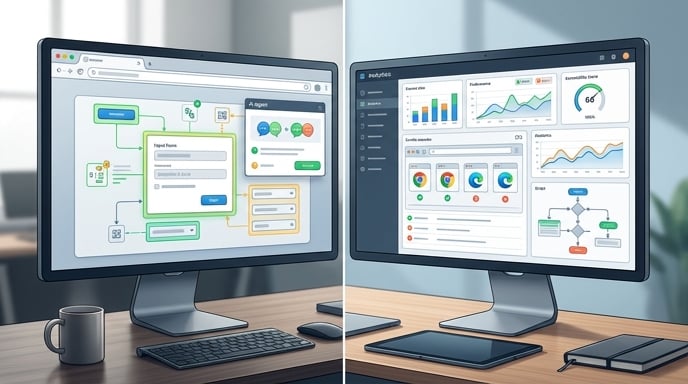
Claude Code’s browser could reduce the need for some third-party browser integrations, but it will not eliminate specialized testing and automation tools.
A built-in browser works well for interactive development. Claude can inspect a page, confirm that a feature appears, click through a workflow, and fix obvious errors.
Production testing demands more.
Development teams often need repeatable end-to-end tests that run automatically whenever someone changes the code. They may require performance traces, accessibility audits, large screenshot comparisons, headless browser sessions, or tests across multiple devices and browsers.
Tools such as Playwright remain valuable because they generate durable test scripts that teams can store in a repository and rerun through continuous integration systems.
A temporary browser session does not automatically provide the same permanent testing infrastructure.
The Skillselion analysis makes this distinction clearly. It argues that Claude’s browser replaces connective “glue” rather than the broader browser-testing stack. Specialized tools still handle performance analysis, accessibility testing, automation at scale, and repeatable pipeline execution.
Think of Claude Code’s browser as a workbench.
It helps the agent examine what it is building while construction continues. Formal test suites remain the building inspector. They arrive with checklists, documentation, and absolutely no interest in your creative excuses.
The two approaches can work together.
Claude can use the browser to catch problems during development, then create or update automated tests to stop those problems from returning.
The Browser Uses a Clean Profile
Anthropic has separated Claude Code’s in-app browser from the developer’s personal browser profile.
The browser pane starts with a clean profile. It does not automatically inherit the user’s browsing history, cookies, or saved logins. Anthropic recommends using it for application development, testing, documentation, and websites that do not require the user’s personal identity.
This design reduces the risk of an agent wandering into personal accounts simply because those accounts happen to be open in another browser.
Users can sign in to websites through the browser pane when necessary. The browser supports common login processes, including pop-up authentication flows such as Google OAuth. Developers can also choose whether cookies and local storage persist between sessions.
Persistence can be useful during development. Nobody wants to repeat a login sequence after every server restart. However, users can clear saved session data or disable the browser through Claude Code’s settings.
Anthropic continues to offer a separate Claude in Chrome extension for tasks that require access to a user’s existing logged-in browser state.
That extension shares Chrome’s active sessions. The built-in browser does not.
The choice depends on the task. Testing a new application in an isolated environment? Use the browser pane. Asking Claude to work inside a service where the user is already authenticated? The Chrome extension may be more appropriate.
It is a sensible division, even if it gives developers another choice to overthink at 2 a.m.
Anthropic Is Adding Guardrails to External Browsing
Giving an AI agent permission to click and type on websites creates obvious safety concerns.
A coding mistake may break a local application. A browsing mistake could send information, change account settings, post content, or trigger an action the user never intended.
Anthropic says Claude Code applies additional checks when the agent interacts with external websites.
Safety classifiers review write actions such as clicking and typing. If the system flags an action, Claude Code displays a permission request even when the user has selected a more autonomous operating mode. Some permission modes also check whether a domain appears on an approved list before Claude navigates to it.
The first time Claude attempts to act on an external website, the desktop app presents three options: allow the action once, always allow actions on that site, or deny access.
Approvals apply separately to different sites and subdomains. Users can later revoke persistent permissions in the application’s settings.
Anthropic also says Claude will not independently complete purchases, create accounts, or bypass CAPTCHA challenges. Those actions require direct user involvement.
No safety system is infallible, especially when websites may contain misleading instructions designed to manipulate an AI agent. Anthropic has previously acknowledged prompt-injection risks while developing Claude’s Chrome capabilities.
The controls do, however, show that the company understands browsing cannot operate like ordinary code editing. The internet has buttons with consequences.
This Is About More Than Browsing
The browser feature fits a larger shift in AI software development.
Early coding assistants behaved like advanced autocomplete systems. They suggested individual lines or small blocks of code.
Newer agents work across entire repositories. They inspect files, plan changes, execute terminal commands, write features, review differences, and monitor development workflows.
The next stage involves verification.
An AI agent becomes more valuable when it can evaluate the results of its own actions. A browser provides one of the clearest ways to do that because many applications ultimately produce something visual or interactive.
Claude Code’s desktop app already supports parallel sessions, an integrated terminal, visual code review, file editing, local and remote environments, GitHub connections, and application previews. The built-in browser strengthens the link between those pieces.
Instead of acting as a code generator sitting beside the development environment, Claude increasingly becomes part of the environment itself.
That changes how developers may delegate work.
A user can ask for an outcome rather than a narrow code modification: build the settings page, connect it to the API, launch the application, test the controls, and fix anything that fails.
Claude still needs supervision. Complex systems can fail in subtle ways that a quick browser check will not reveal. Security issues, data races, architectural flaws, and performance bottlenecks rarely announce themselves with a cheerful red banner.
Still, visual and interactive verification represents meaningful progress.
The agent can now look before declaring victory.
Browser Access Could Improve Design Work Too
The feature may prove especially useful for frontend development and design implementation.
Developers frequently receive mockups, screenshots, design systems, or reference websites. Translating those materials into working interfaces requires repeated visual comparison.
Claude Code can now open designs or reference pages in one browser tab while running the local application in another. It can inspect the target, compare layouts, make code changes, and reload the result.
That workflow could help with spacing, typography, navigation, responsive layouts, component states, and other details that are difficult to judge from source code alone.
It may also improve bug reproduction.
A developer could direct Claude to visit a documentation page, follow a specific sequence, recreate the same interaction locally, and investigate why the behavior differs.
Of course, visual access does not transform Claude into a senior designer with flawless taste. The agent may still produce a button large enough to be seen from orbit.
Human review remains important.
But the browser gives Claude more context than text descriptions alone. Instead of relying entirely on phrases such as “the card feels slightly off,” the agent can inspect the card, measure the structure, and interact with it.
That should make conversations about interface problems more concrete.
The browser pane also supports multiple tabs, allowing developers to keep the local application, documentation, issue reports, and references inside the same session.
It is a small layout decision with potentially large workflow benefits.
The Real Competition Is the Feedback Loop
AI coding companies often compete through model benchmarks, coding scores, context windows, subscription limits, and increasingly dramatic product names.
The browser feature points toward another battleground: the quality of the feedback loop.
A coding agent becomes more effective when it can quickly move from action to observation.
Did the code compile?
Did the server launch?
Did the page render?
Did the button respond?
Did the network request succeed?
Did the user reach the expected screen?
Every additional tool that helps an agent answer those questions reduces its dependence on human messengers.
That does not necessarily mean developers will do less important work. It may mean they spend less time copying error messages, attaching screenshots, and narrating obvious interface failures to an AI system.
Competitors are pursuing similar goals through browser extensions, computer-use tools, integrated development environments, cloud agents, and purpose-built AI browsers.
The emerging pattern looks clear. Coding agents are moving beyond the editor.
They are gaining access to terminals, browsers, issue trackers, pull requests, messaging services, and deployment systems. The value comes not from any single integration but from how efficiently the agent moves between them.
Claude Code’s browser matters because it brings observation closer to execution.
The agent can change the software and immediately see what those changes did.
That is a stronger foundation than generating code and crossing its digital fingers.
A Small Button With Big Implications
Claude Code’s in-app browser will not replace Chrome, automated testing platforms, professional developers, or the sacred tradition of discovering bugs five minutes before a demonstration.
What it can replace is friction.
It reduces unnecessary tab switching. It gives Claude direct access to documentation and reference websites. It lets the agent inspect and interact with local applications. It adds a controlled browser profile and permission checks for external actions.
Most importantly, it helps Claude verify its own work.
That capability could make AI-assisted development feel more fluid and less dependent on constant human hand-holding. Developers can remain responsible for architecture, quality, security, and final decisions while delegating more of the repetitive build-and-check cycle.
The launch also confirms something developers had already signaled through their heavy use of browser automation tools: coding agents need access to the environments where software actually runs.
Writing code was only half the job.
Seeing the result was the missing half.
Claude Code can now do both from the same desktop workspace. Chrome may remain open, naturally. It has survived too many RAM jokes to surrender now.
But for a growing number of coding tasks, developers may no longer need to visit it quite so often.
Sources
- Digital Trends — Claude Code can now browse the web without opening Chrome
- DEV Community — Claude Code just got a built-in browser: 533,000 installs saw it coming
- 9to5Mac — Anthropic highlights Claude Code’s in-app browser on the desktop
- Anthropic Claude Code Documentation — Desktop application
- Anthropic Claude Code Documentation — What’s new, July 6–10, 2026
The Kingy Brief
Get The Kingy Brief.
AI changes, original tests and one practical thing to try. Fridays at 09:00 Vancouver time.
Free · Double opt-in · Unsubscribe anytime
Sign up for The Kingy Brief on Beehiiv.
Signup help and newsletter schedule
Signup form provided by Beehiiv. After submitting, check your inbox for "Confirm your subscription to The Kingy Brief" and open its confirmation link. Check Spam or Promotions if you cannot find it.
Fridays at 09:00 Vancouver time: source-checked AI changes, original tests and one practical thing to try. The weekly restart begins October 9, 2026. We skip a week when there is not enough verified material. Free. Unsubscribe anytime.