Last updated: July 11, 2026
Last verified: July 11, 2026
Source boundary: The launch and access table below record OpenAI’s July 9–11 launch state. Current official documentation retained October 8–10 confirms the product roles, shared plan pricing, plugins, Scheduled Tasks and Sites described here. Kingy did not perform a logged-in product test.
TL;DR: OpenAI launched ChatGPT Work on July 9 as the part of ChatGPT designed for longer, multi-step assignments. It can gather context from files and connected tools, plan the work, take approved actions, and return editable files and workflows. At launch, OpenAI said the desktop app supported every ChatGPT plan and that web and mobile access was rolling out to eligible paid plans. Current plan documentation still says Work and Codex share pricing, credits, and usage limits; confirm account-level access in the intended workspace.
What OpenAI launched
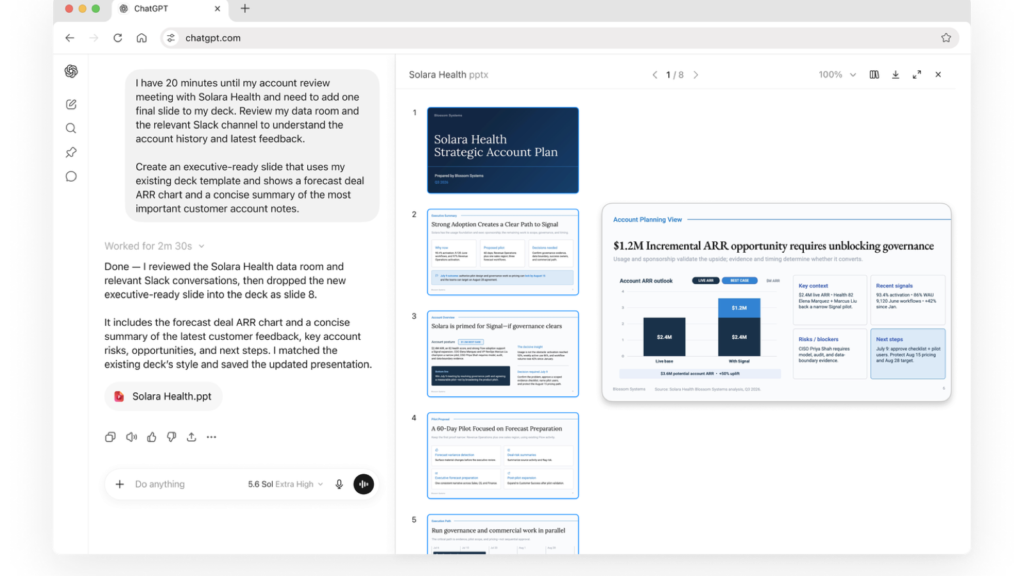
ChatGPT Work is an agent inside ChatGPT, not a renamed chat model or a stand-alone business product. The practical distinction is the expected outcome. Chat remains the place for a question, explanation, brainstorm, or short draft. Work is for a task with a defined result: research a subject, reconcile several sources, prepare a decision document, build a deck, refresh a spreadsheet, or maintain an ongoing workflow.
OpenAI’s July 9 launch announcement describes Work as a way to move from scattered context to finished material while the user can follow progress, answer questions, change direction, and approve important actions. The accompanying getting-started guide draws a useful boundary: use Work when the assignment involves several sources or steps and produces something you will review, edit, or reuse.
The launch also brings the technology behind Codex into a general-work surface. Codex remains the dedicated experience for software development and technical work. Work applies the same agentic foundation to research, operations, finance, sales, marketing, and other jobs where the result is usually a business artifact rather than a code change.
How ChatGPT Work operates
A well-scoped Work task has four parts. First, the user states the outcome and supplies or points to the relevant sources. Second, Work can outline an approach and surface missing information before it begins. Third, it uses available tools, files, and connected services to complete the steps. Finally, it returns a reviewable result and exposes progress so the user can intervene.
That sequence matters because an agent that can act across systems needs more than a polished final answer. Teams should specify which sources are authoritative, what the output must contain, which actions require approval, and where the agent should stop. OpenAI’s guidance explicitly recommends naming constraints and asking for a draft before ChatGPT sends, publishes, or changes information that other people rely on.
OpenAI’s July 9 announcement describes Work combining connected apps and files to create documents, decks and analyses. These are publisher-described product capabilities, not results from a Kingy test or an independently verified customer outcome.
Finished files are the central promise
Work can create finished files and workflows from instructions and attached source material. OpenAI’s current getting-started guide uses presentations and comparison spreadsheets as examples. Its separate Sites documentation covers hosted websites, web apps and games, including examples such as dashboards and connected issue trackers. The output is meant to be opened, checked, revised and used.
The format details still matter. Exact support depends on the plan, workspace settings, installed plugins and surface. Confirm the precise document or office-file path the team needs rather than assuming every format and app behaves the same way.
Plugins supply context and actions
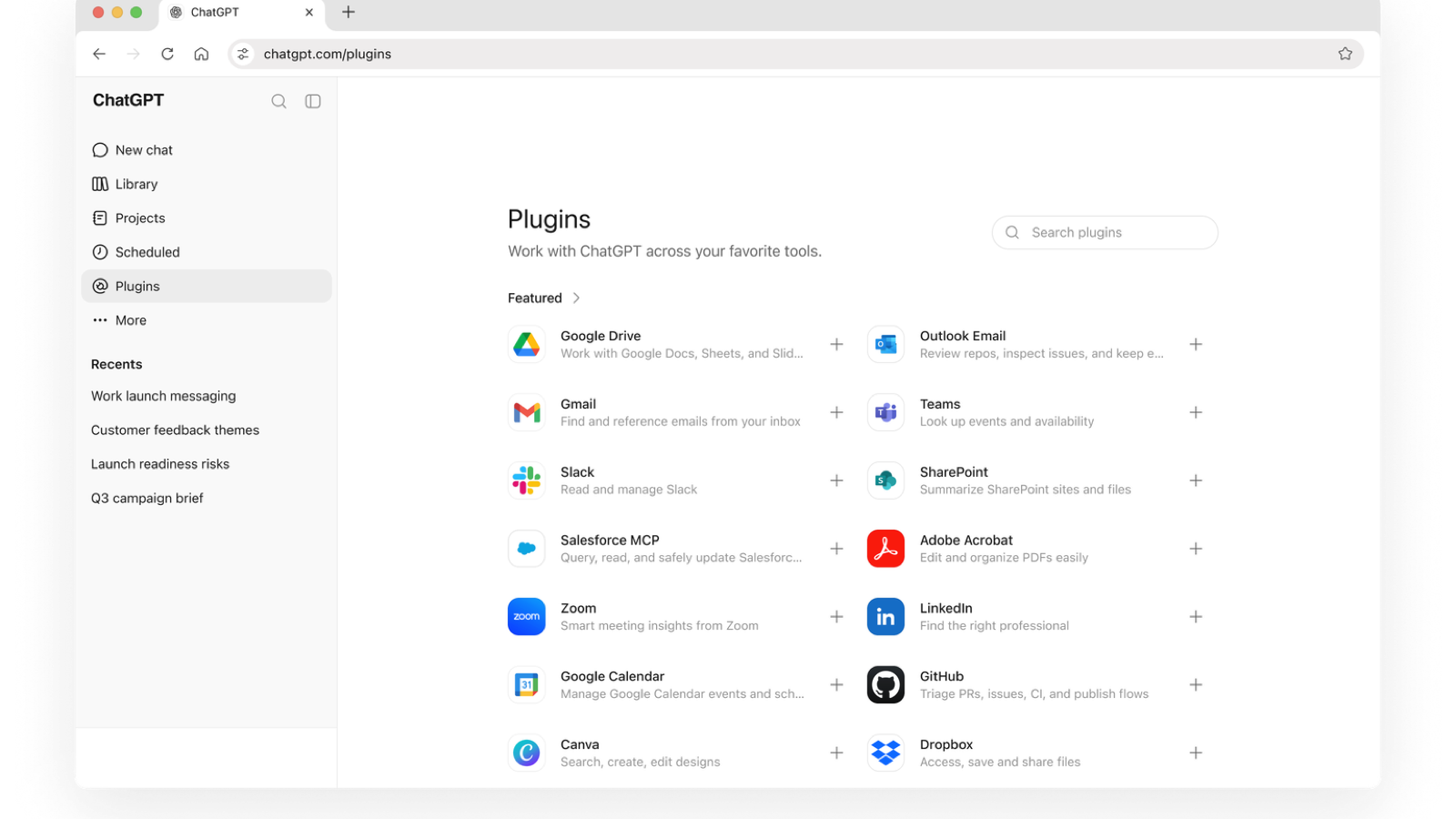
Plugins are the connection layer between Work and external systems. OpenAI’s current plugin documentation says plugins can include reusable skills and MCP servers; some can also include browser extensions or hooks, with surface-specific limits. The current guides name Gmail, Google Drive, Slack, SharePoint, email, calendars, customer relationship management systems and project trackers as examples. A user can name a plugin with an @ mention or let ChatGPT select an installed capability from the request.
This is useful, but it is also where access control becomes concrete. A plugin uses the connected service’s own authentication and permissions. Installing a connector does not give Work unrestricted access to everything in that service. Workspace policy, the user’s source-system permissions, the available actions, and approval settings still determine what can be read or changed.
For a team evaluation, start with a read-heavy task and a narrow set of sources. Confirm that Work retrieves the expected material, cites or identifies the evidence it used, and asks before a consequential write. Expand permissions only after that behavior is predictable.
Scheduled Tasks turn a result into a workflow
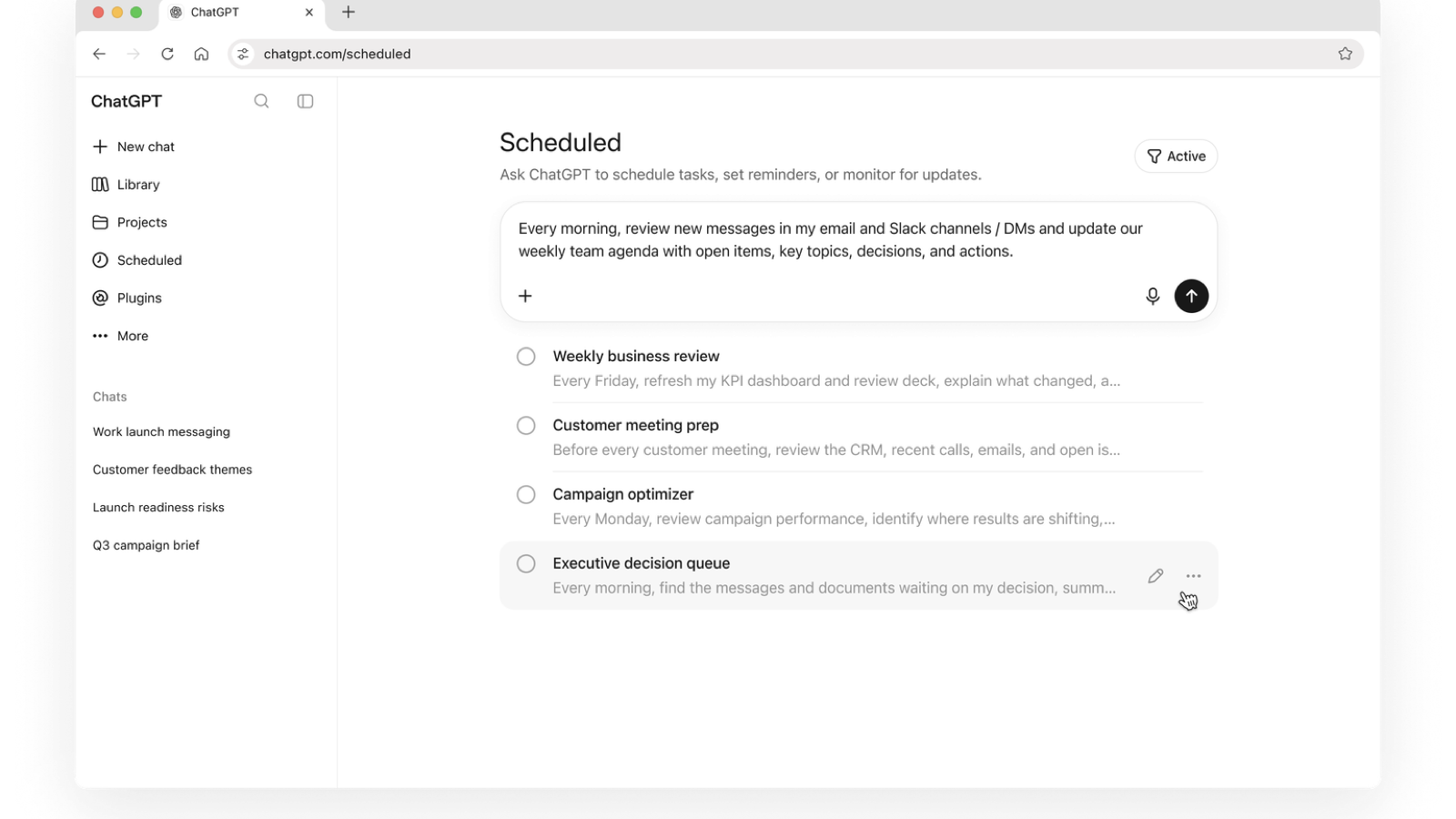
Work is not limited to a single interactive run. Scheduled Tasks can run once, repeat on a schedule, respond to an event, or monitor for changes. OpenAI’s examples include refreshing a meeting agenda from new messages, reviewing dashboards each morning, monitoring customer feedback, and updating a presentation when new information arrives.
A recurring agent deserves stricter operating rules than an occasional prompt. The schedule, source set, destination, approval behavior, and stopping condition should all be explicit. On the desktop app, a task that needs local projects also depends on the host computer remaining on, the app running, and the project still being available. Unattended tasks use the configured sandbox and permission model, so broad file or network access increases the impact of a poor instruction.
Practical use cases worth testing
Executive and account reviews. Give Work a defined folder, a meeting template, and selected CRM or communication context. Ask it to identify changes, open decisions, risks, and owners, then draft a presentation for review. The evaluation is whether it preserves the template and connects every important claim to the supplied evidence.
Procurement or vendor comparison. Supply proposals, requirements, and an evaluation rubric. Work can organize the options in a spreadsheet, flag missing data, score only the criteria you authorize, and prepare a summary. A human should still validate calculations, contractual terms, and any recommendation.
Recurring operations reporting. Connect a narrow set of systems and schedule a weekly draft that highlights changed metrics, unresolved blockers, and decisions due. This is a better first automation than an open-ended instruction to “manage the project” because the inputs, cadence, output, and review point are observable.
Research-to-deliverable work. Work can gather information from approved sources, separate findings from recommendations, and turn the result into a memo, deck, or Site. The key test is traceability: the finished artifact should make it easy to distinguish sourced facts, calculations, and the model’s judgment.
Availability and pricing
ChatGPT Work does not have its own subscription. OpenAI’s current pricing documentation says Work and Codex share included usage, credits and limits across ChatGPT plans. At the July 9 launch, OpenAI said the updated Mac and Windows desktop app supported every plan, including Free, while web and mobile access was rolling out to eligible paid plans other than Free and Go. The table below preserves that launch snapshot; it does not certify current access for any particular account, region or managed workspace.
The retained October 8, 2026 public pricing page listed the following base prices. These are ChatGPT/Codex plan prices, not per-task prices for Work. Usage consumption varies with the model, context, reasoning, retrieval, tool calls, and length of the task, so two assignments with similar prompts can consume different amounts.
| Plan | Listed base price | Work access at launch |
|---|---|---|
| Free | $0 per month | Desktop; not included in the web/mobile rollout |
| Go | $8 per month | Desktop; not included in the web/mobile rollout |
| Plus | $20 per month | Desktop, with web/mobile rolling out |
| Pro | From $100 per month | Desktop, web, and mobile for eligible accounts |
| Business | $20 per user per month billed annually, or $25 billed monthly | Desktop, with web/mobile rolling out |
| Enterprise and Edu | Contact sales | Desktop, web, and mobile subject to admin controls |
At the July 9 launch, OpenAI said desktop access included Free. That historical launch statement does not certify current access for any account; confirm the intended plan, surface, region, and workspace policy. Paid users can buy additional credits when eligible, and organizations can apply workspace spend controls. Anyone budgeting for production use should measure a representative task on the intended model and surface instead of estimating cost from prompt count alone.
The main risks are operational, not cosmetic
Rollout ambiguity. A plan may be eligible while the feature is still absent from a particular account or surface. Confirm access in the actual workspace and device before scheduling training or a migration.
Permission sprawl. Cross-app work is valuable because it can reach the systems where information lives. The same reach can expose or change more than intended if connectors, actions, and approval settings are too broad. Use least-privilege connections and test with non-sensitive material first.
Confident but unsupported output. A polished deck or spreadsheet can make weak evidence look final. Require source boundaries, ask Work to flag missing information, inspect formulas and citations, and keep human approval for external publication, financial decisions, customer communication, or changes to systems of record.
Variable usage. Long-running tasks with many files and tool calls use more capacity than short, well-bounded assignments. Separate required work from optional polish, limit the source set, and stop a run that is exploring beyond the decision you need.
Format and surface gaps. A workflow that works in Google Sheets may not map directly to Excel or PowerPoint. Verify the final file type, editing path, and export behavior before standardizing a process around it.
A sensible first evaluation
- Choose a task your team already understands and can score.
- Provide a small, authoritative source set and a real output template.
- Define the audience, required sections, evidence standard, and stopping point.
- Keep external writes and sharing behind an approval step.
- Review factual accuracy, file quality, time saved, and credit use.
- Repeat the same task before expanding to a recurring or higher-permission workflow.
ChatGPT Work is most compelling when the bottleneck is assembling context and producing a usable artifact, not when a quick answer would do. The launch closes some distance between asking an AI for help and delegating a bounded assignment. Whether that is valuable depends on the quality of the inputs, the clarity of the finish line, and the discipline of the review process.
FAQ
Is ChatGPT Work a separate app?
No. Work is an experience inside ChatGPT on supported web, mobile, and desktop surfaces. The updated desktop app also includes Chat and Codex.
Is ChatGPT Work free?
At the July 9 launch, OpenAI said Work was available in the desktop app on every plan, including Free, while Free and Go were outside the initial web and mobile rollout. Current documentation still places Work and Codex on the same plan usage, credits and limits; verify the intended account and surface.
What can ChatGPT Work create?
OpenAI’s current Work guide shows briefs, decks, analyses, finished files, presentations and comparison spreadsheets. Sites documentation separately covers hosted websites, web apps and games. Exact support depends on the plan, plugins, workspace settings and surface.
What is the difference between Work and Codex?
Work is oriented toward research and general business deliverables. Codex remains the dedicated software-development agent. They share core agent technology and the same usage structure.
Official sources
- OpenAI’s ChatGPT Work launch page
- Get started with ChatGPT Work
- Work and Codex pricing and usage
- OpenAI plugin documentation
- OpenAI Scheduled Tasks documentation
More from Kingy AI
The Kingy Brief
Get The Kingy Brief.
AI changes, original tests and one practical thing to try. Fridays at 09:00 Vancouver time.
Free · Double opt-in · Unsubscribe anytime
Sign up for The Kingy Brief on Beehiiv.
Signup help and newsletter schedule
Signup form provided by Beehiiv. After submitting, check your inbox for "Confirm your subscription to The Kingy Brief" and open its confirmation link. Check Spam or Promotions if you cannot find it.
Fridays at 09:00 Vancouver time: source-checked AI changes, original tests and one practical thing to try. The weekly restart begins October 9, 2026. We skip a week when there is not enough verified material. Free. Unsubscribe anytime.