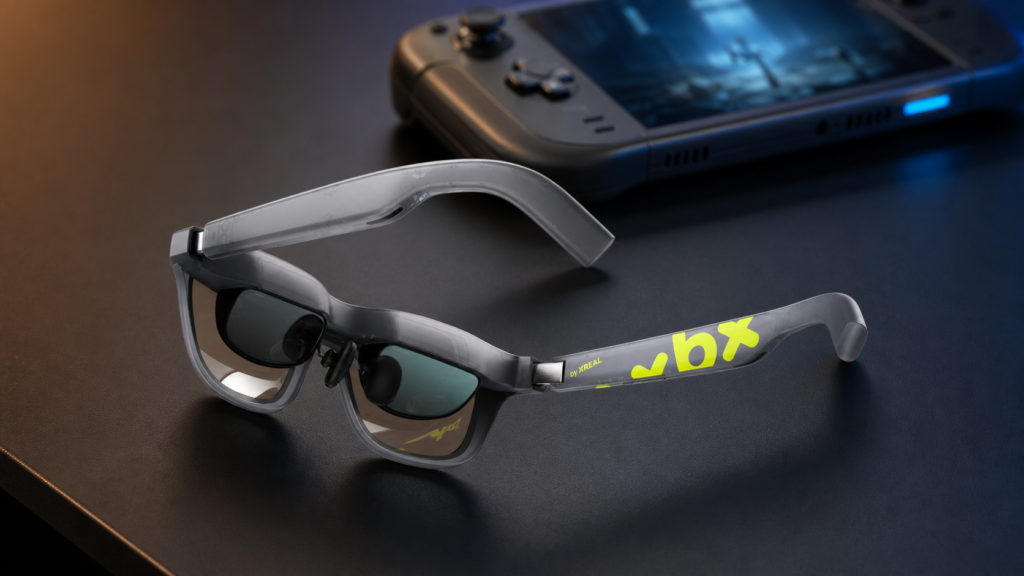
The X by XREAL xbx a01+ (A01 Plus) is worth $299 for buyers who want a light, wired private display and will take a few minutes to tune the fit. Our first impression was rough: the virtual screen looked misplaced, soft at the edges and less convincing than the 147-inch promise suggested. Then we changed the nose pad, moved the temples to a different angle, lowered the brightness and clipped on the light shield. The picture snapped into place. It became easy to recommend for games, movies and a private laptop screen, provided the source device can send video over USB-C or you have the correct active adapter. Before buying, compare it directly in our VITURE Pro 2 vs XREAL xbx a01+ buyer’s guide.
That distinction—display glasses, not a computer on your face—is the key to understanding the a01+. There is no camera, internal battery or chatbot inside the frame. It does not replace your phone, PC or handheld. It takes the video signal from one of those devices and places a large private image in front of your eyes. Compared with the camera-and-assistant direction of Meta-style smart glasses, XREAL is selling a much simpler proposition: move the screen you already use onto a 62-gram pair of glasses.
XREAL xbx a01+ (A01 Plus) review: the quick verdict
Worth it at $299? Yes, with two caveats. The xbx a01+ is a light, bright wired display for games, movies and a private laptop screen. Take time to tune the fit, and confirm that the source device can send video over USB-C or plan on buying the correct active adapter.
Price reviewed: $299 in the US at publication; seller pricing can change. Testing scope: Kingy tested fit adjustment, brightness changes, the removable light shield, built-in speakers and source-device Bluetooth routing. We did not instrument-test brightness, colour accuracy, battery drain or total runtime.
Best for
- Handheld-PC gaming and movies on a large private screen
- Travel and shared spaces where a monitor is impractical
- Buyers who value low weight over native spatial controls
Pros
- 62-gram design with a bright Micro-OLED image
- Up to 120 Hz plus native HDR10 and AI-HDR for SDR content
- Included light shield improves immersion for games and movies
- Built-in speakers are better than expected for glasses
Skip if
- You need a screen that stays pinned in the room or resizes on the glasses
- You want wireless video, a camera or a standalone AI assistant
- Your devices lack video-capable USB-C and you do not want adapters
Cons
- Fit can make the difference between a clear image and soft or cropped edges
- 0DoF stabilization smooths head-following motion; it is not native 3DoF anchoring
- The glasses draw power from the connected device
- HDMI sources require a direction-specific, often powered adapter
How we tested the XREAL xbx a01+
We tried the XREAL xbx a01+ hands-on and initially found the image slightly misplaced, soft and blurry at the edges. We changed the nose pad and temple angle, lowered brightness several steps and compared the open glasses with the removable light shield attached. Those changes improved image placement, comfort and immersion in our test. We also evaluated the built-in speakers and source-device Bluetooth audio routing.
We did not instrument-test brightness, colour accuracy or battery drain. The article and video do not identify the exact phone, laptop or console models, firmware version, total testing time or whether the unit was purchased, borrowed or supplied, so we have not inferred those details. Kingy’s editorial and sponsorship standards explain how reviews and commercial relationships are handled.
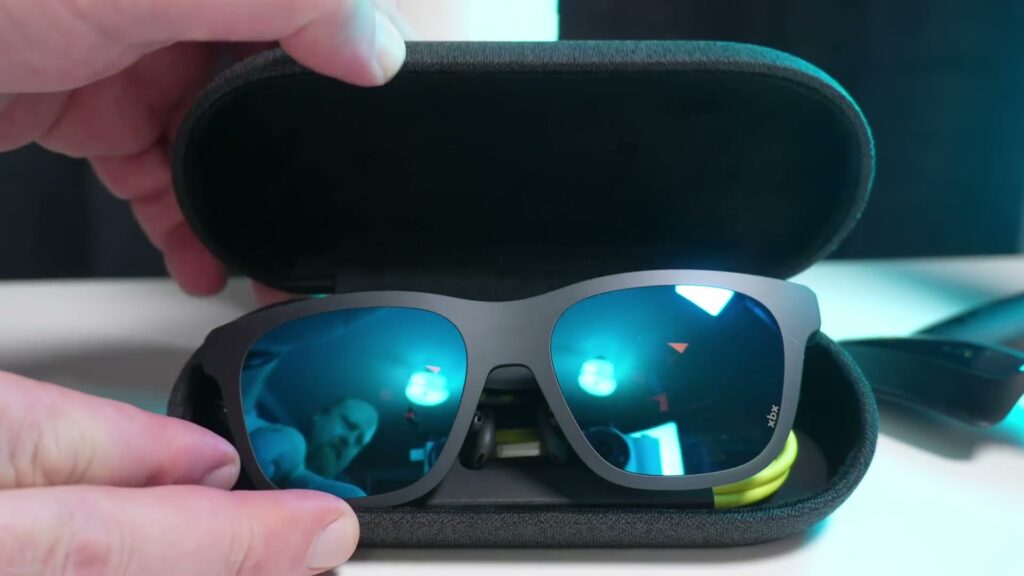
What the video shows
Kingy’s hands-on video shows why the first impression changed: a different nose pad, a new temple angle, lower brightness and the removable light shield corrected the setup. It also demonstrates the fit controls, shield and speakers, then explains DisplayPort-over-USB-C, direction-specific HDMI adapters, 0DoF stabilization and AI-HDR.
- 0:00 — First impression and the four changes
- 1:54 — Nose pads and temple-angle adjustment
- 3:01 — Removable light-shield demonstration
- 4:47 — Built-in speakers and Bluetooth routing
- 5:20 — USB-C and HDMI adapter requirements
- 6:18 — Stabilization, 3DoF limits and AI-HDR
- 7:11 — Final verdict
Specifications: what the $299 a01+ actually includes
The numbers are strong for an entry-level wearable display, but they need context. The “147-inch” figure is an apparent screen size at a viewing distance of four metres, not a 147-inch physical panel folded into the frames. XREAL’s official specification sheet lists the following hardware. These are manufacturer figures; Kingy AI did not independently instrument-test brightness, colour gamut or colour accuracy.
| Specification | XREAL xbx a01+ |
|---|---|
| US price at publication | $299 |
| Weight | 62 g with front frame; 56 g without it |
| Dimensions | 168 × 52 × 145 mm |
| Display | Dual 0.6-inch SeeYa Micro-OLED |
| Resolution | 1920 × 1080 in 2D; 3840 × 1080 in 3D |
| Refresh rate | Up to 120 Hz |
| Field of view | 50 degrees |
| Apparent screen size | 147-inch equivalent at four metres |
| Brightness | 1,600 nits at the eye; 6,000 nits screen brightness (XREAL figures) |
| Dynamic range | SDR, AI-HDR and native HDR10 |
| Colour and contrast claims | 145% sRGB, 8/10-bit colour, Delta E below 2, 2,000,000:1 contrast |
| IPD coverage | 54.5–74.5 mm |
| Connection | USB-C with DisplayPort Alt Mode; 5V/1A power requirement |
| Battery | None; powered by the connected device |
| Tracking | IMU-based 0DoF stabilization |
How the a01+ compares with XREAL 1S, RayNeo Air 4 Pro and VITURE Luma Pro
This is a specifications comparison, not a claim that Kingy tested every model below. Prices and manufacturer figures were checked on July 22, 2026. Brightness terms differ—eye, peak and peak perceived brightness—so they are not controlled cross-brand measurements. For more current launches and decision criteria, see Kingy’s AI Hardware Radar and AI hardware comparison framework.
The closest new price competitor is VITURE’s Pro 2. It also launched at $299 but approaches the category differently, with independent 0 to −5.0D focus dials and SpaceWalker support instead of the a01+’s HDR-led feature set. Our VITURE Pro 2 XR glasses review covers its hands-on fit, gaming performance and edge-clarity limitations.
| Model | Official US price and weight | Display claims | Spatial controls and dimming | Switch support | Best fit / main trade-off |
|---|---|---|---|---|---|
| XREAL xbx a01+ | $299; 62 g with front frame | 1,600-nit eye/peak brightness; 50° FOV; 120 Hz | 0DoF follow/stabilization; no native pinning or resizing; physical light shield included | Powered XREAL Hub; stabilization and 3D unavailable on Switch | Lowest weight and a bright fixed screen / no native 3DoF |
| XREAL 1S | $449; 82 g | 700-nit peak brightness; 52° FOV; 120 Hz | Native 3DoF; 31–500-inch resizing; auto and three-level electrochromic dimming | Powered XREAL Hub | Direct XREAL step-up for pinning and resizing / 20 g heavier |
| RayNeo Air 4 Pro | $299; 76 g | 1,200-nit claim; 46° FOV; 120 Hz | No native pinning or resizing stated; 20 brightness levels | RayNeo JoyDock accessory | HDR entertainment and B&O audio near the same price / heavier, with fewer documented spatial controls |
| VITURE Luma Pro | $379 sale price; $499 reference; 79 or 81 g | 1,000-nit peak perceived brightness; 52° FOV; 120 Hz | 3DoF through SpaceWalker; electrochromic dimming; built-in myopia adjustment to -4.0D | VITURE Pro Mobile Dock | 1200p output and strong vision support / spatial modes and Switch need software or accessories |
The most important feature is not on the spec sheet: fit
Our first session was underwhelming. Parts of the image appeared softer than expected, the edges looked a little blurry and the virtual display felt as though it was sitting in the wrong place. That is exactly the kind of first impression that can make a buyer assume the optics are defective or that this entire category does not work for their face.
The a01+ gives you two simple but consequential adjustments. Three nose-pad sizes—small, medium and large—change how high and how far the glasses sit from your eyes. Each temple also clicks into one of three vertical positions, angling the display up, level or down. After swapping the nose piece and changing the temple position, we could bring the image into a much better part of the field of view.
Brightness was the next surprise. The a01+ can get extremely bright, and maximum output was not the clearest or most comfortable setting for us. Dropping it several steps reduced visual strain and made the image easier to read. That experience aligns with XREAL’s own support guidance, which recommends lowering brightness and trying Eye Care mode if extended use becomes tiring.
This is the setup sequence we would use before judging the glasses:
- Start with the middle nose pad, then try the other sizes if the image is cropped or vertically misplaced.
- Click both temples into the same one of their three angles and test all three positions.
- Lower brightness from maximum until whites stop feeling harsh and fine detail becomes comfortable.
- Attach the light shield for movies and games, especially in a bright room.
- Only after those changes should you evaluate edge clarity, comfort and whether your IPD falls within the supported 54.5–74.5 mm range.
The light shield changes the experience
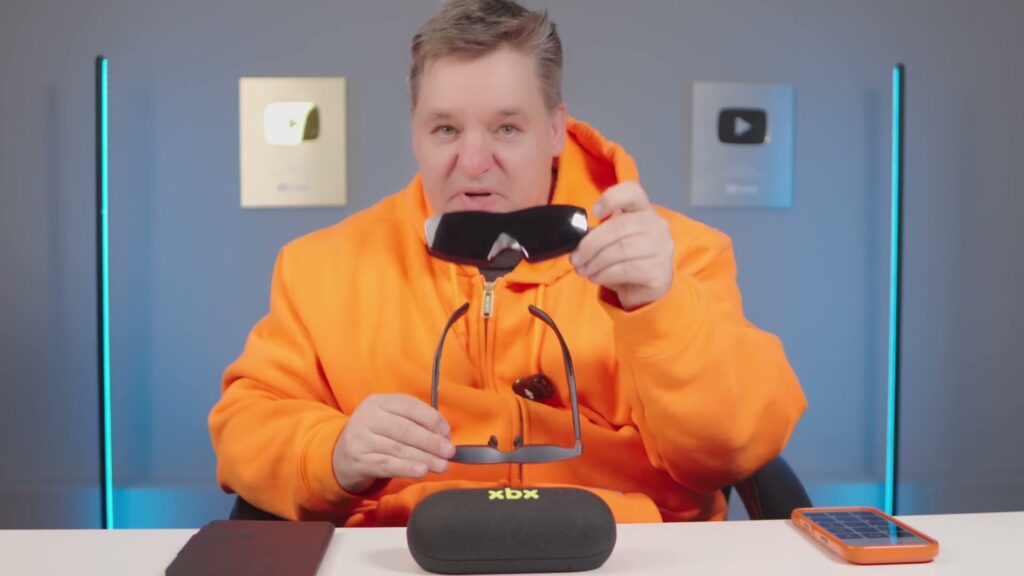
Without the shield, the virtual image floats over your surroundings. That can be useful when you want to see a keyboard, notice someone entering the room or retain some awareness while travelling. It also means ambient light competes with the display and can weaken the illusion of a private cinema.
The a01+—unlike the base a01—includes a removable light shield. Once clipped over the front, it blocks most of the outside view and makes the picture feel substantially more solid. We preferred it for movies and games. The open configuration is more practical for a laptop or any situation where awareness matters. It is a low-tech accessory, but in our use it had a larger effect on immersion than many headline features.
Display quality: bright, fast and more nuanced than “147-inch OLED”
Inside the frame are two 0.6-inch Micro-OLED panels, one for each eye. In normal 2D operation, each eye receives a 1920 × 1080 image. The 50-degree field of view is large enough to feel cinematic while remaining a single rectangular display rather than a room-scale mixed-reality environment. At up to 120 Hz, motion looks smooth enough for fast games when the source device and game can supply that refresh rate.
XREAL lists 1,600 nits of eye brightness, a 2,000,000:1 contrast ratio, 145% sRGB coverage and Delta E below 2. Those are impressive claims, but buyers should read them as XREAL’s published specifications rather than Kingy AI lab results. What we can say from the hands-on review is simpler: the picture gets very bright, dark scenes benefit from the OLED contrast, and the display looked vivid and convincing after fit and brightness were corrected.
HDR10 and AI-HDR are different modes
The a01+ supports native HDR10 when the device and content provide an HDR10 signal. It also has AI-HDR, XREAL’s real-time SDR-to-HDR processing. The latter enhances contrast and colour in standard-dynamic-range material; it does not make the glasses an AI assistant. The intelligence is a display-processing feature, not a conversational model watching through a camera.
The on-screen menu also offers Standard, Cinema and Eye Care picture presets, plus SDR, AI-HDR and HDR10 dynamic-range options. XREAL says the system can fall back from HDR10 to AI-HDR when the incoming content does not support native HDR, and 3D mode also uses AI-HDR. That is useful flexibility, although it is worth sampling the modes instead of assuming the one with “AI” in its name will always look most accurate.
Gaming is the obvious win
A compatible handheld gaming PC is close to the ideal source. Plug in one USB-C cable, leave the handheld in your lap and play on a much larger apparent screen. The glasses weigh less than many over-ear headphones and avoid the front-heavy enclosure of a VR headset. Because the source device renders the game, there is no separate app store or underpowered processor inside the frames.
The trade-off is that the display generally follows your head. The optional stabilization mode smooths that motion, but it should not be confused with a premium spatial monitor anchored to the wall. XREAL describes the a01+ as a 0DoF product, while its more expensive One models provide native 3DoF positioning. The official FAQ also warns that stabilization can produce slight trailing during fast or large head turns and is intended mainly for moving environments. It requires a 120 Hz source output.
That is a reasonable compromise at $299. For a controller-driven game, a screen that follows your view can feel natural because you usually look straight ahead anyway. Buyers expecting a desktop window that stays put as they turn to another monitor need a different class of product.
Movies, travel and the private-screen advantage
Movies are the other obvious strength. On a plane or train, the a01+ can replace the awkward phone-on-a-tray-table setup with a screen that feels much larger and is difficult for the person beside you to read. Add the light shield and the cabin largely disappears. There is no battery in the glasses to charge, although they draw power from the connected phone, laptop or handheld, so the source device’s battery still matters.
For a laptop, the glasses work best as a private mirrored display or a large single workspace. They are less suitable as an all-day replacement for a sharp desktop monitor if your work depends on edge-to-edge text clarity. Our initial edge softness improved dramatically with fit, but face shape, eyesight and IPD can still affect how much of the frame appears uniformly sharp.
Audio is better than expected—and easy to redirect
The built-in speakers were a pleasant surprise. Dialogue and game sound are clear enough that the glasses can function as a complete grab-and-go display without forcing you to add earbuds. XREAL also includes Cinema, Spatial, Balanced and Whisper audio modes in the on-screen controls, with Whisper intended to reduce sound leakage.
For fuller bass or better privacy, connect Bluetooth headphones or a speaker to the phone, computer or handheld. The important detail is that Bluetooth is handled by the source device, not the glasses. If audio continues to play from a phone after connection, XREAL recommends manually selecting the external display or preferred Bluetooth device in the phone’s media-output controls.
Compatibility: USB-C is not enough
The clean one-cable experience depends on DisplayPort Alt Mode. XREAL explicitly lists recent USB-C iPhones, compatible Android phones, computers with video-capable USB-C ports and handheld gaming devices that support DisplayPort output. A USB-C connector by itself does not guarantee this feature. Some phones use USB-C only for charging and data, and some laptop ports do not carry video.
XREAL xbx a01+ compatibility matrix
This matrix separates documented compatibility from Kingy’s narrower hands-on test. The review video does not identify the exact phone, computer, handheld or console models used, so those details are not inferred.
| Device or source | Direct connection? | Requirement or adapter | Evidence and limitation |
|---|---|---|---|
| Recent USB-C iPhone or iPad | Yes, on supported models | USB-C connection capable of video output | Listed by XREAL; the exact Apple model used by Kingy is not identified |
| Compatible Android phone or tablet | Sometimes | DisplayPort Alt Mode over USB-C | A USB-C connector alone does not guarantee video output |
| Windows PC or Mac | Sometimes | Video-capable USB-C port | Listed by XREAL; some computer USB-C ports carry only data and power |
| Steam Deck or another handheld gaming PC | Yes, when the handheld supports DisplayPort output | Direct USB-C; a compatible PD/DisplayPort hub is needed to charge simultaneously | Supported as a device class; Kingy’s video does not identify the exact handheld |
| HDMI console or older computer | No | Direction-correct HDMI-to-USB-C adapter, often with separate power | Explained in Kingy’s video; an ordinary USB-C-to-HDMI cable works in the wrong direction |
| Nintendo Switch or Switch OLED | No direct connection | Powered XREAL Hub according to XREAL’s guide | XREAL marks stabilization and 3D unavailable on Switch |
| Nintendo Switch 2 | No direct connection | Adapter required; confirm the current supported XREAL accessory before buying | XREAL lists Switch 2 as adapter-required; Kingy did not independently test it |
HDMI-only devices—including many game consoles and older PCs—make the setup more complicated. You need an HDMI-to-USB-C adapter designed to send video into USB-C display glasses, often with separate power injection. The common cable sold as USB-C-to-HDMI works in the opposite direction and will not solve the problem. This is one area where XREAL and retailers could be much clearer, because the connectors can look right even when the signal direction is wrong.
Also remember that the glasses occupy the source device’s USB-C port. XREAL says a hub that supports both USB-C Power Delivery and DisplayPort video can charge the source while driving the glasses, but an ordinary charging splitter may not pass video.
Comfort, prescription support and what is in the box
At 62 grams with the removable front frame—or 56 grams without it—the a01+ feels much closer to substantial sunglasses than to a headset. XREAL uses a lightweight nylon body, and the flexible fit worked well for larger heads in our testing after adjustment. That does not guarantee universal comfort. People outside the listed 54.5–74.5 mm IPD range, or those who need corrective lenses, should resolve that before buying. XREAL sells compatible prescription inserts, and the official documentation says myopia and astigmatism lenses can be fitted.
The a01+ package contains the glasses, detachable front lens, light shield, protective case, USB-C cable, small/medium/large nose pads, cleaning cloth, quick-start guide and warranty information. The included shield is one practical reason to choose the “plus” model over the base a01.
XREAL xbx a01+ FAQ
Is the screen really 147 inches?
It is a 147-inch equivalent or apparent screen at a four-metre viewing distance, according to XREAL. There is no physical 147-inch panel.
Do the xbx a01+ glasses work with every phone?
No. The phone must output DisplayPort video over USB-C. XREAL lists recent USB-C iPhones and some compatible Android phones, but buyers should check the exact model before purchasing.
Can the display be pinned or resized without another device?
Not on the a01+ alone. XREAL documents one 147-inch-equivalent display and 0DoF stabilization, not native screen anchoring or size controls. The more expensive XREAL 1S and One models add native 3DoF and screen adjustment.
How is stabilization different from true 3DoF?
The a01+’s 0DoF mode smooths a screen that still follows your view. Native 3DoF can keep a virtual screen anchored as you rotate your head. XREAL warns that the a01+ may show slight trailing during fast or large head turns; stabilization requires a 120 Hz source.
Does it work with Nintendo Switch or Switch 2?
Not by direct connection. XREAL’s connection guide requires an adapter and specifically names the powered XREAL Hub for Switch and Switch OLED. It also marks stabilization and 3D unavailable on Switch. Check XREAL’s current compatibility guide before buying for Switch 2 because accessory support can change.
Is small text readable, and does the image blur during head movement?
Small text became much clearer for us after changing the nose pad and temple angle and lowering brightness. We still prefer the glasses as a private mirrored display or single large workspace rather than an all-day monitor for edge-to-edge text. During head movement, the screen follows your view; XREAL says stabilization can introduce slight trailing during fast turns.
How do the glasses affect battery life?
They have no internal battery and draw power from the connected device. XREAL specifies a 5V/1A requirement, but Kingy did not measure the runtime impact. A hub that passes both USB-C Power Delivery and DisplayPort video can charge the source while driving the glasses.
What changes when using prescription inserts?
Prescription lenses can correct myopia or astigmatism so the display is in focus, but they do not change the listed 54.5–74.5 mm IPD range. Kingy did not test a prescription insert, so buyers should confirm their prescription and fitting options with XREAL or an optician.
Can the a01+ replace a monitor, tablet or television?
It can substitute for a private screen for games, movies or a mirrored laptop display, but it does not replace the source device. It is less convincing as an all-day monitor if you need uniform edge-to-edge text clarity, and it cannot pin or resize a desktop on the glasses alone.
What should I do if the image looks blurry or cropped?
Try all three nose-pad sizes, test the three temple angles, centre the glasses and lower brightness before deciding there is a fault. Those changes transformed our review experience. If clarity remains poor, check your IPD and prescription needs.
Final verdict: a practical big screen, once you dial it in
The XREAL xbx a01+ succeeds because it avoids pretending to be more than it is. It is not a new computing platform and it will not answer questions, record your day or replace your phone. It is a remarkably light pair of wired glasses that turns compatible hardware into a large private display.
Our first impression was close to a rejection. The screen looked a little soft, its position felt wrong and the headline promise seemed overcooked. A nose-pad swap, a temple adjustment, lower brightness and the light shield changed that verdict. Once dialled in, the image was bright, large and immersive; 120 Hz made sense for games; movies benefited enormously from the shield; and the built-in sound exceeded expectations.
At $299, that is a convincing package. Buy it for a portable screen, not for science-fiction smart glasses. Check your source device first, expect to spend a few minutes tuning the fit, and keep the correct HDMI adapter in mind if consoles are part of the plan. With those conditions understood, the xbx a01+ earns our recommendation.
Official sources
- XREAL xbx a01+ product page
- XREAL xbx a01 official specifications
- XREAL xbx a01 series user manual
- XREAL xbx a01 official FAQ
- XREAL xbx a01 connection guide
- XREAL One-series specifications
- RayNeo Air 4 Pro official product page
- VITURE Luma Pro official product page
- VITURE Pro Mobile Dock official page
Review by Curtis Pyke. The video transcript and owned footage were checked against the visible claims in this update.
The Kingy Brief
Get The Kingy Brief.
AI changes, original tests and one practical thing to try. Fridays at 09:00 Vancouver time.
Free · Double opt-in · Unsubscribe anytime
Sign up for The Kingy Brief on Beehiiv.
Signup help and newsletter schedule
Signup form provided by Beehiiv. After submitting, check your inbox for "Confirm your subscription to The Kingy Brief" and open its confirmation link. Check Spam or Promotions if you cannot find it.
Fridays at 09:00 Vancouver time: source-checked AI changes, original tests and one practical thing to try. We skip a week when there is not enough verified material. Free. Unsubscribe anytime.