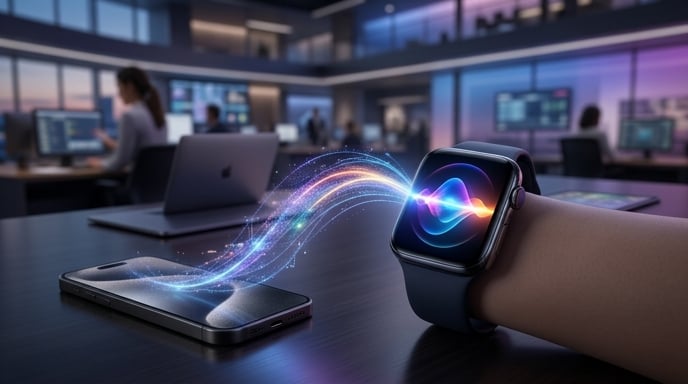
For years, asking Siri a complicated question felt like tossing a message into a digital wishing well. Sometimes you received a useful answer. Sometimes Siri opened a random website. Sometimes it confidently informed you that it had found absolutely nothing.
Apple now believes those days are numbered.
The company has released the first public betas of its OS 27 software lineup, giving ordinary users their first opportunity to test its long-delayed Siri AI. The upgraded assistant is available through beta versions of iOS 27, iPadOS 27, macOS 27, watchOS 27, tvOS 27, and visionOS 27.
The biggest story is obviously the new Siri. Apple has rebuilt the assistant as a more conversational, context-aware AI system that can answer broader questions, understand information stored on a user’s device, and perform multi-step actions across apps.
Yet one of the most intriguing versions does not live on the iPhone.
It lives on the Apple Watch.
With watchOS 27, Siri AI moves onto the wrist, transforming Apple’s tiny wearable into something closer to a modern AI companion. The experience remains unfinished and occasionally rough, as public beta software often does. Still, the direction is clear.
Apple wants Siri to stop being a glorified timer and start becoming genuinely useful.
Apple’s Long-Delayed Siri Enters the Public Arena
The new Siri has been a long time coming.
Apple spent years promoting Siri as a central part of its ecosystem, but the assistant frequently struggled with follow-up questions, conversational context, and requests involving more than one action. Meanwhile, generative AI chatbots raised expectations for what a digital assistant should understand.
Now, Siri AI is finally available beyond Apple’s developer community.
According to Gizmodo, users can access the new assistant by enrolling in Apple’s public beta program and installing iOS 27. However, Siri AI does not automatically appear the moment the update finishes.
Users must open the Apple Intelligence and Siri settings, select the option to try the new Siri, and join a waitlist. During the earlier developer beta, some testers reportedly waited close to two weeks before gaining access.
That extra hurdle may test the patience of anyone expecting instant gratification. Siri took years to arrive, and apparently it still enjoys making an entrance.
The full Siri AI experience on the iPhone also requires an iPhone 15 Pro or a newer compatible model. Availability remains limited to English, and the feature is not currently offered in the European Union.
This Is More Than a Fresh Coat of Digital Paint
Apple has not merely changed Siri’s animation and called it innovation.
The upgraded assistant behaves more like a chatbot. Users can hold longer conversations, ask follow-up questions, and continue without repeating every previous detail. Siri can also use personal context from information stored across Apple apps.
That means the assistant can potentially locate a detail from an email, remember what the user was discussing, and then perform a related action.
For example, someone could ask Siri to find a door code buried in an email. They could then ask it to save that code or use the information in another task without starting from scratch.
The assistant also has a dedicated app. That makes Siri usable through typed conversations rather than voice commands alone. Users who dislike announcing their grocery lists to an entire coffee shop can quietly type instead.
As Macworld explains, Siri AI is the headline feature of Apple’s OS 27 releases, but the wider updates also include performance improvements, AI enhancements, and expanded safety tools for families.
In other words, Siri is the celebrity guest. The rest of the operating system still brought snacks.
Siri AI Moves From the Pocket to the Wrist
The arrival of Siri AI on Apple Watch could prove more meaningful than it initially sounds.
The iPhone already offers access to several powerful AI applications. Apple Watch users have had far fewer options. The small screen, limited input methods, and restricted computing power made the device an awkward home for traditional chatbots.
Voice changes that equation.
A watch sits on the wrist, stays accessible, and can respond without forcing users to unlock a phone. That makes it a natural interface for quick AI interactions—provided the assistant actually understands the request.
In watchOS 27, pressing the Digital Crown opens a redesigned dynamic app grid with the dedicated Siri app positioned near the center. Users can ask broader questions, request actions inside apps, and continue conversations that began on another Apple device.
According to 9to5Mac, Siri’s conversation history syncs privately through iCloud. A discussion can begin on an iPhone, continue on an Apple Watch, and later move to an iPad or Mac.
That continuity turns the Watch into more than a miniature destination. It becomes a quick starting point.
Ask on the wrist. Finish on a larger screen. No conversational amnesia required.
A Recipe Test Shows What Apple Is Attempting
Early testing offers a glimpse of how Siri AI may change everyday Apple Watch use.
Gotechtor tested the assistant by requesting a heart-healthy ice cream recipe. The tester then asked Siri to add the ingredients to a grocery list in Reminders and save the recipe in Notes.
The assistant reportedly completed all three steps successfully while the paired iPhone remained in another room.
That example matters because it combines several abilities. Siri had to generate an answer, preserve the context, understand follow-up instructions, and take actions in multiple apps.
Old Siri often stumbled when a request moved beyond a single command. The new version aims to connect the steps.
As Gotechtor notes, this kind of interaction makes Siri on the Apple Watch feel far more useful than previous versions.
Naturally, one successful recipe request does not prove the assistant will work perfectly in every situation. Beta software can perform beautifully on Monday and develop the personality of a confused toaster by Tuesday.
Still, the test demonstrates Apple’s larger ambition. Siri is no longer supposed to answer isolated questions. It is supposed to help complete tasks.
The iPhone Is Still Doing the Heavy Lifting
There is an important catch.
The Apple Watch does not process the most advanced Siri AI requests entirely by itself. It sends much of the computational work to a nearby Apple Intelligence-compatible iPhone.
That means users need both a supported Apple Watch and a compatible iPhone within range to access the full experience.
Basic Siri functions, such as sending messages or creating reminders, can still operate through Wi-Fi or cellular connections on compatible models. However, the new generative and context-aware capabilities depend on the phone.
This arrangement makes practical sense. Apple Watches have smaller batteries and less processing power than iPhones. Running a demanding AI model directly on the wrist could turn an all-day wearable into a very stylish afternoon wearable.
However, the dependency has also generated criticism.
Apple dropped several older models from watchOS 27 support, including Apple Watch Series 8, the first-generation Apple Watch Ultra, and the second-generation Apple Watch SE. Some owners question why those devices cannot receive Siri AI when the paired iPhone handles much of the processing.
Apple may have technical reasons involving memory, software architecture, battery performance, or supporting components. Based on the supplied reports, however, the company has not provided a detailed public explanation resolving that criticism.
The Compatibility List Gets Noticeably Shorter
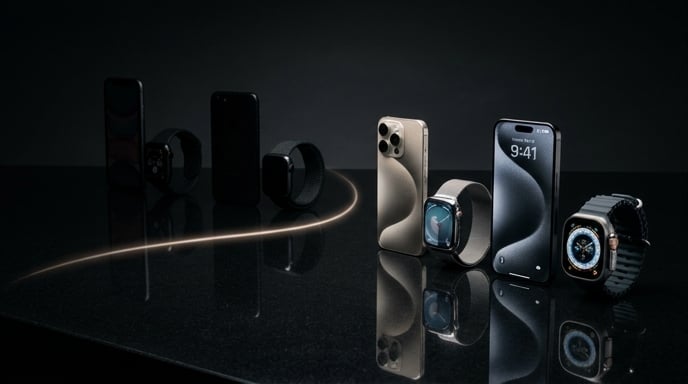
The watchOS 27 public beta supports a limited group of Apple Watch models.
The listed devices include Apple Watch Series 9, Series 10, Series 11, Ultra 2, Ultra 3, and Apple Watch SE 3. Siri AI also requires a nearby iPhone capable of running Apple Intelligence.
The general watchOS update requires an iPhone running iOS 27. According to 9to5Mac, the broader compatibility requirement includes an iPhone 11 or newer, or a second-generation iPhone SE or later. However, accessing Siri AI specifically requires newer Apple Intelligence hardware.
That distinction matters.
A user may be able to install watchOS 27 but still lack access to its biggest AI feature because the paired iPhone cannot support Apple Intelligence.
Apple has increasingly tied advanced software capabilities to newer processors. The strategy helps the company optimize demanding features, but it also creates a slightly confusing compatibility puzzle.
Your Watch may support the update. Your phone may support the update. Yet your phone may not support the feature inside the update that convinced you to install the update.
Welcome to modern technology, where even compatibility charts need compatibility charts.
watchOS 27 Brings More Than Siri
Siri AI may dominate the headlines, but watchOS 27 includes several other meaningful changes.
The new dynamic app grid reorganizes applications around recent and popular activity. Siri sits prominently in the middle, reinforcing Apple’s plan to make the assistant a central part of the Watch experience.
Smart Stack also becomes more proactive. It can surface information based on location, time, and context. A parked-car card may appear when needed. Theater Mode could surface at a concert. An identification pass might appear at an airport.
Apple has also expanded one-handed navigation.
Double Tap can move through Smart Stack widgets. A new single tap involving the index finger and thumb selects the highlighted option. A wrist flick returns the user to the watch face.
Together, these gestures allow someone to scroll, choose, and dismiss information without touching the display.
That may sound minor until your other hand is holding groceries, gripping a train rail, carrying a child, or attempting not to drop an extremely overpriced iced coffee.
The update also refines Apple’s Liquid Glass interface, improves contrast, and speeds up music playback.
Health and Fitness Features Receive an AI Boost
Apple continues to treat health and fitness as essential parts of the Watch rather than optional extras.
Workout Buddy gains Apple Intelligence-powered coaching and can recognize longer-term progress involving distance, pace, and exercise duration. Spanish-language support is also included.
Apple has introduced machine-learning improvements for treadmill distance measurements. The system can estimate distance more accurately from the beginning of a workout rather than requiring a lengthy calibration period.
Step counts between the Health and Fitness apps now synchronize as well, reducing the chance that Apple’s own apps disagree about how much walking a user completed.
Cycle Tracking gains additional support for users aged 40 and older. The software can identify logged patterns that may suggest perimenopause and provide symptom logging and educational material.
These features illustrate Apple’s broader AI strategy.
The company is not limiting artificial intelligence to a chat window. It is spreading machine learning and contextual suggestions across the operating system, sometimes quietly.
Siri may get the spotlight, but background intelligence could have a greater day-to-day effect.
Installing the Beta Comes With Real Risks
Apple has made its public betas accessible to anyone with a valid Apple Account, but “public” does not mean “finished.”
Users must enroll through the Apple Beta Software Program. On an iPhone, they can then open Settings, select General, choose Software Update, and activate the iOS 27 public beta under Beta Updates.
Installing watchOS 27 requires an additional process through the Watch app on the paired iPhone. The Watch must have at least a 50 percent charge, remain on its charger, and stay near the Wi-Fi-connected iPhone during installation.
The biggest warning concerns downgrading.
Unlike an iPhone, an Apple Watch cannot easily return to an earlier public version of watchOS. If the beta creates battery problems, app crashes, connection failures, or other bugs, users may have to wait for Apple to release a newer build.
That makes a daily-use Apple Watch a risky place for experimental software.
Anyone who depends on the Watch for health tracking, payments, communication, or emergency features should consider waiting for the finished release. Curiosity is wonderful. A watch that decides to reboot halfway through a morning run is less wonderful.
Backing up compatible devices before installing any beta also remains a sensible precaution.
Siri’s Real Test Is Reliability, Not Spectacle
The new Siri does not need to produce the flashiest AI demos in the industry.
It needs to work.
Apple’s advantage comes from integration. Siri can potentially connect emails, messages, calendars, reminders, health data, location, and apps across devices. No standalone chatbot automatically enjoys that level of access to an Apple user’s digital life.
That opportunity also creates enormous pressure.
A wrist-based assistant becomes valuable only when users trust it to understand short, casual instructions. It must respond quickly. It must preserve context. It must avoid turning a simple request into an unwanted five-minute conversation.
Early impressions suggest the experience remains rough around the edges, especially on the Apple Watch. Performance may lag behind the iPhone version, and advanced Siri requests could potentially make familiar commands feel slower.
Apple has the rest of the beta period to improve those weaknesses before the final release expected in the fall.
The company does not need Siri to win every benchmark. It needs users to stop expecting failure before they finish asking the question.
That may be the harder challenge.
Apple Watch Could Become a True AI Wearable
Technology companies have spent years trying to invent a successful AI wearable.
Some have created pins. Others have experimented with necklaces, glasses, badges, and mysterious screenless gadgets that promised to replace the smartphone but mostly reminded users how useful screens are.
Apple already has millions of wearable devices on people’s wrists.
That gives the company a major advantage. It does not need to convince consumers to adopt a completely new product category. It only needs to make an existing product more intelligent.
Siri AI could turn Apple Watch into a practical AI interface because the hardware already handles microphones, notifications, health sensors, payments, location, and communication. The Watch also has a familiar place in users’ routines.
However, success will depend on execution.
The assistant must remain fast enough to feel convenient. The iPhone dependency must not create constant connection failures. Privacy protections must remain clear. Most importantly, Siri must complete requests consistently.
If Apple solves those problems, the Apple Watch may become the company’s most natural AI device—not because it performs every computation itself, but because it puts assistance within immediate reach.
The smartest AI device may not be the one demanding your full attention.
It may be the one quietly waiting on your wrist.
A Promising Public Debut With Plenty Left to Prove
The OS 27 public betas represent an important turning point for Apple.
Siri AI has moved from presentations and developer demonstrations into the hands of ordinary testers. It can hold more natural conversations, use personal context, perform actions across apps, and carry discussions from one Apple device to another.
On the Apple Watch, those abilities feel especially significant.
The wearable’s convenience has always been obvious, but its assistant often felt limited. With watchOS 27, Apple is attempting to replace that limitation with a more capable, connected form of AI.
The result is not finished. Device support is restrictive. Advanced Watch requests still depend on a nearby compatible iPhone. Beta installation carries genuine risks, and early testers have reported areas that need further refinement.
Yet Apple has finally placed its upgraded Siri where people can try it.
That alone changes the conversation.
For years, the question was whether Apple could build a modern AI assistant at all. Now the question is whether it can make that assistant reliable enough to become part of everyday life.
Siri has entered the public beta.
The awkward teenage phase, presumably, continues through summer.
Sources
- Gizmodo — The Long-Delayed New Siri Makes Its Public Debut
- Macworld — The OS 27 Public Betas Are Out Now With Siri AI, Platform Improvements, and More
- Gotechtor — watchOS 27 Beta 3 Finally Makes Siri on Apple Watch Feel Worth Using Again
- 9to5Mac — watchOS 27 Public Beta Is Here With Siri AI and Smarter Apple Watch Features
The Kingy Brief
Get The Kingy Brief.
AI changes, original tests and one practical thing to try. Fridays at 09:00 Vancouver time.
Free · Double opt-in · Unsubscribe anytime
Sign up for The Kingy Brief on Beehiiv.
Signup help and newsletter schedule
Signup form provided by Beehiiv. After submitting, check your inbox for "Confirm your subscription to The Kingy Brief" and open its confirmation link. Check Spam or Promotions if you cannot find it.
Fridays at 09:00 Vancouver time: source-checked AI changes, original tests and one practical thing to try. The weekly restart begins October 9, 2026. We skip a week when there is not enough verified material. Free. Unsubscribe anytime.