Microsoft just flipped the script on what an AI assistant can actually do and it’s about time.
On Thursday, February 26, 2026, Microsoft unveiled Copilot Tasks, a bold new AI feature that doesn’t just answer your questions. It gets things done. We’re talking about a system that plans, executes, and reports back all while you’re busy doing something else entirely. This isn’t a chatbot upgrade. This is a full-on autonomous AI agent, and it could change the way millions of people work.
From Chat App to “Do” App
Let’s be honest. Most AI tools still feel like fancy search engines. You ask. They answer. You still have to do the actual work.
Microsoft wants to change that. According to Windows Central, the company describes Copilot Tasks as “the moment Copilot evolves from a chat app to a ‘do’ app.” That’s a big claim. But the feature backs it up.
Here’s how it works. You describe what you need in plain, natural language. Copilot Tasks takes that description, builds a plan, and starts executing. It works in the background. It uses its own cloud-based computer and browser. And when it’s done, it reports back to you with a summary of what it accomplished.
No more bouncing between your calendar, your inbox, your browser, and a half-finished to-do list. Copilot Tasks pulls everything together. It goes from idea to results without the speed bumps.
It Runs on Its Own Cloud PC
Here’s where things get genuinely interesting. Copilot Tasks doesn’t run on your laptop or phone. It spins up its own cloud-based computer and browser to do the work.
The Verge reports that this architecture is what sets Copilot Tasks apart from other AI tools. By offloading execution to Microsoft’s cloud infrastructure, the system doesn’t drain your device’s battery or processing power. Your machine stays fast. Your AI keeps working.
Tech Buzz calls this the “dedicated compute model.” It’s a significant advantage, especially for enterprise users who need reliability at scale. You can assign a task, close your laptop, and trust that the work is getting done somewhere in Microsoft’s cloud.
This also has privacy implications. AI Haberleri notes that by offloading computation to the cloud, the system reduces the need to upload sensitive local data. Task data is encrypted end-to-end, both in transit and at rest. Microsoft says all actions are logged in a dedicated “AI Activity” dashboard, where users can review, edit, or undo anything the AI has done.
What Can Copilot Tasks Actually Do?
A lot. And we mean a lot.
Microsoft has outlined a wide range of use cases, and they cover everything from the mundane to the surprisingly complex. Here’s a look at what Copilot Tasks can handle, broken down by category.
Recurring Tasks
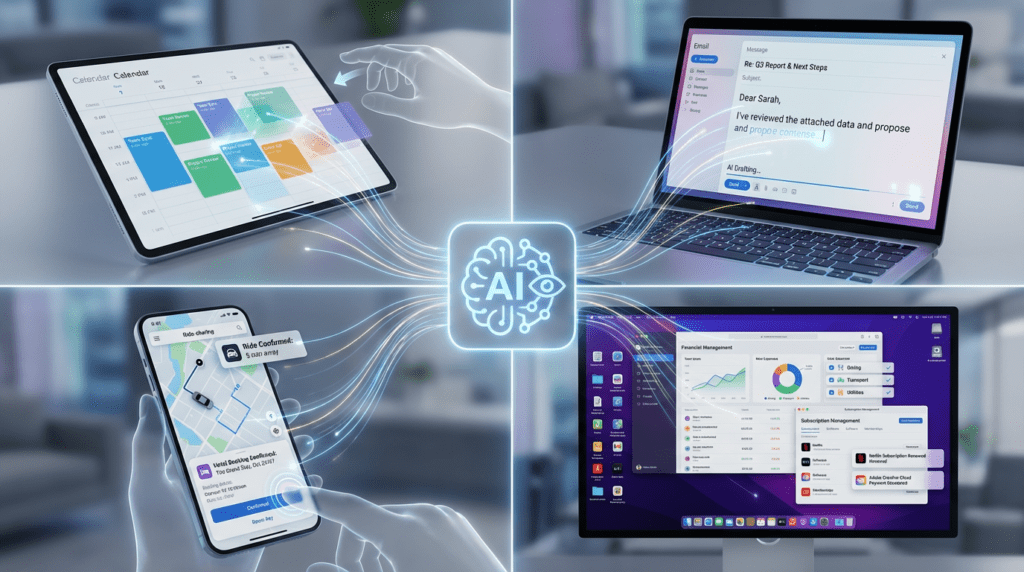
This is where Copilot Tasks really shines. You can set it to run on a schedule daily, weekly, or at whatever interval makes sense. Every evening, it can surface your urgent emails and draft replies, ready for you to review and send. It can automatically unsubscribe from promotional mail you never open. Every Friday, it can track new apartment rental listings nearby and even book showings. Every Monday morning, it can compile a briefing on your key meetings, travel plans, and how you’re spending your time versus your actual priorities.
Document Generation
Need a study plan? Give Copilot Tasks your syllabus. It will build a complete plan, create practice tests, and block focus time on your calendar before each exam. Got a pile of emails, attachments, and images? It can transform them into a polished slide deck with charts and talking points. Looking for a new job? It can compile listings that match your experience and tailor your resume and cover letter for every single role.
Shopping, Services, and Appointments
Planning a birthday party? Copilot Tasks can find and book a venue, send invites, and collect RSVPs. Need a plumber? It can find top-rated options near you, compare quotes, and book the best one. Watching used car listings? It can monitor them 24/7, contact dealerships, and book a test drive when it finds a match.
Logistics
Reserve a ride timed to your flight and have it adjust automatically if the flight is delayed. Monitor hotel rates and auto-rebook when the price drops. Organize your subscriptions, flag the ones you don’t use, and cancel them.
According to Windows Central, tasks can be set to run on three schedules: one-time, scheduled, or recurring. The system supports everything from appointment scheduling to research compilation. It’s built to handle the kind of repetitive busywork that fills up calendars but doesn’t require deep expertise.
You’re Still in Control
Before you panic no, Copilot Tasks is not going to send emails on your behalf without asking first.
Microsoft is very clear about this. The system is designed to ask for your consent before taking any meaningful action. That means before it spends money, sends a message, or makes a commitment, it checks in with you. You can pause or cancel any task at any time.
The Verge confirms that Microsoft says Tasks will ask for permission before performing “meaningful actions,” like making a payment or sending a message. This is a critical design choice. Autonomous AI agents are only useful if people trust them. And trust requires transparency.
AI Haberleri adds that access to cross-app data requires explicit opt-in consent. The AI Activity dashboard gives users a full log of everything the system has done. You can review it, edit it, or undo it. Microsoft calls this part of its broader AI ethics framework.
The system also uses contextual awareness to prioritize and sequence actions efficiently. It understands tone, urgency, and recurring patterns. Over time, it adapts its behavior to match your workflow. The more you use it, the better it gets at anticipating what you need.
Microsoft Enters the Agent Wars
Copilot Tasks doesn’t exist in a vacuum. It’s Microsoft’s direct answer to a wave of autonomous AI agents hitting the market right now.
The Verge describes Copilot Tasks as Microsoft’s response to agentic AI capabilities launched in recent months, including Claude Cowork from Anthropic, ChatGPT Agent Mode from OpenAI, Perplexity Computer, and the Gemini-powered “auto-browse” feature in Google Chrome.
Tech Buzz puts it more bluntly: Microsoft is now in “direct collision” with the rest of the AI industry. OpenAI launched Operator, an AI agent that controls browsers to complete tasks on behalf of users. Anthropic has been pushing its computer-use capabilities that let Claude interact with desktop interfaces. Google is working on similar agent technology through its DeepMind division.
The race is on. And it’s moving fast.
Earlier this week, Read AI announced Ada, an agent platform for meeting automation. Anthropic has been signing enterprise deals focused on workflow automation through Claude. Even smaller players are rushing agent products to market, betting that 2026 will be the year AI moves from conversation to execution.
Industry analysts are paying close attention. Dr. Elena Torres, an AI researcher at the MIT Media Lab, told AI Haberleri: “This isn’t just automation; it’s delegation. Microsoft is treating AI not as a tool, but as a junior collaborator. That’s a profound psychological and functional shift.”
The Trust Problem Nobody Wants to Talk About
Here’s the uncomfortable truth about autonomous AI agents: they scare people.
And for good reason. What happens when the AI schedules a meeting at 3 AM, what if it emails the wrong person and what if it cancels a subscription you actually needed? These aren’t hypothetical concerns. They’re the kinds of edge cases that have derailed AI products before.
Tech Buzz acknowledges this directly. Autonomous agents still face major trust hurdles. Users need confidence that an AI won’t make costly mistakes without supervision. Microsoft hasn’t detailed every guardrail Copilot Tasks includes, though the company’s enterprise focus suggests robust error handling and rollback capabilities will be critical.
The preview rollout signals that Microsoft is testing carefully before a broad release. Copilot Tasks will need to prove it can handle edge cases and unexpected scenarios the kind of messy, real-world conditions where chatbots typically fail. Early enterprise adopters will essentially stress-test the system’s reliability.
This is why the phased rollout matters. Microsoft is building trust gradually. Feedback from early adopters is actively shaping future enhancements in autonomy and control. The company knows that one high-profile failure could set the entire category back.
What This Means for Microsoft’s Business
Let’s talk money. Because this isn’t just about productivity it’s about Microsoft’s bottom line.
Tech Buzz points out that Microsoft sees agents as the next frontier for Copilot monetization. The company has spent billions building out OpenAI integration and expanding Copilot across Office 365, Windows, and Azure. Autonomous task execution could finally deliver the productivity gains that justify premium AI subscriptions for corporate customers.
The announcement comes as Microsoft faces pressure to show returns on massive AI infrastructure investments. Cloud competitors Amazon and Google are racing to offer similar agent capabilities through AWS Bedrock and Google Cloud Vertex AI. Whoever cracks reliable autonomous execution first stands to capture enormous enterprise value.
With Microsoft’s ecosystem of over one billion active users, the scale of potential impact is staggering. Even a modest adoption rate among enterprise customers could translate into billions in new subscription revenue. Copilot Tasks isn’t just a feature. It’s a business strategy.
How to Get Access
Right now, Copilot Tasks is in a limited research preview. Only a small group of testers have access.
But Microsoft has opened a public waitlist. The Verge reports that you can join the waitlist from Microsoft’s website, and the company expects to open up access in the coming weeks. AI Haberleri notes that the feature is currently available to Microsoft 365 Insiders, with a gradual rollout planned to build user trust.
No pricing has been announced yet. No general release timeline has been confirmed. But the signal is clear: Microsoft believes the future of AI isn’t smarter chatbots. It’s systems that actually do the work.
The Bottom Line

Copilot Tasks is a genuinely exciting development. It’s ambitious. It’s practical. And it addresses a real problem the endless, exhausting busywork that eats up hours of every workday.
The technology is impressive. The use cases are compelling. The cloud-compute architecture is smart. And the consent-first design shows that Microsoft is at least thinking about the right questions when it comes to trust and safety.
But the real test comes when it hits the real world. Can it handle the messy, unpredictable nature of actual human workflows? Can it earn the trust of users who are understandably nervous about handing over control to an AI? Those questions don’t have answers yet.
What’s certain is this: the age of AI agents is here. Microsoft just made its biggest bet yet that autonomous execution not smarter conversation is where the future lives. And if Copilot Tasks delivers on its promise, the way we work will never look quite the same.
Sources
- The Verge — “Microsoft’s Copilot Tasks AI uses its own computer to get things done”
- Tech Buzz — “Microsoft Copilot Tasks runs on its own cloud PC”
- Windows Central — “Microsoft just launched a to-do list tool that completes itself using AI”
- AI Haberleri — “Microsoft Copilot Tasks 2026: AI That Autonomously Completes Your To-Do List”