Wait, Your AI Chatbot Can Do What Now?

Okay, let’s be real for a second. Most of us have gotten pretty used to AI chatbots spitting out walls of text. You ask a question, you get paragraphs. Sometimes helpful, sometimes not. But Google just flipped the script on all of that — and in a big way.
Google’s Gemini AI can now generate interactive 3D models and real-time simulations right inside your chat window. Yes, you read that correctly. You type a question, and instead of getting a block of text, you get a living, breathing, interactive model you can actually play with.
This isn’t a concept. It’s not a beta test for a handful of lucky users. It’s rolling out globally to all Gemini app users right now — and it’s already turning heads across the tech world.
So buckle up. We’re diving deep into what this feature does, why it matters, and why it might just change the way you think about AI forever.
From Static Diagrams to Living Simulations
Here’s the thing about old-school AI responses. They were mostly text. Sometimes you’d get a static image or a fixed diagram. But static means stuck. You couldn’t poke it, spin it, or change anything about it.
Gemini just blew that model up entirely.
According to The Verge, Google’s latest upgrade allows Gemini to generate interactive 3D models and simulations in direct response to your questions. These aren’t just pretty pictures. They’re functional. They respond to your input in real time.
Think about that for a moment. You ask Gemini to show you how the Moon orbits the Earth. Instead of a paragraph about gravitational pull, you get a 3D simulation. You can rotate it, You can zoom in. You can drag a slider to change the Moon’s orbital speed, You can toggle the orbital path on and off, You can even pause the whole thing mid-orbit.
That’s not a chatbot anymore. That’s a science lab in your browser.
The Features That Make This Thing Sing
So what exactly can you do with these new simulations? Quite a lot, actually.
FoneArena reports that the feature supports real-time interaction through sliders and manual inputs. Users can adjust variables like velocity and gravity on the fly. The simulations respond instantly. No lag, no reload, no waiting.
Here’s a quick rundown of what the feature brings to the table:
- Custom interactive simulations generated directly within the chat interface
- Dynamic visualizations that replace static diagrams entirely
- Real-time sliders and manual inputs to adjust variables on the spot
- Support for complex topics like molecular structures, physics systems, and mathematical concepts
- Zoom, rotate, and pause controls for 3D models
- Prompt-based activation — just say “show me” or “help me visualize”
The examples are genuinely impressive. Ask Gemini to visualize how fractals work, and it generates a fractal simulation where you can tweak the branching angle, length ratio, and number of iterations. Watch the fractal grow and change in real time as you move the sliders.
Ask it to show you the double-slit experiment from quantum physics. Gemini builds a simulation where you can adjust the wavelength, wave speed, and slit separation — and watch the interference pattern shift right before your eyes.
This is the kind of stuff that used to require specialized software, a physics degree, or at least a very patient teacher.
How to Actually Use It (It’s Easier Than You Think)
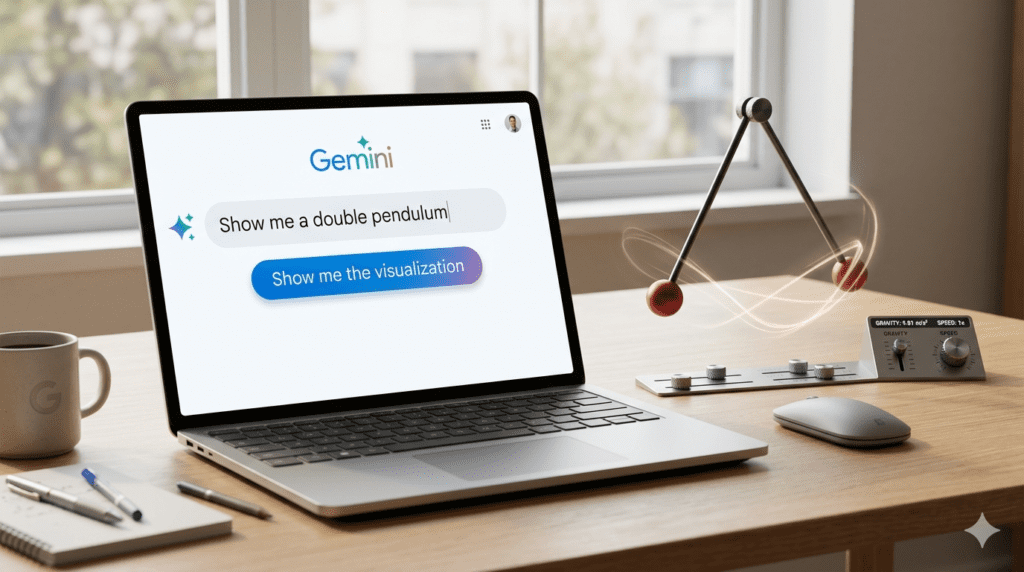
Alright, so you’re sold. You want to try it. Here’s the good news: it’s not complicated at all.
Neowin walks through the steps clearly. Head over to the Gemini app. Select the Pro model in the prompt bar — that part is important. The feature only works with the Pro model selected.
From there, just start your prompt with “Show me” or “Help me visualize” and describe what you want to see. Here are a few prompts that work great:
- “Show me a double pendulum”
- “Help me visualize the Doppler effect”
- “Visualize how fractals work”
- “Show me how a double slit experiment works”
- “Show me the Moon orbiting the Earth”
After Gemini responds, look for the “Show me the visualization” button beneath the response. Click it. Watch the magic happen.
Simple. Clean. Genuinely fun to use.
One important note: the feature is not currently available for Education and Workspace accounts. So if you’re using Gemini through your school or company workspace, you’ll need to wait a bit longer for this one.
Why This Is a Big Deal for Small Businesses Too
You might be thinking — okay, this is cool for students and science nerds. But what about the rest of us?
BizSugar makes a compelling case for why this feature matters far beyond the classroom. For small business owners, the ability to visualize complex data and concepts in real time is genuinely powerful.
Imagine you’re trying to understand a market trend. Or model a supply chain scenario. Or explain a complex process to your team. Instead of building a presentation from scratch or hiring a consultant, you just ask Gemini to show you — and it does.
“Ideas can often seem abstract when presented as mere text,” a Google representative noted. “Our goal is to make complex topics more tangible.”
That’s not just a nice-sounding quote. It’s a real shift in how businesses can use AI tools. The ability to interact with data — to play with it — leads to better understanding. Better understanding leads to better decisions.
Of course, BizSugar also flags some important caveats. Businesses should invest time in learning how to use these features effectively. And they should always cross-check AI-generated outputs against reliable sources, especially when the stakes are high. AI is a powerful tool. But it works best when paired with human judgment.
The AI Arms Race Just Got More Interesting
Here’s some context that makes this even more exciting. Gemini isn’t the only AI player making moves in the visualization space — but it’s making a bold one.
The Verge notes that this update comes just weeks after Anthropic gave Claude the ability to automatically respond with charts, diagrams, and other interactive visuals. OpenAI also recently added a feature to ChatGPT that generates visualizations of math and science concepts.
The AI giants are clearly racing toward the same destination: making AI responses visual, interactive, and intuitive. Text-only responses are becoming the past. The future is dynamic, responsive, and three-dimensional.
What sets Gemini’s new feature apart is the depth of interactivity. It’s not just showing you a chart. It’s giving you a simulation you can control. That’s a meaningful step beyond what the competition currently offers.
The Bigger Picture: AI Is Becoming a Learning Machine
Step back for a moment and look at the bigger picture here. What Google is really doing with this feature is transforming Gemini from a question-answering tool into a genuine learning environment.
This builds on capabilities Google has been developing for a while. Neowin reports that last year, Gemini gained the ability to generate interactive, clickable diagrams across Biology, Physics, Chemistry, and Mathematics. Students could click on specific parts of a diagram to get detailed explanations and explore sub-topics.
The new 3D simulation feature takes that foundation and supercharges it. Now it’s not just clickable diagrams — it’s fully interactive simulations with adjustable variables and real-time feedback.
This is what AI-powered education could look like. Not a robot reading a textbook to you. But a dynamic, responsive tutor that shows you how things work — and lets you experiment until you truly understand.
What’s Next for Gemini?

The rollout is happening now. It’s global. It’s free for all Gemini Pro users. And it’s only going to get better from here.
Google has been on a tear with Gemini updates lately. The platform recently added Notebooks with support for PDFs, documents, and custom instructions. It’s expanding its multimodal capabilities at a rapid pace. And with every update, the gap between “AI assistant” and “AI collaborator” gets a little smaller.
The 3D simulation feature feels like a genuine leap forward. Not just an incremental improvement. A real change in what AI can do for you.
Whether you’re a student trying to wrap your head around quantum mechanics, a teacher looking for a better way to explain orbital physics, or a business owner trying to make sense of complex data — Gemini just gave you a powerful new tool.
And honestly? It’s pretty fun to play with.
Try It Yourself
Ready to see what all the fuss is about? Head over to gemini.google.com, select the Pro model, and type: “Show me a double pendulum.”
You’re welcome.
Sources
- The Verge — Google’s Gemini AI can answer your questions with 3D models and simulations
- FoneArena — Google Gemini gets real-time simulations with interactive controls
- Neowin — Gemini now lets you generate 3D models and interactive charts, here’s how
- BizSugar — Google Gemini Launches App for 3D Model Creation and Interactive Charting