Apple’s most affordable laptop ever just dropped at $599 ($499 for students). But can it actually handle the demands of YouTube production — or is it just a pretty face?
There’s a familiar ritual that plays out every time Apple releases a new budget-oriented product. The tech press descends on it with professional benchmarks, compares it unfavorably to machines costing three times as much, and then moves on. Meanwhile, millions of everyday creators — people editing talking-head videos, designing thumbnails, scripting YouTube episodes, and managing their social media presence — never get the answer to the only question that actually matters to them: Can this thing handle my workflow?
The MacBook Neo, announced on March 4, 2026, and released on March 11, is Apple’s most affordable laptop in the company’s history, starting at $599 USD (or $499 if you qualify for education pricing). That is a genuinely jaw-dropping entry point for a machine with an aluminum chassis, a proper Liquid Retina display, and Apple silicon inside. It is not trying to be a MacBook Pro. It is not even trying to be a MacBook Air. It is something new — a laptop designed explicitly for the person who wants a real Mac experience at a price that no longer feels out of reach.
For beginner to intermediate content creators, particularly YouTubers who produce talking-head videos, shorts, thumbnails, and social media content, the MacBook Neo is a legitimately compelling option. For the power-hungry creator deep in multi-cam productions, heavy color grading pipelines, or complex motion graphics work, the compromises will start to show. But the machine’s ceiling is significantly higher than most early coverage suggested — and that, ultimately, is the story worth telling.
What Is the MacBook Neo, Exactly?
Before diving into how it performs for creators, it’s worth understanding what Apple actually built here.
The MacBook Neo runs on the Apple A18 Pro chip — the same chip found in the iPhone 16 Pro, and notably not an M-series chip. This makes it the first publicly released Mac built on an A-series SoC since the transition to Apple silicon. The A18 Pro includes a 6-core CPU (2 performance cores running at 4.04 GHz and 4 efficiency cores), a 5-core GPU, and a 16-core Neural Engine capable of 35 TOPS. It also includes a dedicated Media Engine with hardware-accelerated decode and encode support for H.264, HEVC, ProRes, ProRes RAW, and AV1 — which is a big deal for video creators, as we’ll get into shortly.
The display is a 13-inch Liquid Retina panel at 2408×1506 resolution (219 ppi), with 500 nits of brightness and support for 1 billion colors in the sRGB color space. It’s notchless — the first MacBook without a notch since the 2022 13-inch M2 MacBook Pro — and it looks excellent in person. It is not P3 wide color, and there’s no ProMotion or True Tone, but at this price point, it competes with almost nothing in its class for display quality. PCMag’s review noted it as having “a more advanced screen…than many laptops in its price range.”
Memory is fixed at 8GB of unified LPDDR5X RAM with 60 GB/s of memory bandwidth. You cannot upgrade it. Storage options are 256GB or 512GB — the latter also gets you Touch ID, which the base model curiously omits. There are two USB-C ports: one USB 3 running at up to 10Gbps with DisplayPort 1.4 support, and one USB 2.0 port running at 480 Mbps. No HDMI, no SD card slot, no MagSafe. The machine is fanless — entirely passive cooling — meaning it runs completely silently. And it weighs just 2.7 pounds.
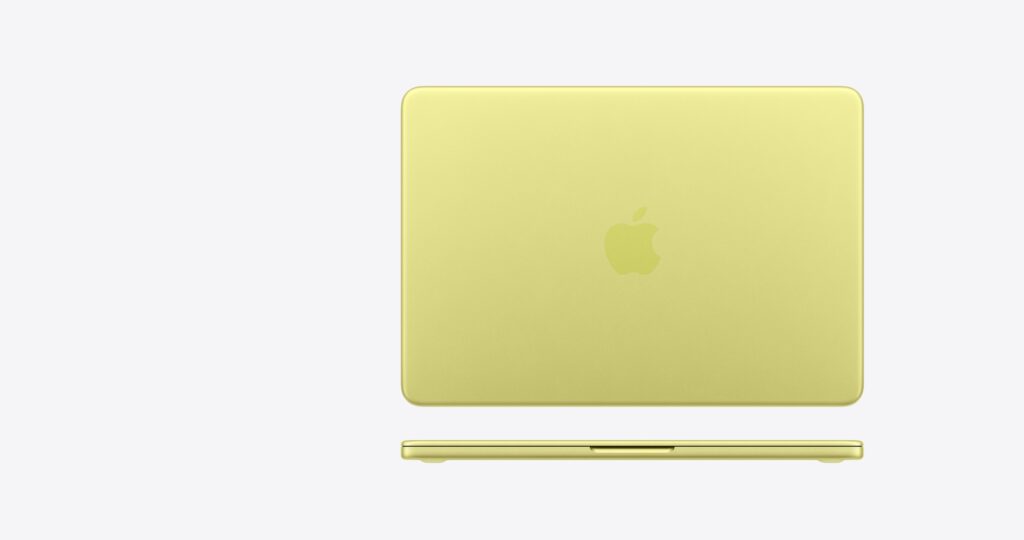
It comes in four colors — Silver, Blush, Citrus, and Indigo — with a color-matched keyboard and new wallpapers to match. This is the most colorful MacBook lineup Apple has ever produced, and for a creator who cares about their desk setup and their workspace aesthetic, the Neo delivers something that feels genuinely considered.
Apple’s press release positions it squarely at “mainstream users and students,” and it’s worth taking that at face value. The right question for any creator considering this machine is not “Does it beat the MacBook Pro?” It is simply: “Does it let me get my work done?”
The 8GB RAM Question
Let’s address the elephant in the room immediately, because it will come up in every app-by-app section that follows.
Eight gigabytes of unified memory sounds alarmingly low in 2026, particularly if you’ve spent any time reading tech commentary online. The general consensus from the enthusiast crowd is that 8GB is not enough — full stop. After Effects, for example, will actually throw a warning message at launch every time you open it, telling you that it wants 16GB and that you’re working below the recommended specs.
Here’s the reality: the machine uses swap memory on the SSD when it runs out of RAM, and it does this aggressively. Macworld’s Roman Loyola put it through a demanding test — editing 4K footage in Adobe Premiere Pro while running dozens of Chrome tabs — and watched the swap climb past 2.58GB during editing and up to nearly 8GB with 59 Chrome tabs open. His conclusion? “The MacBook Neo didn’t flinch.” He never had to wait for the machine to catch up, and he experienced no hiccups, stalls, or stuttering during active editing.
Android Headlines confirmed similar findings, noting that the machine’s swap behavior and the speed of its NVMe storage (rated at 1.6 GB/s read) make the 8GB far less limiting than it sounds in spec sheets. The key insight from multiple reviewers is this: Apple’s unified memory architecture, where the CPU and GPU share the same high-bandwidth pool, makes 8GB here more capable than 8GB in a traditional laptop architecture.
The Geekbench 6 results confirm the chip’s real-world chops. Early performance tests show scores of 3,461 points in single-core and 8,668 points in multi-core testing, with a Metal GPU score of 31,286 — outperforming the M1 MacBook Air that many creators still use today. So while the 8GB ceiling is real, the floor is higher than you might expect.
For creators, the practical takeaway is this: if your workflow involves one or two apps open at a time — which describes the vast majority of beginner to intermediate YouTubers — you will not feel the RAM constraint in any meaningful way. If you’re the type to have After Effects, Chrome with fifteen tabs, Slack, and Spotify all running simultaneously, you’ll feel pressure. But that’s a workflow problem as much as it is a hardware problem.

CapCut and the Free Video Editing Stack
For a significant portion of the YouTube creator community — particularly those focused on shorts, Reels, tutorials, talking-head content, and repurposed long-form clips — CapCut has become the go-to editing environment. It’s free, it’s fast, and its desktop version has matured considerably over the past few years. On the MacBook Neo, it runs beautifully.
Testing with CapCut revealed the machine handling five layers of stacked 4K footage simultaneously without dropping a frame. On top of that footage sat an adjustment layer with full color correction work — temperature, tint, saturation, contrast curves — plus three stacked filters (a cyan-red film look, an 8K filter, and a film grain filter), and on top of that, four layered effects including a film overlay, a glow effect, a black noise effect, and an Anima speed effect. That is a legitimately complex timeline for a free editing application. Hit play, and the Neo handled it in real time without stuttering.
This is, in part, thanks to the A18 Pro’s dedicated Media Engine. Hardware-accelerated ProRes, HEVC, and H.264 decode means the chip isn’t burning through general compute resources just to push pixels around the timeline. It offloads that work to dedicated silicon, which is why the 8GB unified memory doesn’t crater performance the way you’d expect.
For creators using tools like Opus Clip to auto-generate short-form clips from long-form content — a workflow that has become increasingly mainstream for YouTube creators repurposing their content — the Neo handles the upload, the AI processing (which happens server-side), and the local editing of the resulting clips without any friction. The machine is perfectly suited for this kind of hybrid AI-plus-editing workflow, where the heavy lifting happens in the cloud and the Neo handles the last-mile editing.
The bottom line for the CapCut crowd: this machine more than handles it. If CapCut is your primary editing environment, the MacBook Neo is a fully capable, genuinely portable production machine.
DaVinci Resolve: The Free Professional Option
DaVinci Resolve is the other free option many creators reach for, particularly those who want professional-grade color tools without paying a monthly subscription. It’s also genuinely demanding software, and it’s the app where the MacBook Neo’s limits start to show most clearly — though perhaps not as dramatically as feared.
Testing with DaVinci Resolve and five stacked layers of 4K footage showed smooth, real-time playback. Effects like Resolve’s built-in binocular distortion or night-vision-style overlays applied on top of that footage still played back — though with some brief stuttering at the very beginning of playback before the machine found its footing. After that initial hitch, playback locked in and remained consistent.
Tom’s Guide’s real-world testing confirmed that “scrubbing was smooth, and playback remained locked at 29.97fps with no dropped frames” during standard 4K editing. Applying color grades — contrast curves, saturation adjustments — showed “zero impact on performance.” Where things degraded was in more complex scenarios: stacked effects combined with very high layer counts pushed the machine toward its limits.
For creators using Resolve as a color correction tool rather than a full finishing suite, the Neo is workable. If you’re a dedicated colorist doing hero-level DaVinci work — multiple cameras, complex node trees, heavy noise reduction — you’ll find the machine’s ceiling quickly. But for the YouTube creator who pulls into Resolve for a quick color pass on an interview or travel vlog, this is a perfectly reasonable tool on the Neo.
The important caveat here: PCMag’s more intensive testing found that 8K footage brought the Neo to its knees across all three major NLEs — Premiere Pro, Final Cut, and Resolve. “Playback stutters, audio falls out of sync,” was the finding. For creators shooting 4K (which covers the vast majority of YouTube content in 2026), this is not a concern. For shooters working with 8K cameras or RAW footage from high-end cinema cameras, the MacBook Neo is simply not the right tool.
Adobe Premiere Pro and After Effects
This is where the conversation gets more nuanced, and where the MacBook Neo shows both its surprising capability and its honest limitations.
Premiere Pro performed better than expected. Macworld’s Roman Loyola edited a full 1080p podcast episode and then 4K clips in Premiere on the Neo, with transitions and color adjustments applied throughout. His experience: “The whole experience went off without a hitch. I never had to wait for the Mac to catch up to what I was doing, nor did the MacBook Neo stall, hiccup, or churn.” The machine did use swap memory during the session — around 2.58GB — but that never translated to a noticeable performance hit.
For the typical YouTube creator editing a talking-head interview, a tutorial, or a product review in Premiere Pro, this machine handles the job. The timeline moves when you move it. Cuts are instant. Playback of 4K is smooth. Export times will be slower than on a MacBook Air M5 or a MacBook Pro — that’s just physics — but the editing experience itself is solid.
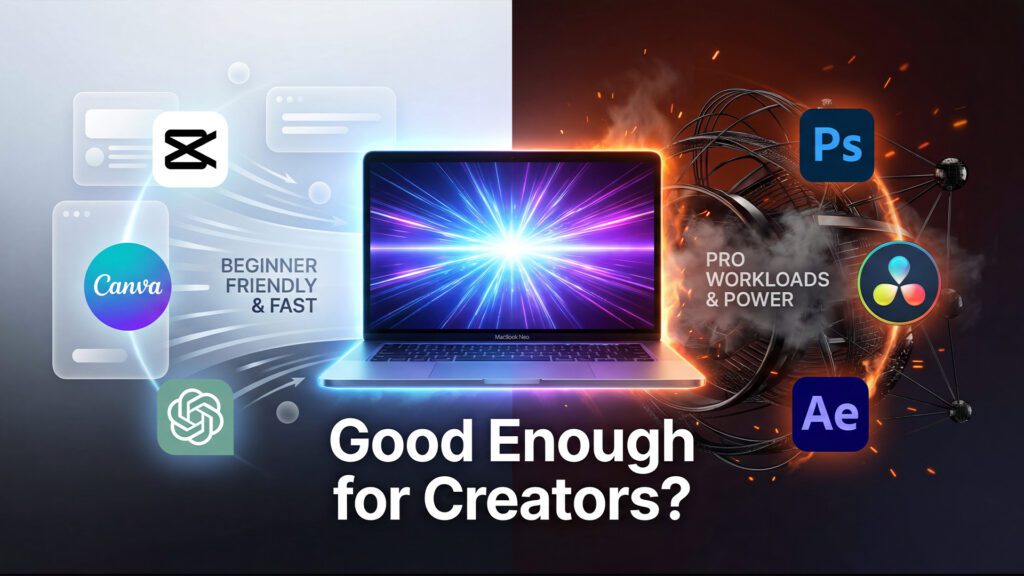
After Effects is the most demanding application in the creator toolkit, and the MacBook Neo will let you know it. Every time you launch After Effects, it will throw a warning that your RAM is below the 16GB recommendation. This is not wrong — After Effects genuinely performs better with more memory. However, it does work. Logo animations, title sequences, lower-thirds, and motion graphics playback smoothly when previewed at quarter resolution. Text can be updated in real time. The playhead scrubs without excessive lag. It is not the experience of working on a MacBook Pro with 24GB of unified memory — but it is a functional After Effects environment.
The honest recommendation: if After Effects is a core part of your workflow — if you’re producing complex motion graphics, compositing footage, or building animated brand sequences regularly — the MacBook Neo will frustrate you over time. If After Effects is something you dip into occasionally for a logo reveal or an animated lower-third, the Neo handles those tasks without embarrassing itself.
Photoshop, Canva, and the Thumbnail Pipeline
Thumbnail design might be the single most underrated bottleneck in a YouTube creator’s workflow. A great thumbnail can mean the difference between a video that performs and one that disappears. Thankfully, the MacBook Neo handles this part of the job extremely well.
Photoshop with a complex project file — think seven folder groups with upward of a hundred layers, including masks, shapes, text, vectors, and adjustment layers — ran without perceptible slowdown. Making text edits, repositioning elements, toggling layer visibility, adjusting blend modes — all of it happened in real time with no lag. For a creator who builds detailed thumbnail templates in Photoshop and iterates on them quickly between videos, the MacBook Neo delivers a completely friction-free experience.
PCMag’s photographic testing did find some specific friction points with Lightroom Classic — particularly with advanced features like Denoise (which took 90 seconds on the Neo versus about 20 seconds on an M1 Mac Studio) and import speeds (about 71 minutes for a 1,218-image Raw+JPG session versus 44 minutes on an M4 MacBook Air). For photographers doing serious RAW processing, those gaps matter. For YouTubers whose graphic work lives primarily in Photoshop or Illustrator files — rather than high-res RAW photo imports — this particular limitation barely applies.
Canva is entirely browser-based, which means its performance on the Neo is essentially identical to its performance on any modern laptop with a fast internet connection. Load up a YouTube thumbnail template, drop in your text, swap your face into the image, adjust your fonts — it all runs fluidly with multiple Chrome tabs already open. For creators who have moved their entire design workflow into Canva’s ecosystem, the MacBook Neo is completely transparent as a platform. You wouldn’t know the difference.
AI Tools, ChatGPT, and the Browser-Based Workflow
One of the most interesting aspects of the modern YouTube creator workflow is how much of it has moved into the browser. Script research, scripting assistance, social media scheduling, caption generation, community management — a significant portion of the daily production workflow now happens in tabs rather than desktop apps.
The MacBook Neo is an excellent browser machine. With 11 Chrome tabs open — a real-world load that includes ChatGPT, analytics dashboards, social platforms, email, and research tabs — the machine runs without slowdown. ChatGPT via chatgpt.com responds instantly to prompts, whether you’re generating a seven-minute video script, brainstorming title ideas, drafting email responses to brand deals, or working through a repurposing strategy for a long-form video. No app download required, no local compute needed — it’s all browser-based, and the Neo handles it without breaking a sweat.
The 16-core Neural Engine in the A18 Pro also means Apple Intelligence features run on-device at meaningful speed. Writing Tools in macOS Tahoe, for instance, can proofread and rewrite selected text across any application — including your video scripting app of choice. Apple Intelligence’s Summarization tools can help you condense research quickly. These aren’t features that will replace a dedicated AI workflow, but they integrate into the macOS experience in a way that feels genuinely useful for solo creators managing a lot of written output.
Where the MacBook Neo’s browser-based performance gets its only notable challenge is in memory pressure during extended tab-heavy sessions. Macworld’s testing showed that 59 Chrome tabs pushed swap memory to nearly 8GB — equal to the installed RAM. But even then, the machine kept working. Google Chrome is notoriously the most memory-hungry browser application on any platform, and the Neo’s ability to maintain stability under that load is genuinely impressive.
The Built-In Camera and Audio: A Creator-Specific Look
For talking-head YouTube content — still one of the most popular and most sustainable formats on the platform — the MacBook Neo’s built-in hardware matters more than it might for a general-purpose laptop buyer.
The 1080p FaceTime HD camera is a meaningful upgrade over what Apple offered in earlier budget-adjacent products. It includes an advanced image signal processor with computational video features — the same ISP technology that powers the best results from iPhone cameras. For a creator recording a quick talking-head segment for YouTube Shorts, doing a course recording at their desk, or jumping on a brand collaboration video call, the built-in camera produces clean, well-lit output that would have required an external webcam to achieve just a few years ago.
The dual-microphone array with directional beamforming is equally impressive in context. It isolates the speaker’s voice and reduces ambient noise in a way that makes the built-in mic genuinely usable for casual content recording — not as a replacement for a dedicated USB or XLR microphone, but as a capable fallback that doesn’t embarrass itself.
The dual side-firing speakers support Spatial Audio and Dolby Atmos, and for a creator monitoring their audio mix during editing, the sound is noticeably better than what most budget laptops offer. You’re not making mix decisions on these speakers — that’s what headphones and reference monitors are for — but you can hear enough detail to catch obvious problems.
One audio connectivity note worth flagging for creators: the MacBook Neo retains the headphone jack (3.5mm), which matters if you use wired in-ear monitors or headphones while editing. It supports high-impedance headphones as well, which is a feature that’s disappeared from many competing laptops.
Battery Life and Portability: The Creator Commuter’s Machine
For YouTube creators who work outside of a fixed studio environment — at coffee shops, on the train, at the library, at a co-working space — battery life and weight are production variables, not just nice-to-haves. A dead battery means a halted workflow. A heavy laptop means a laptop that stays home.
The MacBook Neo delivers up to 16 hours of video streaming battery life and up to 11 hours of wireless web browsing on a single charge, per Apple’s official testing. Real-world usage varies, naturally — running Premiere Pro with active exports will drain the battery faster than scripting in Notes. But the baseline is impressive for a $599 laptop, and it’s a direct result of the A18 Pro’s power efficiency.
At 2.7 pounds and 0.50 inches thick, the MacBook Neo is one of the most portable computers Apple has ever made. It slips into a backpack without adding meaningful weight, and its compact footprint (11.71 inches wide by 8.12 inches deep) means it fits on virtually any table or tray. For the creator who does a significant portion of their work outside of a dedicated workspace, this form factor is a genuine competitive advantage.
The fanless passive cooling system deserves a specific mention here. Because there’s no fan, the MacBook Neo is completely silent at all times. For a creator who records audio in their workspace, ambient fan noise from a laptop can be a recurring problem — one that requires extra microphone placement work or gets caught in recordings during pauses. The Neo eliminates that variable entirely.
The Verdict: Who Should Buy the MacBook Neo?
Let’s be direct.
Buy the MacBook Neo if: You’re a beginner to intermediate YouTube creator, and your content lives primarily in the talking-head, tutorial, commentary, or lifestyle vlog categories. Your editing tool of choice is CapCut, iMovie, or an entry-level version of Premiere. You shoot at 1080p or 4K with a standard camera or iPhone. You spend meaningful time in Canva, Photoshop, and browser-based tools. You want to move between a coffee shop and your home office without thinking about chargers. You’re coming from a Windows laptop or an older Mac and want to enter the Apple ecosystem without a four-figure commitment.
At $599 — or $499 if you’re a student — the MacBook Neo is genuinely difficult to argue against for this profile. As PCMag noted in their 4.5/5 Editors’ Choice review, it “rewrites the budget laptop playbook, with a higher-end build, a more advanced screen, longer battery life, and faster speeds than many laptops in its price range.” The build quality, display, and software ecosystem at this price represent a value equation that competitors simply haven’t answered yet.
Do not buy the MacBook Neo if: You’re a professional or serious hobbyist creator whose workflow leans hard into multi-cam productions, heavy-grade color work, complex After Effects motion graphics, 8K footage, or full Adobe Creative Suite multi-app sessions. If Premiere Pro, After Effects, and DaVinci Resolve are all open simultaneously for extended periods, you will bump against the machine’s ceiling. The Verge’s reporting on pro videographer testing confirms that even enthusiastic results from the Neo come with caveats for high-end professional pipelines.
For creators who know they’re heading toward serious production work, the MacBook Air M5 remains the stronger long-term investment, starting at $1,099. It brings true M-series silicon, 16GB base memory, Thunderbolt 4, and a faster GPU configuration that scales much better into demanding creative workflows. Apple Insider’s buyer’s guide lays out the full landscape clearly for anyone trying to decide between the three current MacBook options.
The Bigger Picture
There’s something worth saying about the MacBook Neo that the benchmarks and the frame-rate tests don’t capture: it matters that this machine exists at this price.
The historical barrier to entering the Mac ecosystem — particularly for creators in countries where $1,000 USD represents a major financial commitment, or for students still figuring out whether content creation is a viable career path, or for parents buying a first real creative laptop for a kid who shows promise — has always been the price. At $599, that barrier just got dramatically lower.
The spirit behind the Sam Henri Gold perspective that circulated after the Neo’s release resonates here: he started video editing at age nine on a 2006 iMac with 3GB of RAM, using Final Cut Pro. The machine was objectively wrong for what he was trying to do. He did it anyway, every day after school. The MacBook Neo is the machine that enables that kind of formative creative experience at a price that removes the financial excuse.
As Popular Mechanics put it, the Neo “costs almost half as much as the 13-inch 2026 MacBook Air, with a cool design and solid specs.” That framing — solid specs, not just acceptable specs — is the right way to think about it. This is not a compromised machine. It is a focused machine. It does exactly what it sets out to do, and it does that thing at a level that would have required spending significantly more money just two years ago.
The MacBook Neo will not replace a MacBook Pro on a professional production desk. It was never meant to. But for the creator who is just starting out, for the side hustler building their first channel, for the student learning Premiere between classes, and for the working creator who needs a light, capable, silent laptop to take on the road — the MacBook Neo is, simply, the best option at its price. And that’s not nothing. That’s the whole point.