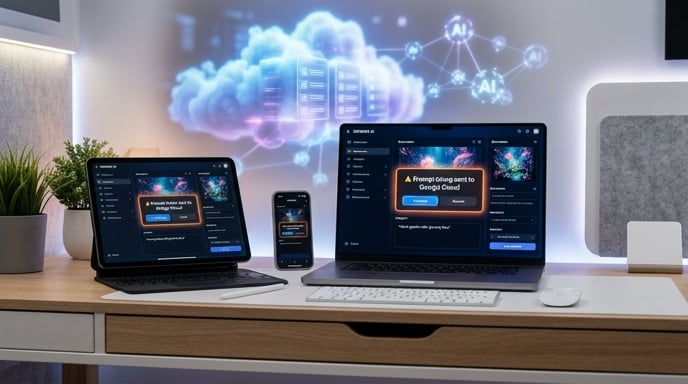
Apple Adds a New AI Speed Bump
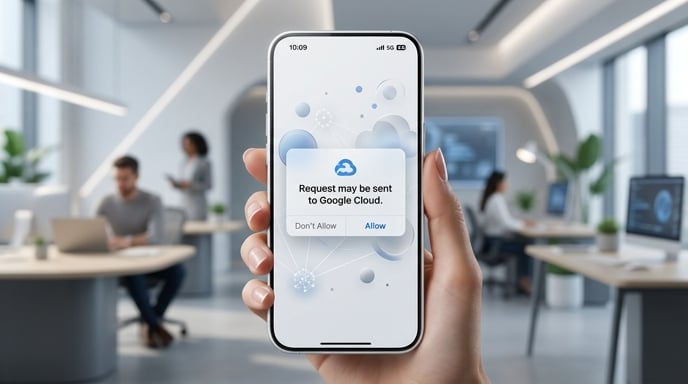
Apple has added a new permission pop-up that appears when certain AI features send user prompts to Google Cloud. It is not flashy. It does not arrive with a keynote trailer, a dramatic product render, or a choir humming behind Tim Cook.
But it matters.
The alert shows up before some Apple Creator Studio features send requests outside Apple’s own systems. In plain English, your iPhone, iPad, or Mac may tell you: “Hey, this AI request is heading to Google Cloud. Are you okay with that?” AppleInsider reports that users started seeing the warning after updating to the latest Apple Creator Studio version, whether they were on iOS 26 or iOS 27.
That is a small pop-up with a big message. Apple wants to use powerful third-party AI systems, but it also wants users to know when their prompts leave Apple’s house.
And yes, that house now has a Google Cloud door.
What Actually Triggers the Warning?
The warning appears around specific image and shape generation features, not every Apple Intelligence feature. According to Cult of Mac, the alert can appear when users generate shapes in iWork on iOS 26, use similar AI tools in Freeform on iOS 27, or use image generation tools tied to Apple Creator Studio features in apps like Pages.
Apple’s own support page confirms that Apple Creator Studio includes AI features in Keynote, Pages, Numbers, and Freeform. It also says Image Generation, Shape Generation, Generate Presenter Notes, and Generate Presentation have usage limits.
So this is not Siri suddenly packing a suitcase and moving into a Google data center. The warning centers on creative tools. Think images. Shapes. Presenter notes. Presentations. The sort of features that make productivity apps feel less like spreadsheets with buttons and more like a design intern with caffeine.
When the prompt appears, users can approve the request. AppleInsider says users can accept the warning each time or set it to always accept.
That gives users a choice. It also gives Apple a neat legal and privacy breadcrumb trail. Everyone gets a receipt.
Why Google Cloud Is In The Mix
Apple’s support documentation says Generate Image, Generate Shape, and Generate Presenter Notes are powered by Google Cloud in certain regions where Apple Creator Studio is available. Generate Presentation, meanwhile, is powered by OpenAI.
That split is the real story.
Apple is not relying on one outside AI partner. It is assembling a mixed backend. Some features run through Apple’s own models. Some use OpenAI. Some use Google Cloud. The iPhone is starting to look less like a single AI product and more like a very polished switchboard.
That may sound messy. It is also practical.
Generative AI features need serious compute. Image generation burns through resources. Slide generation can be expensive. Presenter notes require text generation at scale. Apple can build a lot in-house, but it does not need to build everything in-house immediately.
So it is using partners where partners make sense.
That is not weakness. It is logistics.
Apple Still Wants The Privacy Crown
Apple has spent years telling users that privacy is one of its defining advantages. That message gets trickier when prompts go to Google Cloud or OpenAI.
So Apple is doing what Apple does best: it is wrapping a complicated backend decision in a simple user-facing control.
The pop-up tells users when data leaves Apple-controlled processing. That matters because Apple Intelligence originally leaned heavily on the idea that sensitive AI tasks could happen on-device or through Apple’s Private Cloud Compute system. 9to5Mac notes that when Apple Intelligence first launched in 2024, one of its major innovations was not just the features themselves, but the backend powering them.
That backend was supposed to preserve privacy even when AI tasks needed cloud processing. Apple’s pitch was simple: if your iPhone could not do the job locally, Apple’s cloud would handle it in a way designed to keep user data protected.
Now Google Cloud has entered the picture for some creative features.
Apple clearly knows users may raise an eyebrow. Maybe both eyebrows. The pop-up is Apple’s way of saying: “Yes, this is leaving Apple’s own stack. No, we are not sneaking it past you.”
This Is Not The Same As Google Taking Over Siri
There is already confusion here, and it is easy to see why.
Google Cloud. Google servers. Gemini technology. Apple Foundation Models. Private Cloud Compute. Third-party AI. ChatGPT. It sounds like someone dumped an AI glossary into a blender.
But the main distinction is simple.
AppleInsider says the Google Cloud warning is separate from Apple Intelligence and Apple Foundation Models. The report adds that Apple Foundation Models on device and in Apple’s Private Cloud Compute servers are distinct from third-party integrations such as Google Cloud and ChatGPT.
Cult of Mac makes a similar point, reporting that the pop-up does not apply to on-device Apple Intelligence features or the new Siri AI, which still use Apple’s Foundation Models either on the iPhone or through Private Cloud Compute. (Cult of Mac)
So no, this does not mean Google is secretly driving Siri from the back seat while Apple pretends to hold the wheel.
It means some Apple Creator Studio generative features can use Google Cloud. That is narrower. Less dramatic. Also more believable.
The ChatGPT Parallel Is Obvious
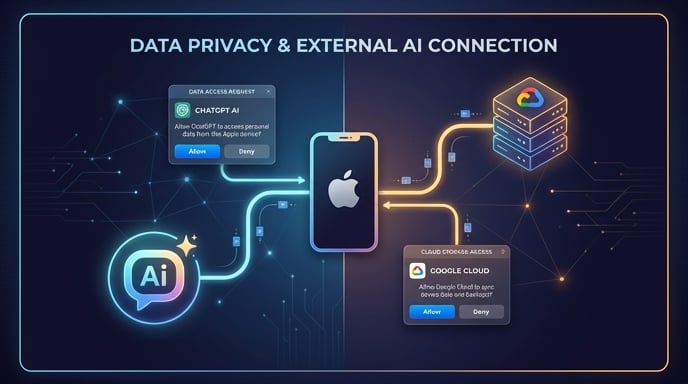
Apple has done something like this before.
When Apple sends a request to ChatGPT, users get a warning. AppleInsider says the new Google Cloud prompt is similar to the warning users saw when queries were sent to ChatGPT in earlier versions of Apple Intelligence.
Cult of Mac also reports that users can accept the Google Cloud warning once or choose to always allow it, similar to Apple’s warning flow for ChatGPT-routed requests.
That gives Apple a template.
Instead of hiding the messy reality of AI partnerships, Apple makes the handoff visible. The company can say it is being transparent. Users can decide whether they want to proceed. Regulators can see that consent exists. Everyone gets a button.
The downside? Pop-ups can become wallpaper. Users may click through without reading. That always happens. Humans see a box; humans hunt for the button that makes the box go away. Ancient instinct.
Still, a warning is better than silence. Especially when the data involved may include prompts, images, or edited content.
What Data Gets Sent?
AppleInsider reports that, in these cases, the data sent is the text typed into the prompt or the image submitted for editing. The same report says Google cannot train on the prompts or retain data from the interaction.
Apple’s support page states that content sent as part of Apple Creator Studio intelligence features will never be used to train intelligence models.
That privacy claim is central. Without it, the story changes completely.
A user might tolerate Google Cloud processing if the request is temporary and isolated. A user may feel very differently if their prompt becomes training material. Apple knows that. Google knows that. Anyone who has watched the AI privacy debate for five minutes knows that.
So Apple’s promise is direct: the content sent through these features is not used for training.
That does not make every concern disappear. But it draws a clear line.
Your prompt may leave Apple’s local device environment. Apple says it will not become model food.
Apple Creator Studio Has Limits
The Google Cloud integration is not unlimited. Apple’s support page says usage depends on query complexity, server availability, and network availability. It also lists monthly minimums if users rely exclusively on one type of generation: 50 images, 250 shapes, 50 presentations of roughly 8 to 10 slides each, or presenter notes for 700 slides. Usage limits reset each month.
That is useful context.
These features are not a bottomless AI buffet. They are more like a carefully portioned tasting menu. Apple gives users enough to work with, but not enough to turn Keynote into a slide-generation factory running twenty-four hours a day.
AppleInsider notes that Apple does not specify how many tokens users receive or how much each event consumes. Users need to monitor usage manually.
That part feels less Apple-like. Apple usually hides complexity. Here, it gives users a percentage and a vague ceiling. It works, but it is not elegant.
Maybe that improves later. For now, the meter exists. Watch it, or the AI tab closes early.
Why This Arrives Before iOS 27 Fully Lands
9to5Mac reports that the prompt was discovered in the iOS 27 beta and also appeared in recent Apple Creator Studio updates with advanced AI features. The site notes that the warning is already present in iOS 26 apps, suggesting similar technology is being used before iOS 27’s broader rollout.
That timing is important.
Apple is not waiting for one giant AI relaunch. It is pushing pieces into current software while preparing the next major operating system release. That approach lets Apple test the plumbing, gather feedback, and avoid making iOS 27 carry the entire narrative alone.
It also helps normalize third-party AI handoffs.
The first time users see “Google Cloud” inside an Apple AI prompt, some will blink. The tenth time, it becomes just another system permission. Like location. Like microphone access. Like the camera prompt that shows up right before an app asks to see your face at the worst possible angle.
Apple is training users to expect AI transparency dialogs.
That may become normal across the industry.
The Bigger Shift: Apple Is Becoming An AI Broker
The old Apple model was simple. Apple made the hardware. Apple made the software. Apple controlled the experience. The company could point to the whole stack and say: ours.
AI complicates that.
Now Apple needs frontier-scale compute, image models, language systems, creative assistants, cloud privacy architecture, usage limits, and partnerships that may involve its fiercest competitors. That is a very different game.
The new model looks more like brokerage.
Apple still owns the interface. Apple still controls the permission flow. Apple still writes the rules. But under the hood, the actual intelligence may come from Apple, OpenAI, Google Cloud, or another provider in the future.
That is a major strategic shift.
It also makes sense. Most users do not care which server generated the shape in Pages. They care whether the feature works, whether it is fast, and whether their data is safe.
Apple’s job is to make the backend disappear until the moment users need to know about it.
That is exactly what this pop-up does.
The Trust Trade-Off
Apple gets a powerful benefit from using Google Cloud: more AI capability, sooner. It can offer better creative tools without waiting for every internal model to mature.
But Apple pays a trust cost.
For years, Apple positioned itself as the anti-Google in privacy debates. Now, some Apple users will see a prompt saying their AI request is going to Google Cloud. That is not a scandal. But it is awkward. Like seeing your gym trainer eating fries in the parking lot. Understandable, but not on-brand.
Apple’s best defense is transparency. It tells users before data leaves. It says content will not train models. It separates these third-party features from core Apple Intelligence systems.
That is the right play.
But the company still needs to communicate clearly. If users start thinking “Apple Intelligence means Google,” Apple has a branding problem. If users understand “some optional creative tools use Google Cloud with limits and privacy protections,” Apple has a feature story.
That difference matters.
What Users Should Take Away
For everyday users, the takeaway is straightforward.
If you use certain Apple Creator Studio AI features, especially image, shape, and presenter-note generation, your request may go to Google Cloud. Apple will warn you. You can approve it each time or allow it more broadly. Apple says the content sent through these features will not train intelligence models.
If you want to avoid Google Cloud entirely, you can skip those specific features. AppleInsider reports that the feature is isolated to Apple Creator Studio, so users who prefer not to use Google Cloud can simply avoid that workflow.
That is not a bad deal. It gives users control without killing the feature.
The bigger lesson is that AI on Apple devices is becoming more modular. Some intelligence lives on-device. Some goes to Apple’s private cloud architecture. Some goes to approved partners. The interface stays Apple. The engines vary.
That is the future arriving one pop-up at a time.
The Bottom Line
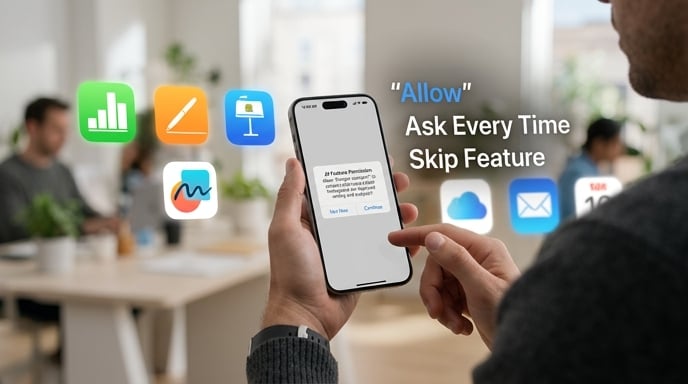
Apple’s new Google Cloud warning is easy to dismiss. It is just a dialog box. A little rectangle with a permission button. No fireworks. No “one more thing.”
But it captures the entire AI moment.
Apple wants stronger AI features. It needs outside infrastructure for some of them. It also wants to protect its privacy reputation. So it is building a system where users see the handoff before it happens.
That is smart. It is also revealing.
The age of pure, fully self-contained consumer AI is not here yet. Even Apple, the great stack-control champion, is leaning on partners. The difference is that Apple wants the handoff to happen with consent, limits, and branding still firmly in Cupertino’s grip.
A tiny pop-up just told us something big: the iPhone’s AI future will not be built by Apple alone.
It will be Apple-managed, Apple-framed, and Apple-polished.
But behind the curtain, the cloud is getting crowded.
Sources
- Cult of Mac: Apple added a Google Cloud warning for certain iPhone AI features. (Cult of Mac)
- AppleInsider: Apple warns users before some Apple Creator Studio prompts go to Google Cloud. (AppleInsider)
- 9to5Mac: Apple added a new pop-up in iOS 26 and iOS 27 for AI features that send data to Google Cloud. (9to5Mac)
- Apple Day: Apple Day summarized AppleInsider’s report on Google Cloud warnings for AI prompts. (Apple Day)
- Apple Support: Apple Creator Studio documentation explains supported apps, intelligence features, usage limits, Google Cloud/OpenAI integrations, and privacy rules. (Apple Support)
The Kingy Brief
Get The Kingy Brief.
AI changes, original tests and one practical thing to try. Fridays at 09:00 Vancouver time.
Free · Double opt-in · Unsubscribe anytime
Signup help and newsletter schedule
Signup form provided by Beehiiv. After submitting, check your inbox for "Confirm your subscription to The Kingy Brief" and open its confirmation link. Check Spam or Promotions if you cannot find it.
Fridays at 09:00 Vancouver time: source-checked AI changes, original tests and one practical thing to try. The weekly restart begins October 9, 2026. We skip a week when there is not enough verified material. Free. Unsubscribe anytime.