OpenAI just introduced Sites, a new Codex feature that turns prompts, plans, analysis, and existing projects into hosted, shareable websites and apps.
This is not just another website builder.
This article first covered the June 2026 launch. OpenAI’s current Sites documentation now describes a public beta available with ChatGPT Plus, Pro, Business, Enterprise and Edu plans. Plan-specific usage limits apply, and ChatGPT displays the current limits.
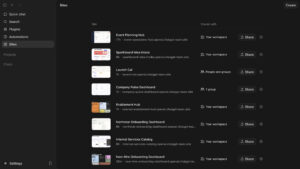
That means OpenAI is pushing Codex beyond software engineering. Codex is no longer only a coding assistant that helps developers write, review, and ship code. With Sites, Codex starts to look like a workplace builder: a tool that can turn knowledge work into interactive software surfaces.
A product manager can ask for a launch hub.
A marketer can ask for a campaign dashboard.
A sales team can ask for an account review workspace.
A finance team can ask for a scenario planner.
An operations team can ask for an internal request portal.
A founder can ask for a lightweight internal app without waiting for an engineering sprint.
OpenAI’s broader launch post, Codex for every role, tool, and workflow, says Sites can turn ideas, analysis, and plans into dashboards, planners, review workspaces, project boards, galleries, and lightweight tools that teams can share through a URL.
For Kingy AI readers, this connects directly to a bigger trend we have been covering across AI agents, coding agents, and beginner-friendly automation. If you are new to this category, start with the Kingy AI OpenAI Codex Course for Beginners, the AI Agents for Beginners course, and the MCP, AGENTS.md, and Context Engineering for Beginners course.
Sites is part of the same movement: AI is moving from answering questions to creating usable work.
TL;DR
OpenAI Sites lets ChatGPT create, host, refine and share websites, web apps and games. It is now in public beta for Plus, Pro, Business, Enterprise and Edu plans; account and workspace settings still govern sharing and connected features.
The important part is not simply “AI can make a web page.” The important part is that Codex can now turn workplace ideas into deployed, interactive tools.
OpenAI says Codex now has more than 5 million weekly users, with non-developers making up about 20% of users and growing more than 3x faster than developers.
Sites is in public beta. The current documentation explains plan-specific usage limits, storage limits and custom-domain support where available. Those product limits are separate from measured latency, uptime or performance; this article does not report a Kingy test of Sites.
The early opportunity is obvious: teams can build small internal tools, dashboards, review portals, launch hubs, and calculators much faster than before.
The big unknown is governance. If everyone can generate internal apps, companies will need clear rules around access, data, review, ownership, and maintenance.
What OpenAI actually launched
OpenAI launched Sites as part of a larger Codex update focused on making Codex useful across more roles, not just software development.
The update includes three major pieces:
First, role-specific plugins. OpenAI says it is launching six new role-specific Codex plugins for data analytics, creative production, sales, product design, public equity investing, and investment banking. These plugins bundle apps, skills, instructions, and workflows. Together, OpenAI says they include 62 popular apps and 110 skills.
Second, annotations. Users can point at a specific part of a Codex-created artifact and ask Codex to change that exact part. OpenAI gives examples like selecting a navigation bar in a site and asking Codex to update the font, highlighting a claim in an investment thesis and asking where it came from, or marking a chart on a slide and asking for a clearer label.
Third, Sites. This is the feature that lets Codex create interactive, hosted websites and apps that can be shared with a workspace by URL.
The key difference is output.
Before Sites, Codex could help produce code, documents, dashboards, reports, analysis, and files. With Sites, Codex can turn some of that work into a hosted interface.
That is a major shift.
A document explains something.
A spreadsheet models something.
A slide deck presents something.
A site lets people use something.
That is why Sites matters.
What is OpenAI Sites?
OpenAI Sites is a hosted experience managed in ChatGPT for creating, refining and sharing websites, web apps and games.
OpenAI’s Sites documentation says the feature is designed for people who want to turn a prompt or a compatible existing project into a hosted site without setting up a separate deployment workflow.
In plain English:
Sites lets you ask Codex to build a small app or website and then host it for you.
That could mean:
a product launch hub
a revenue forecast planner
an event operations dashboard
a customer review workspace
a sales enablement portal
a creative brief repository
a project request dashboard
a lightweight internal tool
a game
a simple website
a prototype
a data dashboard
a file review interface
an onboarding center
OpenAI’s launch post specifically names dashboards, planners, review workspaces, project boards, galleries, lightweight tools, customer review pages, financial scenario planners, and launch hubs as examples.
This is why calling Sites a “website builder” feels too small.
A normal website builder helps you make pages.
Sites is more like a prompt-to-workspace builder. It gives Codex a way to turn knowledge work into a working interface.
Why Sites matters
The biggest thing Sites changes is the format of work.
Most AI tools still produce text. They write an answer, summarize a document, draft an email, generate a report, create a table, or produce code.
That is useful, but it is still mostly static.
Sites moves the output toward interactive software.
Instead of asking AI for a launch plan, you can ask for a launch hub. Instead of asking for a summary of customer feedback, you can ask for a customer review workspace. Instead of asking for a spreadsheet model, you can ask for a scenario planner.
This matters because a lot of knowledge work is not really a writing problem. It is a coordination problem.
Teams need to understand the same information.
They need to make decisions from shared context.
They need to track work.
They need to review evidence.
They need to update assumptions.
They need to collaborate around messy information.
Documents are not always the best container for that.
A 20-page strategy memo may be less useful than a small dashboard with filters, assumptions, sources, and status indicators. A spreadsheet may be less usable than a scenario planner with simple controls. A Slack thread may be less useful than an internal workspace that preserves the current state of the project.
OpenAI’s The Next Era of Knowledge Work report frames the opportunity around knowledge workers, saying more than 40% of the U.S. labor force, roughly 72 million people, works primarily with information such as analysis, code, documents, designs, systems, and communication.
OpenAI’s related article, Codex is becoming a productivity tool for everyone, says knowledge workers are using Codex to create reports, spreadsheets, presentations, contracts, and other work products, while increasingly using it for research, data analysis, workflow automation, and lightweight tools that previously required engineering support.
Sites is the logical next step.
If people are already using Codex to create work products, OpenAI wants Codex to turn those work products into living tools.
The shift from documents to tools
The easiest way to understand Sites is this:
Old model: AI helps you make documents.
New model: AI helps you make tools.
That sounds simple, but the implications are huge.
A document is passive. It waits for someone to read it.
A tool is active. It helps someone do something.
A report tells a sales leader what changed.
A dashboard lets the sales leader explore what changed.
A spreadsheet contains a forecast.
A planner lets the team test assumptions.
A launch document lists messaging, dates, owners, and assets.
A launch hub gives the team one place to find the latest version, update status, and make decisions.
A customer feedback summary describes themes.
A review workspace lets the team filter, prioritize, tag, assign, and track action items.
This is where Sites becomes strategically interesting. It is not just a productivity feature. It is a new delivery layer for knowledge work.
For years, companies have relied on docs, spreadsheets, slides, wikis, dashboards, project management boards, and internal tools. Each one solves part of the problem. But teams often end up with information scattered across many systems.
Sites gives Codex a way to create a custom interface around the actual work.
That could reduce the gap between “we know what we need” and “we actually have a usable thing.”
Who can use Sites?
Sites is in public beta and is available with ChatGPT Plus, Pro, Business, Enterprise and Edu plans.
Features and sharing options depend on the account and workspace. In Enterprise, public publishing is off by default and requires an admin to enable it. Connected-app features require a workspace where they are enabled, a private workspace Site and each visitor’s existing app permissions.
The current documentation includes personal Plus and Pro plans as well as workspace plans. It does not list ChatGPT Free as an eligible plan.
A subscription’s price and a Site’s usage limits are different questions. Check current regional plan pricing before buying a subscription; this article does not provide a current subscription quote.
The current Sites documentation says plan-specific limits apply across all Sites during the beta. Reaching a limit can prevent creation, additional storage or keeping a high-usage Site public, while existing Sites can still be edited and managed. It does not establish an unlimited free hosting allowance.
So the current access picture looks like this:
User type Sites access status
ChatGPT Plus and Pro users Included in the current public-beta eligibility list
ChatGPT Business, Enterprise and Edu users Included, subject to workspace settings
Developers using Codex CLI or the IDE Use those tools for local editing and testing; manage Sites in ChatGPT web or desktop
Non-technical users Can ask ChatGPT to build and refine hosted experiences
Teams with sensitive workflows Must review access, connected data and the documented unsupported uses
The most obvious users are not only engineers.
Sites is especially interesting for:
product managers
marketers
sales teams
customer success teams
analysts
operators
finance teams
founders
designers
researchers
internal enablement teams
RevOps teams
strategy teams
educators
non-technical builders
For beginners and non-technical users, the key is to treat Sites like an AI-assisted building surface, not magic. That is why Kingy AI has been building resources like AI Browser Agents for Beginners and MCP, AGENTS.md, and Context Engineering for Beginners. The more capable agents become, the more important it is to define context, boundaries, review steps, and approval gates.
What can Sites build?
OpenAI gives several examples of what Sites can create. The most important categories are internal tools, dashboards, planners, review spaces, and project hubs.
Launch hubs
A product launch usually involves a mess of moving pieces: messaging, dates, approvals, assets, owners, screenshots, demo links, sales enablement, FAQs, emails, social posts, blog drafts, landing pages, and last-minute decisions.
A launch hub built with Sites could collect all of that in one place.
Instead of a static launch doc, the team could have:
launch timeline
task owners
messaging snippets
asset gallery
approval status
launch checklist
demo links
press notes
customer proof points
open decisions
final publish links
OpenAI specifically says Codex can turn launch materials into a living hub where teams can find the latest messaging, milestones, owners, and decisions.
For Kingy AI, this is highly relevant to the AI Launch Tracker concept. A publication, startup, or AI marketing team could use Sites to create an internal launch-intelligence dashboard before turning that research into public articles.
Scenario planners
Scenario planners may be one of the strongest use cases.
Many business decisions live inside spreadsheets. But spreadsheets can be intimidating, fragile, and hard to explain to non-finance teams.
Sites could let a finance or marketing team turn a spreadsheet-style model into a simple interface.
Examples:
revenue forecast planner
pricing scenario tool
ad spend payback calculator
hiring plan model
sponsorship ROI calculator
CAC payback planner
content production budget simulator
sales capacity model
churn sensitivity model
OpenAI gives the example of Codex building a scenario planner from a financial model so leaders can compare assumptions instead of reading through tabs in a document.
This is exactly the kind of workflow where AI-generated interfaces could help non-technical teams. The spreadsheet logic remains important, but the user experience becomes much cleaner.
Customer review workspaces
Customer work is another obvious use case.
A customer success team could ask Codex to create a workspace for an account review. The site might include product updates, open questions, usage trends, next steps, risk signals, support tickets, renewal notes, and stakeholder information.
OpenAI gives a very similar example: ask Codex to create a site for an upcoming customer review, and it can generate an interactive webpage with product updates, open questions, usage trends, and next steps for that account.
This could be useful for:
customer success managers
account executives
support leads
product teams reviewing feedback
onboarding teams
renewal teams
customer marketing teams
The interesting part is that the Site becomes a shared workspace, not just a report.
Dashboards
Dashboards are the obvious category, but Sites could make them easier to create for small, team-specific use cases.
Examples:
weekly content performance dashboard
sales pipeline dashboard
campaign performance dashboard
launch readiness dashboard
product feedback dashboard
recruiting pipeline dashboard
support ticket trend dashboard
creator campaign dashboard
AI tool research dashboard
OpenAI says the data analytics plugin can help analysts and business teams explore product and business data, explain why key metrics changed, and create reports and dashboards using tools like Snowflake, Databricks Genie, Hex, and Tableau, with more coming soon.
For Kingy AI, a practical example would be an internal dashboard that tracks AI launches, sponsor potential, YouTube content potential, SEO opportunity, pricing, funding, official demo links, and traction signals. That lines up directly with the kind of workflow behind the AI Launch Tracker.
Sales enablement portals
Sales enablement is another strong fit.
A sales team could ask Codex to create a portal that includes:
buyer personas
common objections
approved claims
demo clips
competitor comparisons
pricing explanations
customer quotes
case studies
discovery questions
follow-up email templates
deal risk signals
OpenAI says the sales plugin helps teams find high-priority accounts and signals, prepare for customer meetings, complete follow-ups, update customer records, build close plans, and review deals at risk using tools like Salesforce, HubSpot, Slack, Outreach, Clay, Rox, and Actively.
Sites could become the output layer for that work.
Instead of Codex only drafting meeting notes or account summaries, it could create a usable account workspace or enablement page.
Creative production boards
For marketing and creative teams, Sites could be used to create campaign boards and asset review spaces.
OpenAI says the creative production plugin helps marketing and creative teams turn briefs into assets they can review, including campaign boards, display ad variations, product lifestyle shots, and ecommerce-ready image sets with tools like Figma, Canva, Shutterstock, Picsart, and Fal.
A Sites workflow could turn that into:
a campaign review board
a creative direction gallery
an asset approval portal
an ad variation comparison page
a product image review workspace
a client-facing concept board
a brand campaign hub
This is one of the clearest signs that Codex is becoming more than a developer tool.
Specs and technical details
OpenAI has already documented several practical specs for Sites.
Here is the confirmed product picture.
Category Current documented detail
Product name ChatGPT Sites
Product type Hosted websites, web apps and games managed in ChatGPT
Status Public beta
Availability ChatGPT Plus, Pro, Business, Enterprise and Edu plans
Hosting Hosted through Sites
Core functions Create, save, deploy, manage, refine and share Sites
Output types Websites, web apps, games, dashboards and internal tools
Deployment URL Every Sites deployment URL is a production deployment
Review workflow Save a version without deploying when you need a reviewable build
Source linkage Local Sites projects can link source projects to managed hosting
Storage config .openai/hosting.json holds project linkage and optional binding names
Durable structured data D1 relational database; 10 GB per Site
File storage R2 object storage; no fixed storage limit stated
User identity Workspace identity for restricted Sites; optional Sign in with ChatGPT on public Sites
Authentication An authentication-enabled Site can use public sign-in or an external identity provider
Access modes Depend on account and workspace settings
Secrets Hosted environment variables and secrets managed in Site settings
Usage Plan-specific beta limits shown in ChatGPT; no current price quoted here
Sites publishing has two separate stages: save a deployable version, then deploy the selected version. For a local source project, the saved version is associated with the Git commit used for its build. A deployment succeeds when Sites publishes the version and reports its production URL.
That distinction matters. It means Sites is not just “generate and instantly publish.” There is a review step available before the site becomes live.
For a new project, Sites can start with its recommended starter. For an existing project, ask ChatGPT to confirm compatibility before requesting deployment. Some frameworks, databases, private networks and background services are unsupported.
For storage, OpenAI documents four major patterns:
Site need What Sites can use
Content-led website or landing page No persistent app state unless needed
Saved records, progress, or scores D1 relational database
Images, documents, audio, video, or uploads R2 object storage
Uploaded files with searchable metadata D1 for metadata and R2 for files
OpenAI also says internal sites can use workspace-authenticated user identity, while public sign-in or external identity providers require an authentication-enabled Sites project.
That is more serious than a simple preview-link feature. Sites is clearly being designed for real app-like workflows.
Access control and security
Security is one of the most important parts of this launch.
If a tool can generate and host internal apps, then teams need to know who can see those apps, what data they contain, and whether the app is safe to share.
OpenAI’s Sites documentation tells users to set the audience before sharing a deployed URL. For a new site, OpenAI recommends keeping access limited to the owner and workspace admins until the content, data handling, and expected audience have been reviewed.
Sharing options depend on the account and workspace:
Access setting Who can access
Owner and workspace admins The initial restricted audience
Selected users or groups Available where supported
Invited external viewers Available where external invitations are enabled
Workspace audience Available where supported
Public audience Only when public publishing is enabled
OpenAI also warns users not to store secrets in .openai/hosting.json, and says runtime environment variables and secrets should be configured through the Sites panel.
That is important because a Sites project could easily include sensitive data or connected services.
A finance planner might contain revenue assumptions.
A customer review workspace might include usage data.
A sales portal might include account notes.
A launch hub might include confidential messaging.
A hiring dashboard might include candidate information.
So the right mental model is:
Treat a Site like software, not like a casual AI response.
Before sharing a Site, teams should review:
who can access it
what data it contains
whether any secrets are used
whether the source changes are safe
whether database migrations are expected
whether the deployment URL is correct
whether the audience is correct
whether it is a prototype or production workflow
who owns maintenance
OpenAI’s Codex help page also says that Business, Enterprise, and Edu inputs and outputs are not used by default to improve OpenAI’s models, while Pro and Plus conversations may be used unless users turn off training in data controls.
Plan eligibility does not establish that an app is suitable for sensitive workplace data. Review the Site’s audience, app permissions and data handling separately; sharing a connected Site does not grant visitors access to the builder’s connected accounts.
Benchmarks: what we know and what we do not
This is where we need to be careful.
OpenAI has not yet published full Sites-specific benchmarks for performance.
This article does not establish measured Sites latency, uptime, throughput or production capacity. The current documentation does supply storage limits and describes custom domains where available; those should not be listed as wholly undocumented.
Unmeasured performance questions include:
page load speed
latency under realistic load
uptime guarantees
maximum concurrent users
bandwidth behavior
public app scalability
Lighthouse scores
export and migration behavior
Plan-specific usage limits are shown in ChatGPT. The documentation lists a 10 GB D1 limit and no fixed R2 storage limit, and describes custom domains where available; custom domains are not available in Enterprise workspaces at launch.
So if someone claims “OpenAI Sites is faster than Webflow” or “Sites is better than Vercel” or “Sites can replace every internal tool builder,” that is premature.
The confirmed benchmarks are mostly Codex adoption and usage benchmarks, not Sites performance benchmarks.
OpenAI says Codex now has more than 5 million weekly active users, up more than 6x since the launch of the desktop app in February. OpenAI also says knowledge workers now represent about 20% of Codex users and are growing more than 3x faster than developers.
OpenAI says the fastest-growing knowledge-worker tasks include data analysis, research, and knowledge artifact creation. It also says users are increasingly running multiple Codex tasks in parallel to investigate data, draft materials, and automate workflows at the same time.
Those numbers explain why Sites exists.
If Codex is already being used to create reports, spreadsheets, presentations, contracts, research, data analysis, workflow automations, and lightweight tools, then Sites gives those outputs a place to live.
Here is the honest benchmark table:
Benchmark category Evidence boundary
Codex adoption figures Launch-period OpenAI figures reproduced in this article; not remeasured here
Sites availability Current documentation lists Plus, Pro, Business, Enterprise and Edu public-beta access
Sites usage Plan-specific beta limits displayed in ChatGPT
Sites latency and uptime No Kingy performance test reported here
Sites storage D1: 10 GB per Site; R2: no fixed storage limit stated
Sites custom domains Documented where available; unavailable in Enterprise at launch
Sites production-readiness Requires review of the actual app, access and data handling
Sites security model Documented audience controls, secrets handling and app-permission boundaries
The best way to say it:
The adoption benchmarks are strong. The Sites-specific infrastructure benchmarks are still unproven.
Why this matters for non-technical workers
The biggest audience for Sites may not be professional developers.
Developers already have many ways to build and deploy websites. They can use frameworks, hosting providers, version control, CI/CD, internal tooling platforms, no-code systems, and cloud services.
The bigger change is that non-technical employees may be able to create the first version of the tool they need.
That matters because every company has tiny software gaps everywhere.
A team needs a better tracker.
A manager needs a dashboard.
A marketer needs a campaign hub.
A customer success team needs an account review page.
A finance team needs a simple planner.
An operations team needs a request intake tool.
A founder needs a prototype.
A researcher needs a review interface.
A content team needs an asset board.
These projects are often too small for engineering, too custom for off-the-shelf SaaS, and too annoying to keep managing in spreadsheets.
Sites could become the bridge.
It does not mean everyone becomes a software engineer. It means more people can describe the interface they need and get a working version quickly.
For non-technical builders, the best workflow will probably look like this:
Describe the goal clearly.
Define the audience.
Define the data.
Define what should be saved.
Define what should not be saved.
Ask Codex to build the Site.
Review the output.
Test the workflows.
Keep access restricted.
Share only when ready.
That is why context matters. If you are using Codex or other AI coding agents, the Kingy AI MCP, AGENTS.md, and Context Engineering for Beginners course is directly relevant. The better your project instructions are, the better the AI can understand what to protect, what to change, and how to test.
Why this matters for developers
Sites does not make developers irrelevant.
It may actually make developer judgment more important.
When more people inside a company can create internal tools, developers will need to help define:
when a Site is safe as a prototype
when a Site needs engineering review
what data can be used
which integrations are allowed
how secrets are managed
how source changes are reviewed
when database migrations are acceptable
when a Site should become a proper production app
when a workflow is too risky for AI-generated software
OpenAI’s documentation already points in this direction. Before deployment or wider access, OpenAI tells users to review source changes and database migrations, confirm that the build succeeded, check that the intended audience is correct, confirm that secrets were configured properly, and verify deployment status and URL before sharing.
That sounds like software governance.
In the best case, Sites helps developers by reducing tiny backlog requests.
Business users can build low-risk first versions. Developers can review, improve, template, govern, and productionize the things that matter.
In the worst case, Sites could create a new shadow IT layer where teams generate apps without clear ownership or review.
The difference will come down to process.
How Sites compares to no-code tools, website builders, and internal app platforms
Sites enters a crowded market.
There are already website builders, no-code app builders, internal tool builders, design tools, BI dashboards, spreadsheet apps, developer platforms, and AI coding tools.
OpenAI even says it is working with early partners including Vercel, Wix, Base44, Replit, Lovable, Figma, Webflow, and Emergent as it builds toward a Sites partner ecosystem.
That partner list is important. It suggests OpenAI is not necessarily trying to replace every builder immediately. Instead, Sites may become a creation and deployment layer inside Codex that connects to a broader ecosystem.
Here is a practical comparison:
Category What it is good at Where Sites is different
Website builders Public marketing pages, landing pages, brand sites Sites starts from a Codex agent workflow and can create app-like internal surfaces
No-code tools Forms, databases, workflows, internal apps Sites may reduce manual setup by generating the app from a prompt
BI tools Reporting and dashboards Sites can combine dashboards with narrative, workflow, review, and interactivity
Developer platforms Production apps, scalable systems, serious engineering Sites lowers friction for lightweight apps and prototypes
Spreadsheets Flexible models and quick analysis Sites can turn spreadsheet logic into a guided user interface
Docs and wikis Knowledge storage Sites can turn knowledge into a tool people use
The key advantage is speed.
The key risk is maturity.
Sites remains in public beta. Its current documentation provides more detail on storage, domains, audience settings and connected-app permissions than the original launch material. That does not establish production performance or suitability for every workflow.
What feels promising
The most promising thing about Sites is that it matches how teams actually work.
Teams do not just need more AI text. They need better ways to turn information into action.
A dashboard is more useful than a static analytics summary.
A planner is more useful than a spreadsheet nobody understands.
A launch hub is more useful than five scattered docs.
A review workspace is more useful than a long pasted customer-feedback dump.
An internal portal is more useful than a buried Slack thread.
Sites gives Codex a way to create these surfaces quickly.
The second promising thing is that Sites is connected to the broader Codex ecosystem. OpenAI is not launching Sites alone. It is launching Sites alongside role-specific plugins, app connectors, skills, annotations, and enterprise controls. That makes Sites part of a larger strategy: Codex as an AI work platform, not just a code generator.
The third promising thing is that OpenAI already has usage data showing Codex expanding into non-developer workflows. When analysts, marketers, operators, designers, researchers, investors, and bankers are already using Codex, Sites gives those users an output format that makes sense.
For Kingy AI readers, this is also why the agent category is so important. Tools like Sites show that AI agents are not only about chatbots. They are about software that can take action, create work products, operate across workflows, and help non-technical users build things. That is exactly the territory covered in the Kingy AI AI Agent Directory & Readiness Scorecard.
What feels unproven
The biggest unknown is how Sites performs in real organizations over time.
Creating a beautiful first version is one thing. Maintaining it is another.
Teams will need answers to questions like:
Who owns the Site after it is created?
Who updates it?
Who checks whether the data is still accurate?
What happens if the original creator leaves?
Can the company export or migrate it easily?
How are bugs reported?
How are permissions audited?
How does the company prevent hundreds of abandoned internal apps?
When does a Site become mission-critical?
When does engineering need to take over?
The second unknown is accuracy.
If Codex creates a dashboard, planner, or calculator, the interface may look polished even if the underlying logic is wrong. That can be dangerous.
A wrong blog draft is annoying.
A wrong financial planner can affect decisions.
A wrong customer health dashboard can affect renewals.
A wrong compliance workflow can create risk.
A wrong pricing calculator can create bad strategy.
So Sites should not be treated as “publish and trust.”
It should be treated as “build, inspect, test, and then share.”
The third unknown is platform maturity.
OpenAI documents access controls, storage, deployment, secrets, some limits and collaboration permissions. Teams still need to evaluate their actual app’s performance, ownership, permissions and data handling. Published documentation is not a test of a particular deployment.
That does not make Sites weak. It just means it is early.
Best first use cases
The best early Sites projects should be low-risk, internal, useful, and easy to verify.
Good first use cases:
internal launch hub
content calendar
sales enablement portal
project request dashboard
customer review workspace
campaign planning board
event operations dashboard
onboarding hub
simple revenue planner
internal FAQ
asset review gallery
lightweight prototype
internal calculator
Riskier first use cases:
regulated workflows
sensitive customer data
financial reporting without review
legal or compliance advice
public brand-critical websites
high-traffic production apps
workflows involving payments or account changes
anything requiring guaranteed uptime
anything with sensitive secrets or private data
The safest starting point is internal read-only or low-risk interactive work.
For example:
“Create a launch hub for our upcoming product announcement. Include sections for messaging, milestones, owners, asset links, open decisions, FAQ, and launch-day checklist. Keep access limited to workspace admins until reviewed.”
That is a strong Sites prompt because it defines the purpose, audience, structure, and safety boundary.
Suggested prompts for trying Sites
Here are practical prompts that eligible users could adapt. Workspace-specific examples require the corresponding workspace features and permissions.
Launch hub prompt
Create a Sites project for an upcoming product launch. The audience is our internal marketing, sales, and product team. Include sections for launch timeline, messaging, asset links, owners, open decisions, FAQ, approval status, and launch-day checklist. Keep it clean, executive-friendly, and easy to update. Save a reviewable version first before deploying.
Customer review workspace prompt
Create a customer review workspace for an upcoming account review. Include customer goals, usage trends, recent product updates, open risks, support issues, stakeholder notes, renewal considerations, and next steps. Make it interactive with filters for risk level and owner. Keep access limited to workspace admins until reviewed.
Scenario planner prompt
Create a financial scenario planner from this model. Let leaders adjust assumptions for pricing, conversion rate, churn, ad spend, and sales capacity. Show best case, base case, and downside case. Include clear labels and warnings that this is a planning tool, not final financial advice. Save a version for review before deployment.
Internal request dashboard prompt
Create a project request dashboard for our operations team. Team members should be able to submit requests, see owner, priority, due date, status, and notes. Include filters for owner, status, and priority. Use persistent storage so requests are saved between visits. Require workspace sign-in.
Creative review board prompt
Create a creative campaign review board. Include sections for campaign brief, target audience, approved messaging, image concepts, ad variations, comments, approval status, and next steps. Make it easy for the team to review options and decide which assets move forward.
Kingy AI verdict
OpenAI Sites is one of the most important Codex updates so far because it changes what AI work can become.
This is not just about generating code.
It is not just about making websites.
It is not just about replacing no-code tools.
Sites is about turning knowledge work into usable software.
That is a big deal.
Most organizations have endless small software needs that never get built. They have too many documents, too many spreadsheets, too many dashboards, too many disconnected tools, and too many ideas trapped in static formats.
Sites gives Codex a new output layer: hosted, shareable, interactive workspaces.
Sites is now in public beta with broader plan eligibility and documented storage and domain conditions. This article does not provide a performance benchmark or a guarantee that a generated app is ready for production; review the app and intended visitor experience before sharing it.
But the direction is obvious.
AI is moving from “write me a report” to “build me the tool.”
For developers, that means faster prototypes and more governance work.
For non-technical teams, it means more ability to create first versions.
For companies, it means the internal software backlog may start to shrink.
For founders and marketers, it means more ideas can become interactive demos, dashboards, launch hubs, and customer-facing tools.
Sites is early, but the concept is powerful.
OpenAI is turning Codex into a workplace builder.
Should you try OpenAI Sites?
If your eligible account has Sites available, start with a low-risk experience you can review. Workspace-specific features remain subject to workspace settings and permissions.
Try it for:
a launch hub
an internal dashboard
a simple planner
a review workspace
a project tracker
a campaign board
a lightweight prototype
an internal calculator
an onboarding portal
Do not start with:
sensitive customer data
regulated workflows
financial decisions without review
high-traffic public websites
mission-critical apps
workflows involving payments, deletes, submissions, or account changes
The best way to use Sites is to treat it like an AI-generated first draft of software.
Ask Codex to build.
Ask Codex to save a version.
Review the source changes.
Test the site.
Check access controls.
Confirm secrets are handled correctly.
Then deploy.
That is the responsible workflow.
FAQ
What is OpenAI Sites?
OpenAI Sites lets ChatGPT create, host, refine and share websites, web apps and games. Use ChatGPT on the web or the desktop app to manage Sites; Codex CLI and the IDE extension can edit and test local projects but do not have standalone Sites management views.
Is Sites a standalone OpenAI product?
Sites is a hosted experience managed in ChatGPT. A Site is separate from a ChatGPT Project. The current documentation describes web and desktop management rather than limiting it to a Business or Enterprise Codex plugin.
Who can use Sites?
The current public-beta eligibility list includes ChatGPT Plus, Pro, Business, Enterprise and Edu. Plan-specific limits and account or workspace settings still apply.
Is Sites free?
Do not assume unlimited free hosting. The current documentation describes plan-specific beta usage limits and shows those limits in ChatGPT. This article does not quote a current subscription or hosting price.
Can Sites build apps or only websites?
Sites can build websites, web apps, games, dashboards, internal tools, planners, and other hosted interactive experiences.
Can Sites store data?
Yes. OpenAI documents support for D1-style relational data for saved records and R2-style object storage for files such as images, documents, audio, video, and uploads.
Can Sites be shared publicly?
A public Site is available without ChatGPT workspace access when public publishing is enabled. Other audience options depend on the account and workspace; Enterprise public publishing is off by default. A Site’s audience setting and an optional sign-in feature are separate controls.
Does Sites replace Webflow, Wix, Replit, or Vercel?
Not directly. Sites is a Codex-hosted workflow for AI-generated websites and apps. OpenAI says it is working with partners including Vercel, Wix, Base44, Replit, Lovable, Figma, Webflow, and Emergent as it builds toward a Sites partner ecosystem.
Are there performance benchmarks?
This article reports no Kingy Sites performance test. Current documentation states usage and storage conditions and describes custom domains where available; it does not turn the launch-period Codex adoption figures into Sites performance benchmarks.
What is the best first project?
Start with a low-risk internal tool: a launch hub, project tracker, content calendar, review workspace, onboarding portal, or simple planner.
Sources
Primary sources used for this article include OpenAI’s Codex Sites documentation, OpenAI’s launch post Codex for every role, tool, and workflow, OpenAI’s report page Codex is becoming a productivity tool for everyone, OpenAI’s Codex pricing page, OpenAI’s ChatGPT Business help page, and OpenAI’s Using Codex with your ChatGPT plan. The launch video referenced by the user is available on X.
For AI founders and marketers
If you are building an AI product, agent, coding tool, developer platform, no-code builder, or AI productivity app, this launch matters because it shows where the market is heading.
The next wave of AI products will not only answer questions. They will create interfaces, automate workflows, generate internal tools, and turn business context into usable software.
Kingy AI helps AI companies explain complex products to a large AI-native audience through demo-led YouTube coverage, launch articles, and product education.
Explore the latest AI Launch Tracker or learn more about sponsoring Kingy AI.
The Kingy Brief
Get The Kingy Brief.
AI changes, original tests and one practical thing to try. Fridays at 09:00 Vancouver time.
Free · Double opt-in · Unsubscribe anytime
Sign up for The Kingy Brief on Beehiiv.
Signup help and newsletter schedule
Signup form provided by Beehiiv. After submitting, check your inbox for "Confirm your subscription to The Kingy Brief" and open its confirmation link. Check Spam or Promotions if you cannot find it.
Fridays at 09:00 Vancouver time: source-checked AI changes, original tests and one practical thing to try. We skip a week when there is not enough verified material. Free. Unsubscribe anytime.