Table of contents
- What happened: Clawdbot → Moltbot (Clawd → Molty)
- What is Moltbot (and what makes it different)
- How Moltbot works (Gateway, channels, tools)
- Core features (the full tour)
- “Safe setup in 10 minutes” (beginner friendly)
- Everyday use cases (what Molty is great at)
- Pros and cons (brutally honest)
- Security risks you must understand
- Security checklist (copy/paste + run commands)
- Hardening recipes (recommended configs and habits)
- FAQ
- Final thoughts
What happened: Clawdbot → Moltbot (Clawd → Molty)
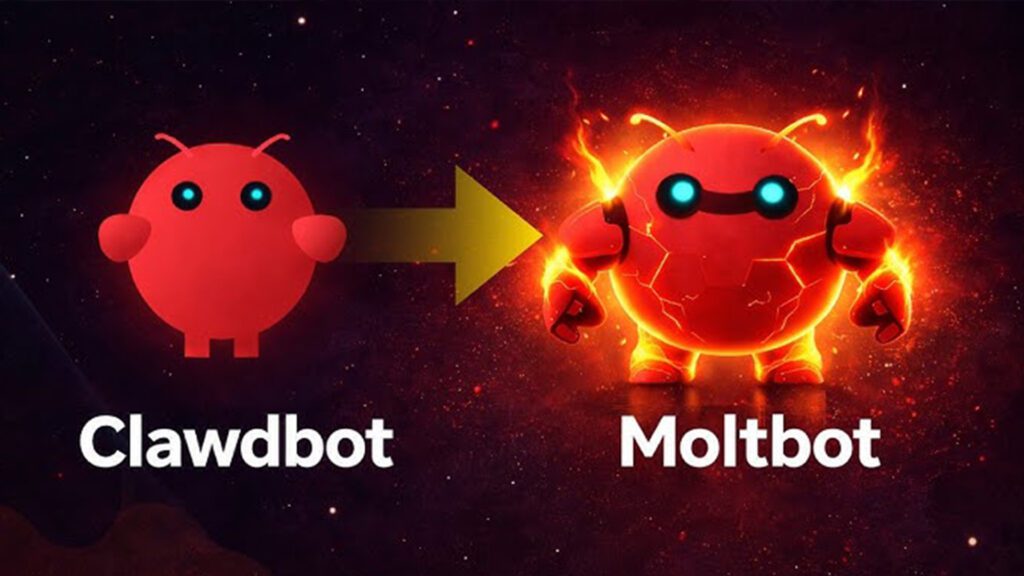
On January 27, 2026, the viral open-source agent previously known as Clawdbot rebranded to Moltbot, and the mascot/agent identity shifted from Clawd to Molty, after a trademark request tied to Anthropic’s Claude branding ecosystem.
Business Insider reported the creator saying the rename was “forced” and “wasn’t my decision,” framing it as a trademark-driven change rather than a product pivot.
The important part: by multiple accounts, the mission and functionality remain the same—it’s “the shell” that changed.
What is Moltbot (and what makes it different)
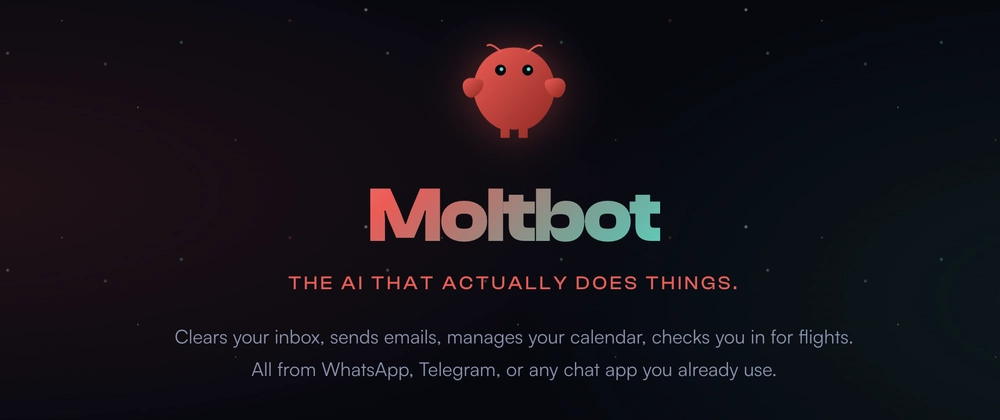
Moltbot is a personal AI assistant you run on your own devices—built around a local-first Gateway that connects to the messaging apps you already use (WhatsApp, Telegram, Slack, Discord, Google Chat, Signal, iMessage, Microsoft Teams, and more).
Instead of living inside a single chat app tab, Moltbot is designed to feel like a persistent operator:
- it receives messages from your channels,
- routes them into sessions/agents,
- optionally uses tools (browser, filesystem, automations),
- and replies back where you already hang out.
The “local-first” philosophy shows up everywhere—especially in memory.
Memory is files, not vibes
Moltbot’s docs are unusually direct: memory is plain Markdown in the agent workspace, and those files are the source of truth.
That’s a big deal because it’s debuggable, portable, and auditable… but it also means you must treat your disk as part of the security boundary (we’ll get there).
How Moltbot works (Gateway, channels, tools)
The Gateway: your control plane
Moltbot revolves around a Gateway (a local daemon/service) that hosts:
- a Web UI (“Control UI” / dashboard),
- WebSocket + HTTP surfaces on a single port (commonly 18789),
- sessions, routing, policies, logs, and tooling.
Channels: your inbox everywhere
From the GitHub README, Moltbot emphasizes a multi-channel inbox spanning major platforms (and several extensions).
That’s the core promise: your assistant answers on the surfaces you already use.
Tools: where Molty becomes powerful (and risky)
Moltbot supports first-class “tools”—things like web search/fetch, browser control, nodes (device actions), cron, skills, and more.
The moment you allow tools, you’re no longer “just chatting.” You’re operating a system that can act.
Core features (the full tour)
Below is a feature tour based on Moltbot’s README and official docs.
1) Onboarding wizard + dashboard
The official recommendation is to use the CLI onboarding wizard (moltbot onboard) to configure the Gateway, channels, skills, and workspace defaults.
Fastest first chat can be done directly through the dashboard.
2) Local-first Gateway + safer remote access patterns
Moltbot explicitly supports exposing the dashboard through Tailscale Serve (tailnet-only) or Tailscale Funnel (public), while keeping the Gateway bound to loopback.
That’s the “right direction” for remote admin surfaces.
3) Multi-agent routing + sandboxing
Moltbot can host one or many agents and route different channels/accounts/peers to isolated agents/sessions.
For safety, the docs include a real sandboxing model: agents.defaults.sandbox.mode supports off / non-main / all, where “non-main” can sandbox group/channel sessions while your primary DM session stays on-host.
4) Memory: Markdown + optional indexing/search
Memory is stored as Markdown in the agent workspace; CLI tools exist for memory status, indexing, and semantic search.
5) Security defaults for inbound messages (DM pairing)
Moltbot’s README highlights DM pairing by default on major channels—unknown senders get a pairing code and the bot won’t process their message until approved.
The security docs expand this into an explicit DM policy model (pairing/allowlist/open/disabled).
6) Control UI security model (HTTPS/localhost matters)
The security docs warn that the Control UI should run in a secure context (HTTPS or localhost) for device identity; enabling insecure auth modes is described as a security downgrade, and “dangerously disable device auth” is literally labeled break-glass.
The dashboard doc also calls it out as an admin surface and warns against exposing it publicly.
7) Operational safety tools: doctor + security audit
The docs provide commands like:
moltbot doctorto surface misconfiguration and permissions issuesmoltbot security audit(and--deep,--fix) to flag and optionally apply safer guardrails
This is one of the best signs of maturity: a tool that tells you when you’ve done something dangerous.
Safe setup in 10 minutes (beginner-friendly)
This is the “I want to try Molty today without getting owned” path. It prioritizes: localhost only, strong auth, DM pairing, and a quick audit.
Assumption: you have Node ≥ 22 available (Moltbot lists Node ≥ 22 as the runtime requirement).
Step 1) Install Moltbot
npm install -g moltbot@latest
# (or pnpm add -g moltbot@latest)
Step 2) Run the onboarding wizard (and install the daemon/service)
moltbot onboard --install-daemon
This is the recommended flow in the docs.
Step 3) First chat with zero channels (safest start)
Open the dashboard locally (typical default is the Gateway serving a dashboard on localhost).
Step 4) Run the quick “am I doing something dumb?” checks
moltbot doctor
moltbot security audit
moltbot security audit --fix
The security guide explicitly recommends running the audit regularly and notes that --fix applies safer guardrails.
Step 5) Confirm you’re not exposed to the internet
The security docs describe gateway.bind: "loopback" as the default and warn that non-loopback binds expand the attack surface.
If you don’t know what you’re doing yet: keep it loopback.
Step 6) Only then: connect one private channel (optional)
Do this only after:
- DM policy is pairing/allowlist (not open),
- group policy requires mention / allowlists,
- you’ve run the audit.
Everyday use cases (what Molty is great at)
From media coverage, Moltbot/Clawdbot is positioned as a do-it-all agent: everything from “booking dinner reservations” to overseeing “vibe-coding sessions,” while staying open-source and user-run.
In practice, it shines when you want one brain across many surfaces, for example:
- A “single source of truth” assistant reachable via WhatsApp/Slack/Telegram
- A daily operator that summarizes and routes tasks across work + life
- A controlled automation layer where actions happen because you approved the posture, not because the model improvised
Pros and cons (brutally honest)
Pros
1) Local-first control plane
You control the Gateway, config, policies, and (to a large extent) data flow.
2) Multi-channel reach
It’s built to live where you already communicate (not another SaaS inbox).
3) Real security posture knobs
DM pairing defaults, explicit bind modes, security audits, sandbox modes—these are serious controls.
4) Memory you can read and version
Markdown-based memory is transparent and portable.
5) Sandbox strategy for “public inputs”
“non-main” sandboxing is a practical pattern: keep your personal DM session powerful, but isolate group/channel sessions that are more likely to carry untrusted input.
Cons
1) Misconfiguration can be catastrophic
A single bad exposure can turn your admin panel into “master keys.” Bitdefender highlighted cases where exposed control panels allowed viewing config, retrieving API keys, and browsing conversation history.
2) The Control UI is an admin surface (not a toy)
The docs warn against exposing it publicly and note token handling behavior (e.g., token stored in localStorage after first load).
3) “Power concentration” is the point—and the risk
Agents that can read messages, store secrets, and execute actions are inherently high-stakes. Misconfig collapses boundaries fast.
4) Prompt injection is not solved
Moltbot’s own security docs are blunt: prompt injection remains a real risk, especially when tools are enabled, and can come from content (web pages, emails, attachments), not just random DMs.
Security risks you must understand (before you “go viral”)
This section is defensive. It’s about what can go wrong and how to prevent it.
Risk 1: Exposed dashboards = account takeover risk
On January 27, 2026, Bitdefender reported “hundreds of internet-facing control interfaces” linked to Clawdbot, with cases where outsiders could view configuration, retrieve API keys, and browse private conversation histories.
They also described severe cases where exposed instances “reportedly allowed unauthenticated command execution” on the host in certain deployments, including elevated contexts.
Takeaway: The Control UI/Gateway port is effectively root-of-trust for your assistant. Treat it like an SSH key.
Risk 2: Reverse proxy header trust bugs
Bitdefender’s writeup points to a classic failure mode: localhost trust assumptions + reverse proxy setups causing some internet connections to be treated as local.
Moltbot’s security docs also warn about reverse proxies and trusted proxy header handling.
Takeaway: If you don’t fully understand proxy headers and trusted proxy config—don’t front this with a random nginx config from a blog post.
Risk 3: Your chat logs live on disk
Moltbot stores session transcripts as .jsonl on disk under ~/.clawdbot/agents/<agentId>/sessions/*.jsonl, and the docs explicitly say: if someone has filesystem access, they can read those logs.
Takeaway: Disk permissions matter. Backups matter. “Sync this folder to Dropbox” is not a neutral choice.
Risk 4: Node execution is remote code execution (RCE)
If you pair a macOS node, the Gateway can invoke system.run—the docs describe this as remote code execution on the Mac and recommend denying/removing pairing if you don’t want it.
Takeaway: Don’t pair nodes casually. Don’t enable execution features “just to test.”
Risk 5: Plugins/extensions run in-process
Moltbot’s security docs say plugins run in-process with the Gateway and should be treated as trusted code.
Takeaway: Your supply chain is now part of your security model. Only load what you would run on your own machine.
Risk 6: Prompt injection + tools = silent damage
Moltbot warns prompt injection can occur even without public DMs, through any untrusted content your agent reads, and recommends reducing blast radius via read-only/tool-disabled “reader” agents and sandboxing.
Takeaway: “Only I can message it” is not a complete defense.
Security checklist (copy/paste)
Quick checks (do these now)
moltbot doctor
moltbot security audit
moltbot security audit --deep
moltbot security audit --fix
Must-have configuration principles
- Keep the Gateway bound to loopback unless you have a deliberate secure remote access plan (
gateway.bind: "loopback"is the safe default). - Never expose the Control UI publicly. It’s an admin surface and the docs warn against public exposure.
- Use DM pairing/allowlists so strangers can’t trigger your bot.
- Lock down file permissions: the security guide recommends keeping config/state private (e.g.,
~/.clawdbotlocked down). - Assume transcripts are sensitive because they’re stored on disk.
- Treat plugins as trusted code only.
- Sandbox non-main sessions (especially groups/channels) to reduce tool blast radius.
- Be paranoid with reverse proxies and configure trusted proxies correctly.
- Be explicit about prompt-injection handling: use a “reader agent” for untrusted content and keep dangerous tools off by default.
Hardening recipes (recommended patterns)
1) Remote access the right way: Tailscale Serve > “open a port”
Moltbot supports using Tailscale Serve (tailnet) or Funnel (public) to access the dashboard while keeping the Gateway loopback-bound.
If you go public, the docs note extra requirements (e.g., Funnel requiring password auth in some contexts).
2) Sandbox “public inputs,” not your whole life
If you primarily DM your assistant but occasionally use group chats, use "non-main" sandboxing so group/channel sessions run in Docker while your main session can stay on-host.
3) Treat “tools” like permissions, not features
Every new tool (browser, exec, nodes) expands what an attacker can do if they ever get an instruction hijack or control surface access. Moltbot’s docs repeatedly frame this as “blast radius.”
4) Make “memory” deliberate
Because memory is Markdown on disk, you can keep it clean:
- separate personal vs work memory files,
- avoid writing secrets into memory,
- periodically review and prune.
FAQ
Is Moltbot safe?
It can be, but only if you treat it like a privileged system:
- it stores transcripts on disk,
- it can execute actions/tools,
- and exposed control panels have already been reported as a real-world risk.
Do I need to connect WhatsApp/Slack/etc to use it?
Not necessarily. The onboarding docs describe the dashboard as a fast first chat path, and you can start there before connecting channels.
What should I never do?
- Don’t bind the Gateway to LAN/public internet without understanding auth + firewalling.
- Don’t expose the Control UI publicly.
- Don’t trust reverse proxy defaults.
- Don’t enable open DMs/groups with powerful tools.
Final thoughts
Moltbot (Molty) is basically the “lobster-flavored” embodiment of the 2026 agent trend: persistent, multi-surface, tool-capable, and dangerously powerful when misconfigured.
The rebrand story is interesting—Anthropic trademark pressure, viral momentum, and a fast rename—but the bigger story is this: self-hosted agents are crossing into “operator security” territory. Bitdefender’s report on exposed control panels is the kind of wake-up call that turns a fun weekend project into a real infrastructure decision.
If you publish this article, the best service you can do your readers is to push the “safe setup” and checklist as hard as the cool features. Because with agents, the blast radius is the product.
Kingy Launch Brief
Put the week’s verified AI launches in your inbox.
Get a source-checked briefing on consequential AI launches, with a clear try, watch or skip verdict. Beehiiv will ask you to confirm your address, then you can choose the subjects you want to follow.
Free · Choose your subjects · Double opt-in · Unsubscribe anytime